The value of a vendor planner is not simply that it contains blank rows. The best template helps you make decisions, monitor commitments, identify missing information, and prepare vendors for event day. It can support a wedding, conference, trade show, festival, fundraiser, corporate gathering, community market, private party, or production project.
Searches for a blank vendors planner template often reflect several different needs. Some planners want a simple printable sheet, while others need an editable Excel workbook, a Word document, or a PDF that can be printed and shared. Others are looking for a vendor application, a contract tracker, a booth assignment sheet, or a day-of setup checklist.
This guide explains how to build and use a vendor planner that works across those situations. It covers the information to collect, ways to compare vendors, payment and contract tracking, event-day coordination, vendor applications, booth planning, setup, reporting, and practical workflows for keeping the document current.
The goal is to help you turn a blank template into a reliable source of truth rather than another document that becomes outdated as soon as planning gets busy.
What Is a Blank Vendors Planner Template?
A blank vendors planner template is a reusable document or spreadsheet designed to organize information about the vendors supporting an event. A basic version may contain columns for vendor name, service category, contact information, price, booking status, and notes. A more advanced version can include contracts, deposits, insurance, arrival times, setup requirements, payment deadlines, deliverables, and contingency contacts.
The word “blank” is important because a reusable planner should provide structure without locking the organizer into someone else’s assumptions. You can start with empty rows and then add only the categories relevant to the event. A small birthday party might need a caterer, photographer, decorator, entertainer, and rental company, while a conference could require venue services, audiovisual production, registration staff, catering, security, transportation, printing, signage, and exhibitors.
A good template also separates permanent vendor information from event-specific information. A planner may maintain a reusable vendor directory containing business names, specialties, contacts, and preferred communication methods. A separate event worksheet can then track the vendor’s role, quote, contract status, event date, assigned location, and current deliverables.
That distinction makes the system easier to reuse. It also reduces the temptation to overwrite important historical information each time a new event is planned. Vendor management is ultimately a process of collecting information, making decisions, documenting agreements, and confirming execution.
For planners who manage several events, the template can become a lightweight vendor management system. For one-time organizers, it functions as a centralized checklist and contact sheet. Either way, the core purpose is the same: make vendor commitments visible before they become problems.
Why Vendor Planning Matters in Event Management
Events contain many interdependent tasks. A caterer may need a final guest count, a rental company may need loading access, an audiovisual provider may need power information, and a photographer may need a defined arrival window. If those details are stored separately, one change can easily fail to reach the people affected by it.
A centralized vendor planner makes dependencies easier to see. For example, if the venue changes its loading window, the planner can identify the rental company, caterer, production crew, florist, and other suppliers whose schedules may need adjustment. The planner becomes a coordination tool rather than merely a directory.
It also improves accountability. Every vendor can have a current status such as researching, quote requested, quote received, under review, approved, contract pending, booked, deposit paid, final details pending, confirmed, completed, or cancelled. The exact labels can be adapted to the organization’s workflow.
Event-planning resources commonly emphasize keeping vendor coordination, budgets, deadlines, and responsibilities organized in one planning framework. Smartsheet, for example, describes event-planner templates as tools for coordinating budgets, vendors, deadlines, and team roles, while its vendor-registration resources emphasize centralizing company, contact, service, and certification information. :contentReference[oaicite:0]{index=0}
The practical benefit is simple: when the event approaches, the planner should be able to answer who is responsible for what, what has been agreed, what remains outstanding, what the vendor needs from the organizer, and what the organizer needs from the vendor.
Core Sections to Include in a Blank Vendors Planner Template
1. Event overview
Start with event-level information rather than vendor information. Include event name, event date, venue, address, expected attendance, event type, planner or coordinator, client contact, and the current version date of the planner. This gives every person reviewing the document enough context to understand which project the information belongs to.
2. Vendor identification
Record the vendor’s legal or trading name, service category, primary contact, phone number, email address, website if relevant, and backup contact. If the vendor operates under several brands or has multiple divisions, identify the exact entity handling the event.
3. Service scope
Do not rely on a generic category such as “catering” or “AV.” Record what the vendor is actually expected to deliver. Scope might include menu service, staffing, equipment, transportation, installation, performance time, photography coverage, printing quantities, booth furniture, or other concrete deliverables.
4. Financial information
Track quoted price, approved price, deposit, deposit due date, balance, final payment date, taxes or fees where applicable, invoice number, and payment status. A budget figure without a payment deadline is not enough for day-to-day event management.
5. Contract and compliance status
Include columns for proposal received, agreement signed, insurance documentation if applicable, permits or licenses if applicable, and other required documents. The planner should indicate whether documentation is missing rather than assuming that a verbal agreement is sufficient.
6. Logistics and setup
Record arrival time, loading location, setup start, setup completion, teardown time, equipment requirements, electrical needs, table or booth requirements, parking instructions, credentials, and venue restrictions. This is where the planner becomes especially valuable on event day.

Source: Emergency Management Alliance of Indiana
How to Build Your Vendor Planner From Scratch
The first step is to define the event before adding vendors. Write down the event purpose, format, date, venue, estimated attendance, operating hours, and major program components. This prevents the vendor list from becoming a random collection of suppliers that is not connected to the event’s actual requirements.
Next, break the event into operational categories. Typical categories include venue, catering, rentals, décor, floral, entertainment, photography, videography, audiovisual, staging, lighting, transportation, security, staffing, printing, signage, sanitation, technology, registration, and specialty services. A category structure makes missing vendors easier to identify.
Then create one row for each vendor. Avoid putting multiple vendors into one cell or one row because doing so makes filtering and follow-up difficult. If one company supplies several services, you can still record those services in separate fields or use separate rows when different deliverables have different deadlines.
After the basic rows are created, add workflow fields. A practical sequence might be “Research,” “Contacted,” “Quote Received,” “Shortlisted,” “Approved,” “Contract Pending,” “Booked,” “Deposit Paid,” “Final Confirmation,” and “Completed.” These stages make the planner useful for both planning and execution.
Finally, create a review rhythm. Update the planner after every vendor call, quote, contract change, payment, or scheduling decision. Do not wait until the final week. The document is most valuable when it reflects the current situation throughout the project.
Recommended vendor planner columns
| Column | Purpose |
|---|---|
| Vendor Name | Identifies the supplier or service provider. |
| Category | Groups vendors by service type. |
| Primary Contact | Identifies the person responsible for communication. |
| Phone / Email | Provides direct contact information. |
| Scope | Defines what the vendor is expected to provide. |
| Quote | Records the proposed cost. |
| Approved Cost | Records the amount accepted by the organizer. |
| Contract Status | Shows whether an agreement has been completed. |
| Deposit | Tracks upfront payment. |
| Balance Due | Shows remaining financial commitment. |
| Arrival | Records expected vendor arrival. |
| Setup | Records setup requirements or deadline. |
| Notes | Captures exceptions, decisions, and follow-ups. |
Choosing Between PDF, Excel, Word, and Printable Formats
Different formats solve different planning problems. A PDF is useful when the goal is to preserve a fixed layout, share a document, or print a standardized worksheet. It is less convenient when the planner needs frequent sorting, calculations, filtering, or bulk editing.
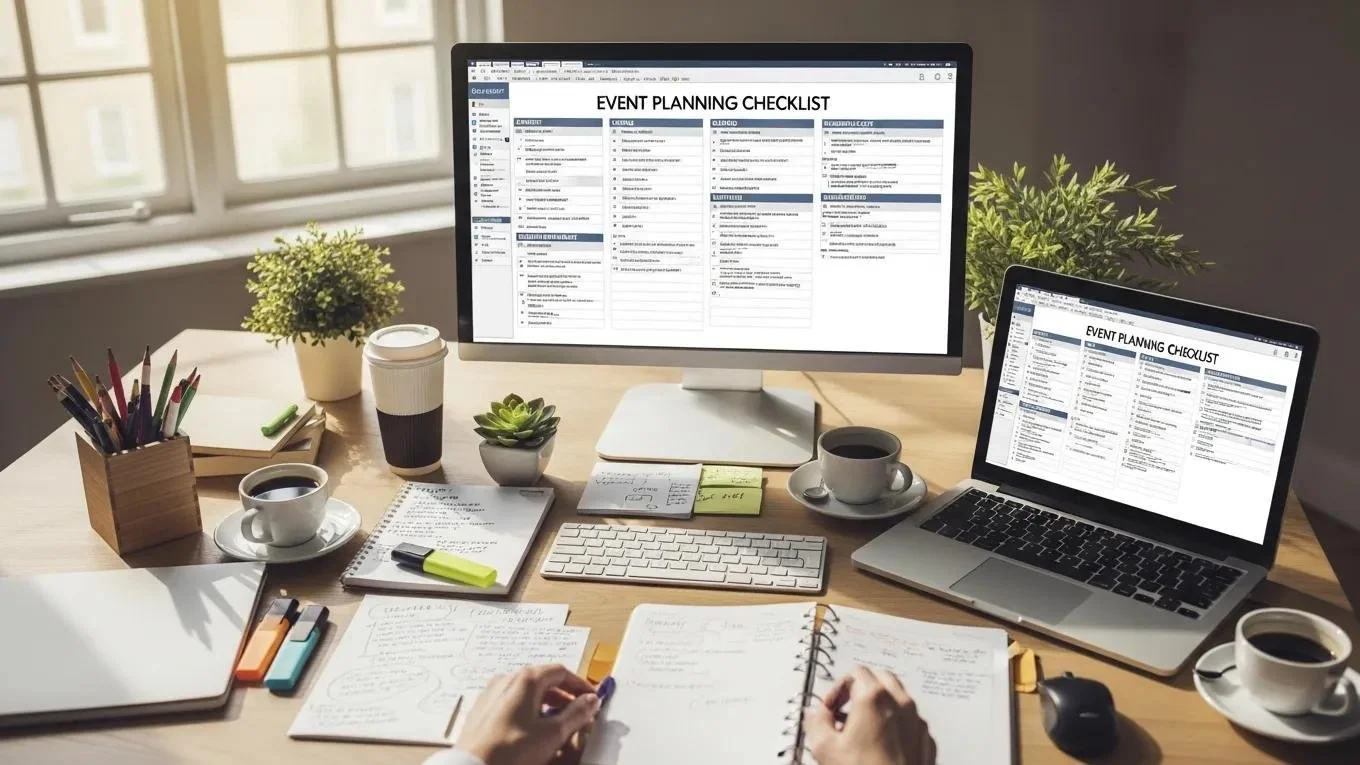
Excel is usually more useful for active vendor management because rows and columns can be filtered, sorted, calculated, and grouped. It can also support formulas for totals, outstanding balances, payment tracking, or simple status reporting. Smartsheet’s event resources similarly list Excel, Word, PDF, Google Docs, and Google Sheets as practical formats for event-planning materials. :contentReference[oaicite:1]{index=1}
Word is useful when the document is intended to read more like a formal planning packet than a database. A Word-based vendor planner can include narrative notes, vendor summaries, approval sections, meeting records, and printable checklists. It is particularly useful when the same document will be reviewed by clients or stakeholders who prefer conventional documents.
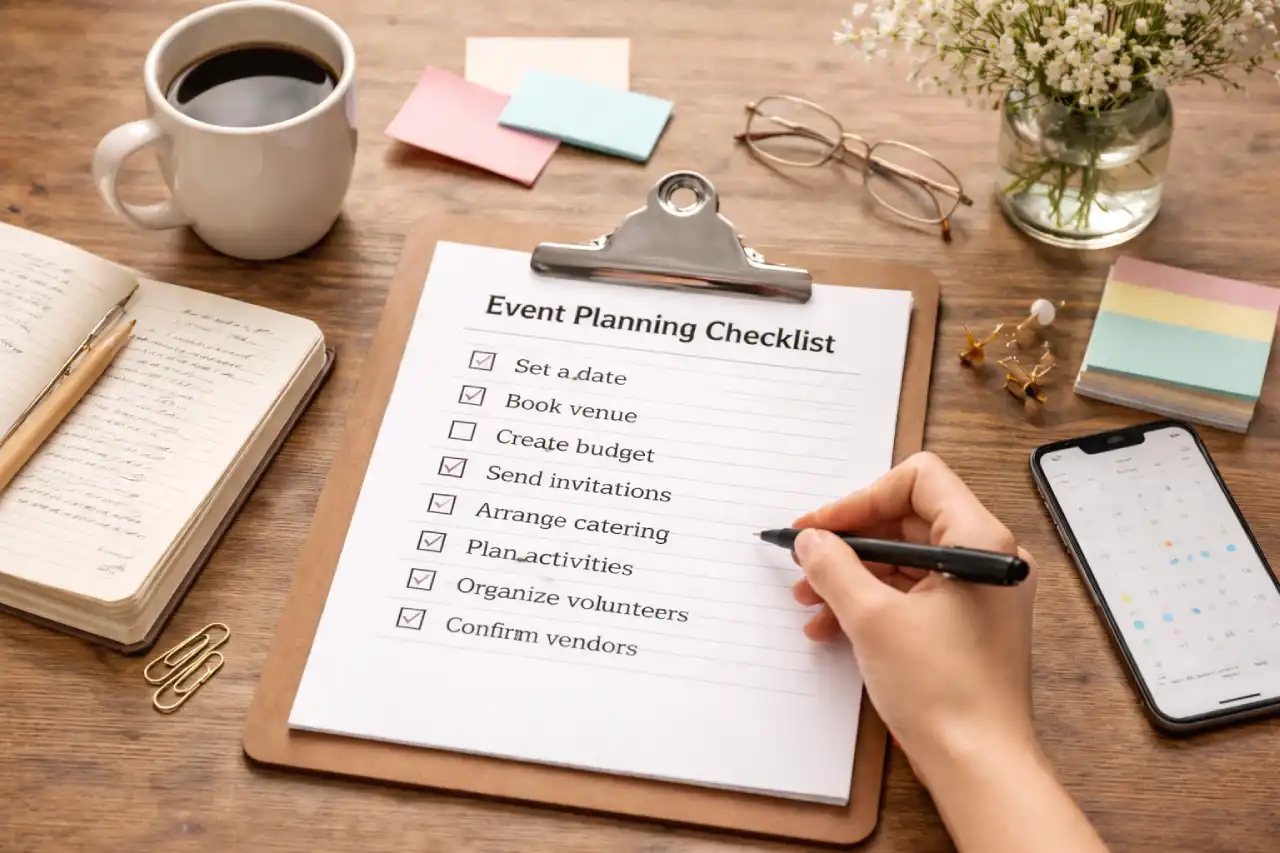
Printable templates remain useful even when the main planner is digital. A printed copy can be carried during venue walkthroughs, vendor load-in, rehearsal, or event-day coordination. The key is to treat the printed version as a snapshot rather than the permanent source of truth.
The best choice is often a combination: maintain the master data in a spreadsheet, export selected information to PDF for sharing, and use a printable day-of worksheet for staff who need quick access without opening a laptop.
Source: EventMaps
How to Organize Vendors by Planning Stage
A useful planner should distinguish between potential vendors and confirmed vendors. Early in the project, you may have several caterers or production companies under consideration. Recording them all as if they are booked can make the planner misleading.
Create a shortlist stage where potential vendors can be compared. Record the reason each vendor is being considered, the quote received, availability, service scope, notable strengths, potential concerns, and the next decision date. This creates a transparent record of how the selection was made.
Once a vendor is approved, move its information into the active vendor list and begin tracking contractual and operational requirements. This is the point at which the planner should become more detailed because the vendor is now connected to the event’s execution plan.
During the final planning period, replace broad notes with specific confirmations. Instead of “confirm catering,” record the final guest count deadline, menu approval status, service start time, staffing count, dietary requirements, delivery point, and day-of contact.
After the event, change the status to completed and add a short performance note. Document whether the vendor delivered on time, whether the invoice matched expectations, whether there were unresolved issues, and whether you would consider the vendor again. This creates a useful internal vendor history for future events.
Source: Cactus Land Brewing Co.
Building an Event Planning Vendor List
A vendor list should reflect the actual operating model of the event. For a wedding, the categories might include venue, catering, rentals, floral, décor, entertainment, photography, videography, transportation, beauty services, and stationery. A corporate conference might instead emphasize venue operations, audiovisual, staging, registration, catering, signage, speaker management, transportation, and technology.
Do not assume that every event needs every category. Overbuilding the list creates administrative work and can make it harder to see which suppliers are actually critical. The planner should be proportional to the complexity of the event.
It is also helpful to distinguish between primary and secondary contacts. The primary contact is the person expected to make decisions or receive instructions. The secondary contact provides resilience if the primary contact becomes unavailable during setup or the event itself.
Another useful field is “dependency.” A vendor may depend on another vendor for access, equipment, power, timing, or information. For example, a décor supplier may need the rental company to finish installing tables before décor setup can begin. Recording such relationships helps the planner identify sequence problems before event day.
A well-maintained vendor list becomes a compact operational map. Instead of simply answering “who are our vendors?”, it answers “who is involved, what are they responsible for, what do they need, and what needs to happen before they can perform their work?”

Source: Scribd, event production schedule example
Tracking Vendor Quotes and Comparing Proposals
Price alone is rarely enough to select an event vendor. A lower quote may exclude labor, delivery, installation, equipment, taxes, overtime, or other services that another supplier has included. The planner should therefore compare proposals on an equivalent scope.
Create a comparison area with fields for quoted amount, included services, excluded services, staffing, equipment, delivery, setup, teardown, payment schedule, cancellation terms, and notable assumptions. If a vendor’s proposal is incomplete, record the missing information instead of treating the blank field as zero cost.
Standardizing quote information is particularly useful when multiple people participate in vendor selection. A client or committee member can review comparable information without opening several emails and PDFs. It also creates a record of why the chosen supplier was selected.
When prices change, keep the original quote visible if practical and record the revised amount separately. This makes it easier to identify scope changes instead of allowing the planner to silently replace the original estimate.
For large events, a weighted scoring approach can also help. Possible criteria include cost, availability, service quality, experience, responsiveness, logistics, flexibility, and contractual risk. The scoring method does not need to be mathematically complex; its purpose is to make the decision process consistent.
Source: Velocity Productions
Vendor Contracts: What the Planner Should Track
A planner should not replace a contract, but it should track whether a contract exists and what operational commitments come from it. Vendor agreements commonly address the parties, scope of services, event details, compensation, responsibilities, cancellation provisions, liability, and signatures. A published event-vendor example illustrates how these categories can be organized into a compact agreement. :contentReference[oaicite:2]{index=2}
For planners searching for a vendor contract template for an event planner, the most important consideration is not visual design. It is whether the document clearly matches the actual business relationship and event scope. Contract language should be reviewed for the applicable jurisdiction and business circumstances rather than copied blindly from a generic template.
In the vendor planner, record contract status separately from quote status. A vendor can have an approved quote but no signed agreement, or a signed agreement with an outstanding deposit. These are different conditions and should not be collapsed into one status field.
Important operational dates should also be extracted from the contract into the planner. These might include deposit deadlines, cancellation windows, final-count deadlines, final-payment dates, delivery deadlines, or required notice periods. This avoids forcing the team to search through a contract every time a deadline approaches.
Finally, maintain a clear distinction between an administrative tracking sheet and the actual legal agreement. The planner can say “signed agreement received,” while the signed document remains stored in the appropriate document system. This creates a cleaner audit trail and reduces accidental loss of the authoritative contract.
Source: Mercury Sound and Lighting
Managing Payments, Deposits, and Invoices
Vendor payment tracking deserves its own section because financial commitments can become difficult to manage as the number of suppliers increases. At minimum, record quoted amount, approved amount, deposit requirement, deposit paid, balance, invoice number, invoice date, due date, and payment status.
Separate “amount due” from “amount paid.” A vendor may have submitted an invoice but not yet been paid. Another vendor may have received a deposit while the final balance remains outstanding. These distinctions make cash-flow planning more accurate.
Use consistent status terms such as Not Invoiced, Invoice Received, Deposit Due, Deposit Paid, Final Payment Due, Paid, Disputed, or On Hold. The exact vocabulary can be customized, but everyone using the planner should understand the meaning of each status.
Invoices should also be checked against the approved scope. If the invoice is higher than the approved amount, the planner should identify whether the difference is an agreed change, an approved extra service, a tax or fee, or an error requiring clarification.
Keeping payment information centralized can also help prevent missed deadlines. A vendor tracker can become a forward-looking financial calendar when it includes due dates and responsible owners rather than merely storing invoice numbers.

Source: DeDinero
Vendor Applications and Selection
When an event accepts applications from outside vendors, the planner needs a slightly different workflow. An application is used to collect information before a vendor is approved, while the vendor planner tracks the relationship after or during the selection process.
A useful application can request business name, contact information, product or service description, category, booth or space preference, relevant business information, payment details where appropriate, and required certifications or documentation. Smartsheet’s vendor-application resources describe similar fields and explain that standardized applications help organizers review and select vendors consistently. :contentReference[oaicite:3]{index=3}
The application should also communicate the event’s rules. Depending on the event, those rules might address operating hours, prohibited products, booth dimensions, branding, power, food requirements, insurance, cleanup, parking, arrival windows, and cancellation procedures.
Once applications arrive, avoid making selection decisions directly inside the original submissions. Instead, transfer the relevant information into a selection tracker. This lets organizers compare applicants using consistent fields and prevents important application information from being buried in email.
After selection, the applicant can be converted into an active vendor record. At that point, the planner should track acceptance, invoice or booth fee, contract or agreement, assigned space, setup information, final confirmation, and event-day contact.
Booth Assignments, Floor Plans, and Vendor Layouts
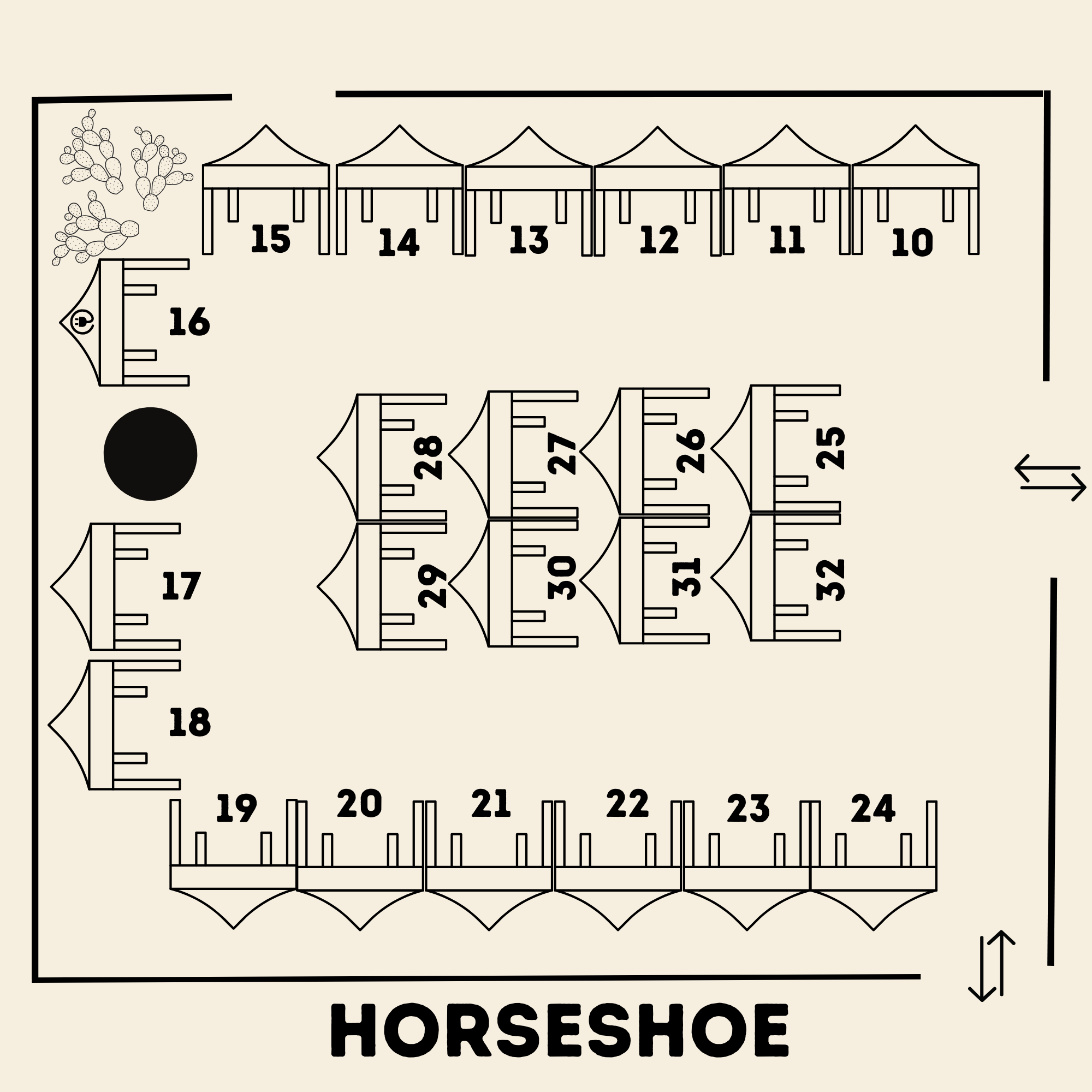
For markets, fairs, expos, and festivals, vendor planning extends beyond contacts and contracts. Each vendor may need a physical location. The planner therefore needs a relationship between the vendor record and the booth or space assignment.
A booth field can contain a simple number such as B-14, while a separate floor plan shows where that booth sits in relation to entrances, exits, stages, restrooms, emergency routes, food areas, power points, and other facilities. A practical booth map can reduce repeated questions during vendor arrival.
Physical constraints should be documented early. A vendor may require vehicle access, electricity, water, refrigeration, a particular table size, a loading zone, or additional setup time. These details can determine where a vendor can be placed even when the vendor has no preference.
For events with many vendors, the planner should also track whether the vendor has received the map. A booth assignment is not fully communicated simply because the organizer entered it into an internal spreadsheet.
Vendor maps can also support attendee experience. Clearly marked entrances, exits, check-in areas, amenities, and booth numbers make it easier for visitors to navigate a busy event while giving vendors confidence that their assigned space is documented.

Source: Seviaraprecocinados
How to Plan Vendor Setup and Load-In
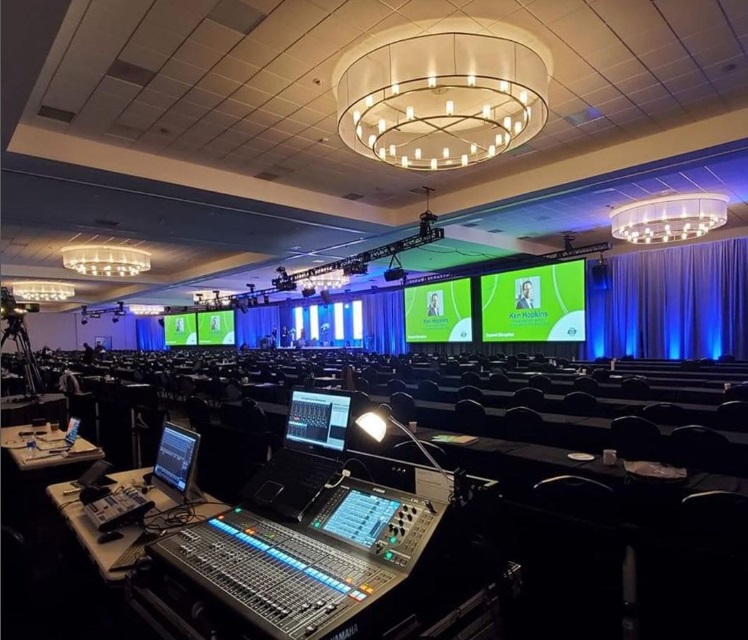
The phrase “setup” should never be treated as a single generic task. Different vendors may have different arrival times, access points, setup durations, equipment requirements, and dependencies. A florist might need a clear room after furniture installation, while an audiovisual supplier may need several hours before attendees arrive.
Create a day-of vendor schedule that includes vendor name, arrival time, contact person, access point, assigned area, setup start, setup deadline, teardown time, and responsible event staff member. This converts a general event schedule into an operational schedule.
Also identify the earliest vendor arrival and the latest teardown requirement. Those two points help determine when the venue needs to be accessible and when staff need to remain onsite.
For outdoor events, include weather-related contingencies, ground conditions, vehicle access, tent requirements, power, waste management, and alternative arrangements where appropriate. For indoor events, consider elevators, loading docks, freight access, stairs, room turnover, and restrictions on setup materials.
A useful blank vendor set up section should therefore capture both what the vendor needs and what the vendor is responsible for bringing. The goal is to prevent a situation in which everyone assumes someone else is supplying the tables, extension cables, signage, staffing, tools, or other equipment required to complete the installation.
Using the Planner on Event Day
On event day, the master planner should become a quick-reference operational document rather than a place for lengthy narrative notes. Staff should be able to locate a vendor, identify the appropriate contact, see the vendor’s location, and determine what is expected next.
A filtered day-of view can be especially useful. Instead of displaying every historical quote and application note, create a working view containing vendor, service, contact, arrival, location, setup status, payment flag if relevant, and notes.
Use clear status labels such as Not Arrived, Arrived, Setting Up, Ready, On Hold, Complete, or Escalation Required. These statuses provide the event lead with a quick picture of operational progress.
It is also useful to assign an internal owner to each critical vendor. The owner becomes the person responsible for confirming arrival, answering questions, and escalating problems. Without an internal owner, a vendor issue can easily become everyone’s responsibility and therefore nobody’s responsibility.
Keep the day-of version stable. If major changes occur, record them in a change log or event notes section so that the team can reconstruct what happened later. This is especially valuable when invoices or post-event disputes involve a change that was made during setup.

Source: Eventective
What Makes a Template Actually Useful?
A template becomes useful when it supports decisions and actions. A visually attractive spreadsheet with dozens of empty fields may look professional but can still fail if nobody knows who should update it or what each status means.
Keep required fields limited to information that genuinely affects vendor selection, communication, payment, logistics, compliance, or execution. Optional fields can be added for specialized events, but they should not obscure the critical information.
Use consistent date formats, consistent phone formatting, standardized status values, and clear ownership. These small conventions make sorting and filtering much easier and reduce confusion between team members.
Protect formulas and key headers when using spreadsheets. A vendor planner that calculates balances or totals can be damaged quickly if someone accidentally overwrites a formula. Keep a clean master version and use controlled copies when necessary.
Finally, design for the person who will use the document under pressure. On event day, the best planner is not necessarily the one with the most information. It is the one that lets someone find the right answer in seconds.

Source: Eventplanner
Common Vendor Planning Mistakes
Keeping information in email only
Email is useful for communication but poor as the only vendor database. Important decisions can become buried in long threads, especially when several people are copied. Summarize material decisions in the planner after the email exchange.
Tracking price but not scope
A price is meaningful only when the included services are known. Record what the quote covers and identify exclusions. This is particularly important for rentals, catering, production, staffing, transportation, and installation.
Ignoring setup requirements
Many vendor problems occur because planners confirm the service but not the physical requirements. Arrival windows, power, loading access, parking, equipment, room access, and setup duration should be captured early.
Failing to update the document
A planner that was accurate three months ago may be misleading today. Assign ownership and establish update checkpoints after major meetings, approvals, payments, and vendor confirmations.
Mixing applicants with approved vendors
Application records, shortlisted suppliers, and confirmed vendors represent different stages. Keeping them separate makes the operational list much clearer.
Using one giant sheet for everything
A master workbook can contain several worksheets rather than forcing every piece of information into one table. Separate tabs might include Vendor Directory, Active Vendors, Applications, Quote Comparison, Payments, Contracts, Setup Schedule, Booth Map, and Post-Event Review.
Best Practices for Maintaining a Vendor Planner
Assign one person as the document owner even if several people can edit the file. The owner is responsible for structure, consistency, and ensuring that important changes are reflected in the master copy.
Use a version date or revision field. This is especially useful when the planner is exported to PDF or printed. Anyone holding a paper copy should be able to determine whether it is current.
Separate internal notes from information intended for vendors. Internal comments may contain negotiation details or candid assessments that should not appear in an external vendor-facing document.
Maintain backups of important documents. The vendor planner is not a substitute for signed contracts, invoices, insurance documents, or permits. Instead, it should point to their status and location.
After every event, spend a short amount of time reviewing the vendor records. Record what worked, what caused friction, which deadlines were repeatedly missed, and whether the vendor should be considered again. Over time, these notes can become one of the most valuable parts of the planning system.
Practical Solution
The most practical solution is to build a modular vendor planner rather than searching for one perfect document that does everything. Start with a master vendor directory, then create event-specific worksheets for active vendors, quotes, contracts, payments, setup, and applications. This structure works whether the source document begins as a spreadsheet, Word file, or printable form.
For the master directory, use fields such as vendor name, category, contact person, phone, email, service description, geographic area, and general notes. Do not overload this directory with event-specific deadlines because those dates will change from project to project.
For the active event sheet, add event-specific fields including scope, quote, approved cost, contract status, deposit, balance, arrival, setup, location, internal owner, and final confirmation. This becomes the primary working list for the current event.
For applications, create a separate intake process. Standardized vendor applications make it easier to compare businesses using the same information. Smartsheet’s resources describe application forms as a way to gather company, contact, product or service, payment, and booth-preference information in a consistent format. :contentReference[oaicite:4]{index=4}
For contracts, track status rather than copying the entire agreement into the planner. Use fields for proposal received, agreement sent, agreement signed, insurance received where applicable, deposit due, deposit paid, final payment due, and final confirmation.
For event day, create a simplified operational view. Include only the fields staff need to execute the event: vendor, contact, location, arrival, setup, assigned staff member, status, and urgent notes. A production schedule example demonstrates how detailed time-based activities can be organized into a structured event-day document. :contentReference[oaicite:5]{index=5}
For post-event reporting, add a short vendor review. Record punctuality, communication, quality, scope accuracy, billing accuracy, issue resolution, and whether the vendor should be considered for future events. Avoid turning the review into an emotional narrative; focus on observations that will help future decisions.
Finally, establish a weekly planning routine. Review outstanding quotes, contracts, deposits, balances, missing documents, setup requirements, and vendor confirmations. As the event approaches, increase the frequency of reviews. In the final days, use the day-of view rather than the full historical database.
Reference Examples
The following reference examples illustrate the types of documents, layouts, schedules, forms, contracts, invoices, and vendor maps that can inform the design of a blank vendors planner template. They are examples for visual and structural reference, not claims that any specific format is universally required.
blank vendors planner template pdf

Source: Shopify Form Builder App
blank vendors planner template free
Source: EventMaps
blank vendors planner template excel
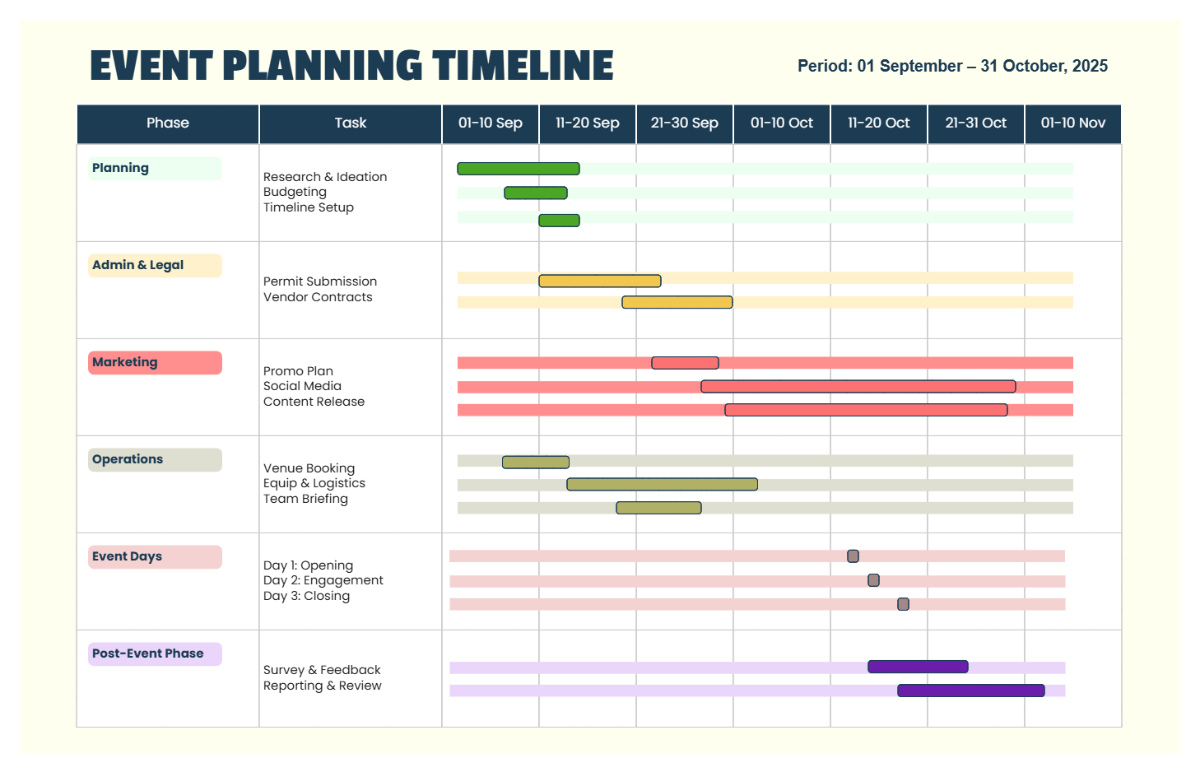
Source: Template.net
blank vendors planner template printable

Source: Smartsheet
blank vendors planner template word
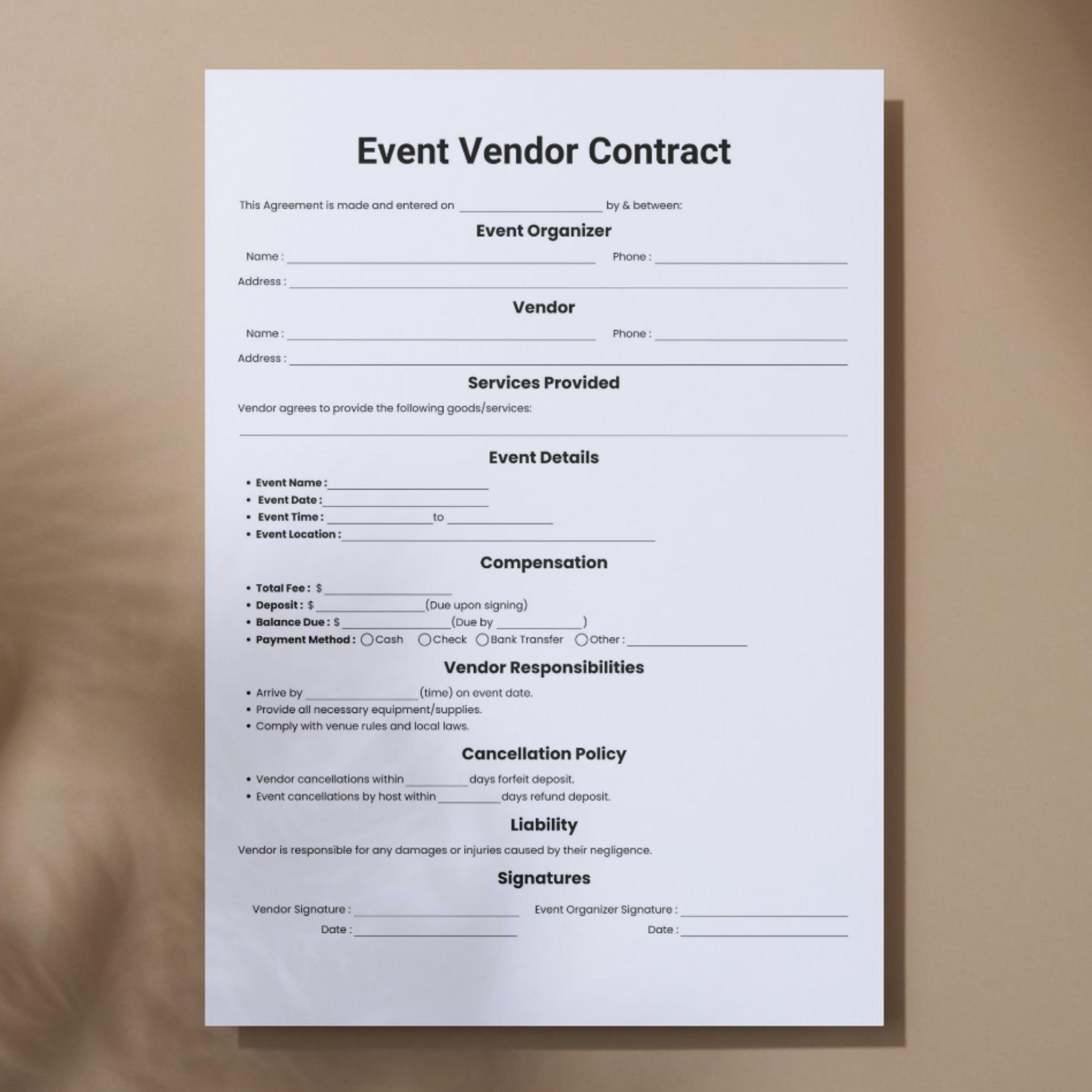
Source: Etsy, ElegantStudioHub
blank vendors planner template free download
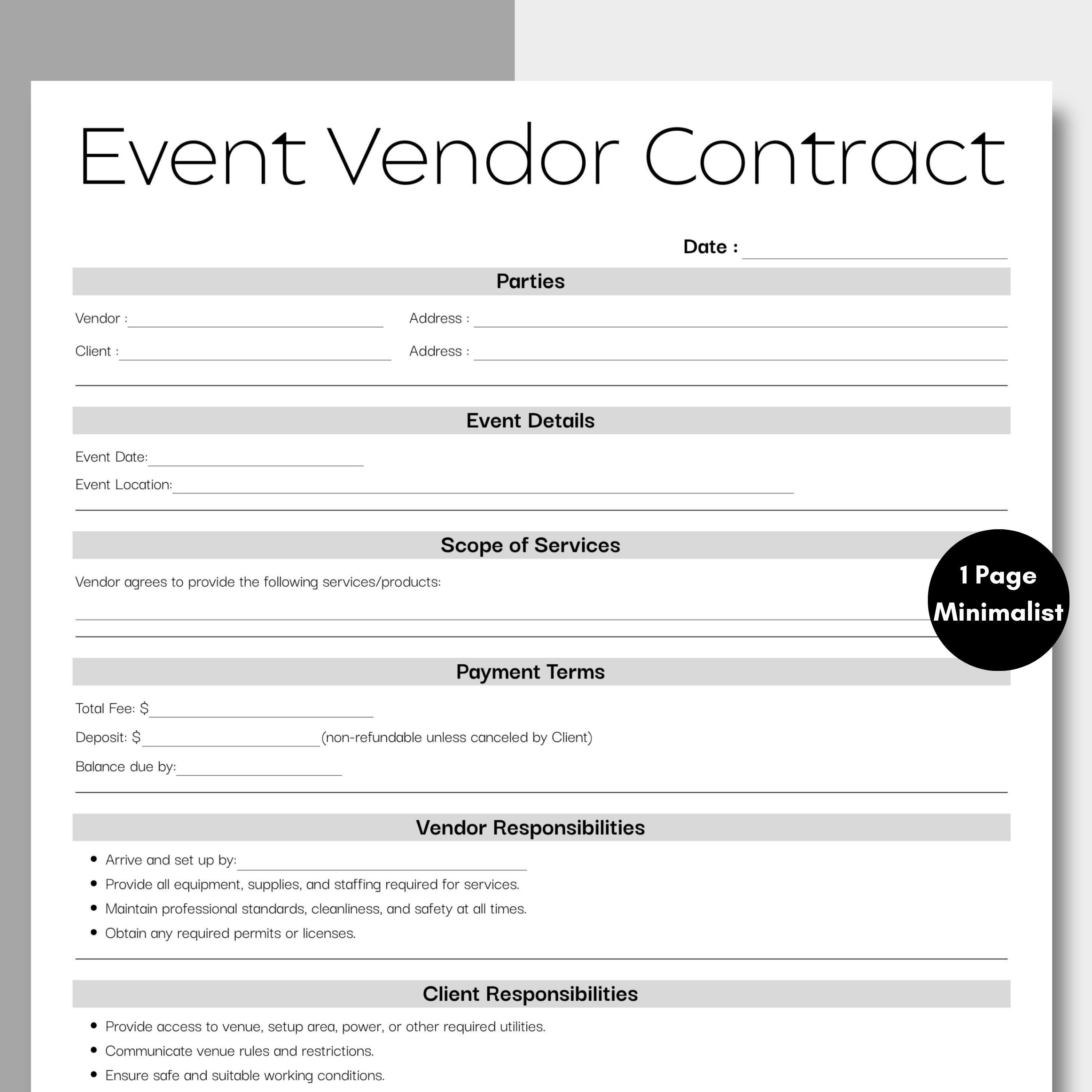
Source: Etsy
blank vendors planner template download
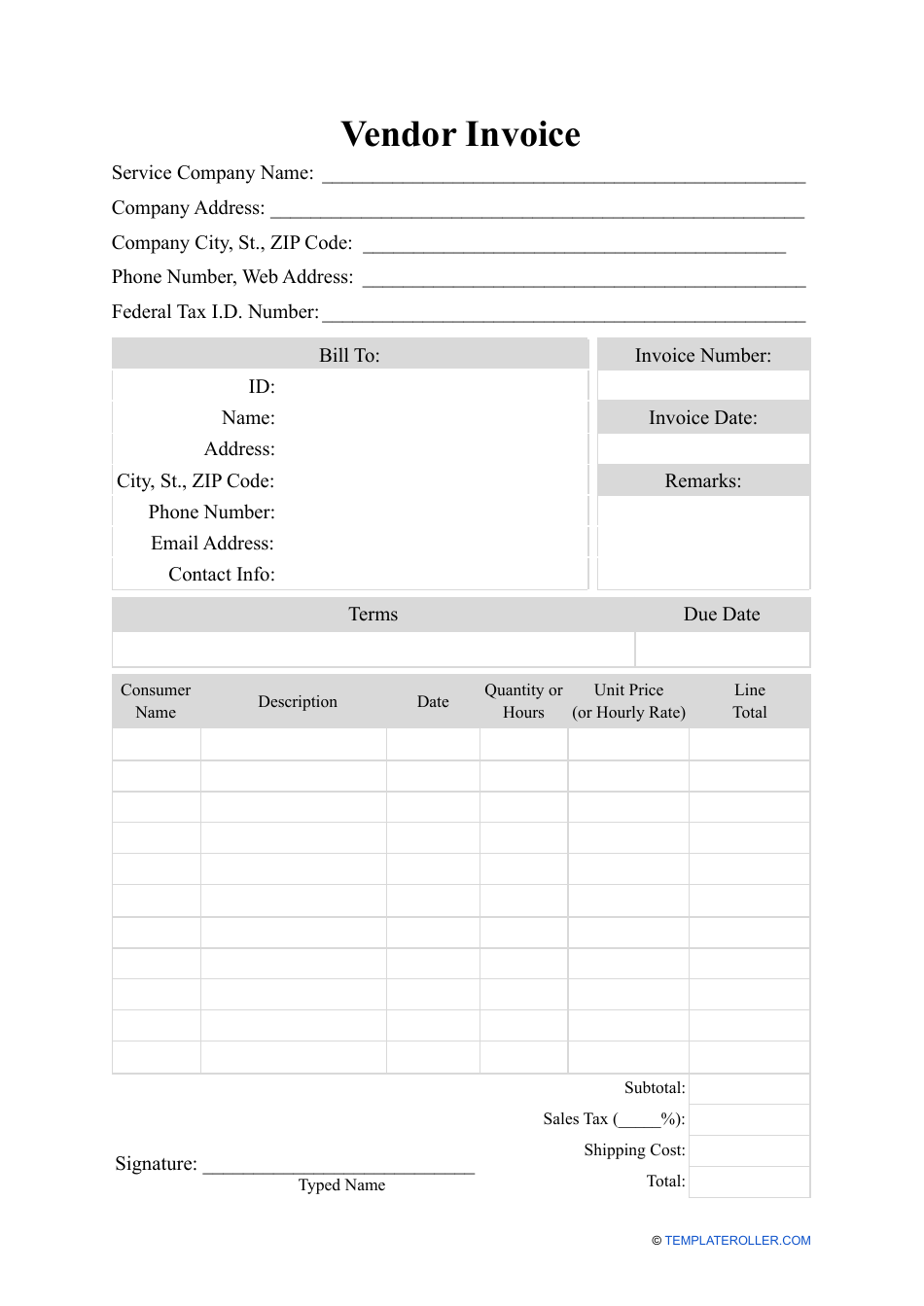
Source: TemplateRoller
blank vendors planner template free printable

Source: Sea Academy IK
vendor contract template for an event planner
Source: Eventective
event planning vendor list template
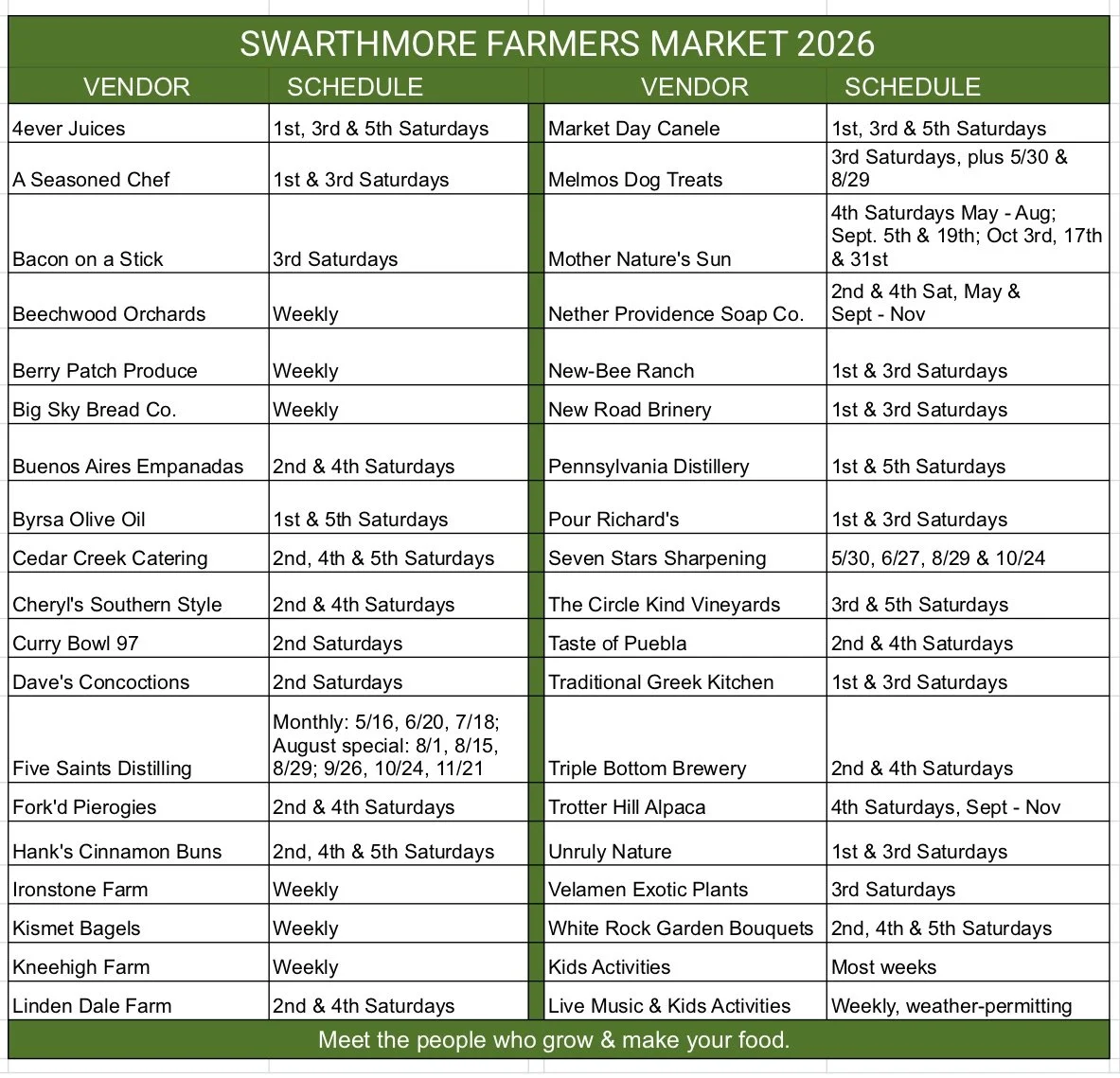
Source: Swarthmore Town Center
free printable vendor application template
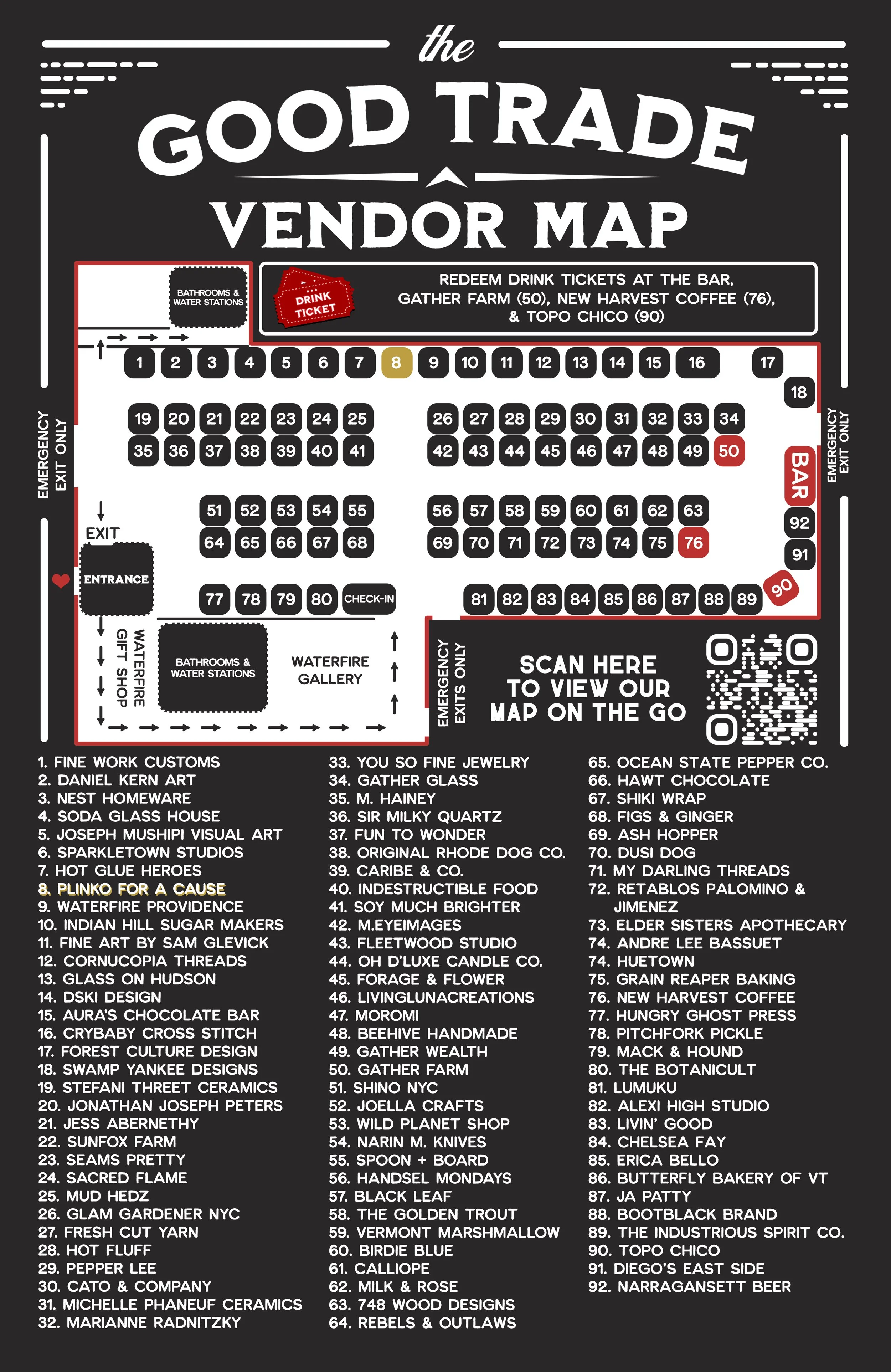
Source: The Good Trade Makers Market
blank vendor set up
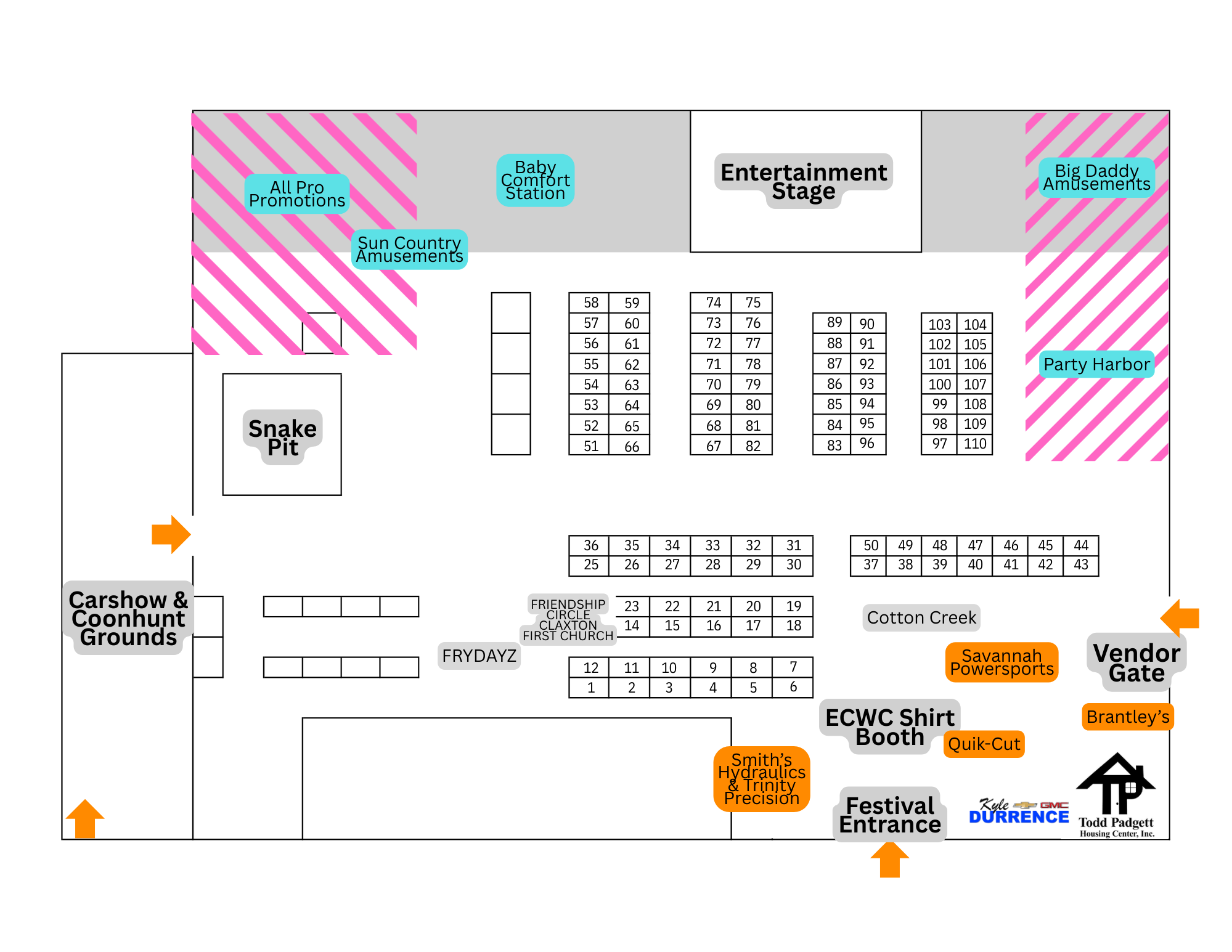
Source: East Coast Wildlife Club
Frequently Asked Questions
What should a blank vendors planner template include?
At minimum, include vendor name, category, contact information, service scope, quote, booking status, payment information, key deadlines, setup requirements, and notes. More complex events should also track contracts, insurance or other documentation where applicable, assigned locations, internal owners, and day-of status.
Is Excel better than PDF for vendor planning?
Excel is generally better for active tracking, filtering, sorting, calculations, and payment management. PDF is useful for fixed-layout sharing and printing. Many planners use a spreadsheet as the master record and create PDFs or printed views for specific meetings or event-day use.
Can a vendor planner be used for weddings?
Yes. A wedding planner can use the same basic structure for venue, catering, rentals, décor, floral, entertainment, photography, transportation, beauty services, stationery, and other suppliers. Wedding-specific fields can be added where needed.
Should vendor applications be separate from the vendor planner?
Usually, yes. Applications are intake documents, while the vendor planner is an operational tracking system. Keep the original application as supporting documentation and transfer the relevant information into the planner after submission or approval.
What is the difference between a vendor list and a vendor planner?
A vendor list primarily identifies suppliers and contact information. A vendor planner goes further by tracking status, scope, costs, contracts, payments, deadlines, setup requirements, responsibilities, and follow-up actions.
How far in advance should vendor information be added?
Add vendors as soon as they become relevant to a planning decision. Potential suppliers can be tracked during research, while confirmed vendors should receive detailed operational records as soon as they are approved.
Should the planner include vendor ratings?
An internal performance field can be useful after an event. Rather than relying on a single subjective score, record specific observations such as punctuality, communication, quality, billing accuracy, responsiveness, and whether the vendor should be considered again.
How do I keep a vendor planner from becoming outdated?
Assign a document owner, define status values, add a revision date, and update the planner whenever a quote, contract, payment, schedule, or scope changes. A short weekly review is often enough during early planning, followed by more frequent checks as the event approaches.
Conclusion
A blank vendors planner template is most valuable when it becomes a working coordination system rather than a static contact sheet. The strongest version gives the planning team a clear view of who is involved, what each vendor is responsible for, what has been agreed, what has been paid, what remains outstanding, and what needs to happen on event day.
Choose the format according to the job. Use spreadsheet-based planning when you need calculations and filtering, Word when you need a document-oriented planning packet, and PDF or print when you need a stable snapshot for meetings, walkthroughs, or field operations.
Keep applications, quotes, contracts, payments, booth assignments, setup schedules, and post-event reviews connected but logically separated. This makes the planner easier to maintain and prevents critical operational information from becoming buried in a single oversized document.
Most importantly, update the planner continuously. Vendor management is not finished when a supplier is booked. The real work continues through confirmations, payments, logistics, setup, execution, teardown, reconciliation, and post-event evaluation.
With the right structure, a blank vendors planner template can become a repeatable system that reduces missed deadlines, improves communication, supports better vendor decisions, and gives an event team a dependable operational reference from the first supplier search through the final event closeout.
