The key, however, is understanding what a Word template can and cannot do. Word is excellent for structured forms, printable count sheets, checklists, reports, and documentation. It is less suited to complex calculations, automatic stock reconciliation, large transaction histories, and real-time multi-user inventory control. The best template therefore depends on the size of the inventory, frequency of stock movement, number of locations, and level of automation required.
This guide explains how to design an inventory management template word that is useful in everyday operations. It covers the fields to include, different template formats, Word versus Excel, store and warehouse applications, IT asset tracking, software inventories, counting procedures, reorder management, reporting, common mistakes, and practical implementation.
Microsoft’s current inventory resources show that inventory templates can be customized around item numbers, descriptions, quantities, locations, costs, reorder information, and related fields. Microsoft also recommends using Excel when users need formulas and more active inventory tracking, while Word remains useful for document-based templates and printable records.
That distinction is important because the goal of a template is not simply to create a table. The goal is to create a repeatable inventory process in which every item has an identifiable record, every movement can be explained, and every stock count can be compared against an expected quantity.
What Is an Inventory Management Template Word?
An inventory management template word is a preformatted Microsoft Word document designed to organize inventory information in a consistent structure. It normally contains tables, headings, fields, instructions, and areas for signatures or approval. Depending on the purpose, it may be used as an inventory list, physical count sheet, stock report, equipment register, supply checklist, or inventory audit document.
Unlike a blank Word page, a structured template tells users what information should be captured and where it belongs. This reduces the chance that one employee records an item by description while another records it by an internal code. Consistent fields make records easier to review, print, archive, and compare over time.
A basic template might contain an inventory ID, item name, description, location, quantity on hand, counted quantity, unit cost, inventory value, reorder level, and notes. More advanced forms can include supplier information, purchase dates, serial numbers, condition, employee responsibility, and approval fields.
The best structure depends on the inventory objective. A retail store may prioritize SKU, shelf location, quantity, unit cost, selling price, and reorder level. A warehouse may require bin numbers, receiving dates, movement history, and lot information. An IT department may need asset tags, serial numbers, users, purchase dates, warranty dates, and status.
Word is especially useful when the inventory record must be printed, signed, reviewed during a physical count, or included in a formal business document. For calculations and transaction-based stock control, however, the template should usually be paired with Excel or a dedicated inventory system.
Why Inventory Templates Matter
Inventory accuracy affects purchasing, sales, fulfillment, production, budgeting, and customer service. If the recorded quantity is higher than the physical quantity, employees may promise stock that does not actually exist. If the recorded quantity is lower, the business may purchase unnecessary stock or miss an opportunity to sell available goods.
A template creates a common language for inventory records. When every row uses the same fields, staff can identify what an item is, where it is stored, how much should be available, and what action may be required. That consistency is valuable even when the inventory system is small.
Templates can also improve physical stocktaking. A count sheet gives employees a defined sequence for checking items rather than relying on memory or informal notes. A second column for system quantity makes discrepancies visible, while a variance column can document differences requiring investigation.
Another advantage is documentation. Inventory adjustments should have an understandable reason, especially when the adjustment affects financial records or valuable assets. A structured form can capture the item, previous quantity, physical quantity, adjustment, reason, date, and person responsible.
Good inventory documentation also makes handovers easier. When an employee leaves or responsibilities change, the next person does not have to reconstruct the inventory process from scattered spreadsheets, handwritten notes, and emails.
Key Components of an Effective Inventory Management Template Word
1. Item Identification
Every inventory record should have a reliable identifier. This might be an SKU, item number, asset ID, product code, part number, or internal inventory ID. Names alone are often insufficient because similar products can have different sizes, specifications, colors, or suppliers.
The identifier should follow a consistent naming convention. For example, a business might use a category prefix followed by a sequential number. The exact format is less important than consistency and uniqueness.
Where barcodes or QR codes are used, the code can be associated with the inventory ID. This makes later movement toward scanning technology easier because the template already has a defined identifier structure.
Do not change an item’s identifier simply because its supplier, shelf, or price changes. Those are attributes of the item record. Changing identifiers unnecessarily makes historical records difficult to reconcile.
A useful identification section can contain fields for item ID, SKU, item name, product category, brand, model, and description. The amount of detail should match the business’s need rather than making every form unnecessarily complicated.

2. Location and Storage Information
Knowing how many units exist is not enough when employees need to find them quickly. The template should therefore include a location field whenever inventory is stored in shelves, bins, rooms, warehouses, vehicles, or multiple branches.
A useful location structure can move from broad to specific: warehouse, zone, aisle, rack, shelf, and bin. Small businesses may only need a room or shelf number. The template should not demand warehouse-level detail when the organization has only one storage room.
Location information becomes particularly important when the same SKU exists in multiple places. Instead of creating duplicate item records, the business can use separate location records or a location field that identifies where each quantity is stored.
Employees should also use standardized location names. “Back room,” “stockroom,” and “rear storage” might describe the same physical area but can become confusing when searching records. A simple location code eliminates much of that ambiguity.
For warehouse environments, the location field can be combined with bin, lot, batch, or serial-number information. This creates a stronger foundation for traceability and makes physical counts more systematic.
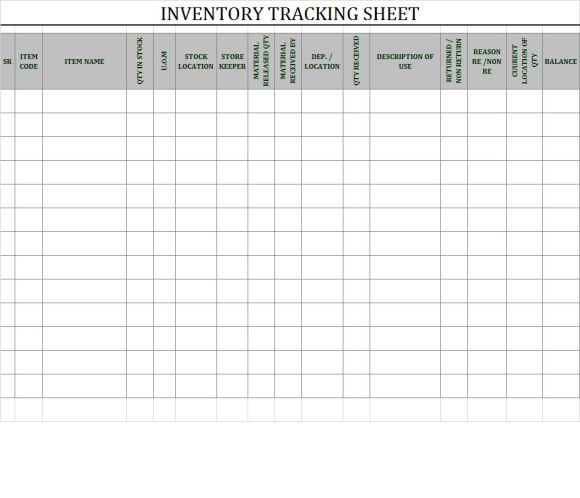
3. Quantity Fields
Quantity is the central measurement in most inventory templates, but it should not be represented by a single unexplained number. A useful system distinguishes between expected quantity, physical quantity, available quantity, reserved quantity, damaged quantity, and quantity on order when those distinctions matter.
For a simple stock count, two fields may be sufficient: system quantity and counted quantity. The difference between them is the inventory variance. This makes it easier to investigate discrepancies rather than silently overwriting the original number.
Businesses should also define units of measure. One record might use pieces, another cartons, another kilograms, and another liters. Mixing units without clear labels can produce serious counting errors.
If products are purchased by carton but sold individually, the conversion should be documented. For example, a carton might contain 24 pieces. The inventory process should make clear whether the quantity refers to cartons, individual pieces, or both.
Quantity fields should be kept simple enough that employees can update them accurately. A complicated form that nobody completes consistently is less useful than a smaller form that becomes part of the daily workflow.
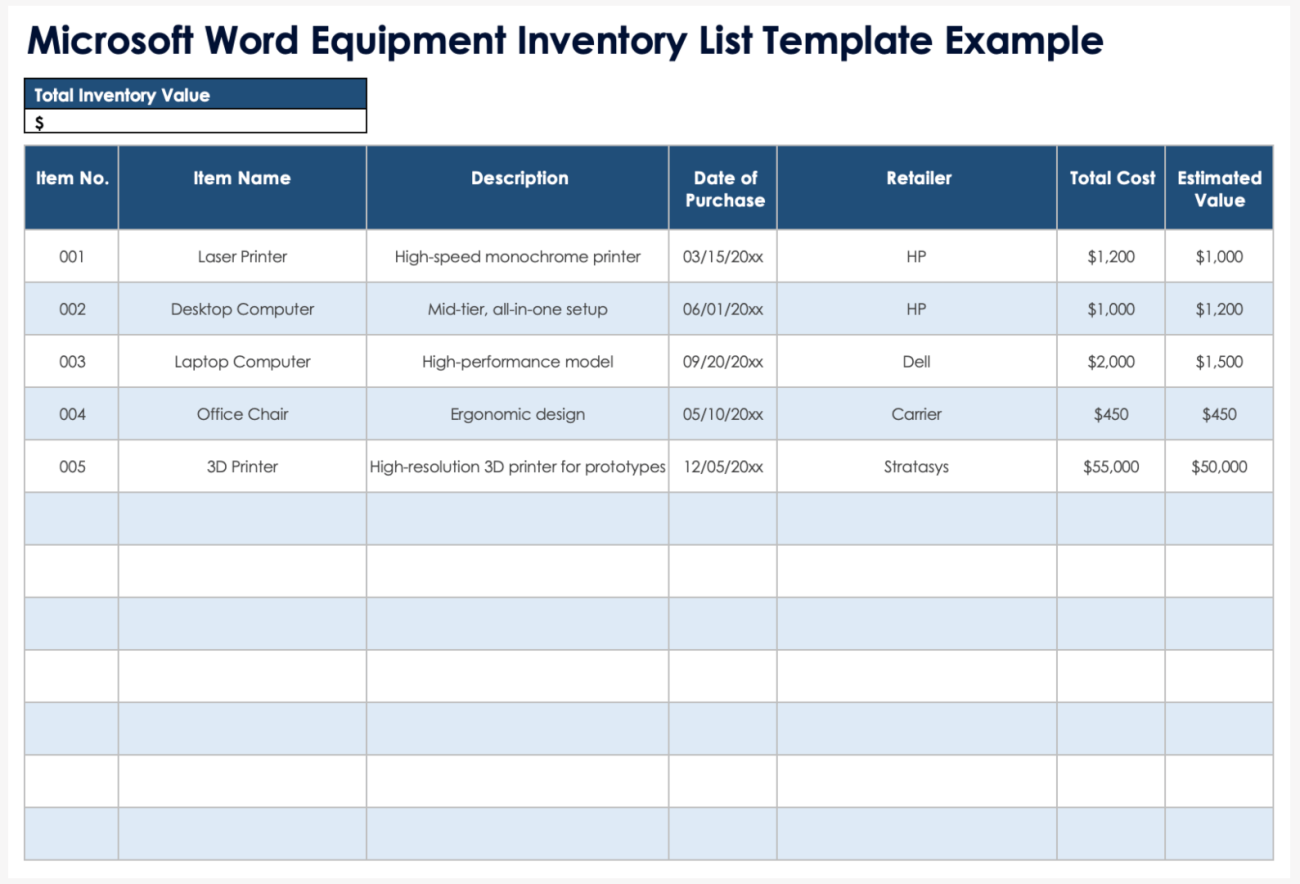
4. Cost and Inventory Value
Businesses often need more than a physical count. They also need to understand the approximate or recorded value of inventory. A template can therefore include unit cost and total inventory value.
For a basic record, total value can be conceptualized as quantity multiplied by unit cost. The actual accounting treatment of inventory can be more complex, particularly when costs change, products are purchased at different prices, or formal valuation policies apply.
Word is not the ideal tool for performing large numbers of inventory calculations. If a business needs automatic valuation, Excel or dedicated inventory software is generally more appropriate. A Word document can still display the resulting values in a printable report.
Cost information should also be protected from casual changes. Employees performing a physical count may need to enter quantities but should not necessarily be responsible for changing standard costs.
Separating operational counting from financial approval creates a stronger control process. A counter records what exists, while an authorized person reviews the adjustment and financial impact.
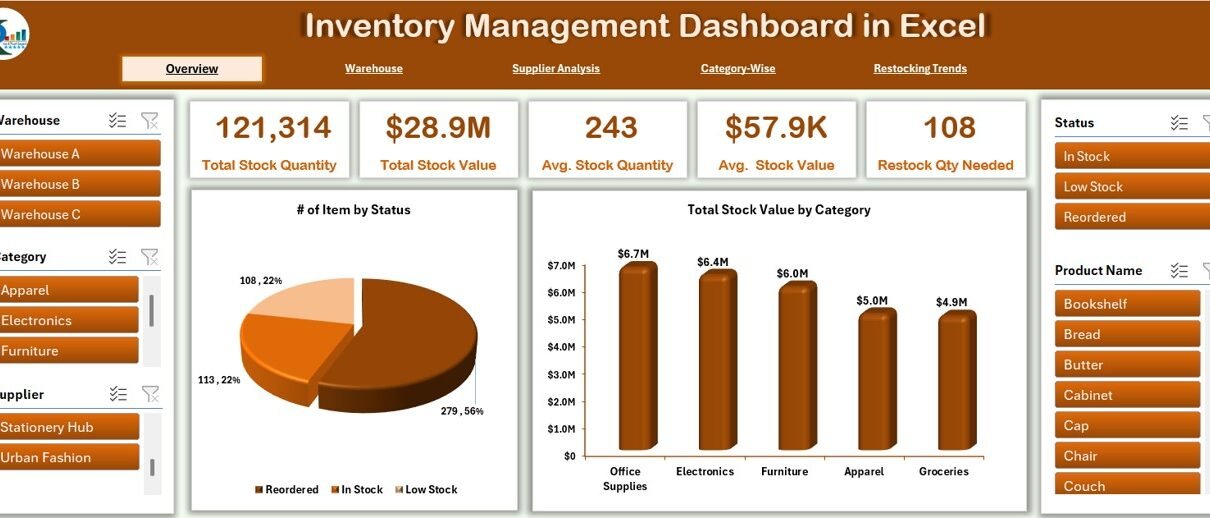
5. Reorder Information
A useful inventory template should help answer a practical question: when should this item be reordered? A reorder level provides a simple threshold for identifying products that require attention.
Reorder decisions should consider expected demand, supplier lead time, safety stock, order quantities, and the consequences of running out. A low-cost item with a short supplier lead time may require a different threshold from a critical component that takes weeks to obtain.
Do not treat a reorder level as a universal formula. It is an operational policy that should be reviewed as demand and supplier performance change.
For a Word form, a simple field such as “Reorder Level” and another field such as “Order Quantity” may be sufficient. In Excel, formulas and conditional formatting can automatically flag items below the threshold.
The most important point is that the threshold should lead to an action. A template that identifies low stock but provides no field for order status, purchase order number, or responsible employee leaves the process incomplete.
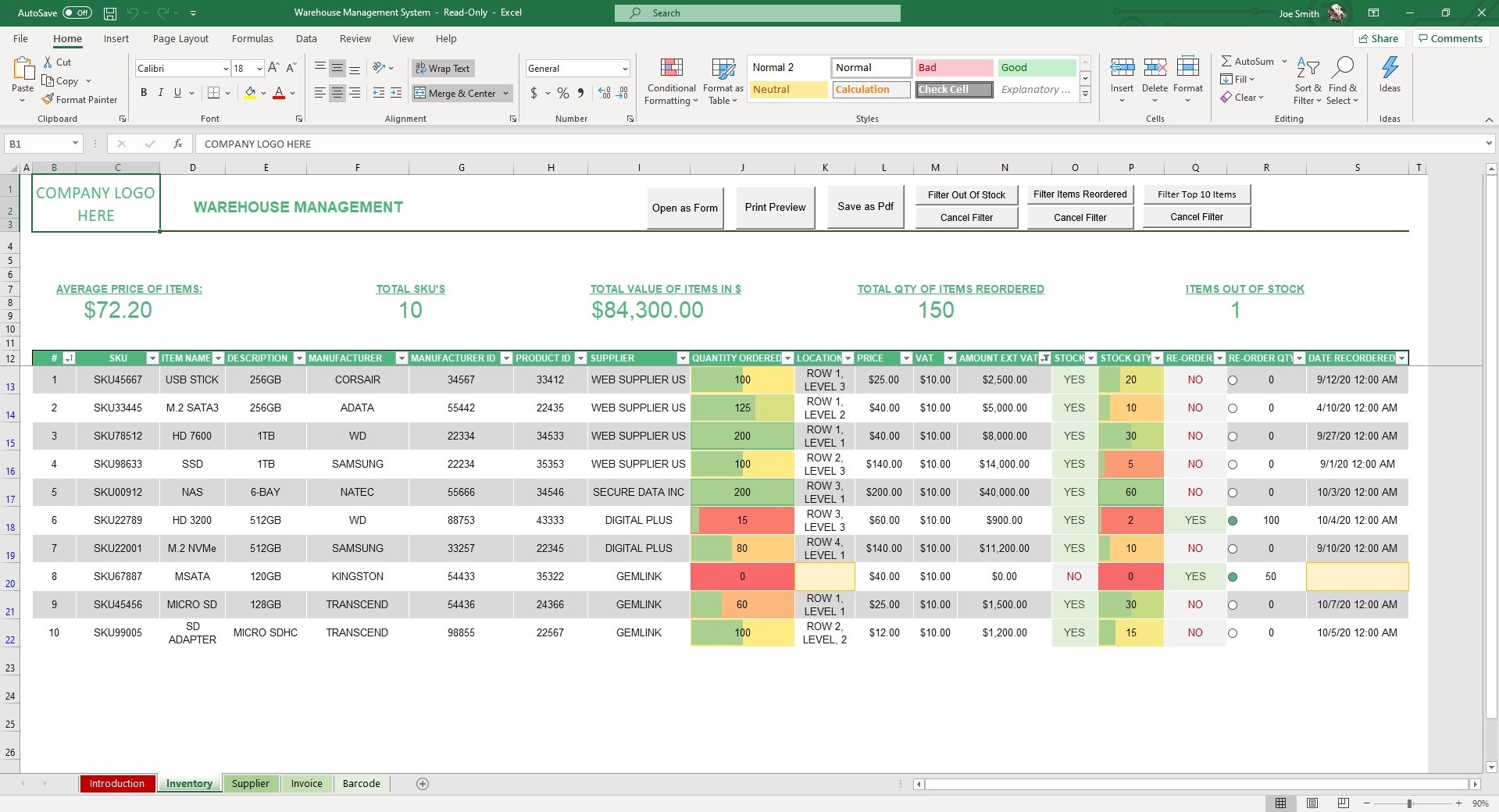
Inventory Management Template for Store Operations
Retail stores need an inventory structure that is fast to update and easy to compare with physical stock. A store-oriented inventory management template for store operations normally focuses on product code, description, location, quantity, unit cost, selling price, reorder level, and stock status.
The template should reflect how employees actually walk through the store. If the stock count follows the physical layout, employees can move systematically from one section to another without repeatedly searching for products.
Fast-moving items may require more frequent counting than slow-moving items. High-value products may also deserve additional controls because a small quantity discrepancy can have a larger financial effect.
A store template should provide a clear place for damaged, expired, returned, or unsellable stock. These units should not automatically be treated as available saleable inventory.
For larger stores, the Word form can serve as a physical counting document while an Excel or inventory system remains the primary transaction record. This division allows employees to work efficiently during physical counts without turning Word into a complex database.
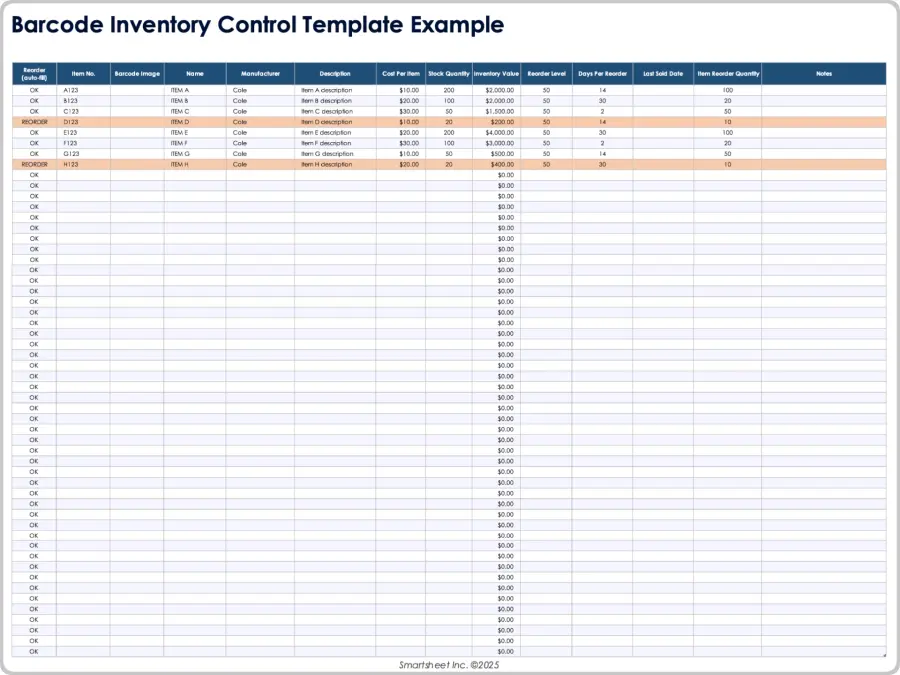
Inventory Templates for Word Versus Excel
Choosing between Word and Excel depends on what the inventory process needs to accomplish. Word is document-centered, while Excel is calculation-centered. Both can be useful, but they solve different parts of the inventory problem.
Word is well suited to printable forms, checklists, reports, count sheets, approval documents, and standardized records. Its table tools make it possible to create professional documents without building formulas or spreadsheet logic.
Excel is stronger when inventory data changes frequently. Microsoft describes its inventory templates as tools for tracking quantities, costs, categories, reorder levels, and other information using formulas and structured spreadsheet features.
An inventory management template word may therefore be the right choice for a physical count form, while an inventory management template excel may be better for maintaining the live stock balance.
The two formats do not have to compete. A practical workflow can use Excel for the master inventory, Word for printable counting sheets, and PDF for finalized reports or archived documentation.
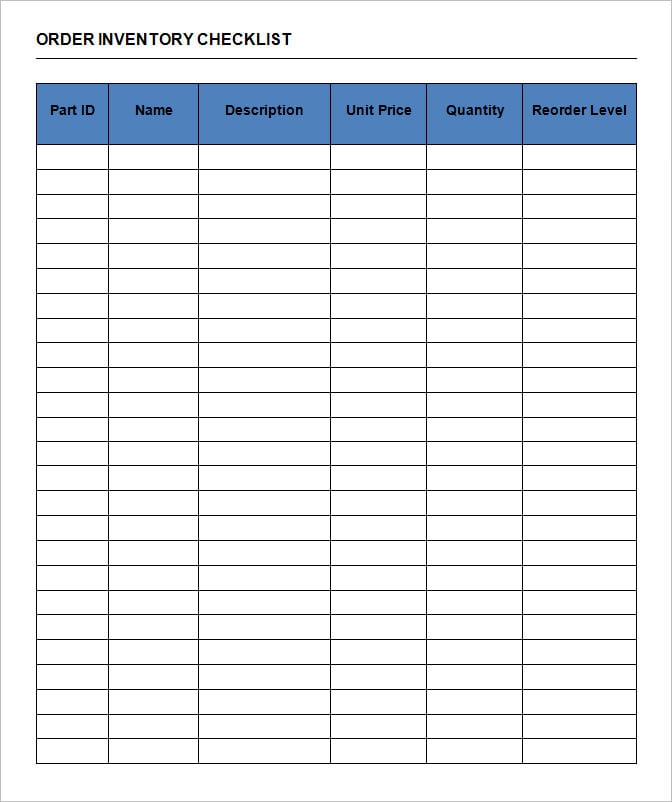
When Word Is the Better Choice
Word is particularly effective when a document must be printed and carried through a warehouse, store, office, or equipment room. Employees can write quantities by hand and return the completed form for review.
Word also works well when the inventory record needs narrative notes. A report may need to explain why a quantity changed, describe damaged equipment, document an inspection, or record management approval.
Another advantage is presentation. Word can create a clean report with a title page, company information, tables, signatures, explanatory notes, and a conclusion without requiring a spreadsheet dashboard.
For small inventories that change infrequently, Word can sometimes be sufficient. A small office with a few dozen assets may not need a complex system if employees perform regular checks and maintain a clear master document.
The limitation appears when the document becomes a substitute for a database. Thousands of rows, daily transactions, multiple users, and automated calculations quickly make Word difficult to manage.
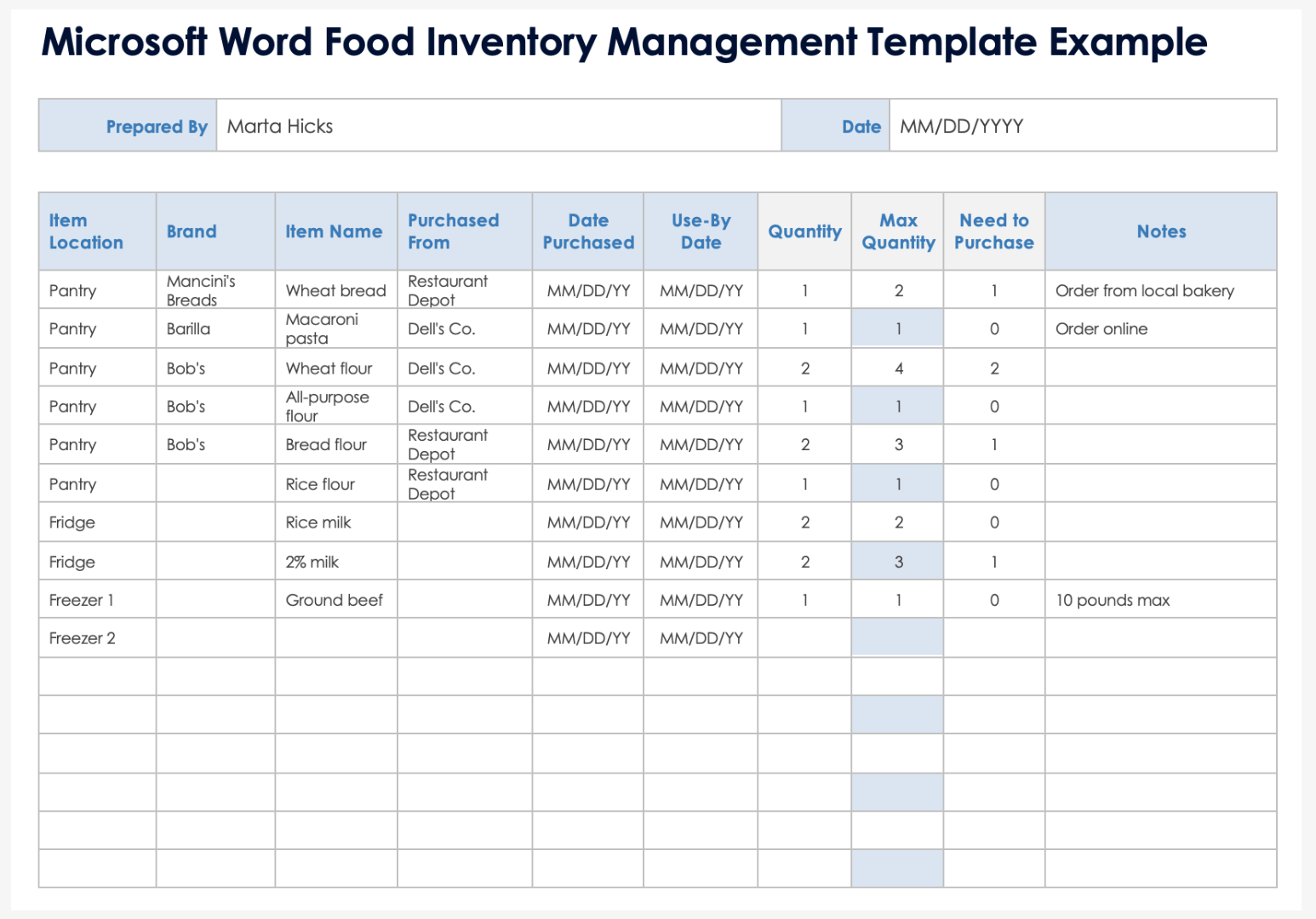
When Excel Is the Better Choice
Excel becomes more useful when the business needs formulas, filters, sorting, conditional formatting, multiple worksheets, calculations, or dashboards. A spreadsheet can separate product information, stock movements, suppliers, purchase orders, and reporting.
A well-structured Excel inventory workbook often has a product master, transaction log, current stock view, supplier list, and reporting area. This design is more scalable than maintaining a single Word table.
Excel can also calculate inventory values, identify items below reorder thresholds, and summarize stock by category or location. These features reduce manual arithmetic and make the inventory process more repeatable.
However, spreadsheets still require discipline. If employees overwrite calculated quantities instead of recording transactions, the apparent automation can hide errors rather than prevent them.
The best spreadsheet design therefore treats the transaction history as the source of truth and calculates current balances from recorded movements whenever practical.
How to Create an Inventory Management Template Word
Step 1: Define the Inventory Objective
Start by deciding exactly what the document is supposed to accomplish. A stock count sheet, asset register, purchase planning form, and inventory report are not the same document.
Write down the questions the document should answer. Examples include: What items do we have? Where are they? How many are available? What was physically counted? Which items need reordering? Who performed the count?
Keeping the objective narrow prevents unnecessary fields. Every field should support an operational or reporting decision.
If the document will be used by several employees, consider who enters each field. A field that requires information unavailable to the person performing the count will create incomplete records.
Define the final output before designing the table. If the form will be printed on A4 paper, design around that page size rather than creating a wide spreadsheet-like table that becomes unreadable when printed.
Step 2: Create the Header
The header should identify the organization, document title, date, location, and person responsible. This is especially important for printed forms because loose pages can otherwise become difficult to identify later.
A warehouse count might include warehouse name, counting zone, count date, counter, reviewer, and document number. An equipment inventory might use department, responsible employee, and reporting date instead.
Use a consistent document naming and numbering system. A simple identifier such as INV-2026-09-001 can make archived records easier to retrieve.
The header should not consume most of the page. Its purpose is identification, not decoration.
If the document will be reused as a template, clearly distinguish permanent labels from fields that employees must complete.
Step 3: Build the Main Inventory Table
The main table should place the most frequently used fields near the beginning. A practical sequence is item ID, item name, description, location, unit, expected quantity, counted quantity, variance, and notes.
If cost information is necessary, add unit cost and inventory value. If purchasing is part of the workflow, add reorder level and order status.
Avoid overly wide tables. If too many columns are required, divide the process into separate documents or create a detailed appendix.
Use consistent terminology throughout the document. Do not alternate between “Qty,” “Quantity,” “Units,” and “Stock” when they all mean the same thing.
Table headings should remain understandable when the document is printed in grayscale. Color can help emphasize status, but the information should remain meaningful without color.
Physical Inventory Counting Process
A template becomes valuable when it is connected to a reliable counting procedure. Before counting begins, freeze or clearly document inventory movements where practical so that receipts, sales, transfers, and adjustments do not create unexplained differences during the count.
Organize the counting area into logical sections. Employees should know which area they are responsible for and should avoid counting the same inventory twice.
Count the physical item and record the result without immediately changing the expected quantity. Keeping both values allows the business to see the variance and investigate its cause.
Common reasons for differences include receiving errors, picking mistakes, unrecorded transfers, damage, theft, unit-of-measure mistakes, data-entry errors, and timing differences.
After the count, a reviewer should examine significant discrepancies. Not every small difference requires the same level of investigation, but unusual or high-value variances should have a documented explanation.
Using Inventory Data for Reordering
Inventory management is not only about recording what is currently available. The record should help the business decide what action is needed next.
A basic reorder process compares current stock against a defined reorder threshold. When the quantity falls below that threshold, the item is reviewed for replenishment.
A more mature process considers supplier lead time and expected demand. A product that sells rapidly may require a larger buffer than an item with occasional demand.
Purchase orders should be connected to inventory records whenever possible. This helps distinguish available stock from stock that has already been ordered but not yet received.
After receiving goods, the inventory record should be updated promptly. Delayed receiving creates a period in which the system and physical stock do not reflect the same reality.
IT and Software Inventory Templates
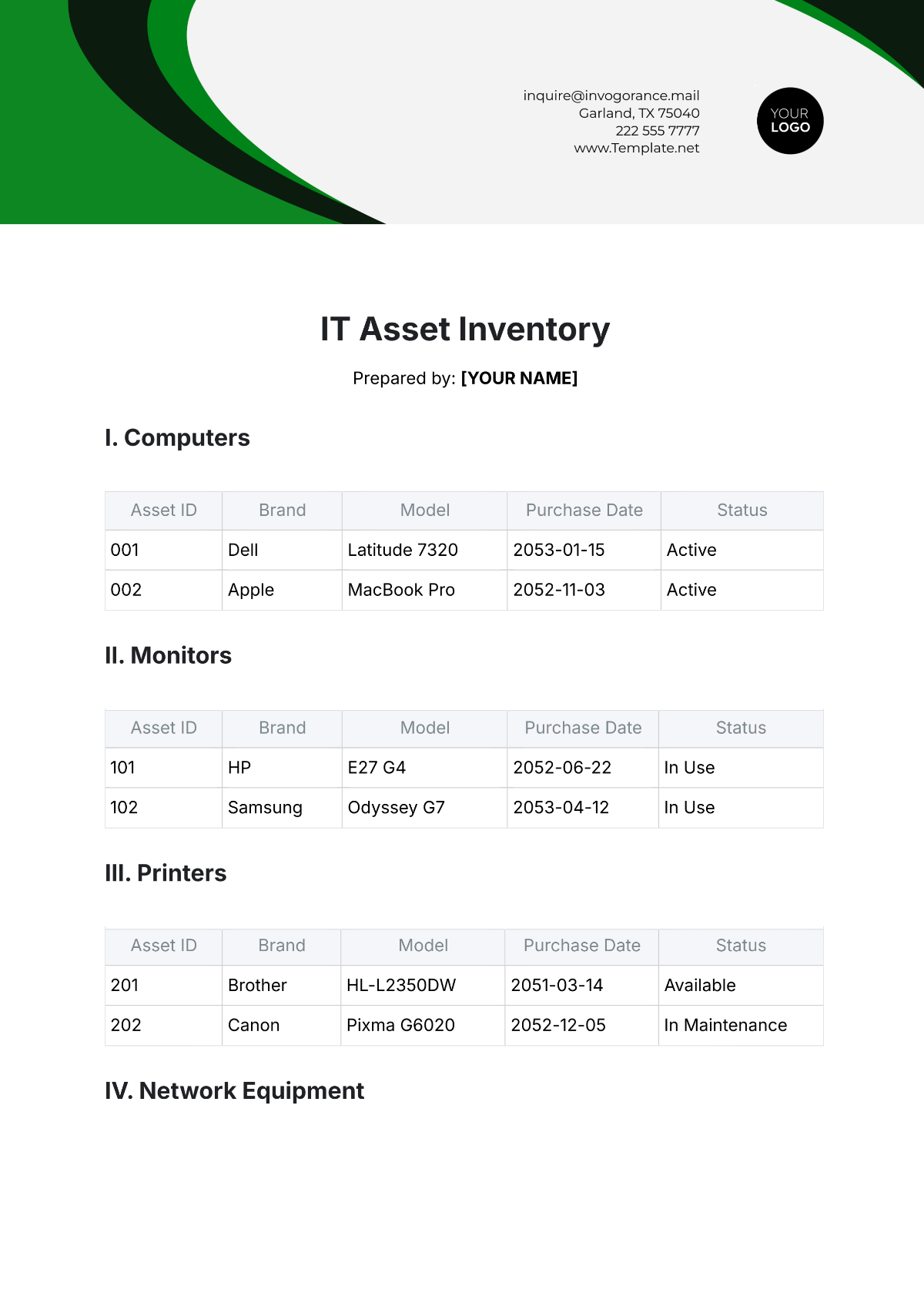
IT assets require a different structure from ordinary retail stock. A computer, monitor, printer, network device, or licensed application may need an asset ID, serial number, assigned user, location, purchase date, supplier, warranty information, and status.
Hardware records should distinguish between physical identity and operational status. An asset can be active, available, in repair, retired, missing, or awaiting disposal.
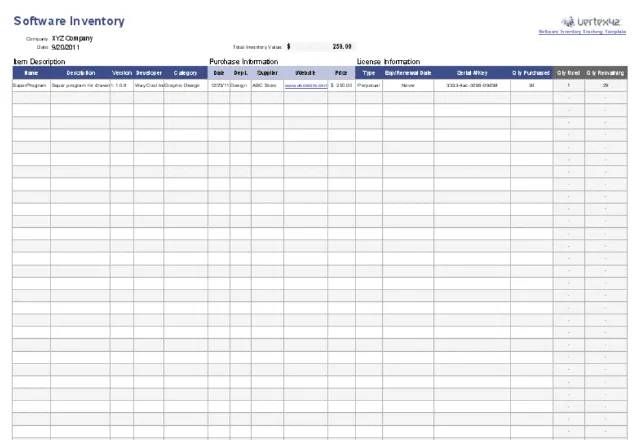
Software records require additional fields such as product name, version, publisher, license type, purchase information, renewal date, and number of licenses. The exact fields depend on the organization’s licensing arrangements.
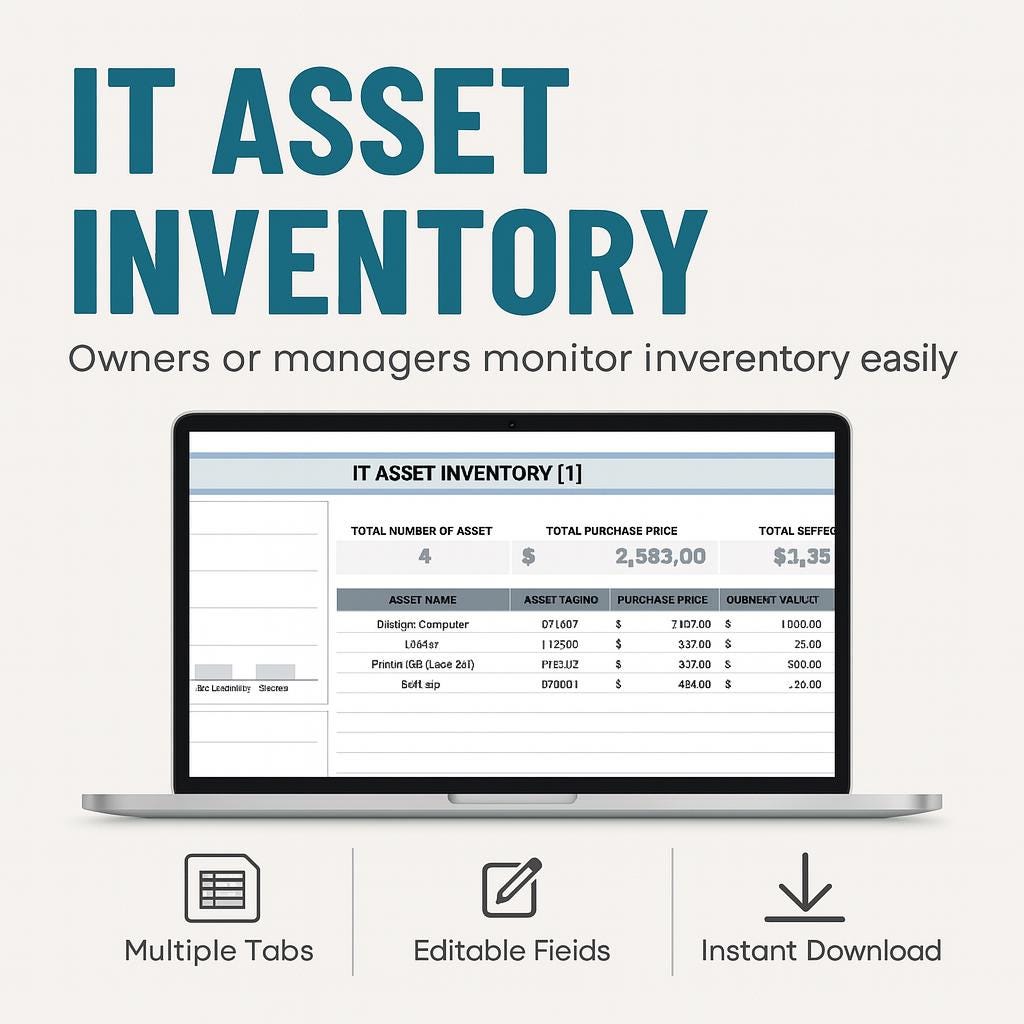
A free it inventory management templates approach can be useful for small teams that need to establish basic visibility before investing in a specialized asset management platform. The important thing is to create a consistent asset identifier and maintain the records over time.
Software inventory is particularly vulnerable to becoming outdated. A template should therefore include a last-reviewed date and a responsible owner so that records are periodically checked rather than treated as permanent facts.
Software Inventory Management
Software inventory management templates are useful when an organization needs to document applications installed or purchased across its environment. A structured record can connect software names to versions, departments, devices, licenses, and renewal information.
One useful approach is to separate software products from installed instances. The product record identifies the application and licensing terms, while a separate asset relationship identifies where the software is installed or assigned.
This distinction prevents duplicate records when the same application is installed on many computers. It also makes renewal planning easier because the organization can review the number of licenses and their current allocation.
Security and compliance considerations may also require more detailed tracking. Software that is no longer supported should be identifiable, and applications with upcoming renewals should be visible to the responsible team.
A Word document can provide a printable software register, but an Excel workbook or specialized asset management platform is usually more practical when the organization manages hundreds or thousands of software relationships.
Common Inventory Template Formats
A simple inventory list contains only the information required to identify items and record quantities. It is suitable for small collections, office supplies, basic stockrooms, and straightforward physical counts.
An inventory checklist adds a verification process. It may include checkboxes, counted quantities, condition fields, signatures, and review information.
An inventory report summarizes inventory information for managers. It can show total items, stock value, discrepancies, low-stock items, and notable changes during a reporting period.
An asset inventory focuses on durable property rather than ordinary saleable stock. It usually includes identification, ownership, location, purchase information, condition, and lifecycle status.
A movement form records stock transfers between locations or departments. This creates a transaction trail and reduces ambiguity when quantities change without a sale or purchase.
Data Collection and Inventory Accuracy
Good inventory data begins with consistent collection. Employees should know when to record a transaction, which field to use, and who is responsible for correcting mistakes.
Standard operating procedures should explain receiving, put-away, picking, transfers, returns, damage, adjustments, and stock counts. The template should support those procedures rather than attempting to replace them.
Data should also be reviewed for obvious anomalies. Negative quantities, missing locations, duplicate item IDs, inconsistent units, and unusually large adjustments are examples of records that deserve attention.
Physical counts provide an independent check against the system. Depending on the operation, businesses may perform complete counts periodically or use cycle counting to review selected items throughout the year.
Cycle counting can be organized by item value, movement frequency, risk, or operational importance. The objective is to focus attention where inventory accuracy matters most.
Inventory Data Analysis
Once inventory records are consistent, the information can support analysis. The first useful analysis is often simple: which products are in stock, low in stock, overstocked, discontinued, or awaiting replenishment?
Inventory value analysis can identify products that represent a significant portion of the organization’s stock investment. These products may deserve tighter controls than inexpensive consumables.
Movement analysis can identify fast-moving and slow-moving products. Slow-moving inventory may occupy storage space and tie up working capital, while fast-moving products may require more frequent replenishment.
Discrepancy analysis is equally important. If a particular location or product repeatedly shows variances, the business should investigate the underlying process rather than repeatedly correcting the same symptom.
Reporting should focus on decisions. A dashboard full of numbers is not automatically useful. Each metric should help answer a management question such as what needs to be ordered, what is inaccurate, what is becoming obsolete, or where inventory is concentrated.
Reporting and Documentation
An inventory report should clearly state its reporting period, location, scope, and responsible person. Without that context, a table of quantities can be difficult to interpret later.
A useful report can include opening inventory, receipts, issues or sales, transfers, adjustments, closing inventory, major discrepancies, and actions required. Not every business needs every field, but the report should explain material changes.
Management reports should avoid excessive operational detail. A manager may need totals and exceptions, while the warehouse team needs item-level information. These are different reporting needs and can be handled through different document versions.
Printed reports should include page numbers or document identifiers when they may be separated or archived. This is a small control that becomes valuable when inventory records are reviewed months later.
Digital records should follow the organization’s retention and access policies. Sensitive pricing, supplier details, serial numbers, or other business information should not be distributed more broadly than necessary.

Common Inventory Management Mistakes
One of the most common mistakes is overwriting the current stock quantity without documenting what caused the change. This removes the history needed to investigate discrepancies.
Another mistake is using inconsistent item names. “USB cable,” “USB-C cable,” and “USB C cable” may represent different products or the same product. A unique identifier and standardized naming policy reduce confusion.
Businesses also make mistakes by mixing units of measure. If purchasing uses cartons while sales uses pieces, the conversion must be clearly documented.
Another problem is failing to update inventory after receiving, transferring, or issuing goods. A perfectly designed template cannot compensate for transactions that are never recorded.
Finally, businesses sometimes build templates that are too complicated. Every additional field increases the effort required to complete the document. A template should capture necessary information without turning routine inventory work into excessive paperwork.

Best Practices for Maintaining an Inventory Management Template Word
Keep the template version-controlled. If the structure changes, record the revision date and version number so users know which format they should be using.
Protect fixed headings and formulas where appropriate. In a Word document, this may mean clearly separating instructions from fields intended for user entry. In Excel, it may include worksheet protection and controlled formula cells.
Review the template periodically. Inventory processes evolve as businesses add products, locations, suppliers, sales channels, and technology. A template that was useful for one location may become inadequate after expansion.
Test the template with real operational scenarios. Ask an employee to use it during a normal count and observe where confusion occurs. Practical testing is often more revealing than reviewing the document at a desk.
Keep an original blank master copy. Employees should create working copies rather than editing the master template directly. This protects the standard structure from accidental changes.

Practical Solution: Build a Simple Inventory Workflow
The most practical solution for a small business is to separate the inventory process into five stages: identify, record, count, reconcile, and act. This keeps the workflow understandable and makes it easier to train employees.
First, identify every item using a unique code. Record its name, description, location, unit of measure, and any other attributes necessary for accurate identification. Avoid creating duplicate item records for the same product.
Second, establish the current record. Enter the expected quantity and, where relevant, unit cost, reorder level, supplier, and purchase information. Treat this as the reference record rather than a number that employees casually overwrite.
Third, perform physical counts. Use a printable inventory management template word when a paper-based count is operationally convenient. Record counted quantities separately from system quantities so that differences remain visible.
Fourth, reconcile differences. Calculate the variance, investigate significant discrepancies, document the reason, and obtain approval when required by the organization’s internal procedures.
Fifth, act on the results. Reorder products that need replenishment, investigate recurring discrepancies, relocate poorly organized stock, review obsolete items, and update records after approved adjustments.
For a small operation, Word can handle the printable count form while Excel maintains the live inventory. Microsoft provides inventory templates through Excel that can be customized for stock levels, quantities, categories, locations, and reorder-related information.
For a larger operation, move beyond manual files when transaction volume, locations, or user count makes spreadsheets difficult to control. Dedicated inventory software can provide permissions, audit trails, scanning, automated alerts, and real-time collaboration.
The practical objective is not to select the most sophisticated technology. It is to create a process in which the physical inventory, transaction records, and management reports remain aligned.
Reference Examples
The following reference examples illustrate different inventory document and spreadsheet formats. They are useful for comparing layouts, field structures, and practical applications when designing an inventory management template word.
inventory management template for store
Source: Smartsheet
inventory management template word free download
Source: Smartsheet
inventory management template word free
Source: Template.net
inventory management template word document
Source: Smartsheet
inventory management template word download
Source: Smartsheet
microsoft inventory management template
Source: PK: An Excel Expert
inventory management template excel
Source: Simple Sheets
free online inventory management template
Source: Lark
inventory templates for word
Source: Smartsheet
inventory management sheet template
Source: Demplates
free it inventory management templates
Source: Etsy
software inventory management templates
Source: Sheetgo
Frequently Asked Questions
What is an inventory management template word?
An inventory management template word is a structured Microsoft Word document used to record and organize inventory information such as item IDs, descriptions, locations, quantities, costs, conditions, and notes. It is especially useful for printable forms, checklists, physical counts, and inventory reports.
Can I use Word for inventory management?
Yes. Word works well for small inventories, printable stocktaking forms, equipment registers, checklists, and formal reports. For frequent transactions, automatic calculations, and large inventories, Excel or dedicated inventory software is generally more suitable.
What should an inventory template include?
A basic template should include an item identifier, item name, description, location, unit of measure, expected quantity, counted quantity, and notes. Depending on the business, it can also include unit cost, inventory value, reorder level, supplier, serial number, condition, and approval information.
Is an inventory management template word free useful for a small business?
Yes. A free template can provide a useful starting structure for a small store, office, stockroom, or equipment register. The important consideration is whether the template matches the actual workflow and is maintained consistently.
Should inventory be managed in Word or Excel?
Use Word when the primary requirement is a structured document or printable form. Use Excel when the inventory requires calculations, sorting, filtering, formulas, stock movement logs, or analytical summaries. Many businesses can use both.
How often should inventory be counted?
The appropriate frequency depends on inventory value, movement, risk, and business requirements. Fast-moving or high-value products may benefit from more frequent counts, while stable low-value items may be checked less often. Cycle counting can distribute counting work throughout the year.
How do I prevent duplicate inventory items?
Use a unique item ID and establish naming standards. Before creating a new record, search the existing master list for the same product or asset. Standardized identifiers are more reliable than names alone.
Can a Word inventory template calculate stock automatically?
Word can perform limited calculations, but it is not designed to operate as a full inventory database. If automatic balances, reorder alerts, transaction histories, or inventory dashboards are required, Excel or inventory software is usually a better choice.
What is the most important inventory field?
There is no single field that is universally most important, but a unique identifier is foundational. Without a reliable identifier, it becomes difficult to distinguish similar products and connect inventory records with transactions, suppliers, locations, or assets.
When should a business move from a template to inventory software?
Consider specialized software when the business has multiple locations, many users, high transaction volume, barcode requirements, complex permissions, frequent stock movements, or a need for real-time visibility and audit trails that a manual template cannot reliably provide.
Conclusion
An inventory management template word can be an effective foundation for organizing stock records, physical counts, equipment registers, and inventory reports. Its greatest value comes from creating consistency: every item receives an identifiable record, quantities are counted systematically, differences are documented, and responsible employees know what action follows each result. For small and moderately complex operations, combining a well-designed Word form with Excel or another appropriate tracking system can provide a practical balance between simplicity and control.
