A well-designed security guard agency Template is more than a blank document with a company logo. It can become the foundation for consistent client records, employee administration, shift reporting, site instructions, contracts, attendance tracking, and operational review. For a security company managing several properties or different teams, a standardized document system helps reduce omissions and makes records easier to understand across supervisors, guards, clients, and administrative staff.
The most useful template is usually not one enormous form. Instead, an agency can create a coordinated set of documents that share the same branding, terminology, document numbering, revision dates, and approval fields. A service agreement can define the commercial relationship, while post orders explain site duties, daily reports record what happened during a shift, and attendance or sign-in records establish who was present and when.
Searches for security guard agency template free often reflect a practical need rather than a desire for design alone. People are generally looking for a structure they can adapt to their operation without starting from a blank page. The important question is therefore not simply whether a template looks professional, but whether its fields capture the information needed for the particular assignment, client relationship, workforce, and reporting process.
What a Security Guard Agency Template Should Accomplish
A strong agency template should make important information easy to locate. A reader should be able to identify the company, client or site, document purpose, effective date, responsible person, and relevant shift or assignment without searching through several pages. This is particularly important when documents are reviewed weeks or months after they were created.
The structure should also separate information that changes frequently from information that should remain controlled. A company address and document title may remain stable, while a client contact, patrol route, shift schedule, or post assignment can change. Keeping these elements clearly separated makes revisions easier and reduces the chance that outdated information will remain hidden inside a document.
Consistency matters because security operations generate many records. If one supervisor uses a narrative report, another uses a spreadsheet, and another records information on an informal checklist, comparing records becomes unnecessarily difficult. A coordinated security guard agency Template system establishes a recognizable format while still allowing individual documents to serve different operational purposes.
Core Documents to Include in an Agency Template System
A practical template library commonly begins with the documents used most often during normal operations. These can include a client information sheet, service agreement, site profile, post orders, daily activity report, incident report, patrol checklist, visitor record, shift handover form, equipment record, attendance record, and supervisor review form. The exact combination should reflect the agency’s actual workflow rather than an arbitrary checklist.
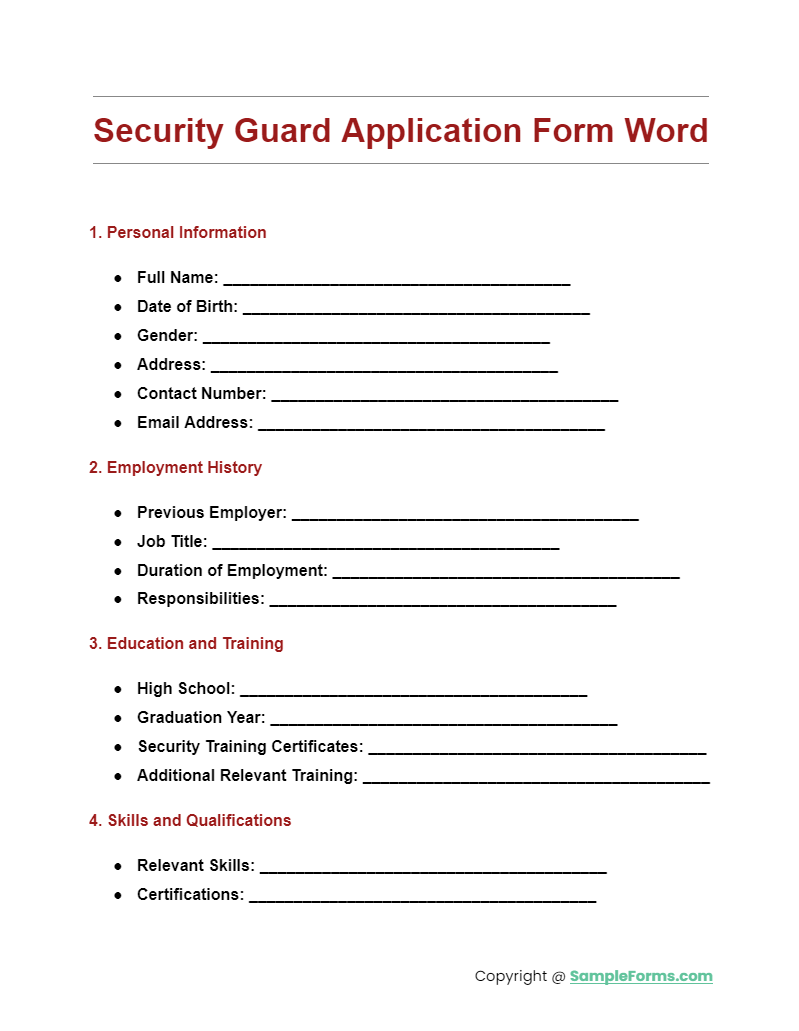
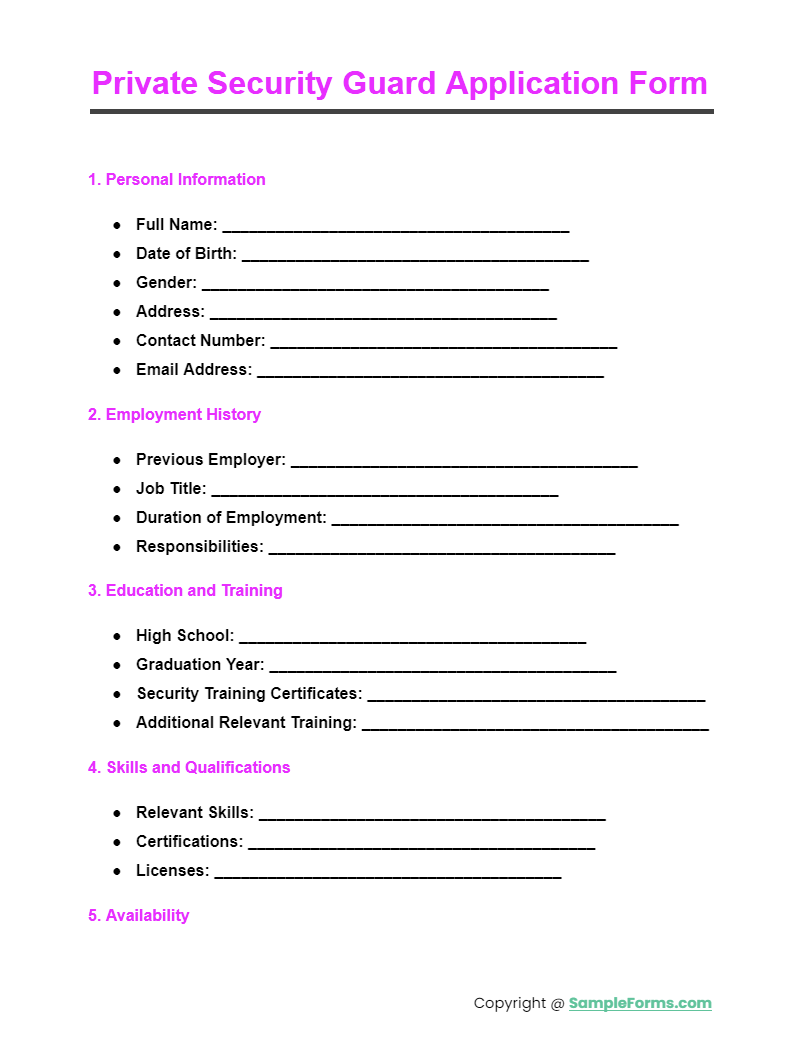
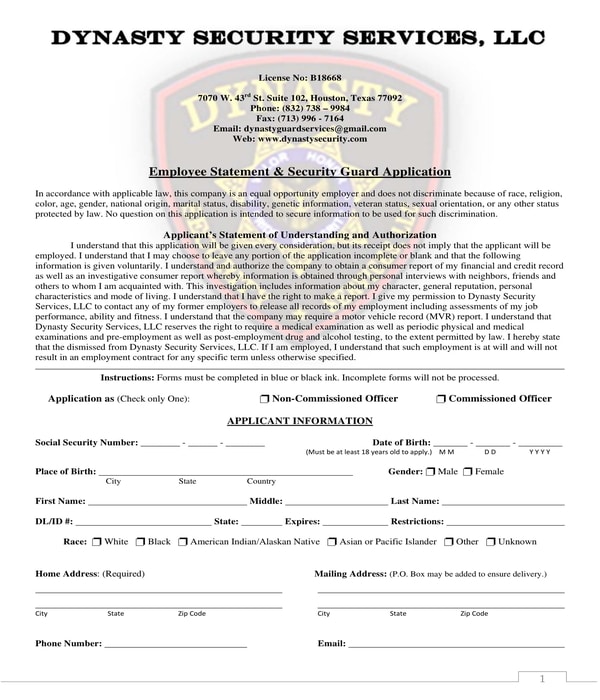
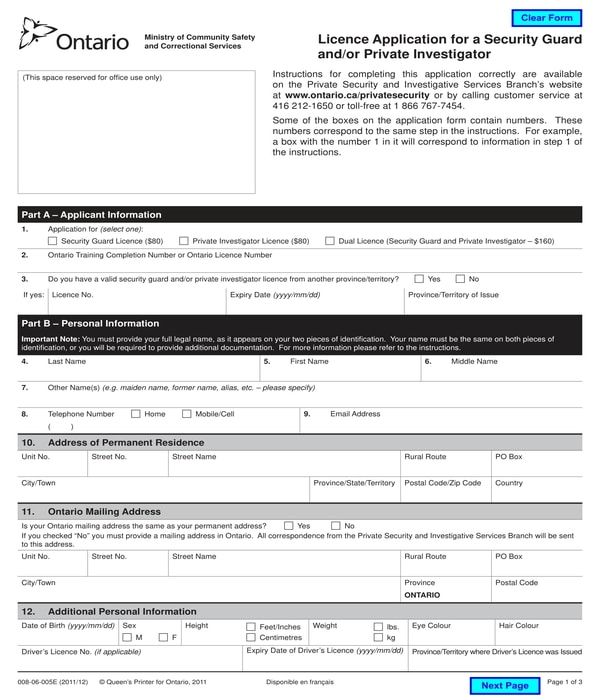
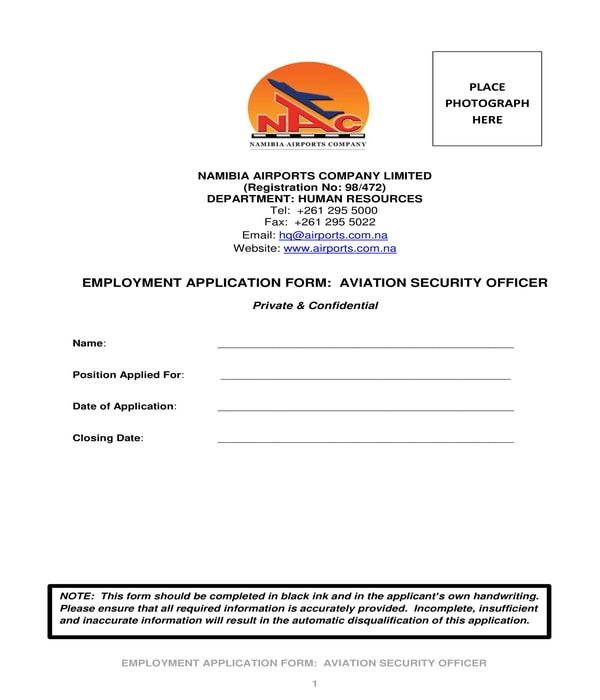
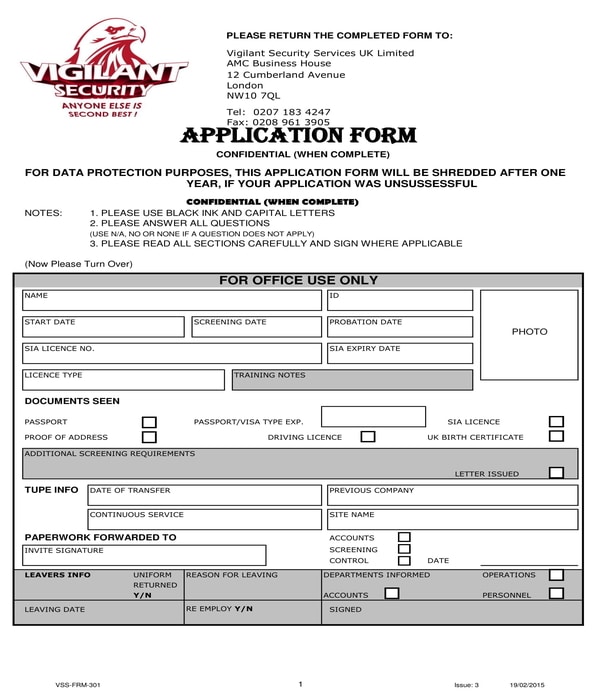
Recruitment and personnel records are another important group. A security guard job application template can organize candidate information such as contact details, employment history, training, certifications, relevant experience, availability, and references. The agency should only collect information that is genuinely needed for its hiring process and should handle personal information according to applicable privacy obligations.
Contract and employment documents should be treated separately from routine shift records. A security guard contract template can help structure a client-service relationship, while a security guard employment contract template concerns the relationship between the employer and the guard. Their purposes are different, so combining them into one generic document can create ambiguity about who is responsible for what.
Designing the Agency Header and Document Identity
Every operational document should have enough identifying information to stand on its own. A useful header can contain the agency name, logo, document title, document number, revision identifier, effective date, site or client name, and page numbering. Not every field is necessary on every form, but important controlled documents should be easy to identify even when separated from the rest of a file.
Version control is especially valuable for post orders and other site-specific instructions. Security procedures can change when a building changes its access arrangements, emergency contacts, patrol route, operating hours, or client instructions. A revision block gives supervisors a simple way to determine which version is current and when it was reviewed.
Branding should support clarity rather than dominate the page. A logo, company name, contact information, and restrained typography can make a document look professional without reducing the space available for operational information. Forms used in the field should prioritize legibility, writing space, and logical grouping over decorative design.
Building Site-Specific Post Orders
Post orders are among the most operationally important documents in a security agency’s template library. They should explain what a guard is expected to do at a particular location and post. Current industry guidance commonly emphasizes site information, primary duties, patrol or checkpoint expectations, access procedures, emergency instructions, escalation contacts, and acknowledgment or review information.
A good post-order structure starts with the site and post description. It can identify the property, exact post, normal shift, access points, restricted areas, client contact, supervisor contact, and any equipment assigned to the position. The next section can describe routine responsibilities in priority order so that a newly assigned guard can understand what must happen during a normal shift.
Emergency procedures deserve special attention. Rather than simply writing “follow emergency procedures,” a site-specific document should identify the relevant procedure, who must be contacted, what immediate actions are expected within the guard’s authority, and where additional instructions can be found. The wording must be adapted to the site and local requirements instead of being copied from a generic form.

Daily Activity and Shift Reporting
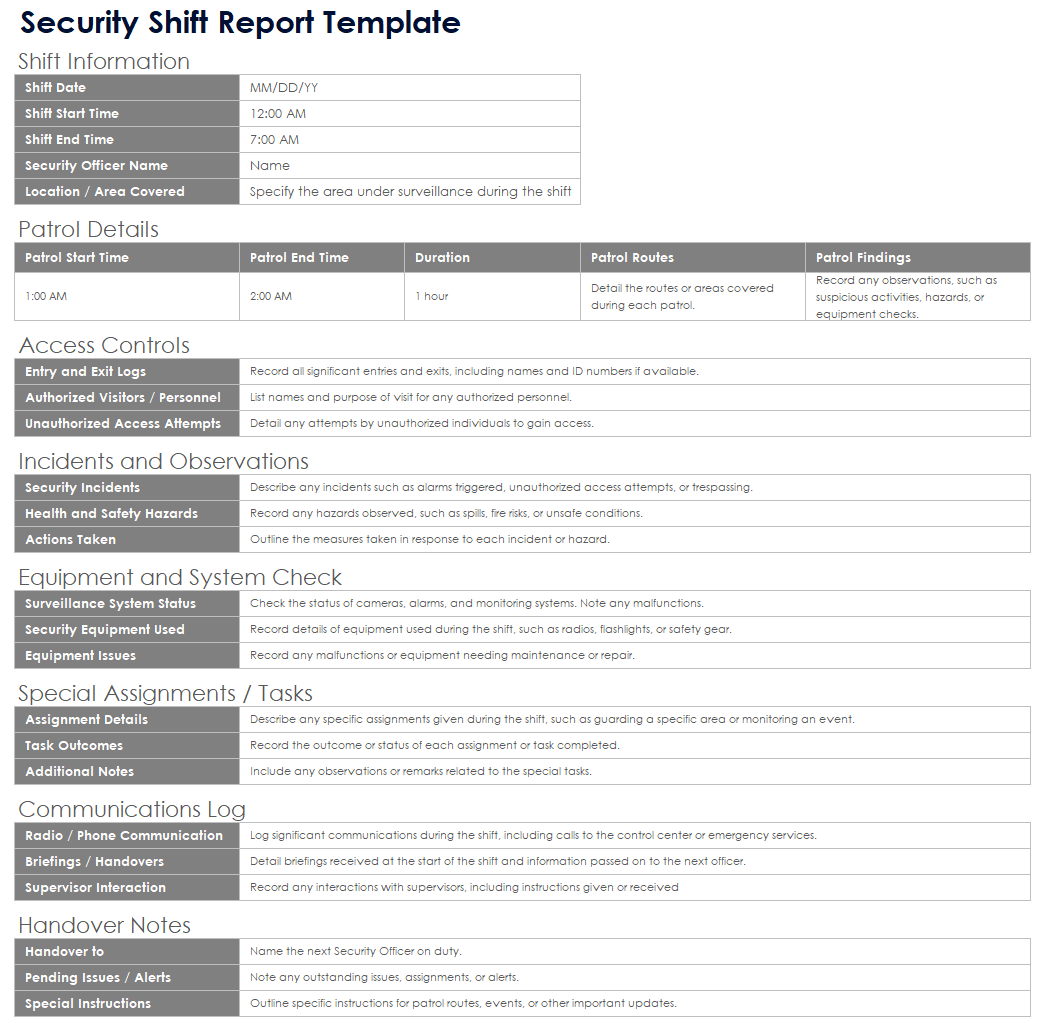
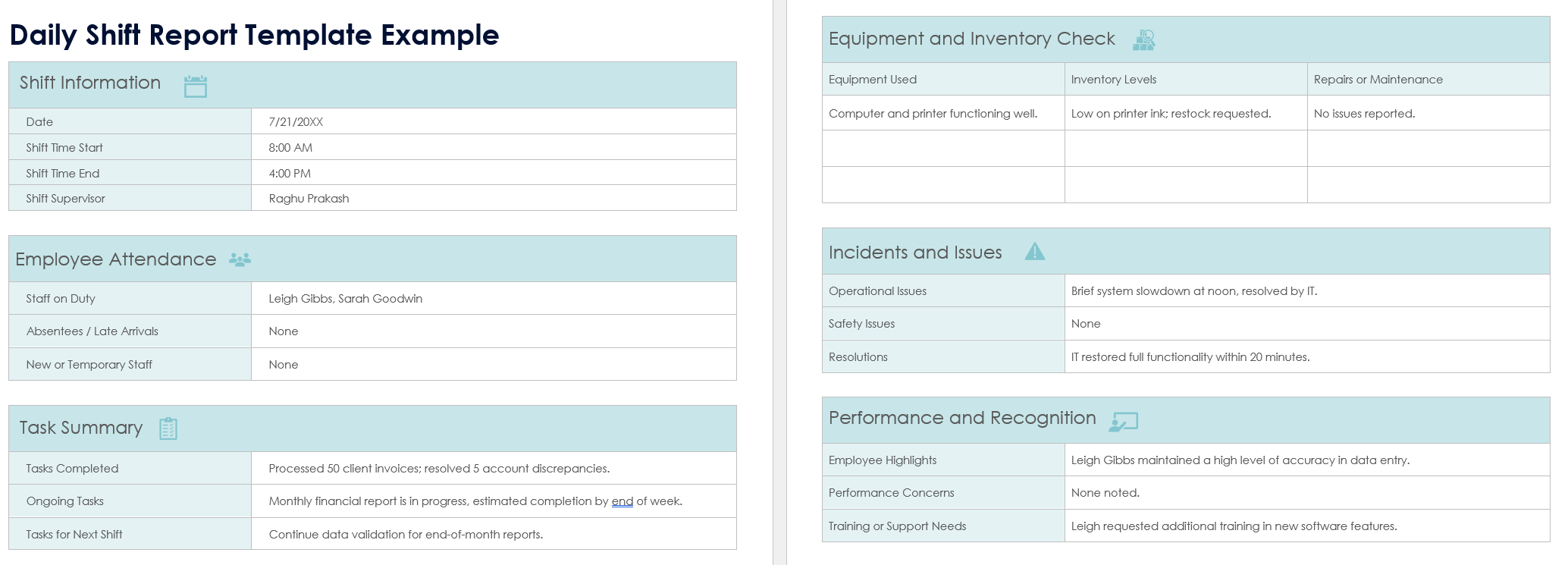
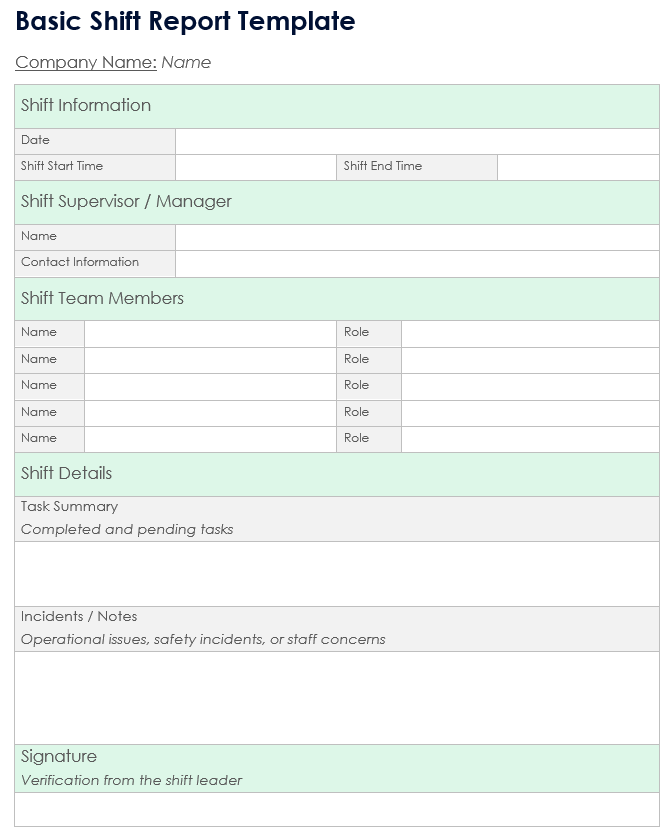
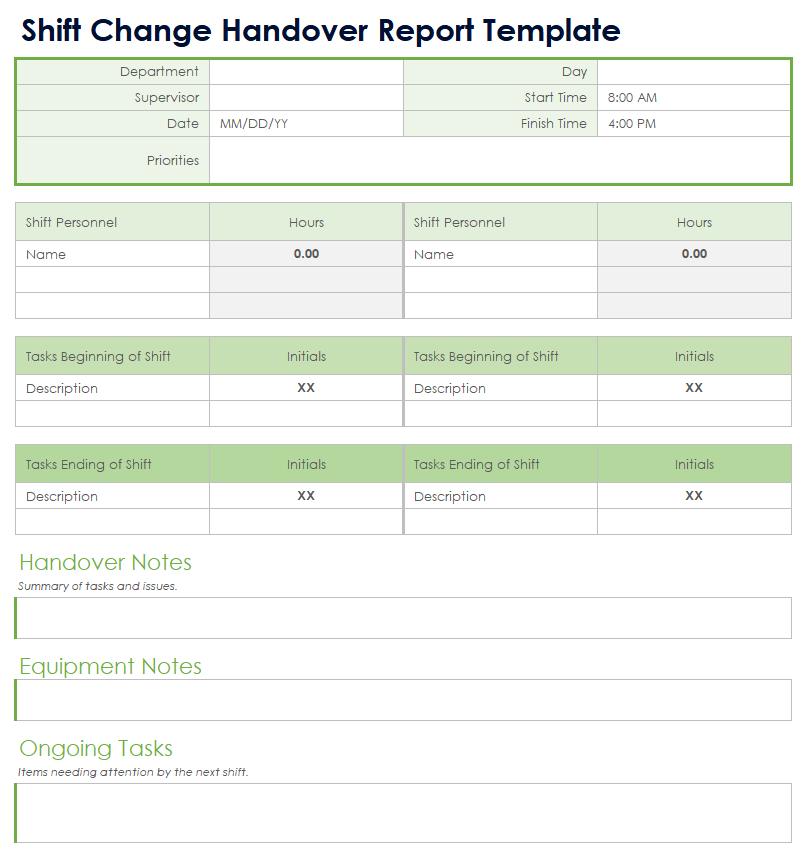
A daily activity report should create a chronological record of relevant events during a shift. Useful fields normally include the site, date, guard name, post, shift start and end times, time of an observation, location, activity or observation, action taken, and status. Additional fields can record significant incidents, unresolved matters, equipment issues, and information that needs to be passed to the next shift.
Factual writing is more useful than dramatic or subjective language. Instead of writing that a location was “very dangerous,” a report should describe the observable condition, such as an unsecured door, damaged barrier, alarm activation, unusual noise, or reported event. Specific observations allow supervisors and clients to understand what happened without relying on assumptions made by the person completing the form.
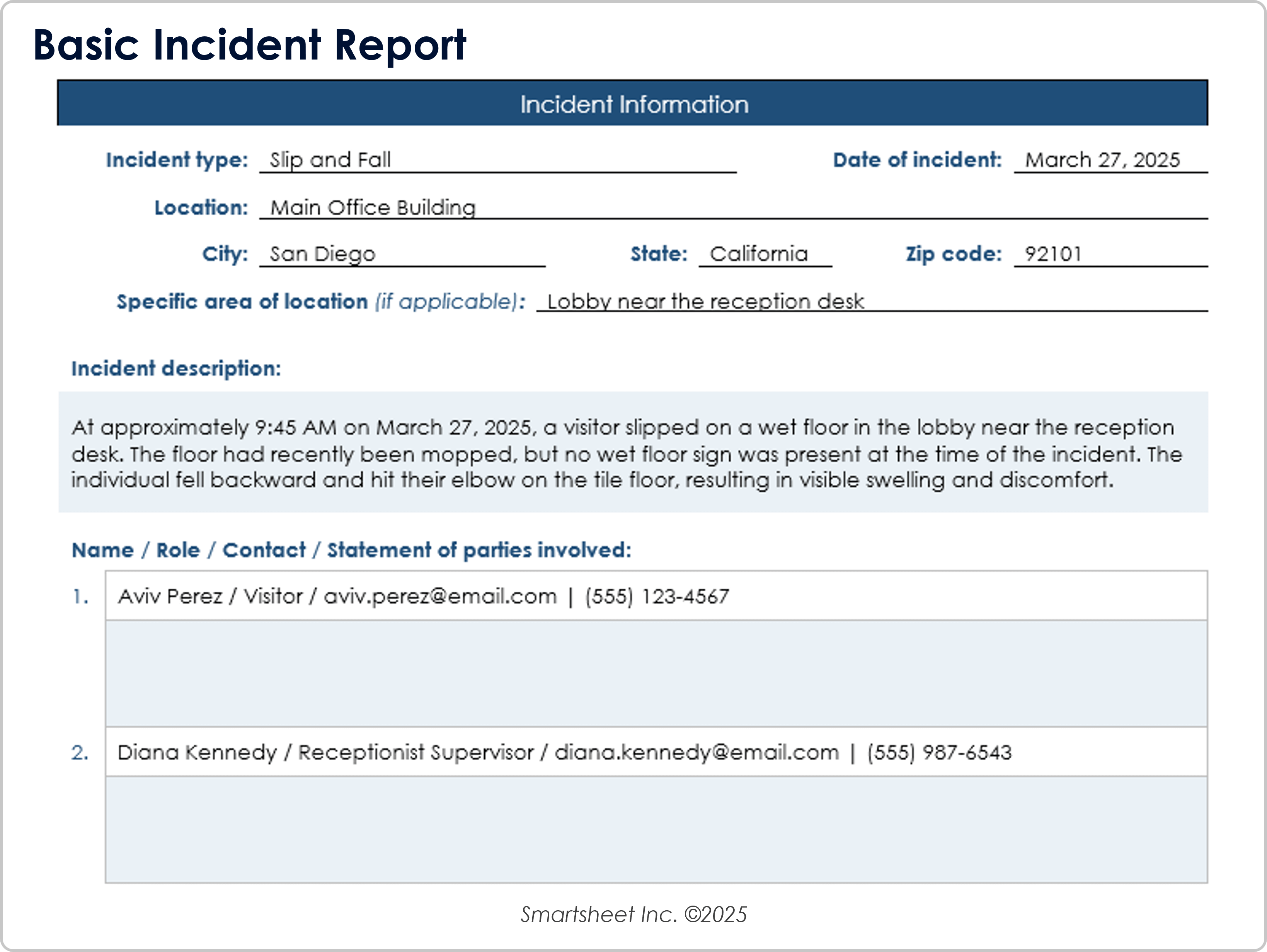
The report should also distinguish routine activity from incidents requiring a separate record. A daily report may briefly reference an incident number and state when escalation occurred, while a dedicated incident report can preserve the detailed chronology, witnesses, evidence references, notifications, and follow-up actions. This separation prevents routine shift documentation from becoming unnecessarily difficult to read.
Incident Reporting Structure
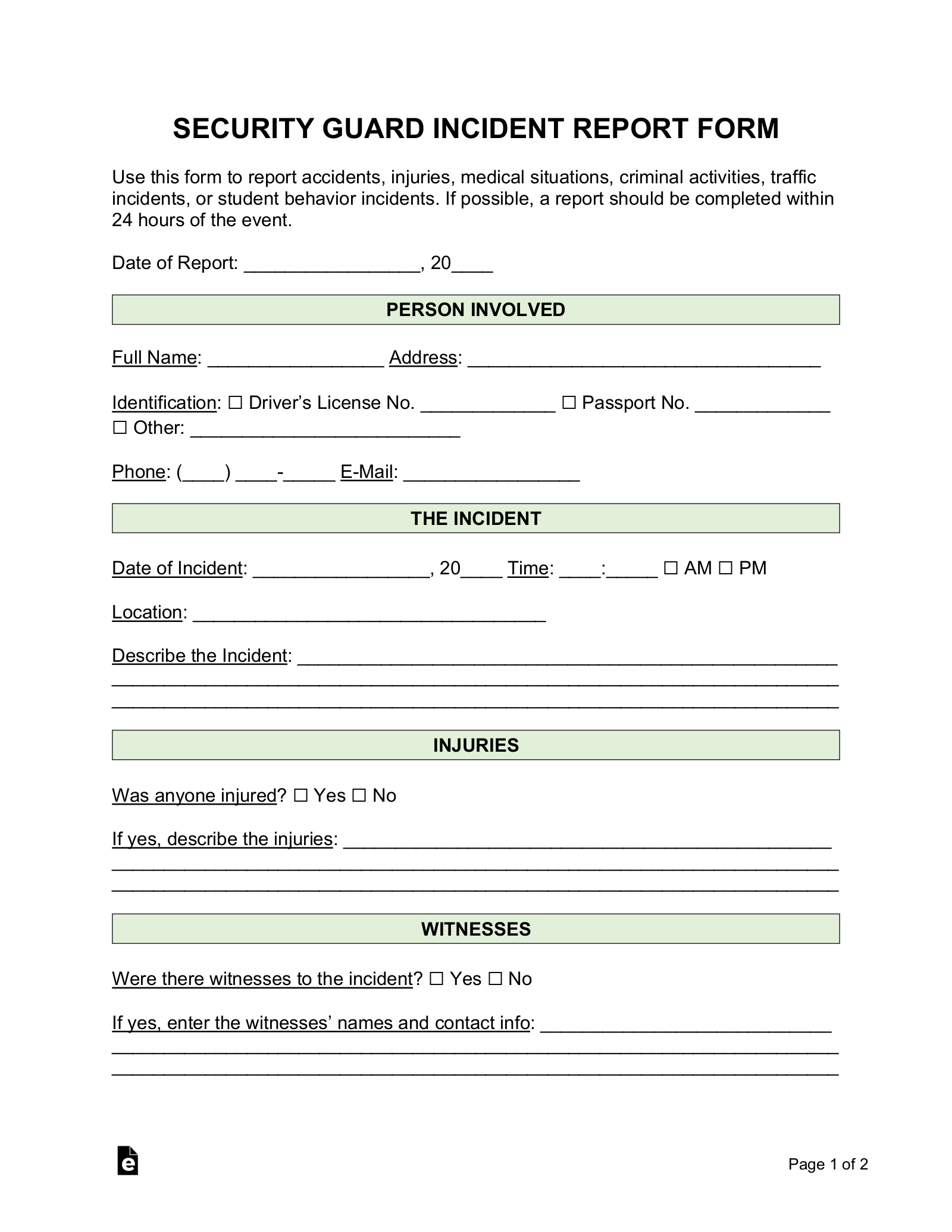
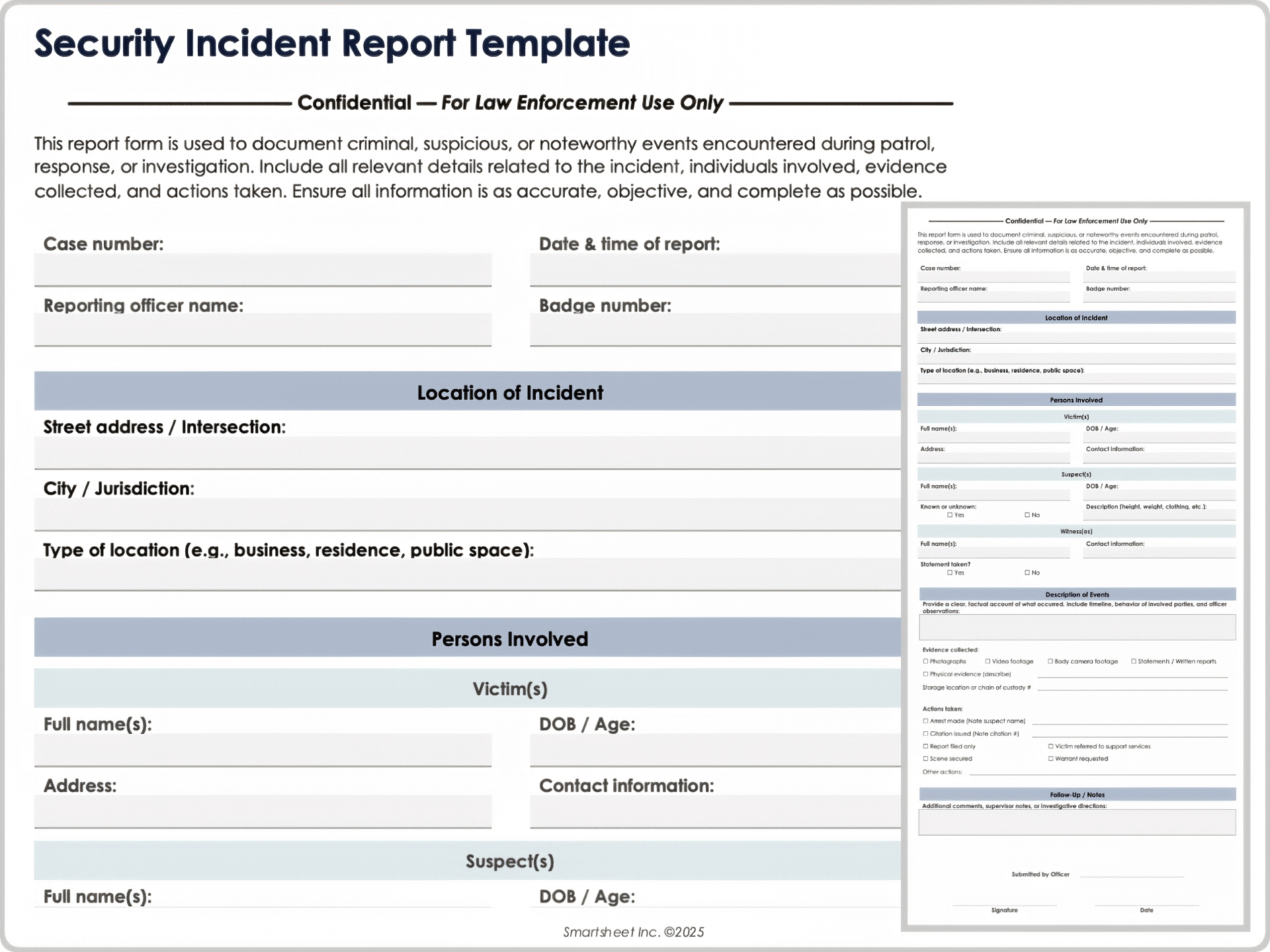
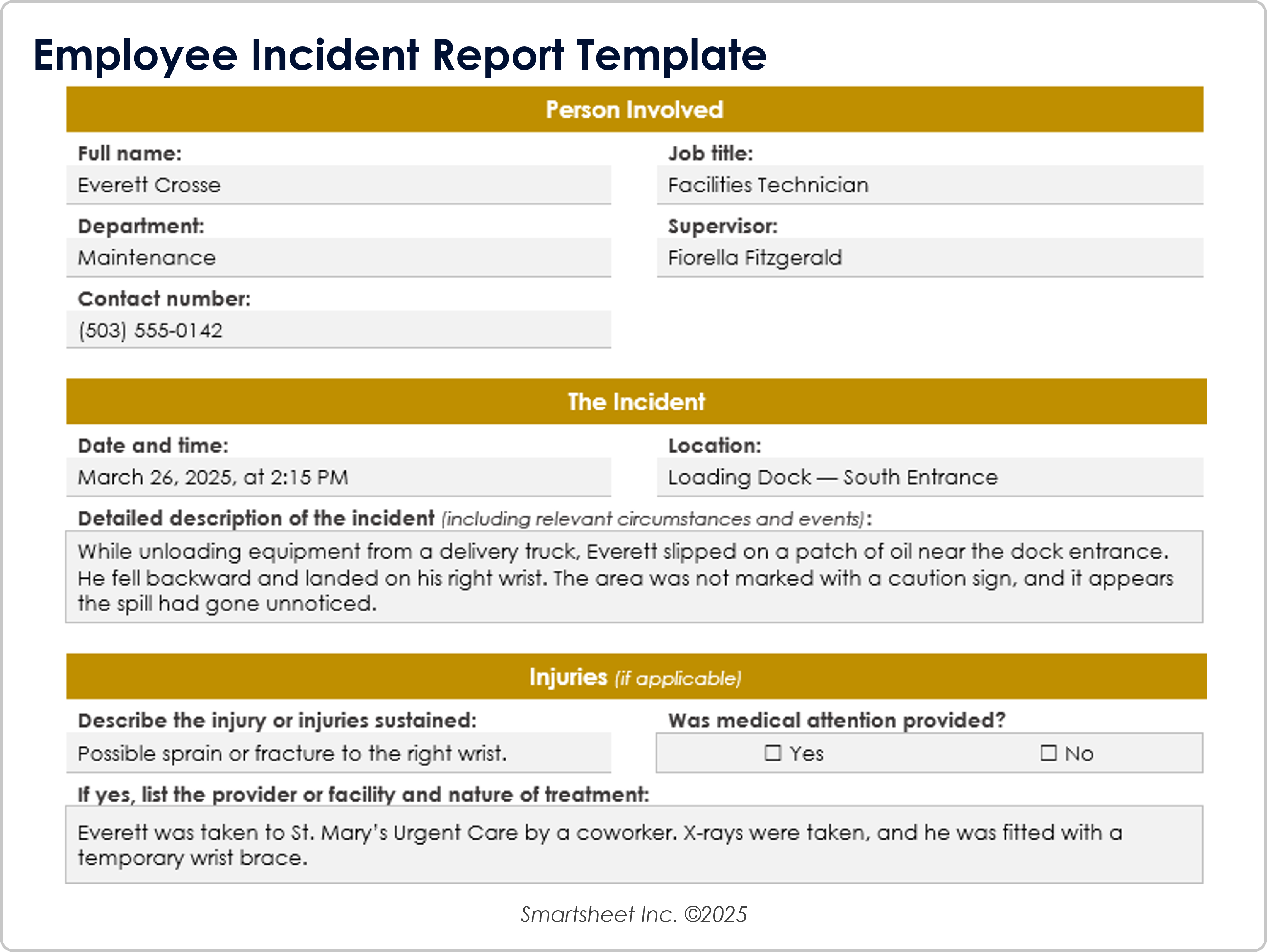
An incident report should capture the essential facts surrounding a specific event. A useful structure can include the report number, date and time, exact location, people involved, witnesses, description of what occurred, actions taken, notifications made, evidence references, injuries or property concerns where relevant, and supervisor review. The precise fields should be adjusted to the agency’s procedures and jurisdiction.
The report should encourage a clear separation between observed facts and conclusions. For example, a guard may record what they saw, heard, or were told and identify who provided information. The guard should avoid presenting an unverified assumption as a fact. This approach makes the record more useful for supervisors, clients, insurers, investigators, and other authorized reviewers.
Incident records can also support later operational improvements. When several reports show recurring problems at the same access point, lighting area, gate, delivery entrance, or patrol zone, management can investigate whether the post orders, equipment, staffing, maintenance process, or client procedures need adjustment. The template therefore becomes part of a feedback loop rather than merely a filing requirement.
Attendance, Sign-In, and Shift Handover Records
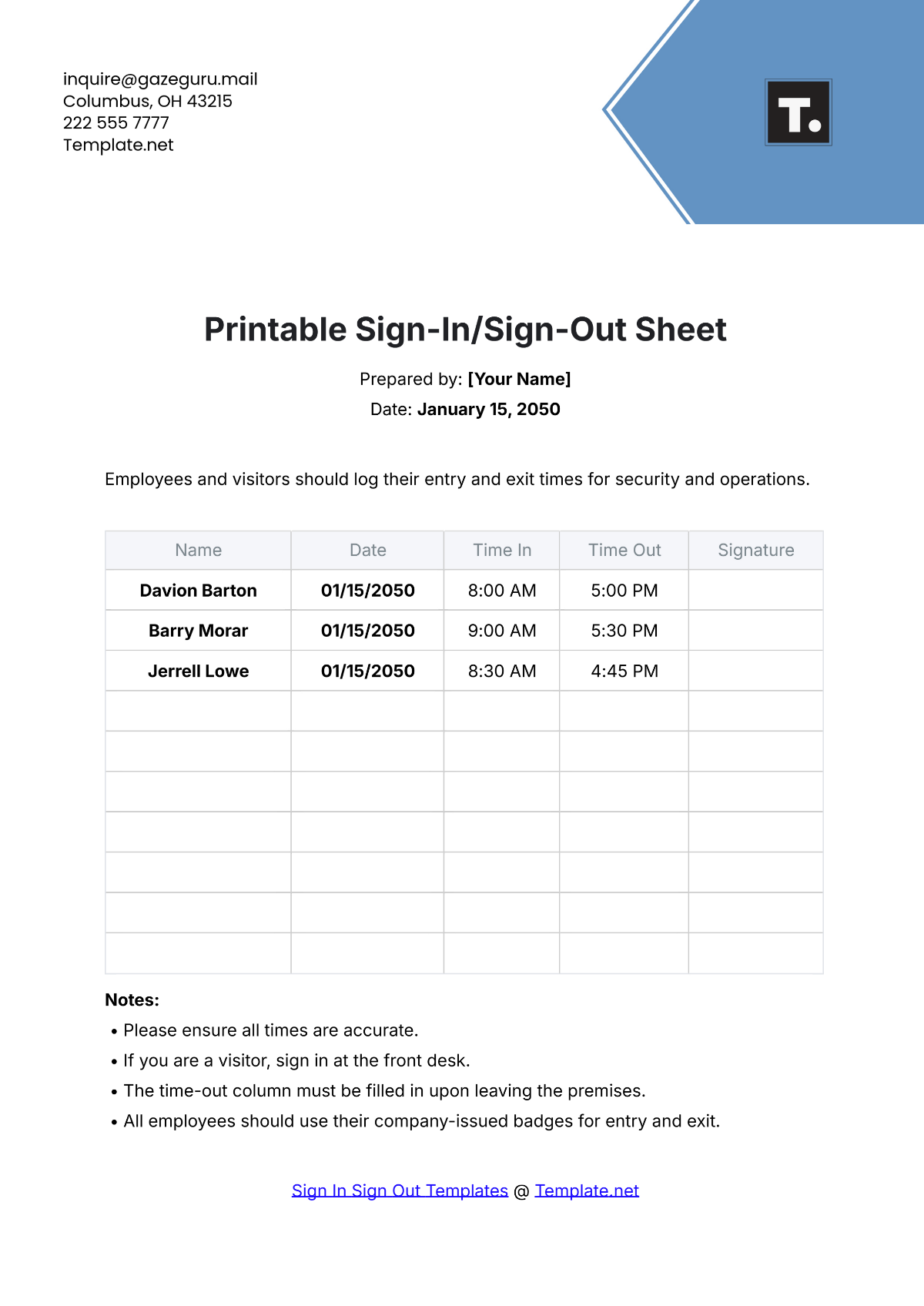
Attendance records provide a simple way to document scheduled personnel and actual presence. A security guard sign in sheet template may contain the guard’s name, date, post, shift, arrival time, departure time, signature, relief information, and supervisor verification. If the document is also used for visitors or contractors, the fields should make that distinction clear.
For organizations working with spreadsheets, a security guard agency template excel structure can be useful for recurring schedules, attendance registers, patrol logs, or equipment tracking. A spreadsheet is particularly practical when the agency needs sorting, filtering, calculations, or recurring rows. However, it should not be treated as automatically appropriate for every record, especially where sensitive information or controlled signatures are involved.
Cloud collaboration can also be useful when teams need shared records. A security guard agency template google docs format can suit narrative documents and controlled text, while a security guard agency template google sheets structure may suit recurring rows, schedules, attendance, or log entries. The agency should establish permissions and retention practices before placing sensitive operational information in a shared environment.

Contract and Employment Documents
A client service contract should clearly establish the relationship between the security provider and the client. Typical subjects include the parties, service location, scope of services, staffing, coverage schedule, rates, invoicing, responsibilities, equipment, reporting expectations, changes to service, termination provisions, and signatures. The exact legal wording should be reviewed for the jurisdiction and type of engagement.
The same principle applies when preparing a security guard contract template. A contract should not be treated as a universal legal form simply because it contains familiar headings. Employment status, licensing, insurance, labor requirements, working hours, compensation, confidentiality, disciplinary procedures, and other terms can vary considerably depending on the jurisdiction and relationship.
A separate security guard cover letter template can support recruitment materials, but it should remain distinct from formal employment documentation. A cover letter introduces a candidate’s interest, experience, and suitability. An employment agreement establishes obligations between the employer and worker. Keeping these purposes separate makes the overall document system easier to administer.

Recruitment and Personnel Records
A personnel template should help an agency gather relevant information consistently without turning the hiring process into an unnecessarily complicated questionnaire. A practical form can organize contact information, employment history, training, certifications, licenses, relevant skills, availability, and references. Fields should be reviewed periodically so that the company does not continue collecting information it no longer needs.
The security guard job application template should also make qualification review easier. Instead of relying entirely on an unstructured résumé, standardized sections can help recruiters compare relevant experience, training, licensing status, shift availability, and other role-specific criteria. This does not replace proper screening or verification; it simply provides a consistent starting record.
Agencies may also encounter searches for security guard agency template free download, security guard agency template word, and security guard agency template pdf. These phrases represent different format preferences. An editable word-processing document is convenient for narrative forms, a PDF is useful for stable presentation and printing, and an editable spreadsheet is better suited to structured recurring records.
Patrol, Equipment, and Site Inspection Forms
Patrol forms should help guards record what was checked rather than merely proving that a form was completed. Useful fields can include checkpoint, time, condition observed, action taken, and follow-up requirement. The structure should reflect the physical site. A warehouse, residential property, construction site, office building, and event venue may require very different patrol points.
Equipment records can cover radios, keys, access cards, flashlights, vehicles, protective equipment, or other items assigned by the agency or client. A simple issue-and-return structure can record the item, identifier, condition, person receiving it, time issued, time returned, and acknowledgment. This helps distinguish operational accountability from general attendance.
Inspection records can also support preventive management. If guards repeatedly identify damaged locks, poor lighting, broken barriers, malfunctioning gates, or other site conditions, supervisors can identify recurring maintenance concerns. The form should provide enough space to describe the issue and record escalation without forcing guards to write lengthy narratives for routine observations.


Practical Solution
The most practical approach is to build the agency’s template system in layers. Start with the documents that are required every day: daily activity reporting, attendance, shift handover, patrol records, incident reporting, and site instructions. Then add client-facing documents such as service agreements, coverage schedules, invoices, and review reports. Finally, add recruitment, training, equipment, audit, and management forms as the operation grows.
Next, create a common document standard. Give every controlled document a consistent header, naming convention, revision field, effective date, and responsible owner. Decide which fields are mandatory and which are optional. Establish who may revise post orders, who reviews completed incident records, how corrections are made, and where current records are retained. A simple written procedure can prevent multiple versions of the same form from circulating among supervisors.
Finally, test each template in the environment where it will actually be used. Ask whether a guard can understand the form during a busy shift, whether there is enough writing space, whether a supervisor can review it quickly, and whether a client can understand the important information without additional explanation. A document that looks polished but is difficult to complete is not an effective operational tool.
For implementation, a useful workflow is to create one master template, produce a site-specific copy, have the responsible supervisor review it, obtain client acknowledgment where appropriate, issue the current version to assigned personnel, and review it after significant operational changes. This creates a repeatable cycle in which templates evolve with the service rather than becoming outdated documents stored only because they have always existed.
When choosing between formats, match the format to the task. Use a word-processing document for narrative instructions and letters, a spreadsheet for recurring structured records and calculations, and a stable printable document for controlled forms that need consistent presentation. If several formats are maintained, ensure that they use the same terminology and field definitions so the agency does not accidentally create conflicting versions of the same operational record.
Common Template Mistakes to Avoid
One common mistake is creating a form that asks for too much information. Excessive fields increase completion time and can cause guards or supervisors to skip important sections. Each field should have a clear operational purpose. If a field does not help with staffing, reporting, accountability, client service, compliance, investigation, or management, it should be reconsidered.
Another mistake is allowing generic templates to substitute for site-specific instructions. A document may provide a useful framework, but the actual duties, access points, emergency contacts, patrol routes, equipment, and client expectations must come from the real assignment. A generic form should therefore be treated as a starting structure rather than evidence that a site has been properly documented.
Agencies should also avoid changing forms without controlling the revision process. When a supervisor makes an informal alteration to one copy, another supervisor may continue using an older version. Clear revision identifiers, review dates, and controlled distribution help prevent this problem. Sensitive records should also be stored with appropriate access controls rather than circulated broadly.
How to Choose the Right Template Format
Word-processing formats are generally appropriate when the document contains substantial narrative text, such as post orders, policies, letters, agreements, and detailed instructions. They provide flexibility for headings, paragraphs, signatures, and controlled document layouts. They are less suitable when the primary purpose is to analyze dozens or hundreds of recurring records.
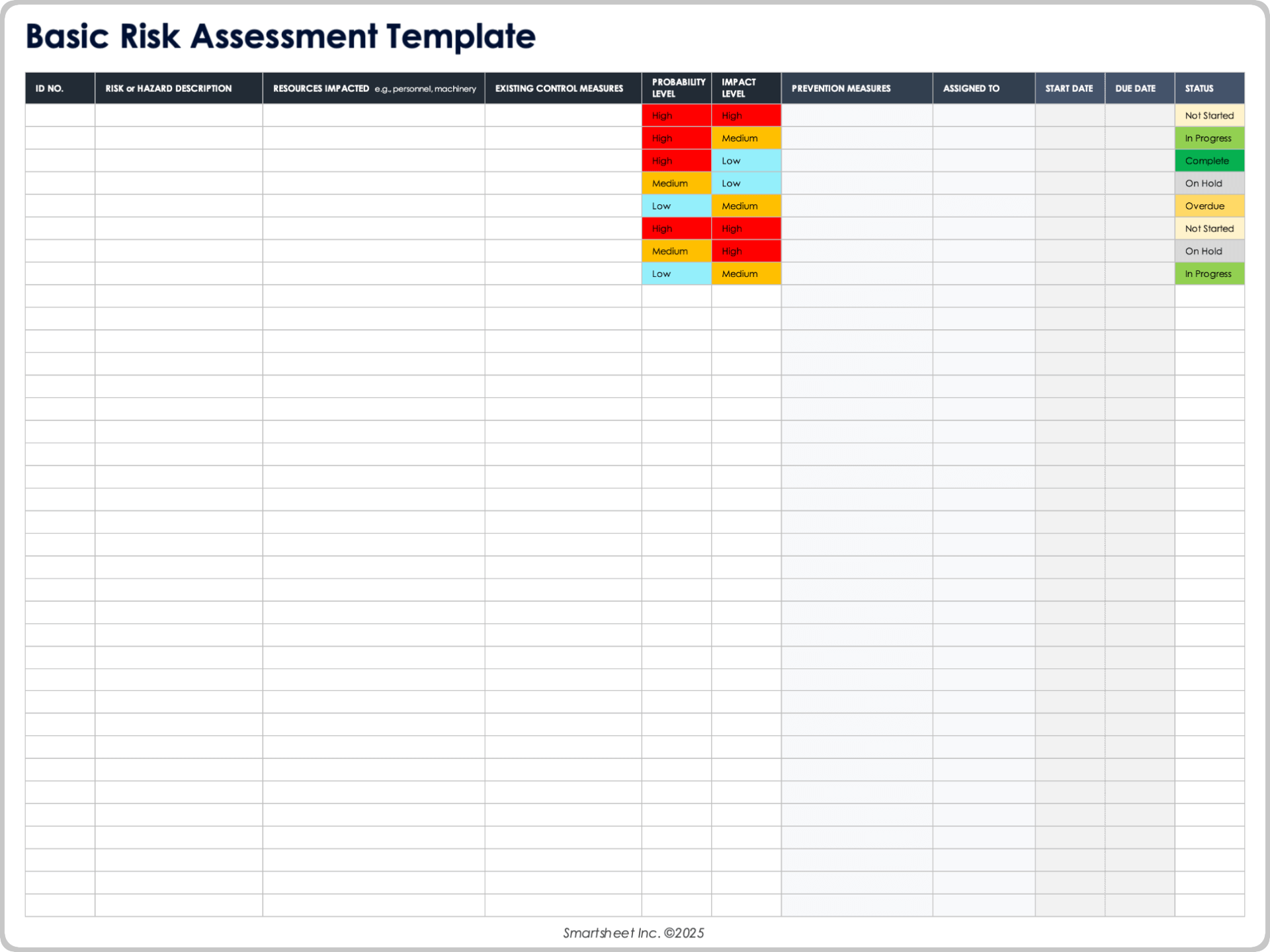
Spreadsheet formats are valuable when the agency needs rows and columns, repeated entries, sorting, filtering, date calculations, attendance totals, or schedule management. A spreadsheet can therefore work well for guard rosters, shift attendance, patrol schedules, equipment registers, or recurring site logs. The structure should still be protected against accidental changes to formulas and headings.
PDF-oriented records are useful when consistent visual presentation matters. A completed report can be preserved in a stable form after review, while a printable form can provide a predictable layout for handwritten entries. The key is to maintain an editable master separately when future revisions are expected, rather than treating every printed or finalized copy as the master document.


Using Templates for Consistent Quality
Consistency should never mean that every security operation uses exactly the same content. The better goal is consistent structure combined with site-specific detail. Every daily report can share a common header and activity-log format while each site maintains its own post orders, emergency contacts, patrol routes, access procedures, and client requirements.
Supervisors can use completed records to evaluate whether the template itself is working. If guards repeatedly leave the same field blank, the field may be unclear or unnecessary. If supervisors repeatedly add handwritten sections, the original structure may be missing important information. Template review should therefore consider actual usage rather than relying solely on management assumptions.
A mature template system also creates continuity when personnel change. A new supervisor should be able to identify current post orders, current reporting forms, current client instructions, and current review procedures without relying entirely on verbal explanations from the previous supervisor. This is particularly valuable for agencies operating multiple sites with different client expectations.


Reference Examples
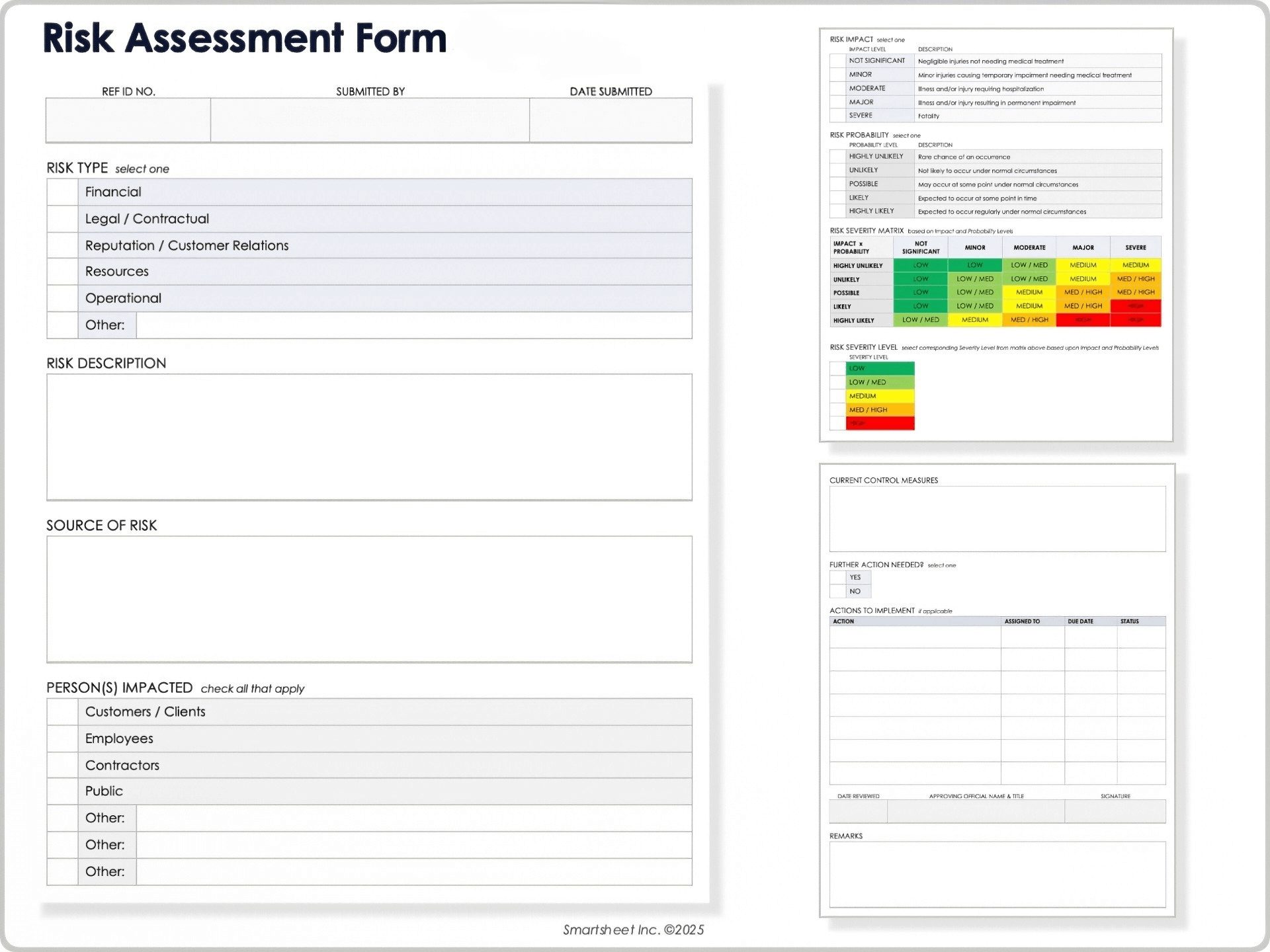
A security guard agency Template is easiest to evaluate when its structure can be compared with real-world examples of security documentation. Useful references show how agencies and organizations organize fields for personnel records, shift information, incident details, visitor control, risk review, attendance, and handover. The strongest examples are not necessarily the most visually elaborate; they are the ones that make important information easy to enter, review, and retrieve.
The following references illustrate different approaches to structured security documentation. They can help readers recognize useful field groupings, compare page layouts, and identify information that may belong in an agency’s own template library. These examples should be treated as structural references rather than universal legal or operational requirements, because the appropriate content depends on the assignment, client instructions, company procedures, jurisdiction, and type of security service.
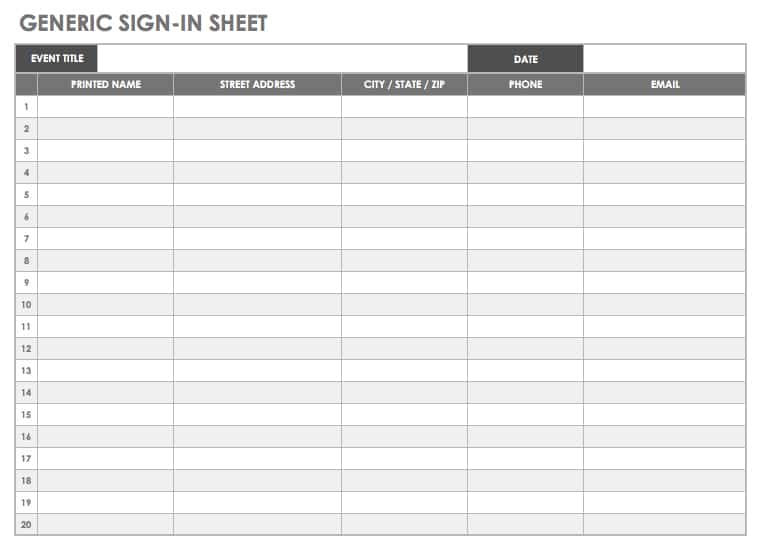
Generic Sign-in Sheet
Source: Smartsheet
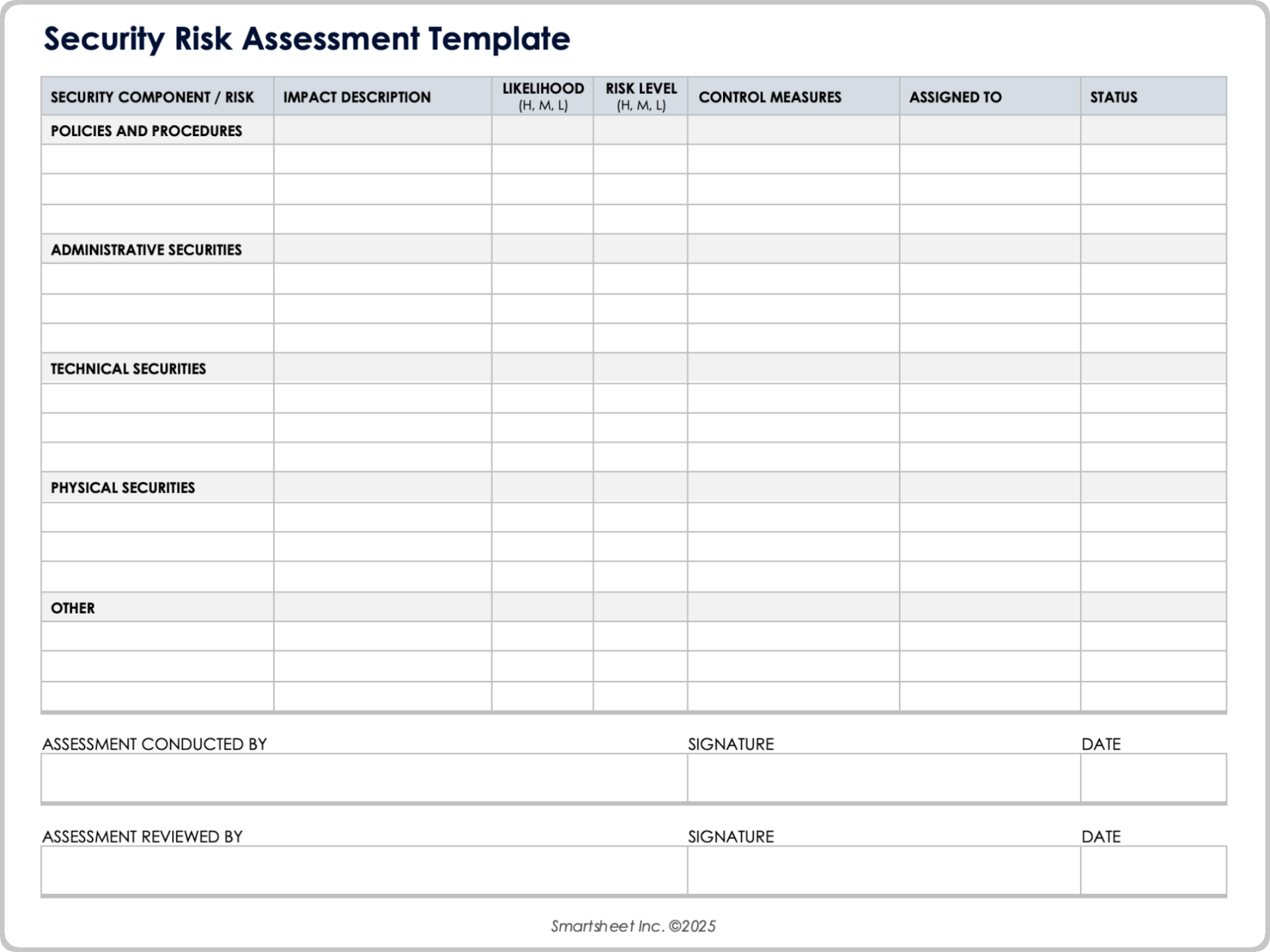
Security Risk Assessment Template
Source: Smartsheet
Security Incident Report Template
Source: Smartsheet
Visitor Record Form

Source: Scribd
Security Handover Logbook
Source: Scribd
Security Shift Report Template
Source: Smartsheet
Security Officers Weekly Time Sheet
Source: Scribd
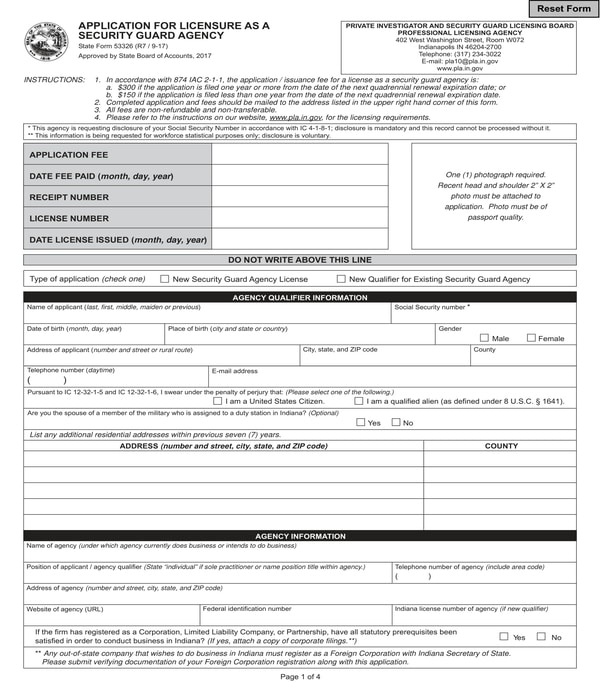
Security Guard Agency Licensure Application Form
Source: SampleForms
Printable Sign-In/Sign-Out Sheet
Source: Template.net
