Appointment scheduling in veterinary medicine is more complicated than simply writing a pet’s name beside a time. A useful record may need to distinguish between a routine wellness visit, vaccination, sick-pet consultation, follow-up, surgery admission, diagnostic appointment, grooming-related service, medication review, or another type of visit. It may also need information about the owner, patient, veterinarian, appointment duration, preparation requirements, communication preferences, and follow-up.
This guide explains how to design a practical appointment template, what information belongs in it, which file formats work best for different situations, how to create printable and digital versions, and how to use appointment cards and calendars without creating unnecessary administrative work. The examples are designed as adaptable models rather than official forms required by every veterinary practice.
The most effective template is usually the simplest one that captures the information the team actually needs. A small general practice may only need a daily appointment sheet, while a larger hospital may require multiple schedules divided by veterinarian, treatment area, appointment type, or service length. The template should support the clinic’s workflow rather than force staff to work around an attractive but impractical design.
Because veterinary teams also need to communicate clearly with clients and among themselves, appointment documentation should be treated as part of the overall service workflow. AAHA guidance on veterinary workflow and communication emphasizes coordination, documentation, scheduling, and consistent processes rather than treating the appointment as an isolated administrative event. :contentReference[oaicite:0]{index=0}
What Is a Pet Clinic Appointment Template?
A pet clinic appointment template is a reusable document or scheduling layout used to record and organize veterinary visits. It provides predefined fields so receptionists, veterinary assistants, technicians, or other authorized staff do not have to recreate the same structure for every appointment.
At its simplest, the template can contain a date, appointment time, client name, pet name, service, veterinarian, and notes. A more advanced version can include patient species, appointment category, estimated duration, reason for visit, preparation instructions, confirmation status, reminder status, and follow-up requirements.
The word “template” is important because the document is normally designed once and reused. The clinic can create a blank daily schedule, duplicate it for each date, or maintain a master calendar that is continuously updated. This reduces inconsistent formatting and makes it easier for another staff member to understand the schedule.
A template can exist in many forms. It may be a printed appointment sheet kept at reception, a digital spreadsheet, a word-processing document, a cloud-based document, a calendar layout, an appointment card, or a structured form inside veterinary practice software. The best format depends on how the clinic receives appointments and how many people need access to the information.
A good pet clinic appointment Template therefore should not be judged only by appearance. Its real value comes from usability, accuracy, readability, consistency, and its ability to fit into the clinic’s daily workflow.
Why a Structured Appointment Template Matters
Veterinary appointments involve two connected subjects: the client and the animal patient. A schedule that records only the owner’s name can create ambiguity when several pets belong to the same household. Recording the pet’s name and species alongside the client makes the appointment easier to identify and reduces the risk of confusion.
Time management is another important reason to use a consistent structure. Different veterinary services can require very different amounts of staff time. A quick vaccine visit may not require the same scheduling block as a consultation, diagnostic workup, procedure, or recheck. A template can make those differences visible.
Clear appointment information also supports communication. AAHA guidance notes that veterinary teams benefit from documenting relevant client communication and establishing consistent communication processes. A scheduling system that records confirmation, preferred contact method, or important appointment notes can therefore support more than the calendar itself. :contentReference[oaicite:1]{index=1}
A structured template can also help with handoffs. Suppose one receptionist books the appointment and another team member handles the patient on the appointment day. If the original booking contains a clear reason for the visit and appropriate scheduling notes, the second employee has more context without needing to reconstruct the conversation from memory.
Finally, a standardized template makes review easier. Clinic managers can examine appointment categories, cancellations, rescheduling patterns, and unused time blocks without first converting several differently formatted documents into a common structure.
Core Fields Every Pet Clinic Appointment Template Should Consider
The date and time are the foundation of the schedule, but they are not enough by themselves. Include the appointment date, start time, and, where useful, estimated duration. Duration is particularly valuable when appointments have different levels of complexity.
The client section should normally identify the person responsible for the appointment. Depending on the clinic’s existing records, this might include the client’s name, preferred contact method, and a reference to the client account. Avoid placing unnecessary sensitive information on a general scheduling sheet when it already exists securely in the practice-management system.
The patient section should identify the animal clearly. Useful fields can include pet name, species, breed or type when operationally relevant, and an internal patient identifier if the clinic uses one. The scheduling template should not attempt to replace the patient’s complete medical record.
The service or reason-for-visit field is particularly important. Instead of writing only “appointment,” consider categories such as wellness, vaccination, illness, follow-up, diagnostic, surgery admission, dental, medication review, or other clinic-specific services. Categories make the schedule easier to interpret at a glance.
The final group of fields should cover operational notes. Examples include veterinarian preference, preparation required, whether the client has confirmed, whether records need to be requested, whether a referral is involved, and whether a follow-up appointment should be scheduled. These fields should remain concise and should direct staff toward the appropriate detailed record rather than becoming a substitute for clinical documentation.
Designing the Daily Schedule Layout
A daily appointment sheet works best when the most frequently used information is visible without requiring staff to search through paragraphs. A typical row might contain time, client, pet, appointment type, assigned clinician, duration, and status.
Time should normally appear first because receptionists often scan the schedule chronologically. A consistent time format also prevents confusion. If a clinic uses a 12-hour clock, use it consistently; if it uses a 24-hour clock, do the same throughout the document.
Appointment status can be represented with simple text such as scheduled, confirmed, checked in, in progress, completed, canceled, or rescheduled. If the template is digital, dropdown selections can make these values more consistent. If it is printed, short abbreviations may work, provided every employee understands them.
Another useful design choice is to separate operational notes from clinical notes. The appointment schedule might say “fasting instructions provided” or “bring previous records,” while the detailed medical record contains examination findings and treatment information. Keeping those functions separate improves readability and reduces unnecessary duplication.
Finally, leave enough space for handwritten or typed notes. A visually crowded template may look efficient but become frustrating during a busy day. The best layout balances information density with the ability to read each appointment quickly.

Using a Daily Planner as a Scheduling Model
A daily planner illustrates an important principle for veterinary scheduling: time blocks should be visually distinct. The specific planner shown here is not a veterinary form, but its hourly structure demonstrates how time-based sections can make a schedule easy to scan.
For a pet clinic, those time blocks can be adapted to the clinic’s actual appointment intervals. A practice that normally schedules visits in 15-minute increments can create smaller blocks, while a clinic with longer consultations can use larger intervals.
The left side of a daily layout can be used for high-level priorities, while the main schedule records appointments. In a veterinary setting, that might translate into a “priority notes” area and a chronological appointment table.
The visual hierarchy also matters. Time should be prominent, while secondary notes should remain visually subordinate. This prevents staff from spending more time interpreting the document than managing the schedule.
A daily planner layout can therefore serve as a useful starting point for designing a pet clinic appointment Template, provided it is customized to veterinary services rather than copied unchanged.
Building a Pet Clinic Appointment Template in a Spreadsheet
Spreadsheets are useful when a clinic wants flexible sorting, filtering, simple calculations, or multiple views of the same appointment data. Columns can represent date, time, client, pet, species, service, veterinarian, duration, status, and notes.
A spreadsheet also makes it possible to create separate worksheets. One sheet might contain the daily schedule, another a monthly overview, and another a list of appointment types. A small clinic does not necessarily need all three, but the option becomes valuable as scheduling volume grows.
Formatting should remain restrained. Too many colors, merged cells, decorative fonts, and complicated formulas can make a schedule harder to maintain. A simple header row, readable column widths, and consistent status values usually provide more value than elaborate visual effects.
For digital schedules, protect formulas and reference cells where appropriate. If staff members only need to edit appointment information, they should not accidentally overwrite formulas used for duration calculations or summary counts.
A spreadsheet should also have a clear owner. Decide who is responsible for maintaining the master version, how changes are communicated, and what happens when the clinic needs to correct an appointment. Without a defined process, multiple spreadsheet copies can quickly become inconsistent.

What a Spreadsheet-Based Schedule Can Demonstrate
The spreadsheet example above demonstrates how tabular information can organize repeated entries into rows and columns. For a clinic, the same basic structure can be used to record appointment times and scheduling information.
The important lesson is not to copy the visual appearance exactly. Instead, identify the information that repeats from appointment to appointment and give each repeated item its own column.
For example, “pet name” should not be combined with “owner name” if the clinic frequently needs to sort or filter by patient. Separate fields are easier to search and easier to export into another system.
A spreadsheet can also make gaps in the schedule more visible. Blank time blocks can indicate availability, while clearly labeled status fields can distinguish actual openings from appointments that are temporarily being held.
When building a spreadsheet appointment system, simplicity is usually more sustainable than creating a complicated workbook that only one employee understands.
Creating a Printable Appointment Form
Printed schedules remain useful in environments where staff need a physical overview, where computers are not always available at the point of service, or where a backup schedule is maintained for operational continuity.
A printable form should be designed for the paper size the clinic actually uses. Letter and A4 layouts are common, but the appropriate size depends on local practice and printer configuration.
Margins should leave enough room for printing without cutting off fields. The document should also be legible when printed in grayscale. If appointment status depends entirely on color, the printed version may become difficult to interpret.
Printed forms should avoid unnecessary personal information. A daily schedule is often visible to multiple employees, so sensitive information should remain in the appropriate secure record system rather than being copied onto a sheet simply because there is space.
For recurring use, create a blank master template and make fresh copies for each date or scheduling period. This prevents old appointments from accidentally remaining on a reused form.
Appointment Cards: A Useful Companion to the Main Schedule
An appointment card is different from the main schedule. The schedule is primarily an internal organizational tool, while the card can serve as a compact reminder for the client.
A useful card might include the clinic name, appointment date, appointment time, pet name, veterinarian or service when relevant, and a short reminder about arrival or preparation. The card should not contain more personal information than necessary.
Historical appointment cards demonstrate how compact documents can communicate the essential details without reproducing a full scheduling record. The goal for a modern clinic is to create a clear reminder that complements the digital or paper appointment system.
Cards can also be used for follow-up appointments. A patient leaving the clinic after a planned recheck may benefit from receiving the next date and time immediately, reducing the chance that the information is forgotten.
If appointment cards are printed in bulk, keep the design simple enough that staff can write or print the variable information quickly. A complicated card that takes too long to complete can create more work than it saves.

What a Structured Record Card Teaches About Appointment Design
The record-card example demonstrates how a form can divide information into clearly labeled fields. Although it was created for an entirely different purpose, the underlying design principle applies to appointment documents.
A veterinary appointment card should group related information together. Date and time belong together, patient identification belongs together, and instructions should have their own clearly identifiable area.
Tables are especially useful when a clinic wants to maintain consistent alignment. Repeated rows help staff recognize where information belongs instead of interpreting a free-form blank page.
However, a pet clinic should avoid carrying unnecessary fields from an unrelated record-card format. Every field should have a defined purpose in the clinic’s workflow.
The best appointment card is therefore not the most detailed card. It is the card that communicates the next action clearly while leaving the complete clinical information in the appropriate record.
How to Create a Veterinary Appointment Calendar
A calendar provides a broader view than a daily appointment sheet. It can show appointment volume across a week or month, planned closures, recurring follow-ups, staff availability, and other scheduling patterns.
A monthly calendar is useful for high-level planning but may not provide enough room for detailed patient information. For that reason, many clinics benefit from using the calendar as an overview and a separate daily schedule as the operational record.
Weekly calendars can provide a useful middle ground. They offer more detail than a monthly grid while still allowing the clinic to see several days at once.
Calendar templates should also account for non-appointment events. Staff meetings, surgery blocks, inventory activities, maintenance, training, and holiday closures can affect available appointment capacity even though they are not client appointments.
The calendar should therefore represent actual capacity rather than merely listing client visits. This helps the clinic avoid treating every visible blank space as automatically available.

Using Logbook Layouts to Improve Scheduling Consistency
The logbook example shows another useful concept: repeated events can be recorded in a consistent table. Each row represents a distinct event while the columns establish a common structure.
For veterinary scheduling, rows can represent appointments and columns can represent time, patient, service, clinician, and status. This makes it possible to review a large number of appointments without reading a separate paragraph for each one.
A logbook structure is particularly useful when a clinic needs a chronological history of schedule activity. If a patient is moved from one time to another, the clinic can decide whether the record should retain the original status or simply show the current appointment, depending on its documentation policy.
When building such a layout, avoid overly narrow columns. If pet names, service descriptions, or notes are truncated, staff may misread the information.
Consistent table design also makes training easier. New employees can learn what each column means and then apply the same process to every appointment.
Managing Rescheduling, Cancellations, and Confirmation
A useful appointment template should make schedule changes visible. A canceled appointment should not look identical to an active appointment, and a rescheduled visit should not create uncertainty about which time is current.
One approach is to use a status field with controlled values such as Scheduled, Confirmed, Checked In, Completed, Canceled, and Rescheduled. The exact choices should match the clinic’s operational terminology.
Confirmation should also be treated as a workflow step rather than merely a note. If the clinic uses phone, email, text, or another communication channel, the scheduling process should make clear whether the appointment has been confirmed and who is responsible for follow-up.
AAHA materials emphasize that communication methods should fit client needs and that relevant communication should be appropriately documented. A scheduling template can support this by including a concise communication status while keeping detailed conversations in the proper record. :contentReference[oaicite:2]{index=2}
When an appointment is canceled, the template can also distinguish between a released slot and a blocked slot. This distinction matters because a canceled appointment may become available to another client, while a protected time block may remain intentionally unused.

What a Blank Appointment Card Demonstrates
The blank appointment card shown here demonstrates a very simple approach: provide designated lines for dates and a short instruction. A veterinary card can follow the same principle while adding only the information clients genuinely need.
A clinic might use fields for pet name, date, time, service, and a reminder to arrive early or bring required documents. The exact instructions should reflect the clinic’s policies.
Minimal designs are particularly helpful when cards are handwritten. A large writing area is often more useful than decorative graphics or excessive wording.
The card can also become a useful visual checkpoint for reception staff. Before handing it to the client, staff can verify that the date and time match the master appointment record.
The example reinforces an important principle: a reminder card should be easy to understand in a few seconds, because its purpose is to help the client remember the next appointment rather than reproduce the entire scheduling database.
Using a pet clinic appointment Template in Word or Google Docs
Word-processing documents are useful when the clinic wants a form that looks like a conventional document rather than a data-heavy spreadsheet. They work especially well for printable appointment forms, client-facing reminders, intake sheets, or documents that require larger text fields.
A Word or cloud-document template can contain a clinic heading, date, appointment table, notes section, and footer. Staff can duplicate the document for each day or maintain a blank master copy.
Tables should generally be preferred over manually typed spaces because tables maintain alignment when text is added. They also make the document easier to convert into a PDF when a fixed-layout version is needed.
Cloud-based documents can be useful when multiple authorized staff members need access, but access permissions should be configured carefully. A public sharing link is generally inappropriate for confidential client or patient information.
For clinics using cloud collaboration, the template should also have a clear naming convention. Dates should follow a consistent format so staff can locate the correct schedule quickly without opening multiple files.

Understanding Form Structure for Cloud Documents
The form screenshot illustrates the idea of separating instructions, input areas, and generated or reviewed content. A veterinary appointment document can use the same structural principle.
Instructions should be short and positioned close to the field they explain. If a staff member needs a long paragraph to understand how to complete a simple appointment row, the template probably needs redesigning.
Input fields should also be visually distinct. A user should be able to recognize immediately where the date, time, patient name, and service information belongs.
When a document is shared electronically, the editing experience matters as much as the printed appearance. Fields that are easy to complete on paper may be awkward to edit on a computer.
Testing the template with the people who will actually use it is therefore essential. A form should be refined based on real scheduling tasks rather than designed only from a visual perspective.
How to Use a Spreadsheet for Capacity Planning
Appointment templates can do more than record bookings. A spreadsheet can help a practice understand how much appointment capacity is available during a particular day or week.
For example, a clinic might assign each appointment a duration category such as short, standard, extended, or procedure. Those categories can then be converted into time blocks. The categories are hypothetical examples and should be adjusted to the clinic’s actual workflow.
A capacity worksheet can also distinguish between clinical availability and administrative availability. A veterinarian may technically be working all day, while certain periods are blocked for surgery, rounds, documentation, breaks, or other responsibilities.
Simple calculations can summarize scheduled hours, open hours, canceled slots, and rescheduled visits. The purpose is not to create complicated analytics but to make the relationship between demand and available time easier to understand.
Any analysis should be interpreted carefully. A full calendar does not automatically mean the clinic is operating efficiently, just as an empty slot does not automatically indicate poor demand. Context matters, including appointment complexity, staffing, seasonality, emergencies, and clinical priorities.

Using Charts to Review Scheduling Patterns
The schedule chart above is not veterinary data, but it demonstrates how a visual chart can show changes across time. A clinic could use a similar concept to visualize appointment volume by week or month using its own internal data.
Useful categories might include wellness visits, sick visits, procedures, follow-ups, and cancellations. The categories should be chosen according to the clinic’s operational questions.
Charts are most useful when they answer a specific question. For example, a manager might want to know whether certain days consistently have unused appointment capacity or whether a particular service consumes more schedule time than expected.
Charts should not replace the underlying appointment records. They are summaries that help people interpret information already captured in the scheduling system.
When a chart is based on clinic data, label the time period and categories clearly. Avoid presenting hypothetical examples as real clinic performance statistics.
Designing a Monthly Appointment Calendar
A monthly calendar is excellent for planning but can become crowded when too much information is placed inside each date cell. Use short labels and move detailed information to the daily schedule or patient record.
Color can be useful when it has a defined meaning, such as distinguishing appointment categories or clinic closures. However, every color should have a text equivalent so the schedule remains understandable when printed or viewed by someone with color-vision limitations.
Recurring appointments can be represented with a consistent abbreviation, provided staff members understand it. Avoid creating so many abbreviations that employees need a separate reference sheet just to interpret the calendar.
For digital calendars, permissions are equally important. Staff should have the level of access appropriate to their role, especially if the calendar contains client or patient information.
A monthly calendar should ultimately answer one question quickly: what is happening on each day? Detailed operational questions should be handled by the corresponding daily schedule or record.

Calendar Grid Principles
The one-page calendar example demonstrates how a large amount of date information can be compressed into a grid. The structure is useful as a conceptual model for a veterinary appointment calendar.
For a clinic, each date cell might contain a short count or abbreviated appointment information rather than every patient detail. This keeps the calendar readable.
A separate daily view can then provide the full appointment list. Linking the two views through a consistent date system creates a practical hierarchy: month for planning, week for coordination, and day for execution.
The calendar can also mark days when the clinic is closed or operating with reduced hours. Such information prevents reception staff from interpreting a blank day as an accidental scheduling gap.
When a calendar becomes too dense, the solution is usually to remove detail rather than shrink the text until it becomes unreadable.
Appointment Templates for Follow-Up Visits
Follow-up appointments deserve special consideration because they often depend on a previous visit. The scheduling record can include a short reference such as “recheck” or “follow-up,” while the medical record contains the clinical details.
Some follow-ups may have a preferred time window rather than a single exact date. The scheduling team can record the target interval and then select an appointment that fits the clinical instruction and the client’s availability.
AAHA guidance on ongoing care illustrates the value of scheduling future assessments as part of a structured workflow. In a nutrition-management example, the organization describes scheduling subsequent assessments and recording progress in the medical record. :contentReference[oaicite:3]{index=3}
A follow-up field can also remind staff to arrange another appointment before the client leaves. This is particularly useful when the next visit is an expected part of the care pathway.
The template should still avoid making clinical decisions. Its purpose is to document and coordinate the appointment that has been appropriately determined by the veterinary team.
Handling Multiple Veterinarians and Services
A clinic with several veterinarians may need more than a single chronological list. A schedule can be divided by clinician, room, service, or a combination of these dimensions.
One approach is a master calendar with a veterinarian column. Another is a separate worksheet or view for each clinician. The choice depends on whether staff need a shared overview or individual working schedules.
Service duration should also be considered. If one veterinarian handles long consultations while another primarily handles brief follow-ups, a single appointment interval may not represent actual capacity.
Rooms and equipment can create another scheduling constraint. A procedure room may be unavailable even when a veterinarian is free, so the appointment system should identify the resource that limits capacity when that information is operationally important.
As the number of scheduling dimensions increases, avoid trying to place everything into one enormous table. Separate views can make complex schedules much easier to interpret.

Why Clear Input Forms Matter
The form example demonstrates how many fields can be organized into a single document without relying on free-form writing. The same principle can be applied to appointment booking.
A booking form can ask staff to select or enter the client, pet, date, time, appointment type, assigned provider, and relevant operational notes. Structured input reduces variation between employees.
Fields should be arranged in the order that staff naturally collect the information. If the booking conversation starts with the reason for the visit, the template can place that field near the beginning rather than forcing the employee to scroll to the bottom.
Required and optional fields should also be distinguishable. Requiring information that has no practical use can slow down booking and encourage staff to enter meaningless placeholder text.
A form is successful when it guides the user without becoming an obstacle. The goal is consistent information capture, not maximum data collection.
How to Make a PDF Version of an Appointment Template
PDF is useful when a fixed visual layout is needed. A completed schedule can be exported to PDF for printing, archiving, or controlled distribution when appropriate.
A PDF version should be generated from a verified master document rather than manually recreated. This helps maintain consistent headings, field positions, page breaks, and clinic branding.
If the PDF is intended for printing, inspect the final file rather than assuming the export is perfect. Check that tables remain within the page boundaries, headings are not stranded at the bottom of a page, and fields are large enough to use.
If the PDF contains client or patient information, apply the clinic’s security and retention procedures. A PDF should not be treated as automatically secure simply because it has a fixed layout.
For blank templates, a PDF can be useful as a stable printable master, while an editable Word or spreadsheet version can remain available for staff who need to modify the layout.
Creating a Template That Works for Reception Staff
Reception staff are often responsible for the first scheduling interaction, so the appointment template should reflect the information they actually need to collect. AAHA materials describe client-service teams as an important part of veterinary communication and workflow, including scheduling and managing client expectations. :contentReference[oaicite:4]{index=4}
The template should make common appointment types easy to recognize. If employees repeatedly type the same descriptions, consider standardized choices or short labels.
Instructions should be located where the task occurs. A short note beside a field is usually more useful than a page of general instructions that employees must consult separately.
Staff should also know which information belongs in the appointment schedule and which belongs in the medical record. This boundary reduces duplication and prevents the scheduling document from becoming an informal clinical record.
Finally, test the template during a realistic busy period. A design that works for three appointments may fail when the reception desk has several calls, cancellations, arrivals, and schedule changes at the same time.
Testing the Template Before Daily Use
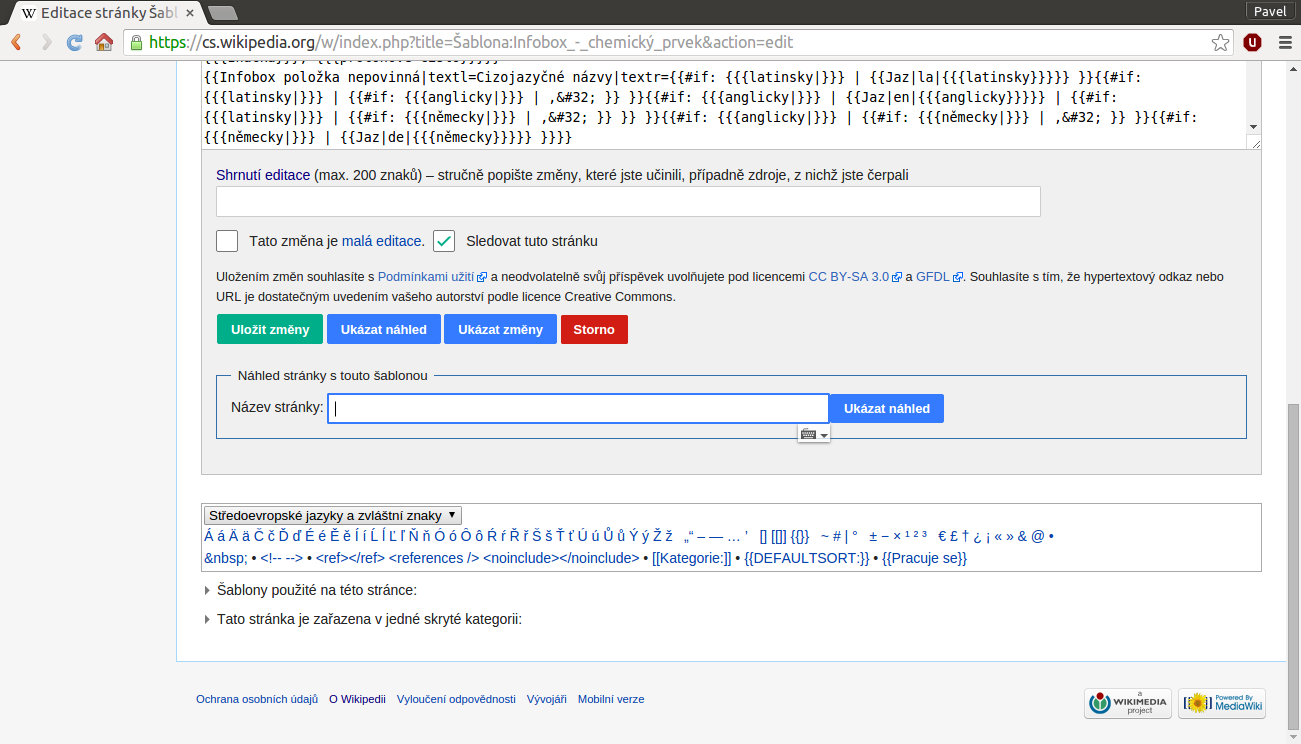
The form-preview example highlights the value of seeing how a document behaves before it becomes part of a production workflow. Veterinary clinics can apply the same idea by testing a blank appointment template with realistic sample entries.
Test short and long pet names, multiple pets belonging to one client, long service descriptions, canceled appointments, rescheduled appointments, and notes that require more than one line.
Check what happens when an appointment changes time. The template should make the current schedule obvious rather than leaving staff to guess which entry is correct.
Also test printing. Digital documents can look spacious on a screen but become cramped on paper, particularly when spreadsheet columns are exported to PDF.
A short test cycle can reveal structural problems before the template is used for real appointments. The objective is not perfection on the first draft; it is reliable performance under normal clinic conditions.
Common Mistakes When Creating a Pet Clinic Appointment Template
One common mistake is trying to capture every possible detail on the appointment sheet. This produces a document that is technically comprehensive but difficult to use. Detailed clinical information should remain in the appropriate patient record.
Another mistake is using inconsistent terminology. If one employee writes “recheck,” another writes “follow up,” and another writes “FU,” reporting and filtering become more difficult. A controlled vocabulary can improve consistency.
A third mistake is failing to define appointment duration. If every visit is treated as the same length, the calendar may appear available even when the clinical team does not have enough time to complete the planned work.
Another problem is creating multiple unofficial copies. When several employees maintain separate spreadsheets, it becomes difficult to determine which schedule is current. A master source and clear ownership can reduce this problem.
Finally, clinics sometimes design templates around aesthetics rather than workflow. A beautiful document that requires excessive typing, tiny text, or complicated navigation will not perform well under real operating conditions.
Practical Solution: Build a Simple Appointment System in Five Steps
Step 1: Define the appointment information. Start by listing the fields the clinic genuinely needs. At minimum, consider date, time, client, pet, appointment type, provider, and status. Add duration and operational notes when they have a clear purpose.
Step 2: Choose the format. Use a spreadsheet when sorting and filtering matter, a word-processing document when printable forms are the priority, a cloud document when controlled collaboration is useful, and a calendar when the main need is date-based planning. Many clinics can use more than one format for different purposes.
Step 3: Create the master template. Build one blank version with consistent headings and field names. Avoid putting real client or patient information into the master template. Use clearly labeled examples if staff need to see how fields should be completed.
Step 4: Test realistic scenarios. Enter sample routine visits, sick visits, follow-ups, cancellations, rescheduling, multiple pets, and different appointment durations. Print the document if a paper version will be used. Revise any field that repeatedly causes confusion.
Step 5: Establish a workflow. Decide who creates appointments, who confirms them, who updates status, who manages cancellations, and where the detailed medical record is maintained. The template becomes much more useful when everyone follows the same process.
A practical implementation does not require an expensive system. A small clinic can begin with a carefully designed document and move toward more sophisticated scheduling software when the volume or complexity justifies it.
Practical Examples of Appointment Template Workflows
Consider a hypothetical general practice that receives a call for a routine vaccination appointment. The receptionist records the client, pet, requested service, preferred date, and available time. Once the appointment is booked, the status becomes scheduled.
In another hypothetical scenario, a client requests an appointment because a pet is showing a concerning symptom. The receptionist records the reason at a high level and follows the clinic’s established triage and scheduling procedure. The template supports the workflow but does not replace professional clinical judgment.
For a follow-up appointment, the team can record that the visit is a recheck and identify the planned date or time window. When the client leaves the current appointment, the next visit can be scheduled immediately if that is part of the care plan.
For a canceled appointment, the status changes to canceled and the time slot can be released or retained according to clinic policy. A rescheduled appointment receives a new current time while the clinic maintains whatever historical information its documentation process requires.
These examples show why the template should focus on workflow rather than merely storing text. The document needs to help staff understand what stage each appointment has reached and what action comes next.
Data Collection and Reporting from Appointment Records
Appointment records can provide useful operational information when they are consistently structured. If appointment types are standardized, a clinic can summarize how many visits fall into each category over a selected period.
Other useful internal measures can include scheduled appointments, completed appointments, cancellations, rescheduled visits, and open capacity. These are operational measures rather than universal veterinary benchmarks, so each clinic should interpret them according to its own context.
Data quality matters more than sophisticated charts. If appointment categories are entered inconsistently, the resulting report may be misleading. A simple but consistently completed template is usually more valuable than an advanced dashboard built from inconsistent data.
When reviewing appointment data, distinguish between counts and explanations. A high number of cancellations is a descriptive observation; understanding why those cancellations occur requires additional information.
Reports should also protect confidentiality. Only authorized personnel should have access to information that could identify clients or patients, and reporting outputs should contain only the information necessary for the purpose.

Using Tables for Appointment Reporting
The table example demonstrates how several categories can be compared in a compact layout. A veterinary clinic can apply the same concept to appointment summaries.
For example, a report could contain columns for appointment type, scheduled count, completed count, canceled count, and rescheduled count. The figures in such a report would come from the clinic’s actual records rather than from the example image.
A table can make differences easier to review than a long narrative report. Managers can quickly scan rows and identify areas that may deserve further investigation.
However, the table should not imply causation. If one appointment category has more cancellations, that observation alone does not explain why. The clinic may need additional information from its scheduling records or client communications.
Well-structured tables are therefore useful for turning appointment records into operational information without pretending that simple counts answer every management question.
Choosing Between Free, Printable, Word, Excel, and Cloud Formats
People searching for a free template often want something they can use immediately without learning specialized software. A basic document can satisfy that need if the structure is clear and the clinic is comfortable maintaining it.
Word-style templates are generally suited to fixed forms and printable layouts. Spreadsheet templates are better when the schedule needs sorting, filtering, calculations, or multiple data views.
Google Docs-style templates can work well for documents that several authorized staff members need to access, while Google Sheets-style templates are better suited to structured scheduling data that benefits from spreadsheet features.
Printable templates remain valuable as physical appointment sheets or backup documents. PDF is useful when the layout needs to remain fixed, especially for printing or controlled distribution.
The key is not to select a format because it is fashionable. Select it because it matches the clinic’s workflow, security requirements, staff skills, and scheduling complexity.
Reference Examples
The following visual references are examples of appointment cards, calendars, forms, tables, receipts, and document layouts. They are illustrative references rather than claims that the pictured documents are official veterinary templates or downloadable pet-clinic resources.
pet clinic appointment template free

Source: Wikimedia Commons
pet clinic appointment template pdf

Source: Wikimedia Commons
pet clinic appointment template free download
Source: Wikimedia Commons
pet clinic appointment template google docs
Source: Wikimedia Commons
pet clinic appointment template word
Source: Wikimedia Commons
pet clinic appointment template excel
Source: Wikimedia Commons
pet clinic appointment template google sheets

Source: Wikimedia Commons
pet clinic appointment template printable

Source: Wikimedia Commons
veterinary appointment cards template
Source: Wikimedia Commons
veterinary appointment calendar template
Source: Wikimedia Commons
the pet clinic near me appointment
Source: Wikimedia Commons
animal pet clinic near me appointment

Source: Wikimedia Commons
Frequently Asked Questions
What should a pet clinic appointment template include?
A practical template usually includes the date, time, client, pet, appointment type, assigned veterinarian or service, duration when relevant, and appointment status. Additional operational fields can cover confirmation, preparation requirements, referral information, or follow-up scheduling. Avoid using the appointment sheet as a replacement for the complete medical record.
Can I make a pet clinic appointment Template in Excel?
Yes. Excel is particularly useful when the clinic wants sorting, filtering, calculations, multiple worksheets, or summary reports. A simple structure with consistent columns is usually easier to maintain than a heavily formatted workbook.
Is a printable appointment template useful for a veterinary clinic?
Yes. A printable version can provide a daily reception schedule, a physical backup, or a client-facing reminder. It should be designed for the clinic’s paper size and tested in grayscale if staff may print it without color.
What is the difference between an appointment card and an appointment calendar?
An appointment card is generally a compact reminder for an individual client or patient, while an appointment calendar provides a broader view of many appointments across a day, week, or month. They serve different purposes and can be used together.
Should medical information be included on an appointment template?
Only the minimum operational information needed for scheduling should normally appear on a general appointment sheet. Detailed clinical information belongs in the appropriate patient medical record and should be handled according to the clinic’s privacy, security, and documentation procedures.
Can a veterinary appointment calendar be managed in Google Sheets?
A spreadsheet-based calendar can be useful for clinics that need collaborative scheduling and structured data. Access should be restricted to authorized users, and the clinic should establish a clear process for editing, correcting, and maintaining the master schedule.
How far in advance should appointments be scheduled?
There is no universal interval that fits every veterinary clinic. Scheduling horizons depend on appointment type, local demand, staffing, seasonal patterns, follow-up requirements, and clinic policy. The template should make the scheduled date and any relevant target interval clear.
How can a clinic reduce scheduling mistakes?
Use consistent fields, controlled appointment categories, clear status values, defined ownership of the schedule, and a simple process for cancellations and rescheduling. Staff training and regular template testing are also useful because a technically correct document can still fail if users interpret fields differently.
Conclusion
A well-designed pet clinic appointment Template is more than a blank calendar. It is a practical workflow tool that helps a veterinary team organize time, identify patients, communicate appointment status, coordinate staff responsibilities, and keep scheduling information separate from detailed medical documentation. The strongest template is clear, reusable, secure, easy to update, and matched to the clinic’s actual operating process. Whether the final format is a spreadsheet, Word document, cloud schedule, printable sheet, PDF, appointment card, or calendar, the objective remains the same: make every appointment easier to understand and easier to manage.
