A construction company profile tri fold brochure Template is a compact way to present a building firm’s identity, capabilities, services, selected projects, credentials, and contact information within a six-panel printed layout. The strongest designs do more than place text and photographs into three columns. They create a logical reading sequence that moves a prospective client from recognition, to credibility, to evidence, and finally to a clear next step.
Searchers looking for this type of template are usually trying to solve a practical design problem. They may need a company profile for a contractor, builder, engineering firm, renovation business, developer, or specialist construction service. They may also need a format that works with familiar design software, can be edited internally, or can be prepared for professional printing. Understanding the content architecture first makes the choice of format much easier.
Current construction brochure examples commonly emphasize company overview, services, project portfolios, capabilities, reasons to choose the firm, values, contact information, and strong construction imagery. Template libraries also show that tri-fold layouts can be adapted to residential, commercial, industrial, architectural, renovation, and engineering businesses. The design therefore needs to be flexible enough for the company’s actual market rather than relying on generic construction graphics.
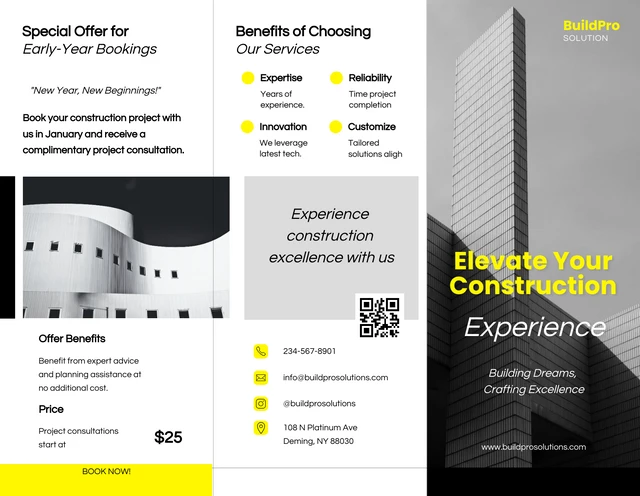
What a construction company profile tri fold brochure should accomplish
The main purpose of a construction company profile brochure is to answer several questions quickly. Who is the company? What does it build? What types of clients does it serve? What experience or capabilities support its claims? How can a prospective client make contact? A well-planned tri-fold brochure gives each question a defined place instead of allowing every panel to compete for attention.
The format is especially useful when the company needs a physical marketing piece that is concise but more substantial than a business card or single-page flyer. Six panels provide enough room for a short corporate story, service categories, project highlights, credentials, and contact details without requiring the reader to navigate a long document. The limitation is also its strength: every panel has to earn its space.
Construction businesses should treat the brochure as a business communication document rather than simply a decorative piece. A visually impressive cover cannot compensate for vague service descriptions, weak project evidence, inconsistent terminology, or missing contact information. The best result combines strong editorial hierarchy with credible visuals and a restrained amount of text.
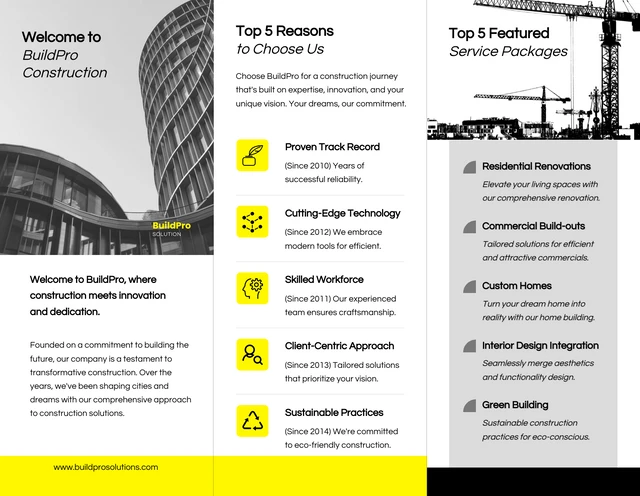
How the six panels can be organized
A conventional tri-fold gives the designer six visible panels when the sheet is opened and closed. Exact panel dimensions depend on the paper size and fold style, so the production setup should be confirmed with the printer before final artwork is created. Adobe’s current InDesign guidance demonstrates setting a trifold document around the intended paper size, orientation, columns, margins, and bleed rather than treating every fold as automatically identical.
A practical outside sequence can place the front cover on one panel, a short company introduction or key message on another, and contact information on the final panel. The inside spread can then carry the deeper material: services, capabilities, project experience, process, values, or reasons to choose the company. This creates a natural progression from brand recognition to supporting evidence.
Do not assume every company needs the same panel sequence. A commercial contractor competing for large projects may prioritize capabilities, completed projects, certifications, and specialist services. A residential builder may place more emphasis on project photography, design-build services, renovation, customer experience, and the types of homes it creates. A civil contractor may need room for infrastructure, earthworks, plant, engineering capabilities, and project scale.
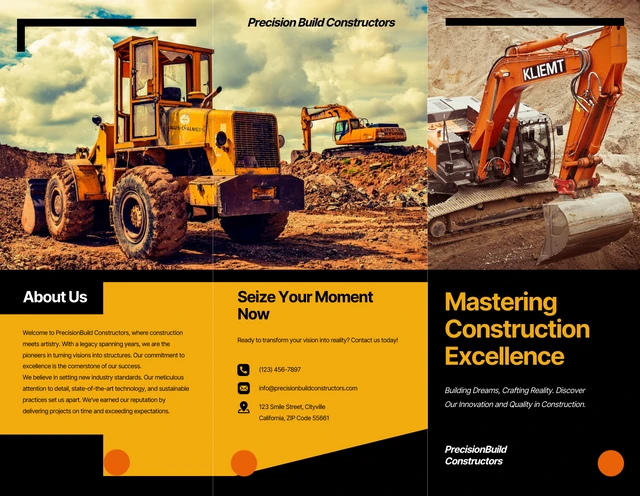
Building a strong cover
The cover should identify the company immediately. A useful construction profile cover generally combines the company name or logo, a concise positioning statement, the document title, and one strong visual. The photograph should support the firm’s market position rather than merely showing any available building site. A contractor specializing in commercial structures, for example, benefits from a completed commercial project or recognizable construction environment.
Typography should remain legible at the physical viewing distance. A large company name and short headline normally create more impact than a paragraph of introductory copy. If the brand has established colors, use them consistently rather than introducing an unrelated palette simply because construction brochures often use yellow, orange, black, blue, or gray.
The cover also establishes expectations for the rest of the brochure. If it looks highly technical, the interior should use organized specifications and capability information. If it is premium and architectural, the inside should preserve generous spacing and strong project imagery. Visual inconsistency between the cover and interior can make an otherwise competent company appear less established.
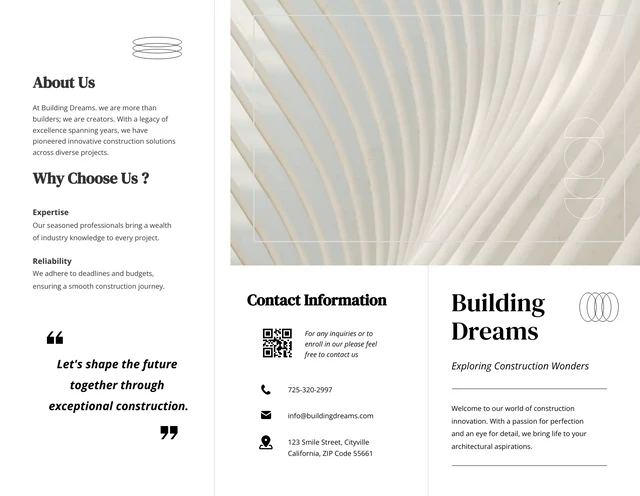
Writing the company overview
The company overview should explain what the business does, where it operates, and what type of work it is equipped to deliver. Avoid filling the panel with a generic corporate history that says little about actual capability. A more useful introduction might mention the company’s core construction disciplines, project categories, geographic focus, and the type of clients it serves.
Mission and vision statements can be useful when they genuinely distinguish the company, but they should not dominate a compact brochure. Readers generally need practical information first. A short statement about quality, safety, sustainability, technical expertise, or client collaboration becomes more meaningful when it is connected to evidence elsewhere in the brochure.
For a hypothetical example, a regional general contractor could use an overview such as: “We deliver commercial construction, renovation, and project management services for property owners, developers, and institutional clients.” The statement is deliberately specific enough to explain the business without making unsupported claims about market share, project volume, or years of experience.
Presenting construction services clearly
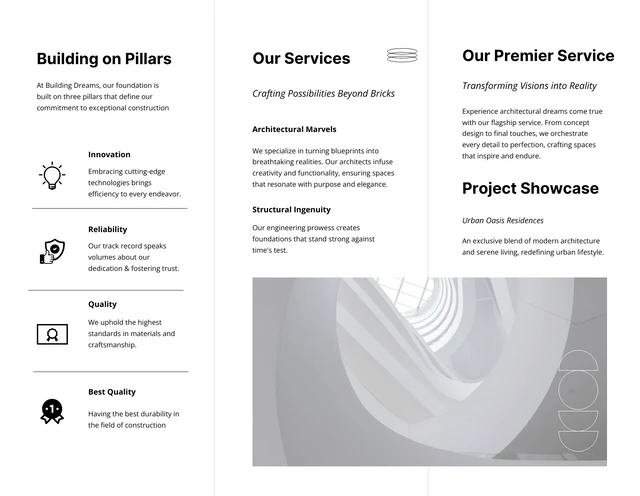
Services are easier to understand when they are grouped into logical categories. Instead of listing a long collection of individual tasks, consider categories such as general contracting, commercial construction, residential construction, renovation, design-build, project management, civil works, structural works, or specialist installations. Only include categories that the company genuinely provides.
Each service can receive a short explanation focused on the client’s need. “Commercial construction” is stronger when followed by a concise description of the types of facilities served. “Renovation” can explain whether the firm works on occupied properties, structural alterations, interiors, extensions, or complete refurbishment. The purpose is not to explain the entire service but to make the scope understandable.
Icons can improve scanning when used consistently, but they should support the wording rather than replace it. A row of attractive icons with vague labels does not communicate expertise. Stronger layouts combine a clear service heading, one sentence of explanation, and a relevant visual or small supporting graphic.
Using project portfolios as evidence
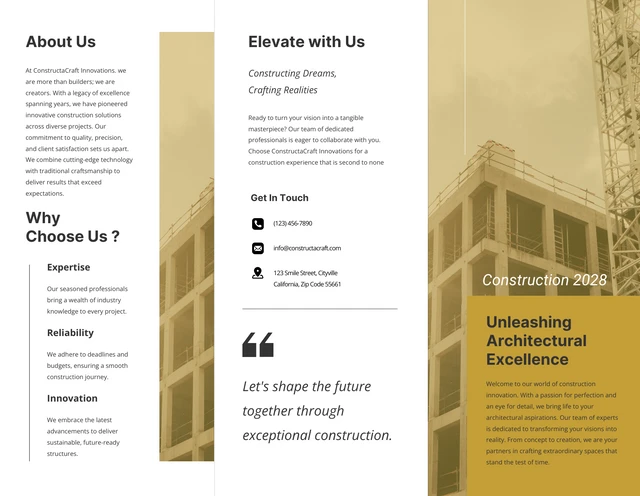
Project information is one of the most valuable parts of a construction company profile because it turns broad claims into tangible evidence. A project panel can identify the project type, location when appropriate, scope of work, role performed by the company, and a concise outcome. The information should be factual and approved for publication by the business.
Photography should be selected with the same discipline. A single high-quality photograph of a completed project can communicate more than several generic stock images. Where possible, use images that show finished work, distinctive architectural details, infrastructure, equipment, structural progress, or other visual evidence related to the company’s actual capabilities.
For confidential or restricted projects, a project can be described without exposing sensitive details. The brochure might use a generic project identifier, sector, scope, and service role instead of publishing client information. The important principle is accuracy: do not imply that the company performed work it did not perform, and do not use unrelated imagery as evidence of its portfolio.
Choosing images and visual hierarchy
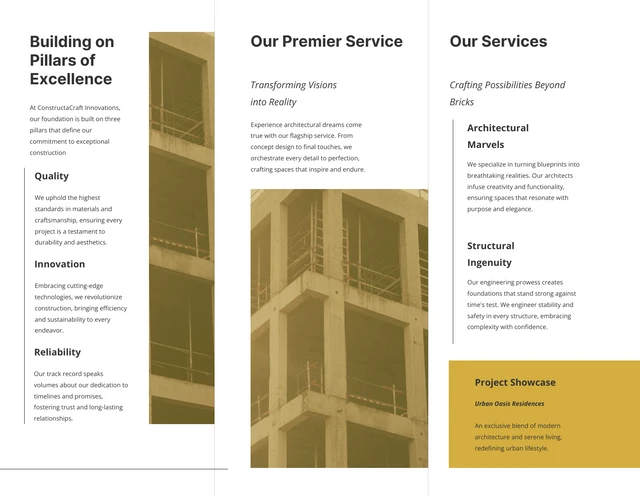
Construction brochures benefit from strong visual hierarchy because the subject matter can quickly become dense. A useful page may combine one dominant photograph with a small amount of supporting copy, rather than several photographs competing with equally large headings. White space is not wasted space; it creates separation between services, project descriptions, and contact details.
Color should reinforce brand recognition and readability. Dark navy with white, charcoal with yellow, blue with orange, or neutral gray with one accent color are common visual approaches, but the specific palette should be based on the company’s identity. Text should maintain sufficient contrast against backgrounds, particularly when photographs or large color blocks sit behind headings.
Construction imagery should also be technically appropriate. Avoid blurry photographs, excessive compression, distracting watermarks, inconsistent aspect ratios, and images that make the company’s work difficult to recognize. If the brochure will be professionally printed, the production team should confirm image resolution, color mode, bleed, margins, and final dimensions before output.
Designing the inside spread
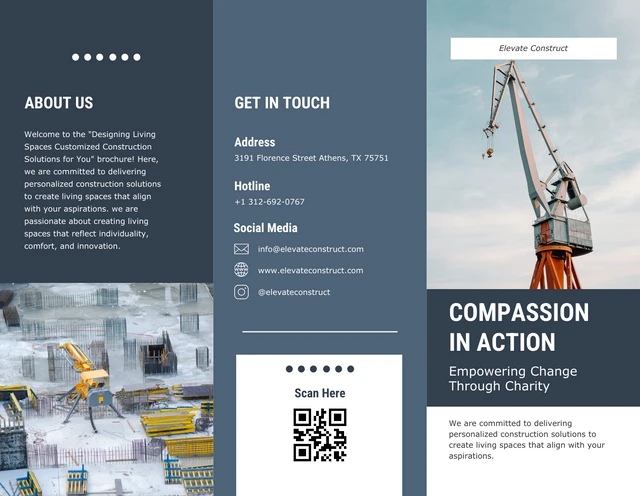
The inside spread should feel like one connected story rather than three unrelated pages. A common strategy is to place services on one panel, company strengths or methodology in the center, and project evidence on the third. Another approach is to use the entire spread for a visual project portfolio and reserve the outer panels for corporate information.
Alignment is particularly important in a tri-fold because fold lines create strong vertical divisions. Headings, photographs, icons, and text blocks should respect safe areas so that important information does not land too close to a crease. Large photographs can cross panel boundaries when the effect is intentional, but essential text should generally remain within its own readable area.
Designers should also account for the panel that folds inward. In some traditional letter-fold configurations, one panel is slightly narrower to accommodate the folding mechanism. Adobe’s current InDesign tutorial and community guidance emphasize setting up the document according to the chosen fold and print specifications rather than assuming every three-panel layout has identical widths.
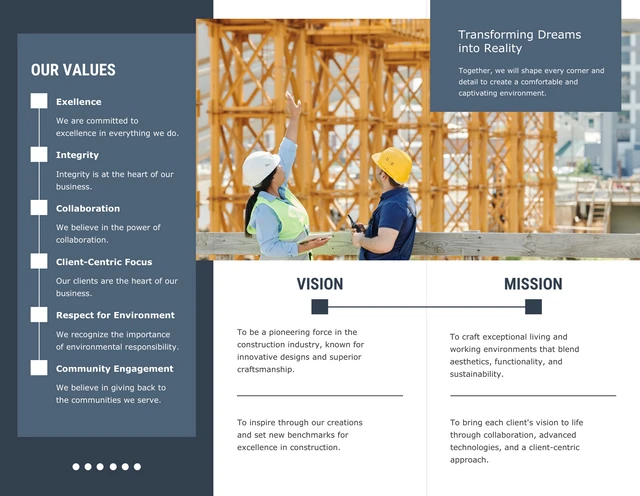
Working with Word, Google Docs, and presentation formats
A construction company profile tri fold brochure template word format can be useful for businesses that expect office staff to update names, services, project descriptions, and contact details without relying on a specialist designer for every revision. Word-based layouts are practical for text-heavy documents, but complex fold alignment, image cropping, and print production should still be checked carefully.
For teams collaborating through a browser, a construction company profile tri fold brochure template google docs workflow can be convenient for shared editing and copy preparation. However, a collaborative document is not automatically a press-ready brochure. Before production, verify panel dimensions, image quality, margins, fonts, page orientation, and the final export with the intended print provider.
A construction company profile tri fold brochure template powerpoint can make sense when the organization already maintains marketing materials in presentation software. Presentation-based layouts can provide flexible positioning of text, images, icons, and shapes. The key consideration is whether the final document has been configured for the intended physical size and print requirements rather than merely looking correct on a screen.
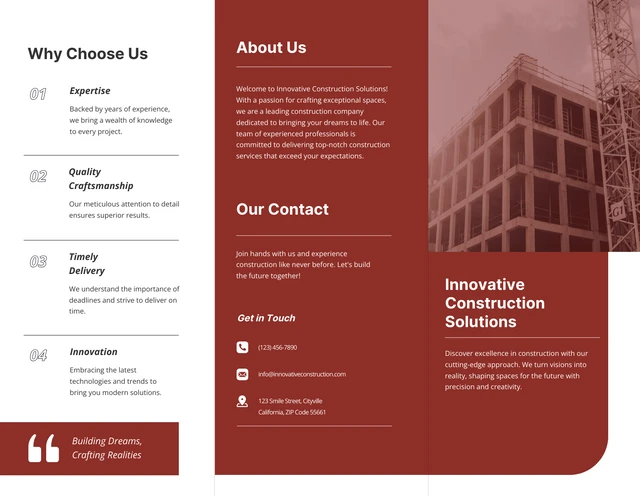
When PDF, Canva, and InDesign formats make sense
A construction company profile tri fold brochure template pdf is useful when preserving a fixed visual layout is important. PDF is commonly used as a final viewing and print format because the page arrangement is intended to remain consistent across devices. However, readers should distinguish between a PDF intended for viewing and a source file designed for editing.
A construction company profile tri fold brochure template canva can be attractive to teams that want a browser-based visual editing workflow. Canva’s current construction brochure library includes numerous construction-oriented tri-fold designs and related layouts, demonstrating how panel-based templates can be adapted for services, portfolios, credentials, testimonials, and branding. The appropriate choice still depends on the team’s editing needs and production process.
For professional page-layout work, a construction company profile tri fold brochure template indesign is often the more specialized route. InDesign provides precise control over page dimensions, guides, typography, linked images, bleed, and production settings. Adobe’s current trifold tutorial specifically covers creating a correctly sized document, establishing columns and margins, adding content, and preparing the design for print.
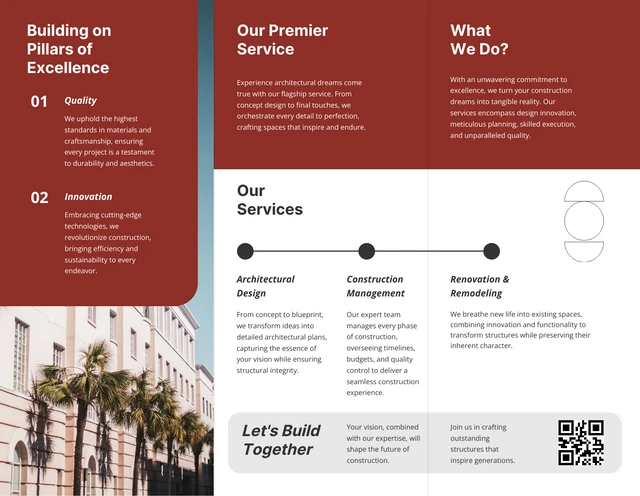
Regional considerations for UK and Australia
A construction company profile tri fold brochure template uk search may reflect a need for familiar paper sizing, terminology, spelling conventions, or local business presentation. A4 is a particularly relevant starting point for UK-oriented print work, but the actual paper stock, folded size, bleed, and printer specifications should be confirmed before production. A template should never be treated as a substitute for the printer’s technical specification.
A construction company profile tri fold brochure template australia may similarly require an A4-oriented layout and locally appropriate contact information, terminology, and project descriptions. The design itself does not need to become visually different simply because the audience is in Australia. What matters more is that the company information, address presentation, spelling, project references, and print specifications are accurate for the intended market.
Regional adaptation should therefore focus on credibility rather than adding unnecessary national imagery. A professional brochure should clearly communicate where the company operates, what types of work it undertakes, and how prospects can make contact. If the business serves multiple regions, the brochure can use a concise service-area statement instead of filling valuable panels with a long list of locations.
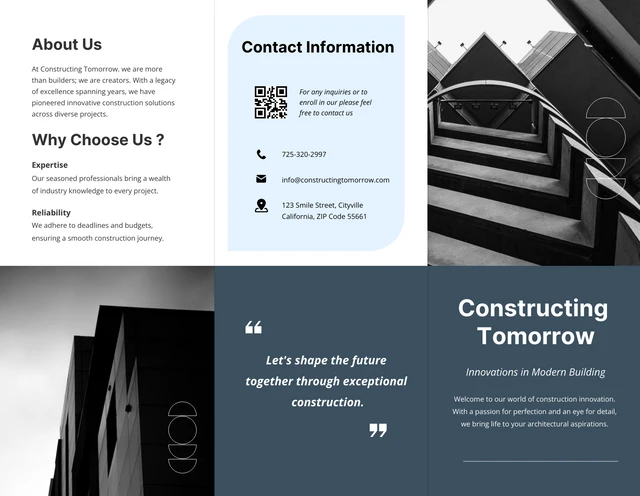
How to evaluate a template before using it
When comparing a construction company profile tri fold brochure template free option with a paid design, look beyond the visual preview. Check whether the panel structure fits the company’s content, whether text can be edited cleanly, whether photographs can be replaced without damaging the layout, and whether the intended paper size is supported. A visually attractive template can become inefficient if every panel requires extensive reconstruction.
Also examine licensing terms, included assets, fonts, and image rights. A template preview may contain photographs or graphical elements that are intended only as examples. The company should verify that every image, typeface, icon, and graphic used in the final brochure is properly licensed for the intended use.
If the objective is a construction company profile tri fold brochure template free download, verify the actual provider and terms before relying on it. A search result or preview does not by itself establish what files are supplied, what editing formats are supported, or whether commercial use is permitted. The same caution applies when looking for a construction company profile tri fold brochure template download from template directories.
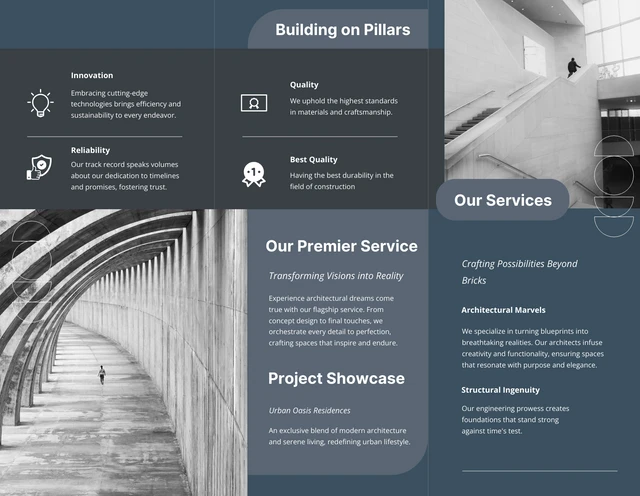
Using document-based formats efficiently
A construction company profile tri fold brochure template doc can be practical when the brochure is maintained as part of a larger document workflow. It works best when the content structure is established first and the document is treated as a designed publication rather than a standard report. Consistent heading sizes, image dimensions, margins, and spacing are essential.
Teams should create a content inventory before editing the template. Collect the current logo, company description, service list, approved project photographs, project descriptions, contact details, social channels if relevant, and any credentials that are appropriate to publish. This prevents the common problem of changing the design repeatedly because information was missing during the initial layout stage.
For a construction company profile tri fold brochure template australia or a UK-focused version, the same content inventory can be reused while regional details are adapted. This makes future brochure revisions easier because the company has a controlled source of approved information rather than rewriting the profile from scratch every time a new project or service is added.
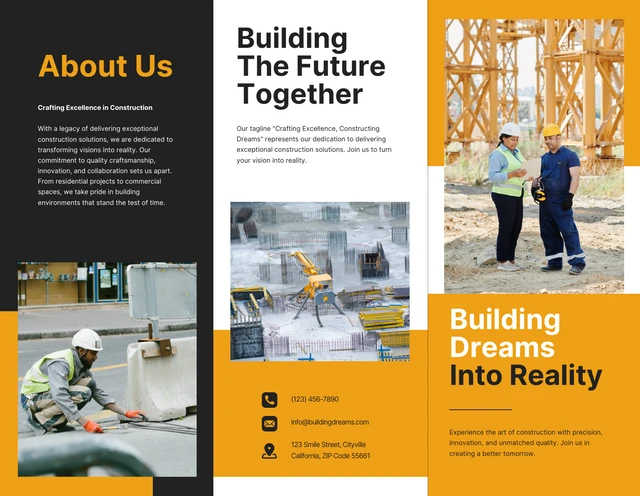
Preparing a brochure for print
Print preparation begins before the design is finished. Confirm the final paper size, folded size, orientation, panel arrangement, bleed, safe margins, color requirements, and preferred file format with the printer. Adobe’s current InDesign learning material demonstrates a 3 mm bleed example for brochure artwork, but the exact requirement should always come from the selected print provider.
Fold positioning deserves particular attention. A standard letter fold and a Z-fold do not behave identically, and some folded brochures use a slightly narrower panel to allow the sheet to close correctly. The printer should provide the exact dieline or panel specification whenever the fold configuration is important.
Before production, inspect the brochure at actual size. Check spelling, phone numbers, email addresses, web addresses, project names, logo quality, image cropping, panel order, and contact information. A final proof should also be reviewed after export because a layout that appears correct in the source document can reveal unexpected font substitutions, image shifts, or clipping after conversion.
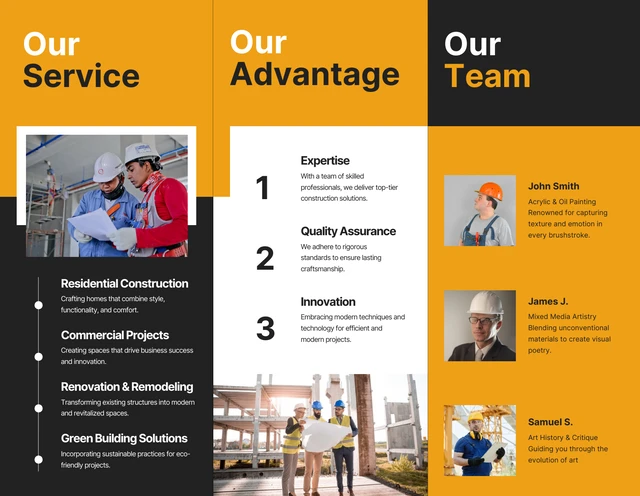
Common mistakes to avoid
The first mistake is overcrowding. Construction companies often have extensive capabilities, numerous project types, equipment lists, qualifications, and service categories. A six-panel brochure cannot communicate everything equally well. Prioritize information that helps the intended reader understand the company’s relevance and credibility.
The second mistake is relying too heavily on generic imagery. Construction photographs can look impressive while saying nothing about the actual company. When possible, use approved photographs from completed projects or representative work. If stock imagery is used, it should be clearly treated as illustrative rather than implying that the pictured project belongs to the company.
The third mistake is treating the contact panel as an afterthought. The reader should not have to search for a phone number or email address. Keep contact information visually distinct and include only channels that the business actively monitors. A QR code can be useful, but it should supplement rather than replace visible contact details.
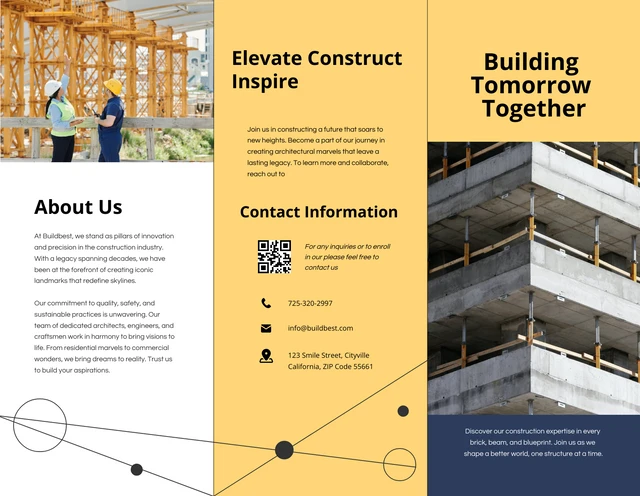
Practical Solution
Start by defining the audience before choosing a layout. Decide whether the brochure is intended for homeowners, commercial property owners, developers, architects, procurement teams, industrial clients, or another group. Then reduce the company’s capabilities to the five or six most relevant content themes. This prevents the brochure from becoming a general corporate archive and gives the design a clear communication objective.
Next, build the content in this order: company identity, positioning statement, service categories, project evidence, differentiators, and contact information. Write the copy before making detailed visual decisions. Once the wording has been approved, place the strongest project image where it supports the most important message. Keep secondary information shorter so the key services and evidence remain visually dominant.
Finally, select the production format according to the people who will maintain the document. A Word or Google Docs workflow may suit an office team that regularly changes text. A presentation-based format can work for teams already comfortable with slide layouts. Canva can support collaborative visual editing, while InDesign provides deeper control for professional page layout. PDF is best treated as the stable final representation rather than automatically assuming it is the ideal editing source.
For a construction company profile tri fold brochure template download workflow, maintain a master content folder separately from the brochure artwork. Keep approved logos, current photographs, service descriptions, project facts, contact information, and brand references organized so that future revisions can be completed without introducing outdated information. The template should provide the structure; the company’s verified information should provide the substance.
A strong final review should involve both a content reviewer and someone familiar with print production. The content reviewer checks factual accuracy and clarity, while the production reviewer checks folds, bleed, margins, image quality, typography, and export settings. This two-stage review is a practical way to catch errors that are easy to miss when one person is responsible for every part of the brochure.
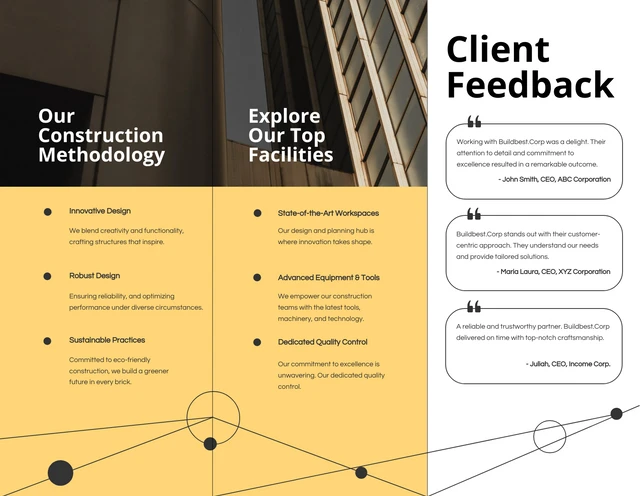
Building a reusable brochure content system
A company profile should not become obsolete every time one project is completed. A reusable content system makes maintenance easier. Store project descriptions in a consistent format containing project type, scope, location when appropriate, company role, key services, and approved photographs. Store service descriptions in similarly structured blocks so they can be shortened or expanded without rewriting the underlying information.
The same approach helps when preparing multiple versions of a brochure. A residential version may emphasize design, renovation, extensions, and completed homes, while a commercial version may emphasize project management, structural work, facilities, and delivery capabilities. The underlying company identity can remain consistent while the supporting evidence changes according to the audience.
Consistency also helps with search visibility when brochure content is reused on a website or digital company profile. The business name, service terminology, project names, and geographic descriptions should be consistent across official marketing materials. This reduces confusion and makes it easier for prospective clients to recognize the same company across different channels.
What makes a brochure look professional
Professionalism usually comes from consistency rather than visual complexity. A restrained palette, two or three carefully selected type styles, consistent image treatment, aligned text blocks, and predictable spacing can create a stronger impression than a highly decorated layout. Construction companies can communicate technical competence through structure and precision in the design itself.
Information hierarchy should be visible without requiring the reader to study the page. Primary headings should clearly outrank secondary headings, service names should be easy to scan, and body text should remain comfortable to read. Photographs should have a clear role, whether they establish the brand, illustrate a service, or demonstrate a completed project.
The brochure should also work when viewed without the designer explaining it. A prospective client should understand the company, services, project evidence, and contact path from the printed piece alone. If the design requires verbal explanation to make sense, the content hierarchy probably needs another revision.

Final checklist before publication
Before approving a construction company profile tri-fold brochure, confirm that every factual statement has been reviewed. Check company name, address, phone number, email address, website, service descriptions, project names, credentials, and geographic references. Remove placeholder text, sample contact information, unused icons, and demonstration imagery that could be mistaken for actual company material.
Then review the design from the reader’s perspective. Can the company be identified immediately? Are the primary services obvious? Is there enough evidence to support the company’s positioning? Does the project portfolio show relevant work? Can the contact information be found quickly? Does the brochure still look balanced when printed at its actual size?
Finally, confirm the technical specification with the printer or production team. The correct fold, page size, bleed, margins, image quality, color setup, and export method should be verified before the final production file is supplied. A template is only the starting structure; the quality of the finished brochure depends on the accuracy of its content, the relevance of its visuals, and the care taken during production.

Reference Examples
A construction company profile tri fold brochure Template works best when its visual structure supports a clear business message. The examples below illustrate several approaches: strong cover hierarchy, restrained corporate color systems, service-focused interior panels, project photography, contact sections, and geometric panel divisions. These references are useful because they show how the same basic brochure concept can be interpreted for different construction brands without requiring an identical visual treatment.
When reviewing these references, pay attention to how information is grouped rather than simply copying colors or decorative shapes. Consider where the company introduction appears, how services are separated, how project imagery is framed, and how the final contact message is presented. A useful reference should help you make better decisions about hierarchy, spacing, image selection, and panel sequencing while leaving enough room for the actual identity and verified information of your construction company.

Construction Company Profile Design
Source: Behance
Construction Company Profile Brochure Template
Source: Behance

Tri-Fold Construction Brochure
Source: Behance

Construction Brochure Mockup
Source: Behance

New Rise Construction Enterprise Brochure
Source: SlideTeam
