For a small business, bookkeeping does not have to begin with complicated accounting software. A spreadsheet can be appropriate when the volume and complexity of transactions are manageable, provided the system clearly records business income and expenses and preserves the supporting documents behind those entries. The Internal Revenue Service explains that businesses may choose a recordkeeping system suited to the business as long as it clearly shows income and expenses.
The real value of a template is consistency. Instead of deciding every month where to write a transaction, you establish columns, categories, dates, descriptions, payment methods, and totals once. Each new transaction then follows the same structure, making monthly review, reconciliation, reporting, and year-end preparation much easier.
This guide explains how to choose, build, customize, and use bookkeeping templates in practical settings. It covers spreadsheet-based systems, transaction ledgers, income and expense trackers, monthly summaries, cash-flow views, reconciliation, common mistakes, and the point at which a simple spreadsheet should give way to dedicated accounting software.
Although examples in this article use small-business scenarios, the underlying principles also apply to freelancers, consultants, online sellers, tradespeople, independent professionals, and other businesses that need a straightforward way to organize financial activity.
What Is a Psample bookkeeping template?
A bookkeeping template is a pre-structured document used to record and summarize financial transactions. At its simplest, it can contain a date, description, category, income amount, expense amount, and running balance. More advanced versions can add customer or supplier information, invoice numbers, payment methods, tax fields, bank reconciliation, financial statements, and dashboards.
The word “template” is important because the document provides a repeatable structure rather than merely being a blank spreadsheet. A blank workbook gives you cells, while a useful bookkeeping template gives those cells a purpose. That distinction reduces setup time and makes it easier to maintain consistent records.
Bookkeeping records are also different from financial statements. A transaction ledger captures individual activity, while reports summarize that activity. For example, a monthly profit-and-loss summary can be produced from transactions that have already been categorized and recorded.
A simple bookkeeping system should therefore be designed from the transaction level upward. Start by deciding what information must be captured for each transaction, then determine how those entries should be summarized. This approach is generally more reliable than starting with a decorative dashboard and trying to work backward.
Historical ledgers demonstrate why consistent columns and classifications matter. Traditional bookkeeping records used structured rows and columns to document financial activity, creating an organized trail that could later be summarized into totals and statements.

Why Small Businesses Need a Structured Bookkeeping Template
Good bookkeeping helps an owner understand what the business earned, what it spent, and where money is moving. Without organized records, an apparently busy business can be difficult to evaluate because sales activity does not automatically tell you whether the business is profitable.
Reliable records can also make financial statements easier to prepare. An income statement summarizes income and expenses for a period, while a balance sheet presents assets, liabilities, and equity at a particular date. Both depend on underlying records being organized and accurate.
A template can also make recurring administrative work less stressful. If every expense is recorded in the same place and categorized consistently, monthly totals can be reviewed without reconstructing transactions from memory or searching through disconnected receipts.
Recordkeeping also creates an audit trail. Supporting documents such as invoices, receipts, paid bills, deposit records, and account statements can be connected to the corresponding entries. The IRS specifically identifies supporting documents as important evidence for entries in business books and tax returns.
The goal is not to create the most elaborate spreadsheet possible. The goal is to create a system that is complete enough for the business, easy enough to update consistently, and structured enough to produce useful information when the owner needs it.

Core Components of a Simple Bookkeeping Template
1. Transaction date
The transaction date establishes when an economic event occurred or when money was received or paid, depending on the accounting method being used. A consistent date field is essential for sorting transactions chronologically and preparing monthly or quarterly summaries.
2. Description
A description should explain the transaction clearly enough that another person can understand it later. “Supplies” is less useful than “Printer toner for February invoice,” because the latter provides context that can help during review or reconciliation.
3. Category
Categories group similar transactions. Typical categories may include sales income, advertising, rent, utilities, software, office supplies, professional services, bank fees, travel, and cost of goods sold. The exact categories should reflect the business rather than being copied blindly from another company.
4. Income and expense amounts
Separating money received from money spent makes a simple bookkeeping template easier to understand. A basic system can have separate columns for income and expenses, while a more formal system may use debit and credit columns.
5. Payment method
Payment method can identify whether a transaction was paid by bank transfer, card, cash, check, payment platform, or another method. This becomes particularly useful when reconciling the bookkeeping records against bank and payment-provider statements.
A basic bookkeeping layout can be thought of as a controlled transaction table rather than an ordinary list. Each row should represent one understandable transaction, and each column should have one clearly defined purpose.
When the structure is clear, formulas can summarize the entries without changing the underlying data. This separation between raw transaction records and calculated summaries is one of the most important design principles for a reliable spreadsheet.
Traditional accounting records illustrate the same principle. Ledgers separated accounts and transactions into defined areas so that individual entries could eventually be totaled and reviewed.
Modern spreadsheets simply automate much of the arithmetic and sorting that once had to be performed manually. The underlying requirement remains the same: the transaction data must be entered accurately and consistently.
A good template therefore begins with the transaction table and treats visual dashboards, charts, and summaries as outputs rather than substitutes for good records.

Choosing the Right Bookkeeping Format
Different businesses need different levels of bookkeeping detail. A freelancer with twenty transactions a month may need only a simple income-and-expense ledger, while a retail operation with inventory, payroll, receivables, and multiple bank accounts needs a more structured system.
A spreadsheet can be useful when transaction volume is relatively manageable and the business owner is comfortable maintaining formulas, categories, and backups. It is particularly practical for testing a bookkeeping process before investing in specialized software.
Excel is useful when a business wants extensive formula capabilities, offline editing, structured workbooks, and compatibility with established spreadsheet workflows. It can also support financial models and custom reports beyond basic bookkeeping.
Google Sheets can be useful when collaboration matters. A bookkeeper and business owner can work from the same cloud-based workbook, subject to appropriate access controls and the limitations of the spreadsheet design.
The best format is therefore not necessarily the one with the most features. It is the format that the business can maintain accurately and consistently while keeping appropriate records and supporting documents.

Simple Bookkeeping Template Free: What to Look For
When evaluating a free template, start with its structure rather than its appearance. A professional-looking dashboard does not guarantee that the underlying transaction log is well designed. Check whether the workbook provides clear fields for dates, descriptions, categories, income, expenses, and totals.
Next, inspect the formulas. A useful workbook should make it reasonably clear which cells are intended for data entry and which cells contain calculations. Accidentally overwriting a formula can produce incorrect totals without creating an obvious warning.
Category flexibility is another important consideration. A restaurant, consultant, online seller, and construction business will not have identical expense categories. The ability to edit categories without breaking formulas is a valuable feature.
Check whether the template separates source data from summaries. Ideally, transactions should be entered in one controlled area, while monthly totals, category summaries, and dashboards reference that data automatically.
Finally, check whether the template encourages supporting documentation. A spreadsheet cannot replace receipts, invoices, bank records, or other evidence. The IRS notes that supporting documents are important because they substantiate entries in business books and tax returns.

How to Build a Simple Bookkeeping Template From Scratch
Step 1: Define the bookkeeping period
Decide whether the workbook will cover one month, one year, or multiple years. A yearly workbook can be convenient, but separating historical periods can make files smaller and reduce the risk of accidentally changing old records.
Step 2: Create the transaction sheet
Start with columns such as Date, Description, Category, Income, Expense, Payment Method, Reference, and Notes. Avoid adding columns merely because another template has them. Every column should support a genuine bookkeeping or reporting need.
Step 3: Create categories
Build a category list that reflects the business. Keep names consistent. If “Office Supplies” is used in January, do not create “Office Expense” in February for essentially the same type of spending unless there is a deliberate reason to separate them.
Step 4: Add formulas
Useful formulas can total income and expenses, calculate net income, create monthly summaries, and identify category totals. Keep formulas simple enough that you can understand and audit them later.
Step 5: Test with sample transactions
Before entering real data, test the workbook using several hypothetical transactions. Include income, ordinary expenses, refunds, transfers, and blank rows. Confirm that totals behave as expected before relying on the workbook for real bookkeeping.
A good test should deliberately include transactions that might expose errors. For example, enter income on one date, a payment on another date, and a refund later in the period. Check whether the monthly totals and running balance respond correctly.
Testing should also include duplicate-looking transactions. Two legitimate purchases from the same supplier should remain distinguishable when they have different dates, amounts, invoice numbers, or descriptions.
Next, compare spreadsheet totals with a manually calculated sample. If total income is supposed to equal three example transactions, calculate the amount separately and verify the formula rather than trusting the spreadsheet automatically.
It is also useful to test what happens when an entry is deleted or changed. A strong template should update dependent totals correctly without requiring manual repairs across multiple sheets.
Only after those checks should the workbook become the primary recordkeeping tool for a real period.

Sample Bookkeeping Template Excel: Practical Workbook Structure
An Excel bookkeeping workbook can be organized into several worksheets rather than putting everything on one page. A practical structure might contain Setup, Categories, Transactions, Monthly Summary, Profit and Loss, and Reconciliation sheets.
The Setup sheet can contain business information such as business name, reporting year, currency, opening balance, and other configuration values. Keeping setup information separate prevents the transaction sheet from becoming cluttered.
The Categories sheet can hold the controlled list of income and expense classifications. Dropdown menus can then help users choose consistent categories instead of typing slightly different names for similar transactions.
The Transactions sheet should remain the central data-entry area. Each transaction gets one row, with formulas and summaries referencing the transaction table rather than requiring the user to enter the same transaction in multiple places.
The Monthly Summary sheet can transform detailed transactions into a management-friendly view showing income, expenses, and net result by month. This is particularly useful for identifying seasonal changes and comparing business performance over time.

Income and Expense Tracking
The simplest bookkeeping model separates money coming into the business from money going out. This provides a straightforward foundation for calculating net income as total income minus total expenses, although more formal accounting may require additional accounts and adjustments.
Income entries should identify their source. For example, a service business might record “Website design project,” while an online retailer might record the order or sales batch that produced the receipt.
Expense descriptions should be similarly specific. A vague entry such as “Business expense” becomes difficult to review later. A description such as “Printer cartridges, supplier invoice 1042” is more useful because it connects the amount to an identifiable business event.
Refunds and reimbursements should have clear treatment. Rather than deleting the original transaction, many bookkeeping workflows preserve the original entry and record the correction separately so the transaction history remains understandable.
Transfers between business accounts should also be treated carefully. Moving money from one business bank account to another is not automatically business income or an expense. The treatment should reflect the nature of the transaction and the accounting method being used.

Monthly Bookkeeping Workflow
A monthly workflow helps prevent bookkeeping from becoming a year-end reconstruction exercise. Start by collecting bank statements, card statements, invoices, receipts, payment-platform reports, and other relevant documents for the period.
Enter or import transactions into the bookkeeping template and categorize them consistently. If a transaction is unclear, mark it for review rather than guessing and allowing an uncertain classification to become part of the permanent record.
After data entry, reconcile the recorded activity against the relevant account statements. Reconciliation means comparing the bookkeeping records with an external source and investigating differences rather than simply assuming that the spreadsheet balance is correct.
Review unusual amounts, duplicate entries, missing transactions, negative balances, and unexpected categories. A short monthly review can catch errors while the supporting documents are still easy to locate.
Finally, lock or archive the completed period according to the business’s document-retention process. Keep appropriate supporting documents with the records they substantiate and maintain backups of important digital files.

Using a Ledger and Running Balance
A running balance shows the financial position of the ledger after each transaction. It can be useful for cash tracking because the user can see how each entry changes the balance rather than seeing only a final monthly total.
For a basic cash ledger, a simplified formula is opening balance plus income minus expenses. The result becomes the balance after each transaction. The formula should be copied carefully so that each row references the previous balance.
Running balances are especially useful when a business needs to understand timing. Two businesses can have the same monthly income and expenses but very different cash positions during the month if their receipts and payments occur on different dates.
However, a running spreadsheet balance should not automatically be treated as the official bank balance. Outstanding checks, pending card settlements, deposits in transit, fees, and timing differences can create legitimate differences.
This is why reconciliation remains important. The spreadsheet can provide a working balance, while the bank statement provides an independent reference point for identifying discrepancies.

Bank Reconciliation and Error Checking
Bank reconciliation compares recorded transactions with the corresponding bank activity. It is one of the most useful controls for a small-business bookkeeping system because it can reveal missing transactions and incorrect amounts.
Begin with the statement period and opening balance. Match deposits, payments, transfers, and fees against the transactions recorded in the template. Mark items as matched only when the amount and transaction identity are sufficiently clear.
Unmatched transactions should be investigated. A missing bank fee, for example, can cause the spreadsheet balance to differ from the bank even though the majority of transactions are correct.
Duplicate entries are another common problem. A transaction imported from a bank statement and manually entered from a receipt can accidentally appear twice. Reference numbers, dates, amounts, and descriptions can help identify duplicates.
Reconciliation should be documented rather than performed only mentally. A dedicated reconciliation area can record the statement date, statement balance, book balance, outstanding items, adjustments, and final reconciled balance.

Supporting Documents and Recordkeeping
A bookkeeping spreadsheet is only one part of a recordkeeping system. Invoices, receipts, paid bills, deposit records, bank statements, credit-card statements, and other supporting documents provide evidence for the transactions entered into the books.
Organize supporting documents using a predictable system. For example, files can be grouped by year and then by month or transaction type. The exact structure matters less than consistency and the ability to locate evidence later.
Digital documents should be named clearly. A useful filename might include the date, supplier, document type, and reference number. Consistent naming makes searches faster and reduces the chance of attaching the wrong document to a transaction.
Paper records can be scanned when appropriate, but businesses should consider applicable legal and tax requirements before destroying originals. Retention periods can differ according to the type of record and jurisdiction.
The IRS states that businesses should keep records as long as needed to substantiate income or deductions, and employment tax records have specific retention requirements. Businesses outside the United States should follow the requirements applicable to their own jurisdiction.

Profit and Loss Reporting
A bookkeeping template becomes more useful when transaction data can be converted into a simple profit-and-loss view. The report normally summarizes revenue and expenses for a defined period and calculates the resulting profit or loss.
For example, a hypothetical consulting business might record $12,000 of service income and $7,500 of operating expenses during a month. A simplified income-and-expense view would show $4,500 as the difference before considering items that may require more formal accounting treatment.
The purpose of the example is not to establish a tax result. Tax treatment can depend on jurisdiction, accounting method, business structure, and the nature of individual transactions. A spreadsheet summary should therefore be treated as a management tool unless it has been designed to meet a specific reporting requirement.
Category summaries can make the report more useful. If software, advertising, rent, and professional fees are separated, the owner can see which areas are consuming the most resources instead of viewing expenses only as one large total.
Monthly comparisons are also valuable. A business may have higher revenue but lower profitability if expenses increase faster than sales. A template that shows both revenue and expense trends can reveal that relationship more clearly.

Understanding Debit and Credit
Simple bookkeeping templates often use income and expense columns because they are intuitive for beginners. More formal bookkeeping may use double-entry accounting, where each transaction affects at least two accounts through corresponding debit and credit entries.
Double-entry bookkeeping is self-balancing because total debits must equal total credits after transactions are properly posted. This provides a control mechanism that a basic single-column income-and-expense tracker does not provide by itself.
A small business should not adopt debit-and-credit fields simply because they look more professional. If the owner does not understand the accounting structure, additional columns can increase confusion rather than improve accuracy.
On the other hand, businesses with assets, liabilities, inventory, loans, accounts receivable, accounts payable, or more complex reporting requirements may eventually benefit from a true double-entry system.
The key decision is whether the template matches the business’s accounting needs. A simple spreadsheet is useful when its simplicity remains appropriate; it becomes risky when complexity is hidden rather than managed.

Cash Flow Tracking
Profit and cash are related but not identical. A business can report a profitable period while experiencing a cash shortage because customers have not yet paid invoices or because significant payments are due before expected receipts arrive.
A cash-flow section can therefore track opening cash, incoming payments, operating payments, financing activity, and closing cash. Even a simple monthly view can help an owner anticipate periods when available cash may become tight.
For example, a business that normally receives customer payments near the end of each month but pays rent and suppliers at the beginning of the month may experience recurring timing pressure despite having positive results over the full month.
A cash-flow tracker can highlight this timing difference. The information may encourage better payment scheduling, more deliberate purchasing, or closer monitoring of receivables.
Cash-flow forecasting should be clearly distinguished from historical bookkeeping. Historical records describe what happened, while forecasts describe assumptions about what may happen in the future.

How to Analyze Bookkeeping Data
Once transactions are consistently recorded, the template can become a basic management-analysis tool. Start with simple questions: Which months produced the most revenue? Which categories consume the most money? Are expenses growing faster than sales?
Next, look for recurring patterns. A monthly increase in software costs might reflect new subscriptions, while a seasonal increase in advertising may correspond to a predictable sales campaign.
Category analysis can also expose small recurring costs that are easy to overlook individually. A group of minor subscriptions, fees, or service charges may become significant when viewed over a full year.
Variance analysis compares expected and actual results. If a business budgeted $2,000 for advertising but spent $3,200, the template can show the difference and prompt the owner to investigate the reason.
The objective is not to create complicated financial analytics. It is to turn accurate bookkeeping into information that supports decisions about pricing, spending, cash management, and business priorities.

Common Bookkeeping Template Mistakes
Mixing personal and business transactions
Combining personal and business activity makes reconciliation and reporting harder. Business owners should use an appropriate system for separating business transactions from personal transactions, subject to the rules applicable to their business structure and jurisdiction.
Changing categories constantly
Inconsistent categories make historical comparisons less useful. Decide on a sensible category structure and change it deliberately rather than creating a new category whenever a transaction looks slightly different.
Entering transactions in batches months later
Delayed entry increases the risk of forgotten expenses, missing receipts, incorrect dates, and duplicate transactions. Recording activity regularly is generally easier than reconstructing it after a long delay.
Overusing formulas
Complex formulas can make a workbook difficult to audit. A smaller number of understandable formulas is often better than an impressive dashboard built on layers of fragile calculations.
Failing to reconcile
A spreadsheet balance can be wrong even when the formulas are technically correct. Reconciliation provides an independent comparison that can reveal missing or duplicated transactions.

Best Practices for Maintaining a Bookkeeping Template
Use one consistent transaction-entry process. Decide where new transactions are entered and avoid maintaining parallel lists in email, notebooks, multiple spreadsheets, or unrelated applications unless those records have a defined purpose.
Protect formula cells where the spreadsheet application allows it. This can reduce accidental changes to totals and summaries while leaving designated input cells available for normal bookkeeping activity.
Keep backups. A cloud copy can protect against some local failures, while periodic offline or independent backups can provide another layer of protection. The appropriate backup process depends on the sensitivity and importance of the records.
Document unusual decisions. If an expense is classified differently from normal practice for a specific reason, record a short note. This creates context that can be valuable months later when the transaction is reviewed.
Review the template periodically. As a business grows, its bookkeeping requirements may change. New sales channels, employees, inventory, loans, multiple currencies, or more complex tax obligations can make a simple spreadsheet less appropriate.
Practical Solution: A Repeatable Bookkeeping Workflow
The most practical solution is to treat a bookkeeping template as part of a repeatable monthly workflow rather than as a file that is opened only when taxes are due. The template should provide one controlled place for transactions and a small number of useful reports.
First, establish the transaction fields. For a simple business, use Date, Description, Category, Income, Expense, Payment Method, Reference, and Notes. Add customer, supplier, tax, or account fields only when they serve a real operational need.
Second, establish a category list. Review the business’s actual spending and create categories that make reporting useful. Avoid categories so broad that everything falls into one bucket, but also avoid dozens of tiny categories that make maintenance difficult.
Third, establish a daily or weekly entry habit. Enter transactions while supporting documents are available. If a receipt is received electronically, save it with a predictable filename and record the transaction promptly.
Fourth, reconcile at a defined interval. Monthly reconciliation is a practical starting point for many small businesses, although the appropriate frequency depends on transaction volume, risk, and business needs.
Fifth, review the monthly summary. Look at revenue, total expenses, major categories, net result, and cash position. Investigate unexpected changes instead of assuming that every fluctuation is normal.
Sixth, preserve completed records. Maintain appropriate backups and supporting documents. Do not casually overwrite prior-period data simply because the current month has started.
Finally, recognize the limits of the spreadsheet. If the business needs complex inventory accounting, payroll, multi-entity reporting, large transaction volumes, sophisticated receivables and payables, or formal financial reporting, dedicated accounting software or professional bookkeeping support may be more appropriate.
Reference Examples
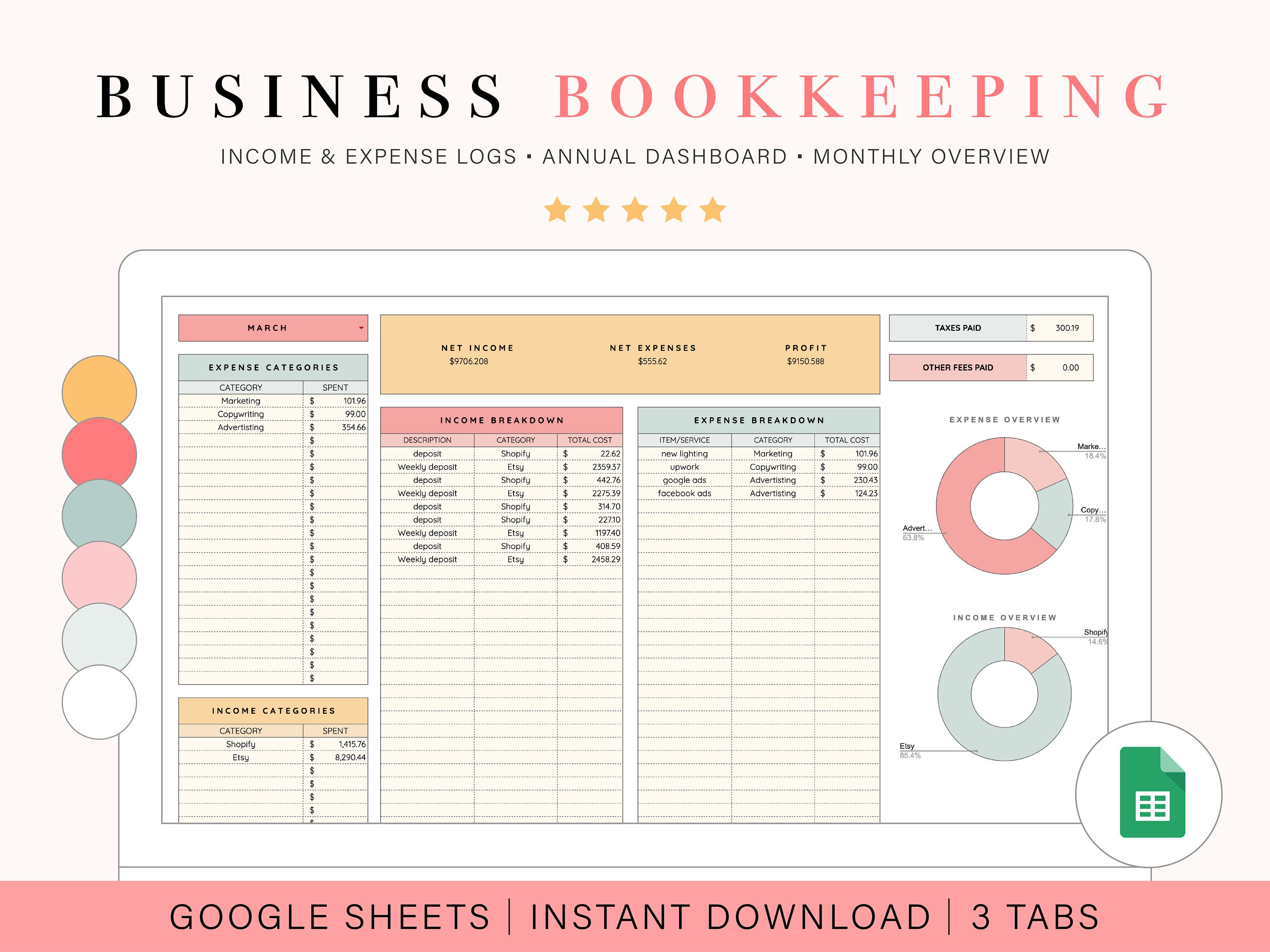
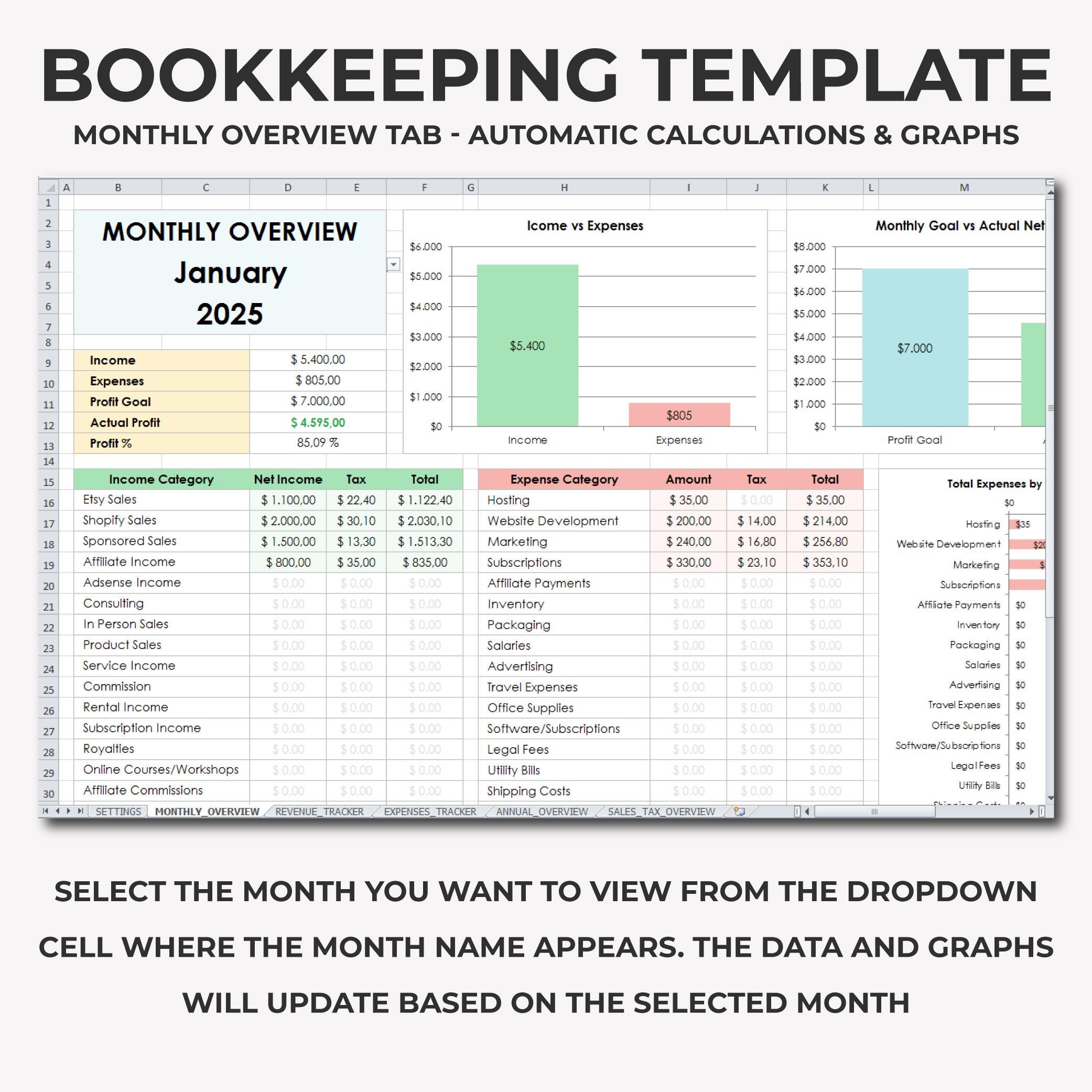
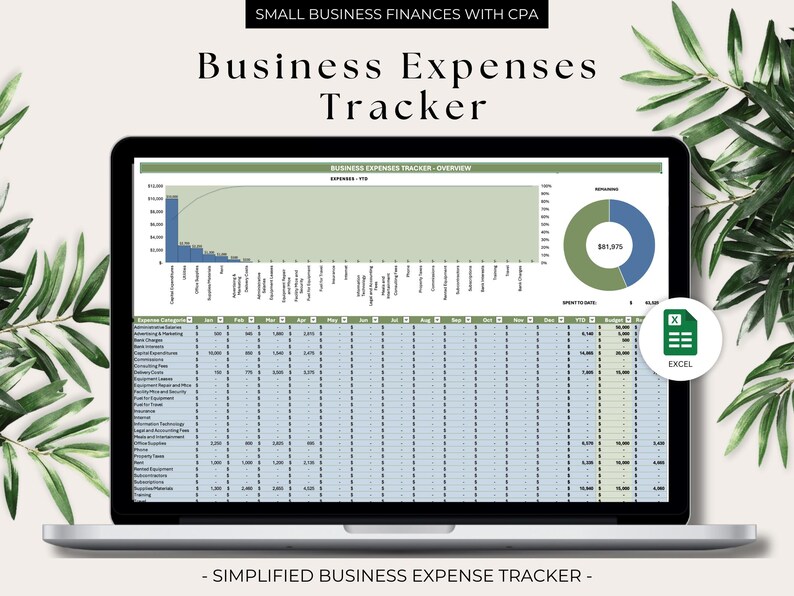
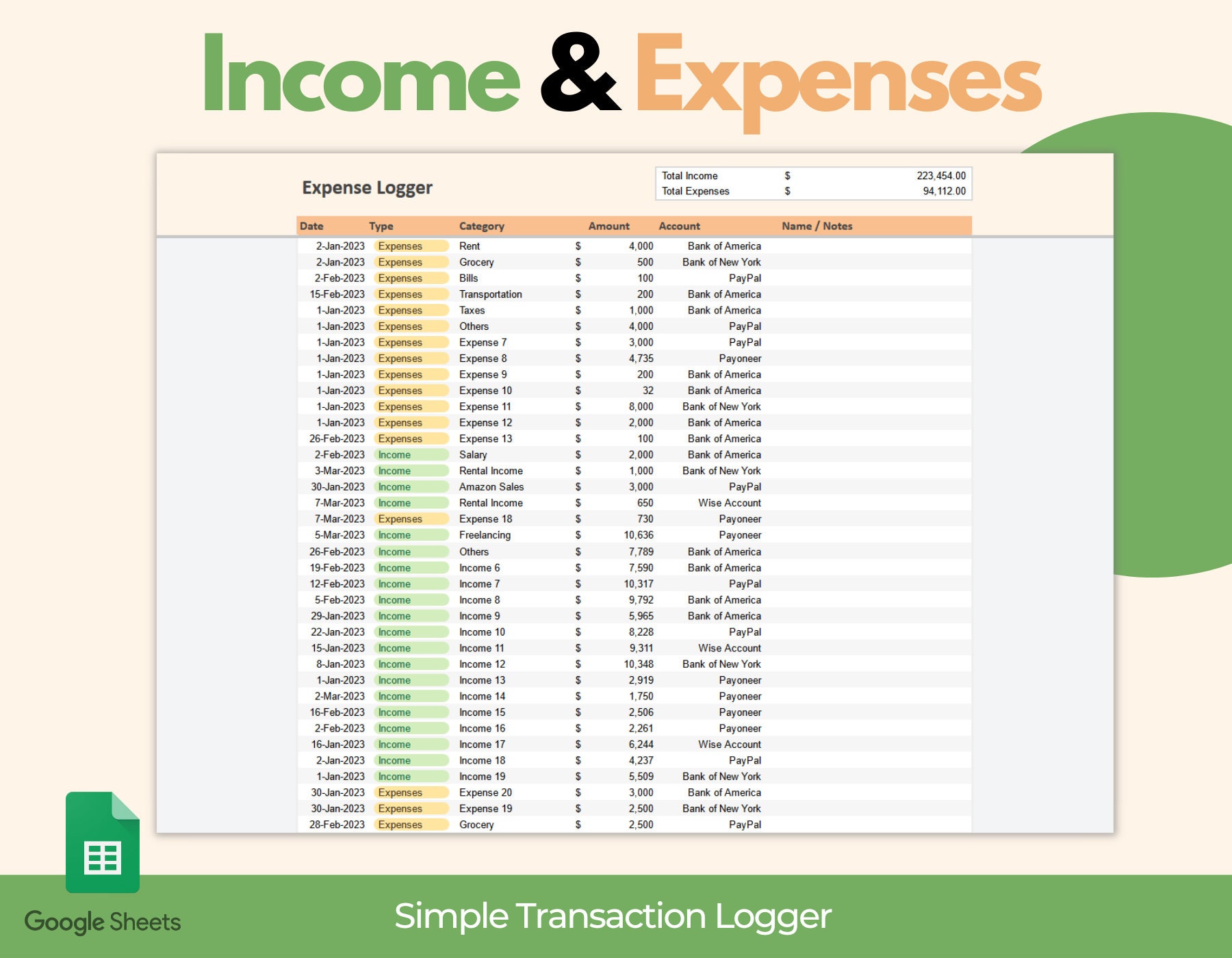
The following examples illustrate the kinds of spreadsheet and bookkeeping visuals readers may encounter when comparing formats. They are examples for visual reference, not endorsements or claims that every pictured template is free or appropriate for every business.
simple bookkeeping template free
Source: Etsy
simple bookkeeping template excel
Source: Etsy
simple bookkeeping template free download
Source: Etsy
simple bookkeeping template google sheets

Source: Palm & Grace Designs
simple bookkeeping template

Source: Priori Digital Studio
sample bookkeeping template excel
Source: Etsy
sample bookkeeping template free download
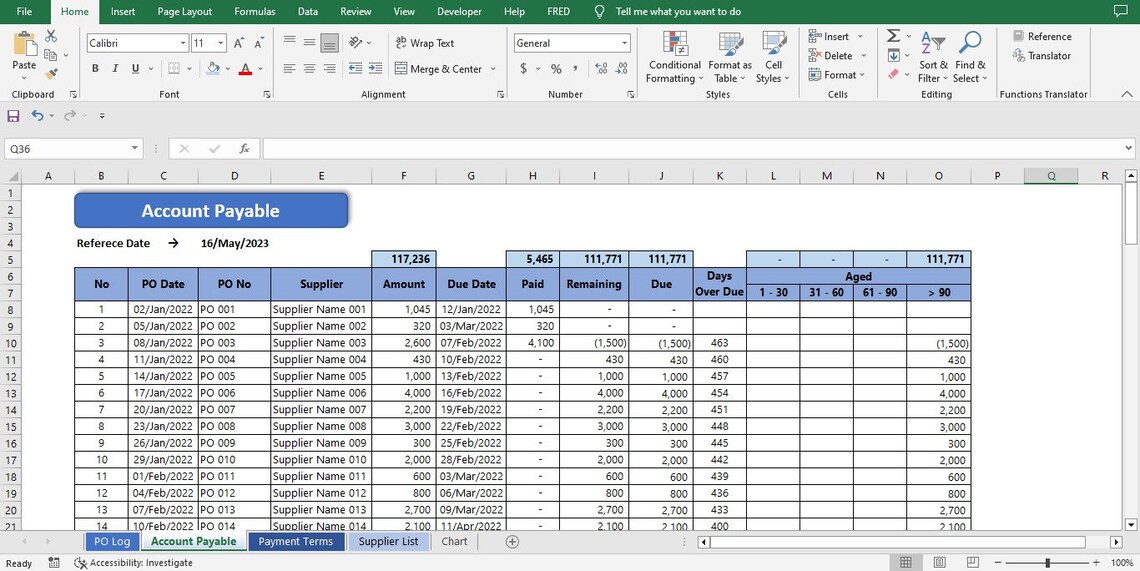
Source: Etsy
sample bookkeeping template pdf

Source: Paido
sample bookkeeping template free
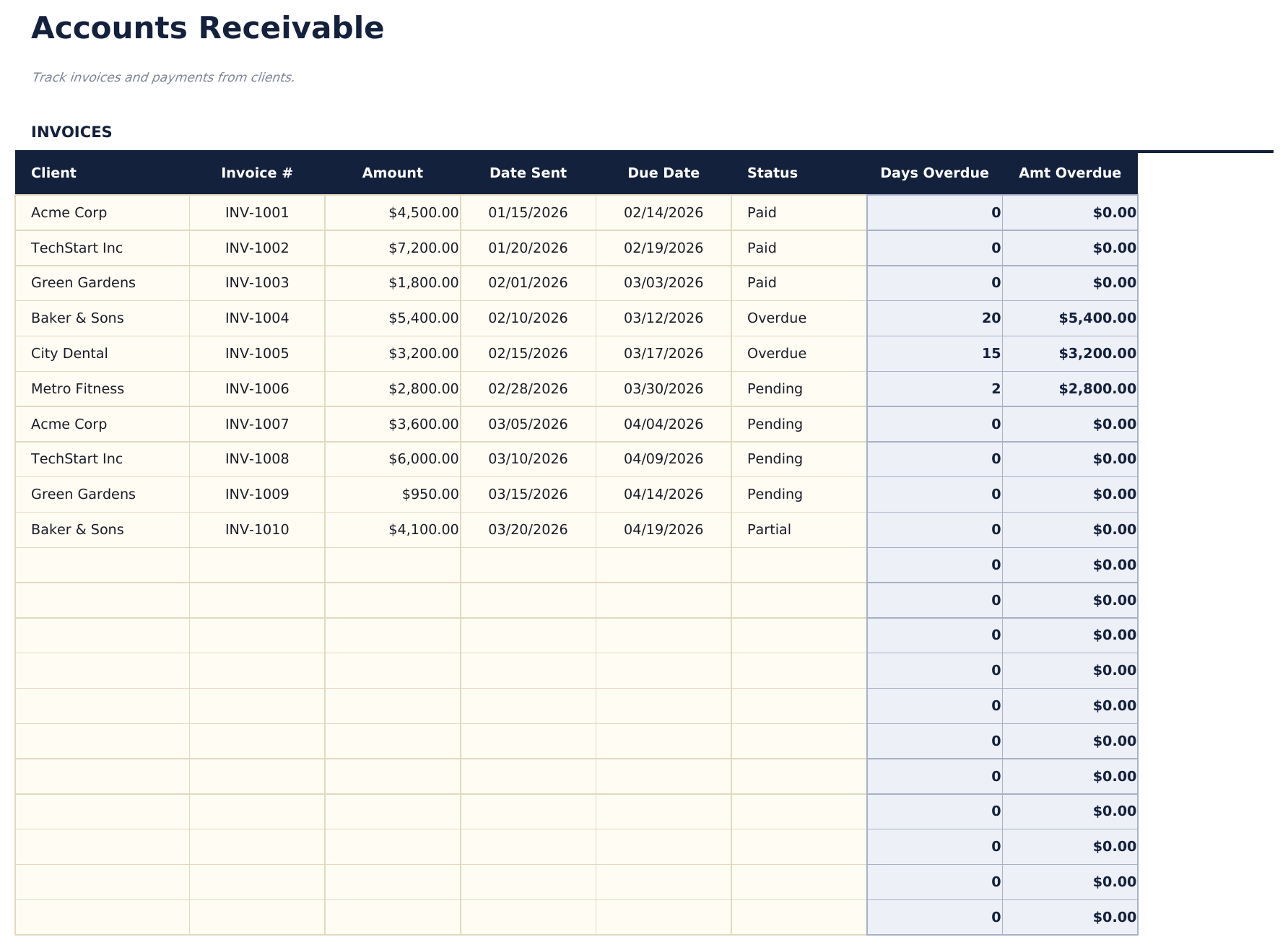
Source: FinancialAha
sample bookkeeping template google sheets
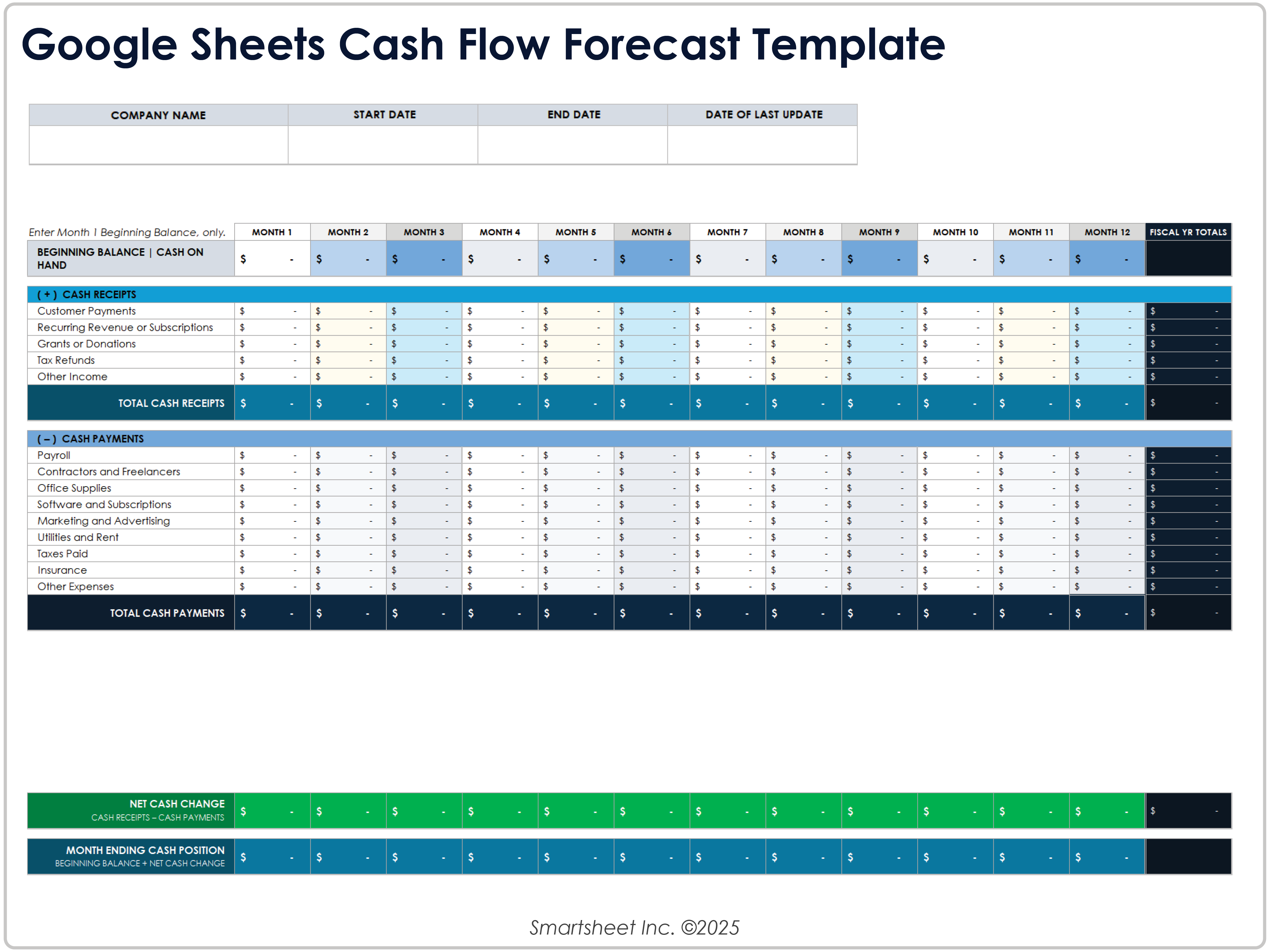
Source: Smartsheet
Frequently Asked Questions
What should a basic bookkeeping template include?
A basic template should normally include transaction date, description, category, income, expense, and a useful reference or payment field. Depending on the business, it may also include running balance, tax information, customer or supplier details, and notes.
Is a spreadsheet enough for small-business bookkeeping?
It can be enough for a relatively simple operation when transaction volume and accounting requirements are manageable. The business should still maintain appropriate supporting documents, backups, reconciliations, and records required by its jurisdiction.
Should I use Excel or Google Sheets?
Excel can be attractive for advanced spreadsheet modeling and offline workflows, while Google Sheets can be convenient for collaboration and cloud access. The better choice is the one that supports accurate, consistent recordkeeping for the business.
Can a bookkeeping template calculate profit?
Yes. A basic template can calculate a simplified net result by subtracting recorded expenses from recorded income. More formal financial reporting may require additional accounts, adjustments, accruals, inventory treatment, depreciation, or other accounting procedures.
How often should bookkeeping entries be updated?
Regular updates are preferable to reconstructing transactions months later. Daily entry can work well for businesses with frequent transactions, while weekly or another consistent schedule may be practical for businesses with lower transaction volume.
What is the difference between bookkeeping and accounting software?
Bookkeeping describes the process of recording and organizing financial transactions. Accounting software is a technology platform that can automate and support that process while often providing additional features such as reconciliation, reporting, invoicing, payroll, tax-related tools, or integrations.
When should a business stop using a simple template?
Consider moving to dedicated software when transaction volume, inventory, payroll, receivables, payables, multiple accounts, multiple entities, or reporting requirements become difficult to manage reliably in a spreadsheet.
Can I customize a bookkeeping template?
Yes. Customization is often one of the main benefits of using a template. Categories, payment methods, reporting periods, and additional fields can be adapted, but changes should be tested carefully so formulas and summaries continue to work correctly.
How should bookkeeping documents be organized?
Use a consistent system based on year, month, transaction type, supplier, customer, or another structure appropriate to the business. The important principle is that supporting evidence should be easy to locate and clearly connected to the recorded transaction.
Does a free template automatically make bookkeeping compliant?
No. A free template is simply a tool. Compliance depends on how transactions are recorded, which documents are retained, the applicable accounting method, tax rules, business structure, and jurisdiction-specific requirements.
Conclusion
A Psample bookkeeping template can provide a practical foundation for organizing small-business finances when it is designed around accurate transaction entry, consistent categories, supporting documentation, regular reconciliation, and useful summaries. The strongest template is not necessarily the most sophisticated one; it is the one that the business can maintain correctly and consistently.
