The important distinction is that an Excel workbook is normally a management and calculation tool, while the agreement itself is the contractual document. The agreement should establish the rights and obligations of the parties; the spreadsheet should consistently apply those rules. Treating the two as separate but connected tools makes the arrangement easier to understand, audit, update, and explain when a payment is questioned.
Commission arrangements can become surprisingly complicated. A simple percentage of completed sales is relatively easy to model, but real-world plans may involve quotas, tiers, accelerators, bonuses, split credit, refunds, chargebacks, customer payment conditions, minimum thresholds, territory rules, recurring revenue, termination provisions, or commissions that continue after a relationship ends. A good template anticipates those issues rather than hiding them inside complicated formulas.
This guide explains what belongs in a commission agreement, how to structure the accompanying Excel workbook, which formulas and controls are useful, how to handle sales and service arrangements, how to document calculations, and what to check before a commission statement is approved. The examples are illustrative rather than legal advice, and any agreement should be reviewed for the law and employment or contractor rules applicable to the parties.
The goal is not simply to find a downloadable spreadsheet. It is to create a system in which the written agreement, source data, calculations, approvals, and final payout all tell the same story. That is the standard that makes a commission process reliable.
What Is an Excel Commission Agreement Template?
An Excel commission agreement template is best understood as a structured workbook that supports a commission arrangement. It may contain fields for the parties, commission rates, sales records, qualifying transactions, payment dates, adjustments, and totals. However, an Excel file by itself does not automatically create a legally appropriate agreement. Its value comes from accurately reflecting the commercial rules that the parties have agreed to.
A typical workbook may contain several worksheets rather than one large table. For example, a setup sheet can hold representatives and rates, a deal log can capture individual transactions, a calculation sheet can determine earned commission, and a payout summary can show the amount approved for payment. Separating these functions reduces the risk of accidentally changing a rate while entering a transaction.
The agreement and spreadsheet should use the same terminology. If the agreement says commission is calculated on “Net Revenue,” the spreadsheet should have a clearly defined Net Revenue field. If commission is earned only when a customer has paid, the workbook should distinguish an invoice from a collected payment. Small differences in terminology can produce large differences in payout results.
A well-designed workbook also creates an audit trail. Someone reviewing a commission amount should be able to trace it from the original transaction to the calculation and then to the final payout. This is particularly important when several people contribute to the process. Sales may enter deal information, operations may confirm eligibility, finance may calculate the payment, and a manager may approve the final amount.
The strongest approach is therefore to regard the spreadsheet as an operational companion to the contract. The agreement defines the rules, while the workbook applies those rules consistently. When the two are aligned, the business can calculate commissions efficiently without turning the spreadsheet into a substitute for legal drafting.

Why a Commission Agreement Matters
Commission agreements reduce uncertainty by answering questions before money is earned. A representative should know what activity qualifies, how the rate is calculated, when the commission becomes earned, when it will be paid, and what happens if a customer cancels or receives a refund. The business needs the same clarity because it must forecast compensation costs and administer payments consistently.
Without clear written rules, two parties can reasonably interpret the same transaction differently. One person may believe a commission is earned when an order is signed, while another may believe it is earned only after the customer pays. A spreadsheet cannot resolve that disagreement by itself. It can only calculate whichever rule has been entered.
Written terms are also useful when sales are shared. A transaction may involve an account executive, an account manager, a referral partner, or a manager entitled to an override. The agreement or commission plan should explain how credit is assigned and whether a transaction can generate more than one commission.
Termination is another area that deserves careful attention. Businesses should determine what happens to open opportunities, completed sales, unpaid invoices, refunds, and commissions that would otherwise become payable after termination. The correct treatment depends on the contract, the relationship between the parties, and applicable law, so it should not be left to an Excel formula alone.
Finally, clarity protects the working relationship. Commission disputes are not only accounting problems; they can affect trust between sales and finance. A transparent calculation that can be traced back to an agreed rule gives both sides a stronger basis for resolving questions quickly.

Core Components of a Commission Agreement
1. Identify the Parties
Start with the legal names of the parties and their roles. Depending on the arrangement, the parties might be a company and an employee, a principal and an independent sales agent, a supplier and an introducer, or a business and a contractor. The agreement should make the relationship clear enough that there is no confusion about who owes the commission and who is entitled to receive it.
Contact information can also be useful, particularly for commercial agreements involving separate businesses. Include the effective date and, where appropriate, the legal entity information needed to identify each party. If the commission arrangement is an attachment to an employment or contractor agreement, identify that relationship rather than creating conflicting terms.
The Excel workbook can mirror these details on a Setup or Agreement Details worksheet. It may contain fields for company name, representative name, agreement effective date, agreement end date, currency, territory, and commission plan version. Avoid putting confidential personal information into worksheets that do not need it.
For larger teams, use a unique representative ID rather than relying solely on names. Names can be misspelled or duplicated, whereas an internal identifier can remain stable across reporting periods. This is especially helpful when commission data is imported from a CRM or accounting system.
The objective is simple: every calculation should be attributable to the correct party and the correct plan. If a representative changes roles or receives a new commission structure, the workbook should preserve the history of the old plan rather than silently rewriting previous results.

2. Define What Earns Commission
The phrase “commission on sales” is often too vague for a dependable calculation. The agreement should identify what counts as a qualifying transaction. Possibilities include an accepted order, signed contract, invoiced transaction, delivered product, collected customer payment, completed milestone, or another defined event.
The definition matters because the same sale can move through several stages. A salesperson may close a contract in March, the business may invoice it in April, and the customer may pay in May. If commission is earned on collection, the March close should not automatically produce an earned commission in the March payout.
For service businesses, the trigger may be a completed milestone rather than a product sale. A consultant could receive a commission after the client pays the first invoice, while an agency referral partner might receive a percentage after a referred customer signs and pays. The agreement should identify the trigger precisely.
The Excel model should therefore include separate fields for transaction date, invoice date, payment date, eligibility status, and commission-earned status when those distinctions matter. This is safer than using one date for everything.
A useful control is an eligibility column with values such as “Eligible,” “Pending,” “Excluded,” or “Paid.” This makes the reason for a missing commission visible instead of forcing a reviewer to reverse-engineer a formula.
3. Specify the Commission Rate
The agreement should state the rate or formula used to calculate commission. A flat percentage is the easiest structure, but it is not the only option. A plan may use a fixed amount per transaction, different rates for product categories, tiered percentages, or a combination of base compensation and commission.
The calculation base must also be defined. A percentage could apply to gross sales, net sales, collected revenue, gross profit, recurring revenue, or another measure. Taxes, shipping, discounts, refunds, credits, and other deductions may or may not be included depending on the agreed rules.
For example, suppose a hypothetical plan pays 8% of Net Revenue. If a transaction has a listed value of $10,000 and the agreed deductions total $1,000, the calculation base would be $9,000 and the illustrative commission would be $720. The important point is not the number but the definition of Net Revenue.
In Excel, keep the commission rate in a controlled input area rather than typing the percentage into every transaction formula. A rate table can allow the workbook to retrieve the correct rate based on representative, product, territory, or plan version.
Do not overwrite historical rates when a plan changes. A commission workbook should preserve the rate that applied to the original transaction. Otherwise, recalculating an old period after a rate change could unexpectedly change a previously approved payout.
4. Establish Payment Timing
Payment timing is one of the most important terms in the agreement. It should explain when commission is calculated, when it becomes payable, and how it will be delivered. Common administrative schedules include weekly, monthly, or quarterly commission statements.
A business might close its sales period on the final calendar day of each month, complete reconciliation during the following week, obtain approval, and include the commission in the next available payment cycle. The exact process should be documented so that the representative understands why a sale does not necessarily appear immediately in a payment.
The workbook can include a commission period, approval date, payment date, and payment status. This allows finance staff to distinguish “earned but unpaid” from “not yet eligible,” which are very different situations.
Where the agreement requires customer payment before commission is earned, the workbook should also track collection status. A transaction marked “Invoiced” should not automatically become “Paid” merely because the invoice exists.
Payment timing should also be checked against applicable employment, commercial agency, tax, and wage rules. Those requirements vary by jurisdiction and relationship type. A spreadsheet should never be used to bypass a statutory payment obligation.
How to Structure the Excel Workbook
A practical workbook can use five to seven worksheets. The exact design depends on the size of the business, but separating inputs, transactions, calculations, approvals, and reporting usually makes the file easier to maintain.
A Plan Setup sheet can contain commission rates, effective dates, quota values, eligible products, and calculation assumptions. A Representative List can contain names, IDs, territories, roles, and plan codes. A Deal Log can capture transaction-level information.
A separate Commission Calculation sheet can pull the deal data into a controlled calculation model. A Payout Summary can show each representative’s total eligible revenue, commission, adjustments, and amount approved. An Audit Log can document manual changes and approvals.
Keep input cells visually distinct from formula cells. The user entering transactions should know exactly where information belongs. Formula cells should ideally be protected from accidental editing, especially when the workbook is shared among sales, finance, and management.
The workbook should also have a clear versioning convention. For example, a plan can be identified by representative ID, effective date, and plan version. When rates or eligibility rules change, create a new version instead of changing historical assumptions without documentation.

Recommended Deal Log Columns
The transaction table is the operational heart of the workbook. Useful columns may include transaction ID, transaction date, representative ID, customer, product or service, contract value, invoice value, collected value, commission rate, eligible amount, commission earned, adjustment, status, and payment period.
Use one row per transaction wherever possible. This makes filtering, sorting, reconciliation, and aggregation much easier than creating separate columns for every month or representative. Excel Tables are particularly useful because formulas and formatting can extend automatically as new rows are added.
A transaction ID should be unique. If the same transaction appears twice because of a data import or manual entry, the commission can be duplicated. A duplicate check can flag repeated transaction IDs before the payout is approved.
Representatives should also be selected from controlled lists rather than typed differently each time. “Alex Smith,” “A. Smith,” and “Alex S.” may represent the same person but could be treated as three separate values by a formula.
The final transaction row should not simply display a commission number. It should make the calculation understandable. A reviewer should be able to identify the eligible base, applicable rate, adjustment, and resulting commission without opening complex nested formulas.

Commission Calculation Methods in Excel
Flat-Rate Commission
The simplest calculation is a flat percentage. If the eligible revenue is in cell D2 and the commission rate is in E2, the conceptual calculation is Eligible Revenue multiplied by Commission Rate. In Excel, a formula such as =D2*E2 can represent that relationship.
The formula should be accompanied by validation. If the rate is entered as 10%, Excel stores it as 0.10, producing a commission equal to ten percent of the eligible base. If someone types 10 instead of 10%, the result could be one hundred times larger than intended.
Currency formatting should also be standardized. Store calculations as numeric values and apply currency formatting rather than embedding currency symbols into text fields. This keeps the workbook compatible with formulas, sorting, filtering, and reporting.
A flat-rate model is appropriate only when the agreement genuinely uses one rate for the applicable transactions. If rates vary by product, representative, territory, or attainment level, a more structured lookup should be used.
Keep the rate table separate from the deal log. That allows the business to update the plan without rewriting every transaction row and makes it easier to audit which rate was supposed to apply during a particular period.

Tiered Commission
Tiered commission plans reward different levels of performance with different rates. For example, an illustrative plan might pay 3% on the first $50,000 of eligible revenue, 5% on the next $50,000, and 7% above $100,000. The agreement must clarify whether the higher rate applies only to the amount inside the tier or retroactively to all eligible revenue.
Those two structures can produce very different results. In a marginal tier system, only the revenue inside each band receives that band’s rate. In an accelerator or retroactive system, reaching a threshold may cause a higher rate to apply to the full eligible amount. The spreadsheet must match the actual written rule.
Tiered models should be tested with values just below and just above every threshold. If a threshold is $100,000, test $99,999, $100,000, and $100,001. These boundary tests are effective at finding errors in nested IF formulas or lookup logic.
Do not rely on visual formatting to communicate tier logic. The rate table should contain explicit threshold values and rates. A calculation sheet can then reference those values consistently.
For sophisticated plans, it may be easier to calculate each tier separately and sum the results. Although that creates more columns, the calculation is easier for another person to inspect than a single opaque formula containing many nested conditions.

Quota-Based Commission
Some plans combine sales volume with quota attainment. In such a model, the representative’s commission may depend on the percentage of quota achieved. The workbook can calculate attainment as eligible revenue divided by quota and then apply the appropriate rate or accelerator.
Quota should be linked to the correct period and representative. A quarterly quota should not accidentally be compared with monthly revenue unless the plan explicitly calls for that approach. Likewise, mid-period quota changes should be documented rather than silently replacing the original number.
For example, if a hypothetical representative has a monthly quota of $100,000 and eligible revenue of $90,000, attainment is 90%. If the plan pays 4% below 100% attainment and 6% after the threshold, the workbook needs a clearly documented rule for whether only incremental revenue receives the higher rate.
Attainment reports are useful for management because they show more than the amount of commission paid. They can reveal whether the incentive structure is encouraging the behavior the company actually wants.
However, performance dashboards should never override the agreement. A visually impressive dashboard does not establish entitlement. The contract and approved plan remain the source of the commercial rule.

Handling Refunds, Chargebacks, and Adjustments
Refunds and cancellations are common sources of commission disputes. The agreement should explain whether a commission remains payable when a customer cancels, whether it can be reversed, and how long after the original sale an adjustment can be made.
In Excel, an adjustment should normally be recorded as a separate transaction or adjustment row rather than by manually overwriting the original commission. This preserves the original calculation and creates a visible explanation for the change.
For example, a representative might originally receive a hypothetical $500 commission. If the customer later receives a qualifying refund and the agreement permits a corresponding adjustment, the workbook could record a separate negative $500 adjustment in the appropriate period. The exact treatment depends on the agreement and applicable law.
Adjustment records should include a reason, reference number, date, and approver when appropriate. This helps finance reconcile changes and prevents unexplained negative amounts from appearing in a payout summary.
Never hide adjustments by changing historical transaction values without an audit note. A transparent correction is easier to defend than a spreadsheet that appears to have changed itself.

Commission Agreements for Sales Teams
A sales commission arrangement should define territory, eligible products, customer ownership, deal crediting, rate structure, quotas, payment triggers, and treatment of cancellations. The more people involved in the sales process, the more important those definitions become.
Deal crediting deserves particular attention. If two representatives participate in the same transaction, the agreement or plan should state whether the revenue is split equally, allocated by percentage, assigned to one representative, or handled under a management override.
The Excel model can use separate columns for primary representative, secondary representative, split percentage, and override amount. This is more reliable than manually dividing the final commission after the calculation has been completed.
Sales managers should also review the plan for unintended incentives. A commission plan that rewards only booked revenue may encourage deals with poor payment quality. A plan based on collected revenue may create stronger cash-flow alignment but can delay payment to representatives.
The best structure depends on the business model. The spreadsheet should make the chosen logic visible rather than trying to disguise complex compensation rules as a simple percentage.

Commission Agreements for Services
Commission arrangements are not limited to physical products. Service businesses may compensate a salesperson, introducer, partner, consultant, or affiliate based on revenue generated from a client relationship.
When commission is linked to services, the agreement should define what counts as a qualifying service transaction. It may be a signed engagement, paid invoice, completed milestone, recurring subscription payment, or another event. The parties should avoid assuming that “sale” automatically has the same meaning for every service business.
Recurring revenue introduces additional questions. If a representative introduces a customer who remains subscribed for twelve months, the parties need to decide whether commission applies to the first payment only, every qualifying payment, a defined period, or another basis.
The workbook can track customer, service package, contract start date, billing period, collected amount, commission eligibility, and recurring commission status. This is particularly useful for businesses where one customer generates multiple invoices over time.
Service commissions should also be coordinated with the underlying service agreement. If the customer cancels, reduces scope, receives a credit, or disputes an invoice, the commission treatment should follow the documented rules rather than an informal assumption.

Using an Excel Commission Agreement Template for Services
When adapting an Excel commission agreement template for services, begin by replacing product-oriented terminology with service-specific definitions. Identify the service, customer, contract value, billing method, qualifying event, commission base, and payment trigger.
Next, determine whether the commission is based on gross billings, net collected revenue, gross profit, or another metric. If discounts, refunds, taxes, or third-party costs are excluded, create separate columns so those deductions can be seen rather than hidden inside one formula.
For project-based services, milestone tracking can be useful. A commission may become eligible after a deposit, project completion, or customer payment. Each milestone can have its own status, date, and amount.
For subscription services, a recurring commission table may be more appropriate. It can contain customer ID, billing period, collected amount, applicable rate, commission, and status. The table can then feed the monthly payout summary.
Before implementing the model, compare several hypothetical scenarios against the agreement. Test a normal sale, a discounted sale, a partial payment, a cancellation, a refund, and a transaction that crosses a commission threshold. If the workbook produces an unexpected result, fix the rule before real transactions are entered.

Practical Examples
Example 1: Simple Sales Commission
Consider a hypothetical representative with a 6% commission on eligible revenue. During one month, the representative closes three qualifying transactions worth $12,000, $18,000, and $25,000. If all three transactions meet the agreement’s eligibility requirements, the total eligible revenue is $55,000.
The illustrative commission is $55,000 multiplied by 6%, resulting in $3,300. The spreadsheet should show the three underlying transactions rather than only displaying the $3,300 total.
A reviewer should be able to filter the deal log by representative and period and see exactly which transactions produced the $55,000 base. This creates a direct connection between source data and payout.
If one transaction is later refunded and the agreement permits a commission adjustment, the refund should be recorded separately. The original transaction remains visible, while the adjustment explains the change to the final amount.
This simple scenario demonstrates why transaction-level records are valuable even when the commission formula itself is straightforward.

Example 2: Tiered Commission
Assume a hypothetical plan pays 3% on the first $50,000 of eligible monthly revenue, 5% on the next $50,000, and 7% on revenue above $100,000. A representative generates $120,000 in eligible revenue.
Under a marginal tier approach, the first $50,000 earns 3%, the next $50,000 earns 5%, and the remaining $20,000 earns 7%. The resulting calculation is $1,500 plus $2,500 plus $1,400, for a total of $5,400.
The important issue is not the arithmetic but the definition of the tier structure. If the written plan instead says that reaching $100,000 changes the rate applied to all eligible revenue, the result would be different.
The workbook should therefore label the calculation method clearly. Terms such as “marginal tiers,” “retroactive accelerator,” or another defined description can prevent confusion between the agreement and the formula.
Test the model at every boundary before using it for actual payroll or contractor payments. Threshold testing is one of the simplest ways to detect a commission formula that looks correct but behaves incorrectly.

Example 3: Commission Based on Collected Revenue
Suppose a hypothetical agreement pays 5% on customer payments actually collected. A $20,000 contract is signed in January, invoiced in January, and paid in February.
If collection is the contractual trigger, January should show the opportunity or invoice but not necessarily an earned commission. February should record the qualifying collection and calculate the commission of $1,000.
This example shows why the workbook should not confuse contract value, invoice value, and collected revenue. They are separate financial events.
A useful dashboard can show the pipeline of potential commissions separately from earned commissions. Management can then understand expected future payouts without presenting them as amounts already owed.
Keeping those categories separate makes the workbook more useful for forecasting while protecting the accuracy of actual payout reports.

How to Build the Workbook Step by Step
Step 1: Translate the Agreement Into Rules
Before creating formulas, write the commission rules in plain language. Identify the parties, qualifying event, calculation base, rate, payment timing, adjustments, exclusions, and termination treatment.
Then identify every input the workbook needs. If the calculation depends on customer payment status, the workbook needs a payment-status field. If it depends on product category, product category must be captured consistently.
Do not start with formulas. Starting with formulas encourages the spreadsheet designer to make assumptions that may not exist in the agreement.
A useful test is to explain the commission calculation to another person without opening Excel. If the explanation is ambiguous, the spreadsheet will probably be ambiguous too.
Once the rules are clear, create the data model and only then implement the formulas.
Step 2: Build Controlled Inputs
Create tables for representatives, commission plans, products or services, rates, territories, and effective dates where necessary. Use dropdown lists and validation rules to reduce inconsistent entries.
Keep assumptions in dedicated cells or tables. Do not scatter rates across dozens of formulas. Centralized assumptions are easier to update and audit.
Use effective dates when rates can change over time. A transaction occurring before a plan change should retain the rate that applied to it unless the agreement explicitly provides another treatment.
Protect calculation cells and clearly identify input cells. This is particularly important if multiple people will edit the workbook.
Finally, document the meaning of each important input. A short note such as “Eligible Revenue excludes tax and refunded transactions” can prevent future misunderstandings.
Step 3: Create the Deal Log
Use one row per transaction. Include a unique transaction ID and enough information to identify the customer, representative, date, amount, product or service, and status.
Do not rely on free-text descriptions for fields that drive formulas. Use controlled values for representative names, product categories, statuses, and plan codes.
Where data comes from another system, record the source or import date when practical. This helps reconcile the spreadsheet with the CRM, accounting system, or invoice records.
Use Excel Tables rather than arbitrary cell ranges when appropriate. Structured references can make formulas easier to understand and reduce errors when new transactions are added.
Before the first real payout, enter a small sample dataset and manually calculate the expected results. Compare those results against the workbook.
Step 4: Add Calculation Logic
Keep the calculation logic as transparent as possible. A series of helper columns can be preferable to one extremely long formula. For example, calculate eligibility, calculation base, rate, gross commission, adjustment, and final commission separately.
Use functions such as SUMIFS, XLOOKUP, IF, IFS, and structured table references where appropriate. The exact formula depends on the commission model and the version of Excel being used.
Be cautious with formulas that silently return zero when data is missing. A missing commission rate should often produce a visible warning rather than a zero that looks like a valid result.
Conditional formatting can highlight pending eligibility, missing rates, duplicate IDs, negative adjustments, or unusually large payouts. These visual controls are most valuable when they draw attention to exceptions rather than decorating ordinary data.
Every important formula should be tested with normal, boundary, missing-data, and adjustment scenarios.
Step 5: Build the Payout Summary
The payout summary should be the cleanest report in the workbook. It can show representative, period, eligible revenue, gross commission, bonuses, adjustments, deductions where appropriate, final commission, approval status, and payment status.
Managers should not need to inspect raw transaction rows to understand the final result. At the same time, the summary should link back to the underlying transactions so that a detailed review is possible.
Include a period-end total so finance can reconcile the workbook to the amount approved for payment. If the company uses accounting software or payroll, the final approved amount should be compared with the amount actually processed.
Do not label a figure “paid” merely because it has been approved. Approval and payment are separate operational states.
A good payout summary therefore functions as both a management report and a reconciliation document.
Quality Control and Audit Procedures
Commission spreadsheets should be reviewed before every payout cycle. Start by checking whether new transactions have been imported or entered completely and whether duplicate transaction IDs exist.
Next, review missing or unusual values. A blank commission rate, unknown representative, negative sales amount, or unexpectedly high payout should trigger an investigation rather than being ignored.
Compare totals against the source system. If the CRM shows a different amount of eligible revenue than the Excel workbook, identify the reason before approving the payout.
Review manual adjustments separately. Each adjustment should have a business reason and, where appropriate, evidence such as a refund, credit note, customer payment record, or approved correction.
Finally, save a controlled copy of the approved period. Historical payout files should not be casually overwritten because future changes to the workbook can otherwise alter what appears to have been paid in the past.

Common Mistakes to Avoid
Using One Formula for Every Commission Plan
A flat-rate formula cannot safely represent every commission structure. Tiered plans, quotas, split deals, recurring commissions, and chargebacks require different logic.
Trying to force every scenario into one formula often makes the workbook difficult to understand and difficult to test.
Instead, define the plan type explicitly. A plan code can identify whether the representative uses a flat rate, tiered rate, quota accelerator, or another structure.
The calculation engine can then apply the appropriate logic based on the plan code.
This approach is more scalable than continually adding exceptions to one oversized formula.
Overwriting Historical Rates
Changing a commission rate in a setup table can unintentionally change the result of old transactions if the workbook calculates everything from the current rate.
Historical transactions should be protected from unintended plan changes. This can be achieved through effective-dated rate tables, plan-version identifiers, or storing the applicable rate with the transaction when appropriate.
The chosen method should reflect the agreement and the organization’s audit requirements.
Do not assume that the newest rate automatically applies to every transaction.
When in doubt, preserve the original calculation and document any authorized adjustment separately.
Mixing Contract Terms With Spreadsheet Assumptions
A spreadsheet may contain assumptions that are convenient for calculation but are not actually part of the agreement.
For example, a workbook might automatically exclude a particular expense because someone designed it that way. Unless that exclusion is supported by the commission rules, it can create an incorrect payout.
Every material calculation assumption should be traceable to an agreed rule, an approved plan document, or a clearly documented administrative policy.
If a new business rule is introduced, update the agreement or plan documentation as appropriate before changing the spreadsheet.
The spreadsheet should implement the rule, not invent it.
How to Choose Between Excel, Word, PDF, and Online Tools
Excel is strongest when the main problem is calculation, tracking, reconciliation, and reporting. It allows businesses to create formulas, tables, filters, dashboards, and controlled inputs without requiring specialized compensation software.
Word is often more appropriate for the narrative agreement because it is designed for clauses, definitions, signatures, and document formatting. A Word document can describe the contractual rules while Excel applies those rules to actual transactions.
PDF is useful as a finalized or read-only representation of an agreement or payout statement. It can help preserve an approved version, but a PDF is not generally the best environment for maintaining live commission calculations.
Online commission tools can be useful when several people need controlled access, automated workflows, electronic signatures, or integrations. However, moving from Excel to software does not eliminate the need for clear commission rules.
The right tool depends on the business’s complexity. A small team with a straightforward commission plan may be well served by a carefully controlled spreadsheet. A large organization with complex territories, multiple currencies, frequent plan changes, and extensive audit requirements may eventually need dedicated compensation software.

Practical Solution: A Reliable Commission Workflow
The most practical solution is to create a repeatable workflow that connects the agreement, source transactions, Excel calculations, review, approval, and payment. Start by finalizing the written commission rules before building the spreadsheet.
Second, create a centralized setup table containing representatives, plan versions, rates, thresholds, and effective dates. Protect this table so that ordinary transaction entry does not accidentally change the compensation plan.
Third, import or enter transactions into a standardized deal log. Validate representative IDs, transaction IDs, dates, amounts, products, services, and customer payment status before calculating commissions.
Fourth, calculate eligibility and commission using formulas that mirror the agreement. Keep calculation stages visible so that a reviewer can see how the final amount was produced.
Fifth, run exception checks. Look for duplicate transactions, missing rates, unrecognized representatives, unusual negative values, transactions without required payment evidence, and commissions outside expected ranges.
Sixth, produce a payout summary and have the appropriate manager or finance reviewer approve it. Record the approval date and status rather than relying on an informal email trail alone.
Seventh, reconcile the approved payout with the actual payment or payroll record. If the amounts differ, record the reason.
Eighth, archive the approved workbook or an appropriate values-only or PDF report according to the organization’s recordkeeping practices. Keep the historical version separate from the live working file.
This workflow turns an Excel spreadsheet into a controlled business process rather than a disposable calculator. It also makes it easier to investigate questions because every stage has a defined purpose.

Reference Examples
The following examples illustrate the kinds of commission agreements, spreadsheets, and document formats that can help when designing or reviewing a commission process. They are reference examples, not universal legal forms, and the suitability of any document depends on the parties, jurisdiction, industry, and actual compensation arrangement.
excel commission agreement template free
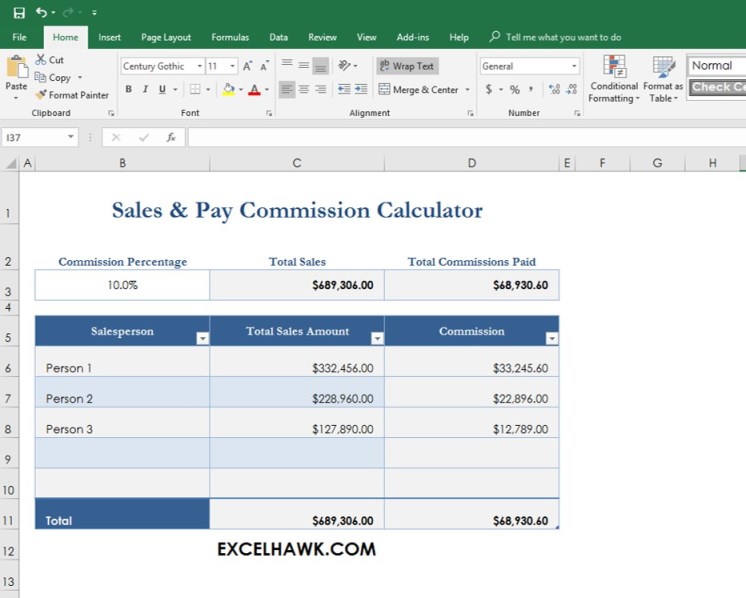
Source: ExcelHawk
excel commission agreement template download
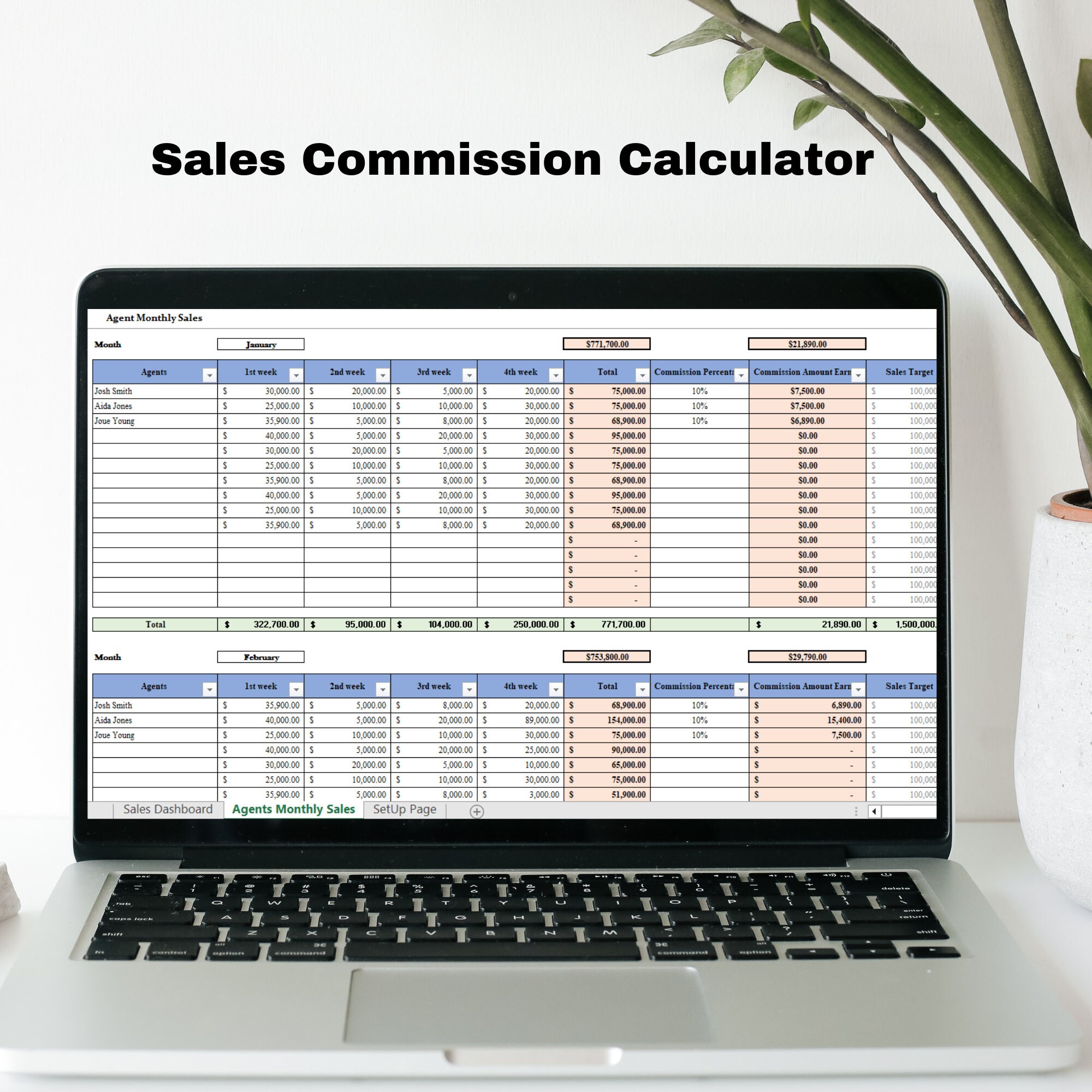
Source: Etsy sales commission spreadsheet example
excel commission agreement template free download
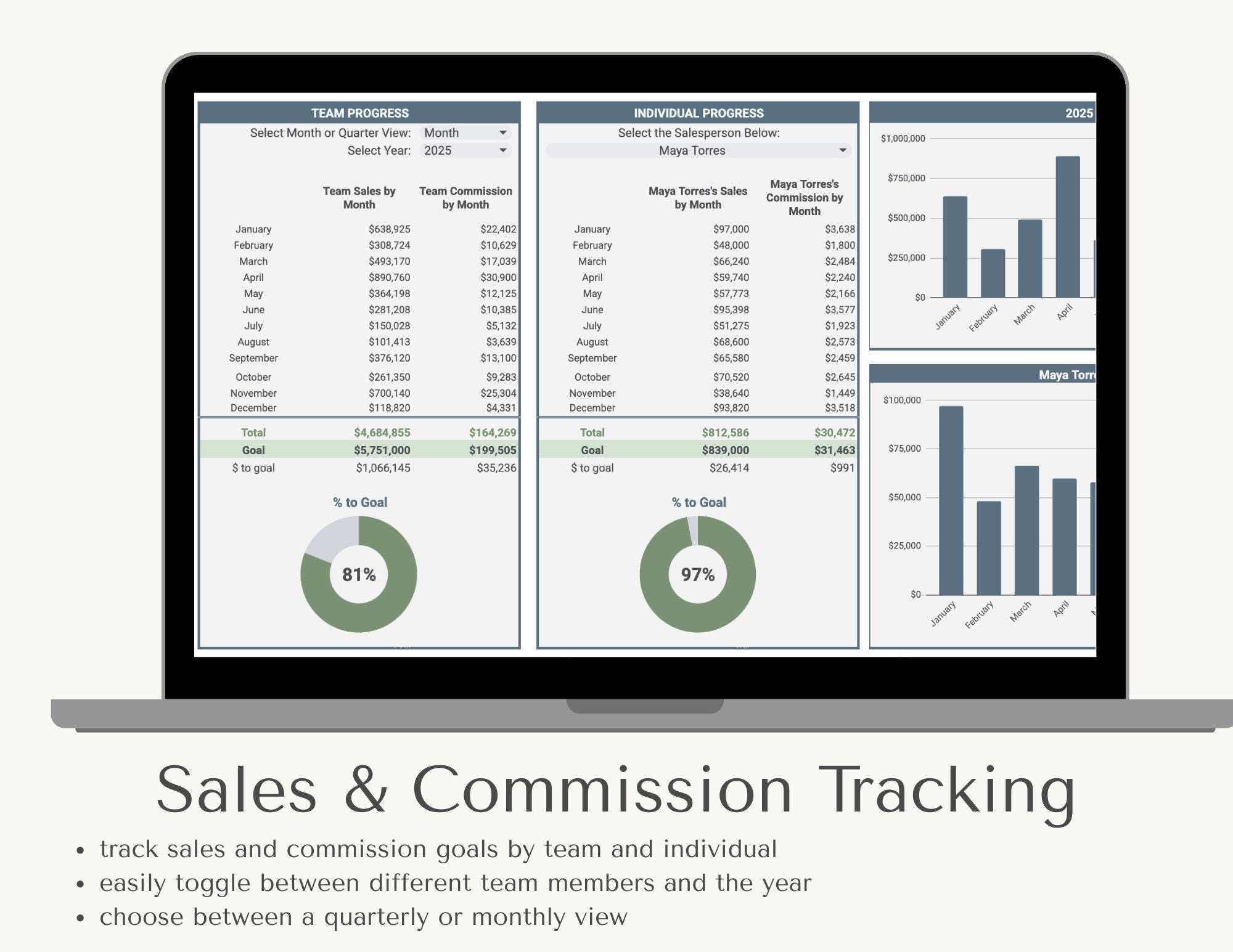
Source: Etsy sales and commission tracking example
excel commission agreement template for sales
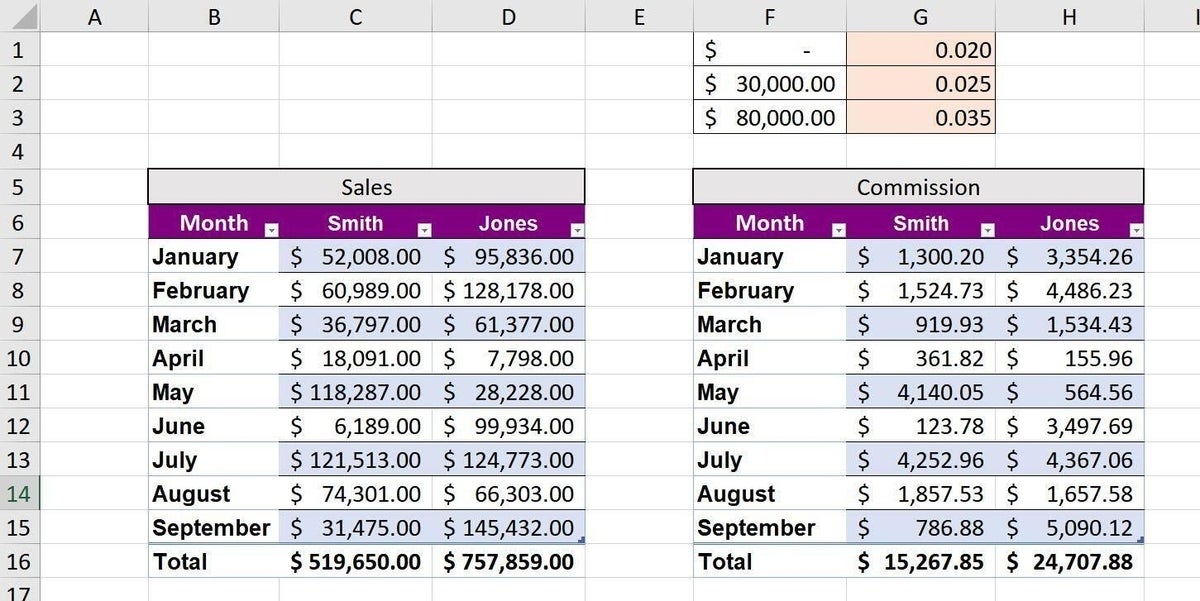
Source: TechRepublic
excel commission agreement template pdf
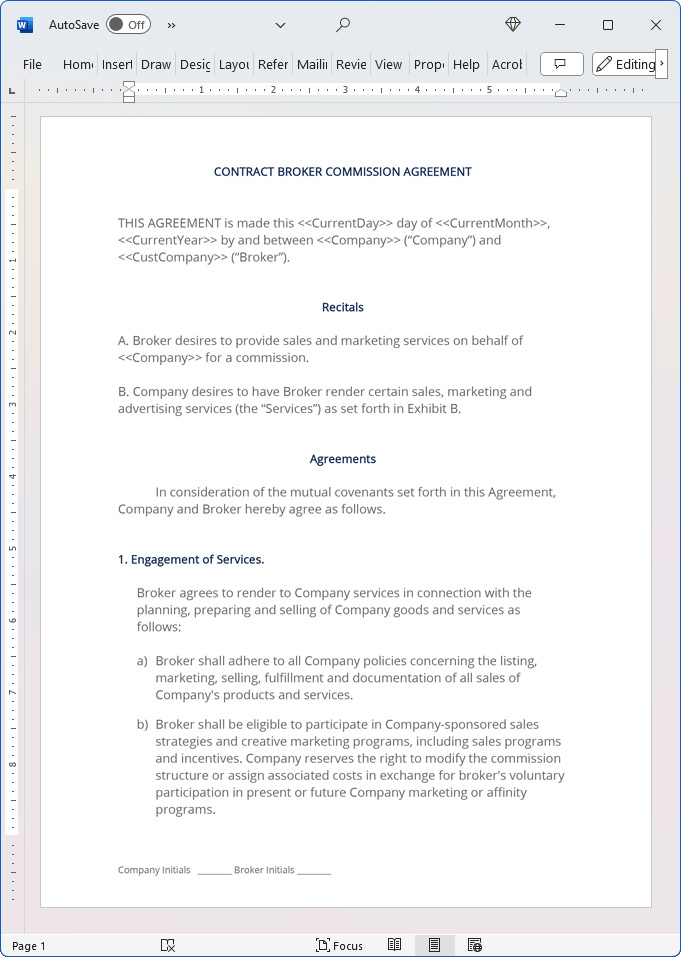
Source: Proposal Kit
excel commission agreement template for services
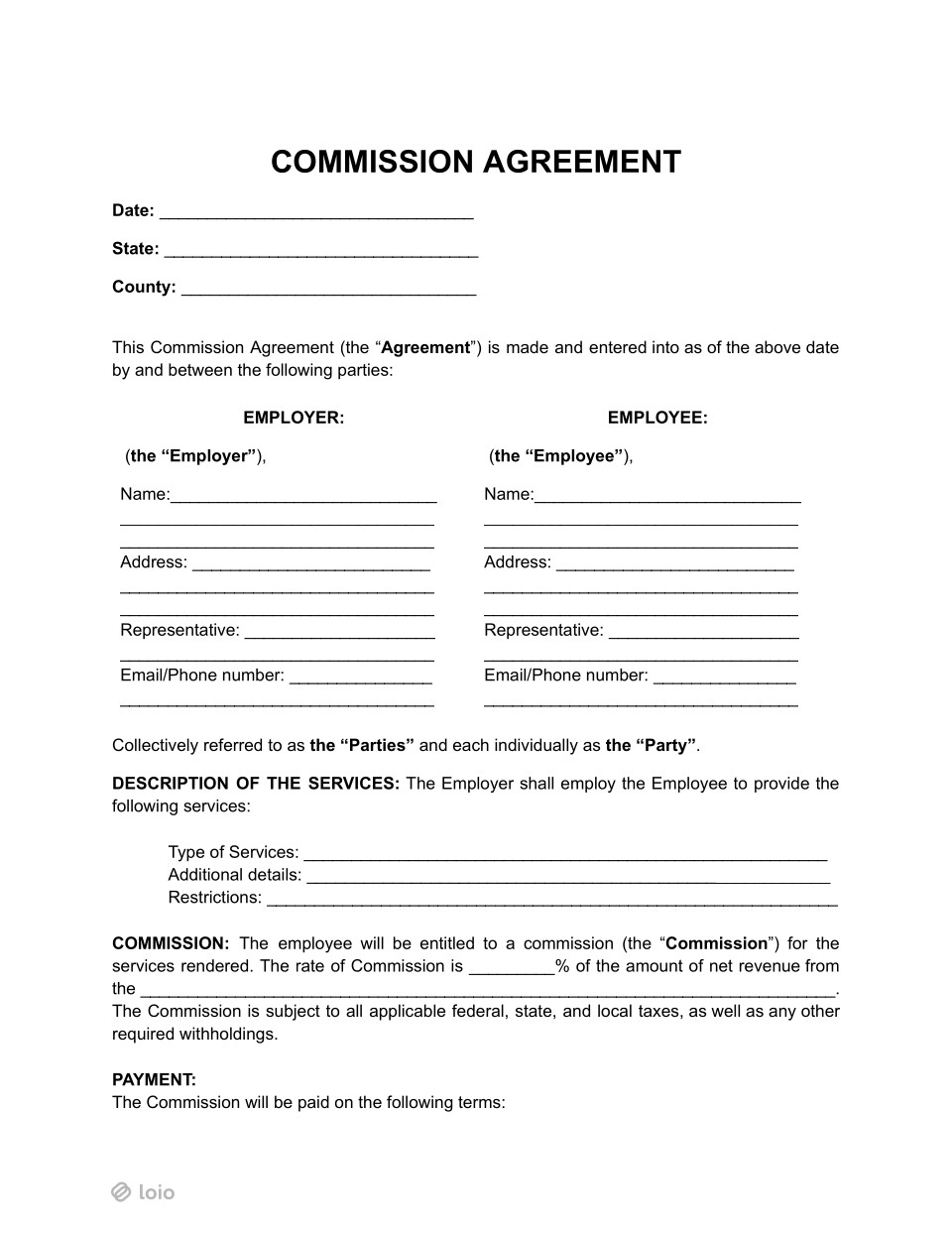
Source: Loio
commission agreement template free sample

Source: TypeCalendar
commission agreement template free

Source: Scribd document preview
commission agreement template free uk

Source: TemplateNum
commission agreement template word
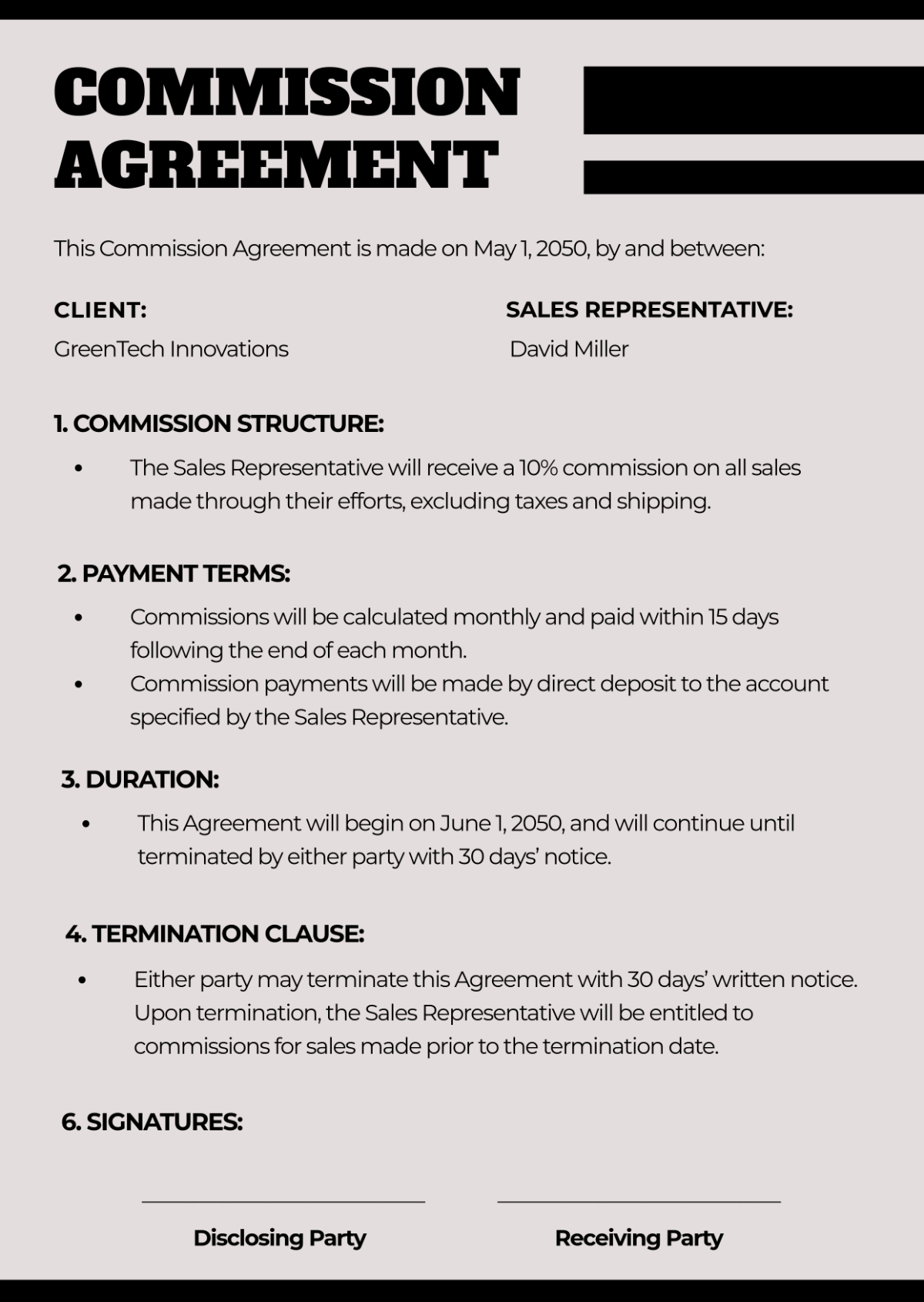
Source: Template.net
commission agreement template free online
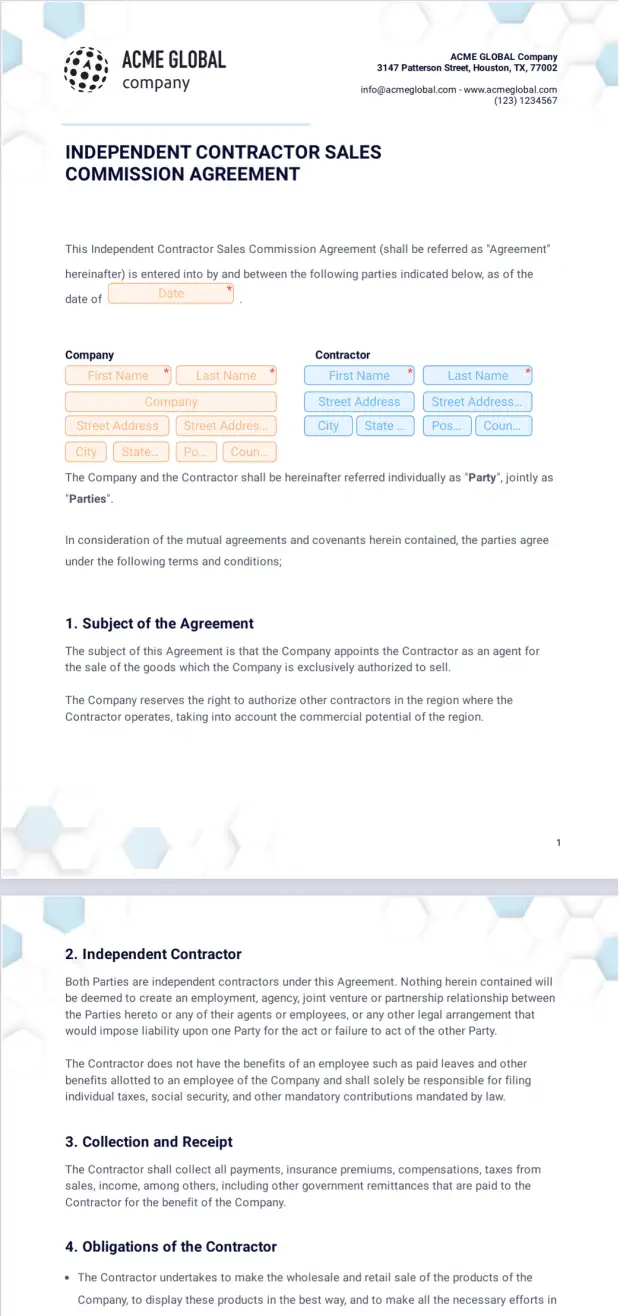
Source: Jotform
commission agreement template free pdf
Source: TemplateNum
Frequently Asked Questions
Can an Excel commission agreement template replace a legal agreement?
Usually, it should not be treated as a replacement for a properly drafted agreement. Excel is excellent for calculations and administration, while the contract should define the rights, obligations, commission triggers, payment rules, and other legal terms. The two should be consistent.
What should be included in an Excel commission workbook?
At minimum, consider representative information, transaction IDs, transaction dates, eligible revenue, commission rates, commission calculations, adjustments, payment status, and reporting periods. More complex plans may also require quotas, tiers, split percentages, plan versions, collection status, and audit information.
How do I calculate commission in Excel?
For a simple percentage model, multiply the eligible commission base by the applicable rate. More complex plans can use lookup tables, SUMIFS, IF or IFS logic, and separate helper columns. Always test the formula against the written commission rules and boundary scenarios.
Should commission be based on sales or collected cash?
There is no universal answer. The agreement should specify the event that makes the commission earned. Some arrangements use a sale, order, invoice, delivery, milestone, or customer payment as the trigger. The Excel model should reflect that exact rule.
How should refunds be handled?
The agreement should define whether refunds or cancellations affect commission and under what conditions. In the workbook, it is generally clearer to record an adjustment separately rather than silently changing the original transaction.
Can the same Excel template be used for employees and independent contractors?
The calculation structure may be adaptable, but the contractual and legal terms can differ substantially. Employment, tax, wage-payment, commercial agency, and contractor rules may apply differently depending on the relationship and jurisdiction.
What is the best way to handle commission rate changes?
Use effective dates or plan versions so historical transactions retain the correct rules. Avoid changing a single global rate if doing so would unintentionally recalculate previous periods.
How can I prevent commission disputes?
Define qualifying transactions, calculation bases, payment triggers, adjustments, split credit, and termination treatment clearly. Then make the spreadsheet traceable so each payout can be connected to its underlying transactions.
When should a business move beyond Excel?
Excel may become difficult to manage when there are many representatives, frequent plan changes, multiple currencies, complicated split rules, large transaction volumes, extensive integrations, or significant audit requirements. At that point, specialized compensation software may reduce manual work and control risk.
Conclusion
A well-designed excel commission agreement template is most valuable when it connects clear contractual rules with disciplined transaction tracking, transparent calculations, review controls, and documented payouts. The spreadsheet should not invent the commission arrangement; it should faithfully apply the arrangement that the parties have established.
For a reliable implementation, define the parties and commission triggers first, establish the calculation base and rates, build controlled transaction tables, separate inputs from formulas, test every threshold and adjustment, document approvals, and preserve historical payout records. Whether the arrangement covers sales, referrals, recurring revenue, or services, the same principle applies: every commission amount should be understandable, traceable, and supported by the governing terms.
