A business style trading Template is most useful when it turns scattered trading-business information into a repeatable operating system. Rather than treating a template as a decorative document, think of it as a structured framework for recording transactions, monitoring inventory, managing suppliers, preparing invoices, reviewing sales, and presenting decisions clearly. The strongest format depends on what kind of trading activity you operate, the information you need to capture, and how often the records will be updated.
Search intent around this topic is broad because the word trading can describe several related activities. A merchandise trader may need purchasing, inventory, sales, and invoicing records, while a financial trader may need a trade journal, risk plan, performance dashboard, and transaction log. A professional template should therefore begin with the workflow rather than with a particular software format.
This guide focuses on the practical business structure behind the template. It explains what fields matter, how spreadsheet and document formats differ, how to organize a trading operation, how to connect purchasing with inventory and sales, and how to adapt the same framework for financial-trading records. The objective is a system that remains understandable as transaction volume grows.
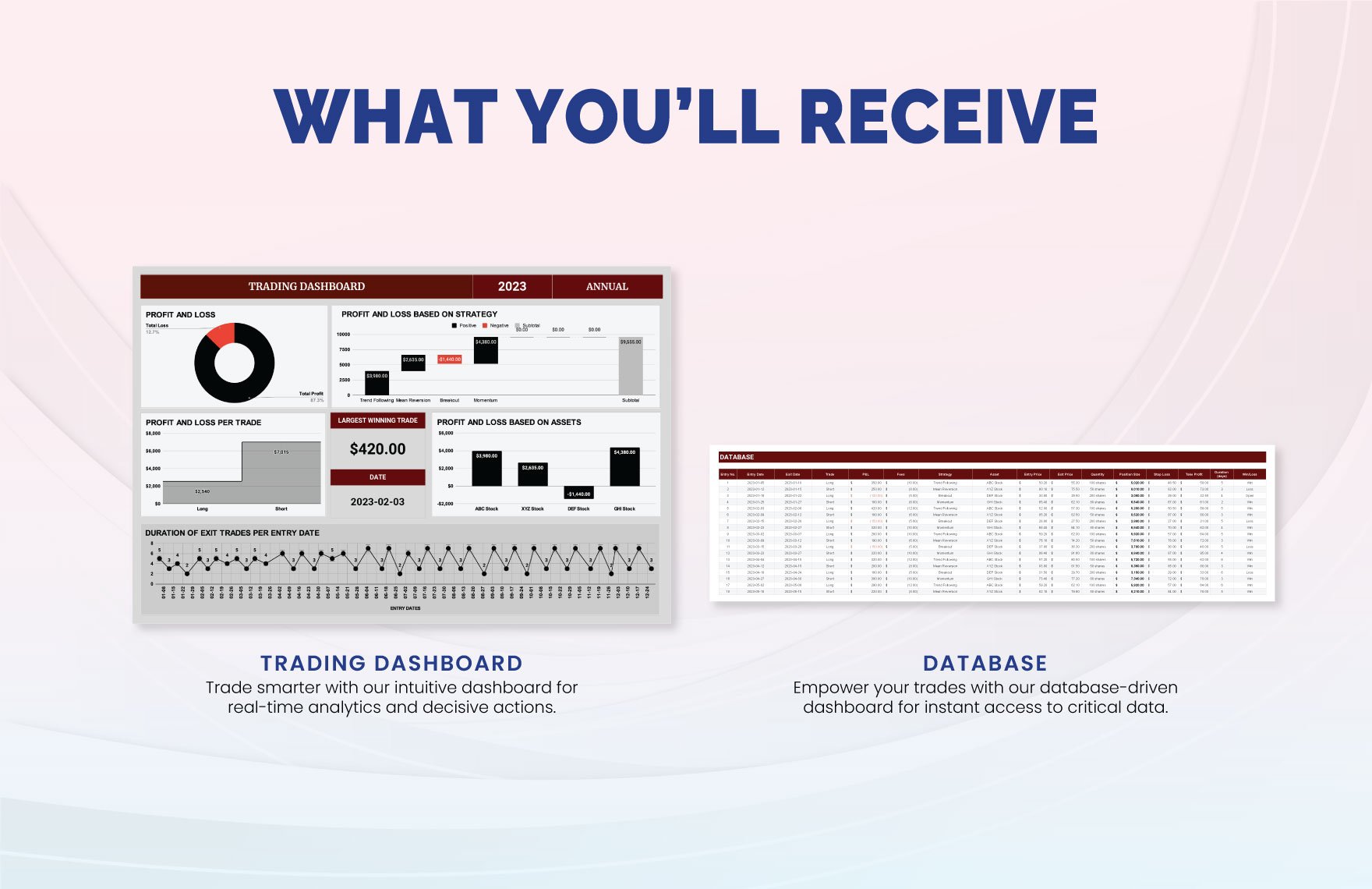
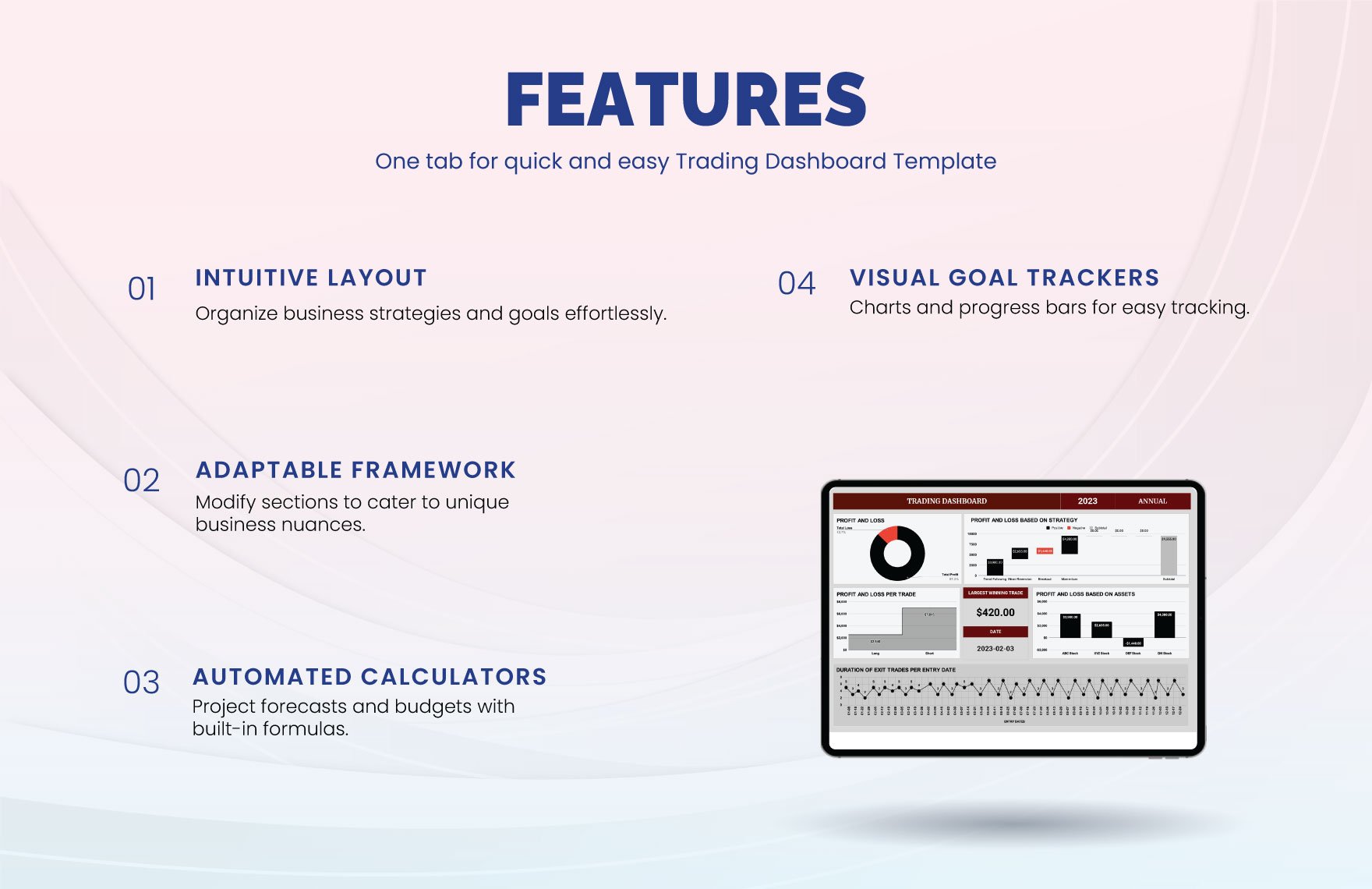
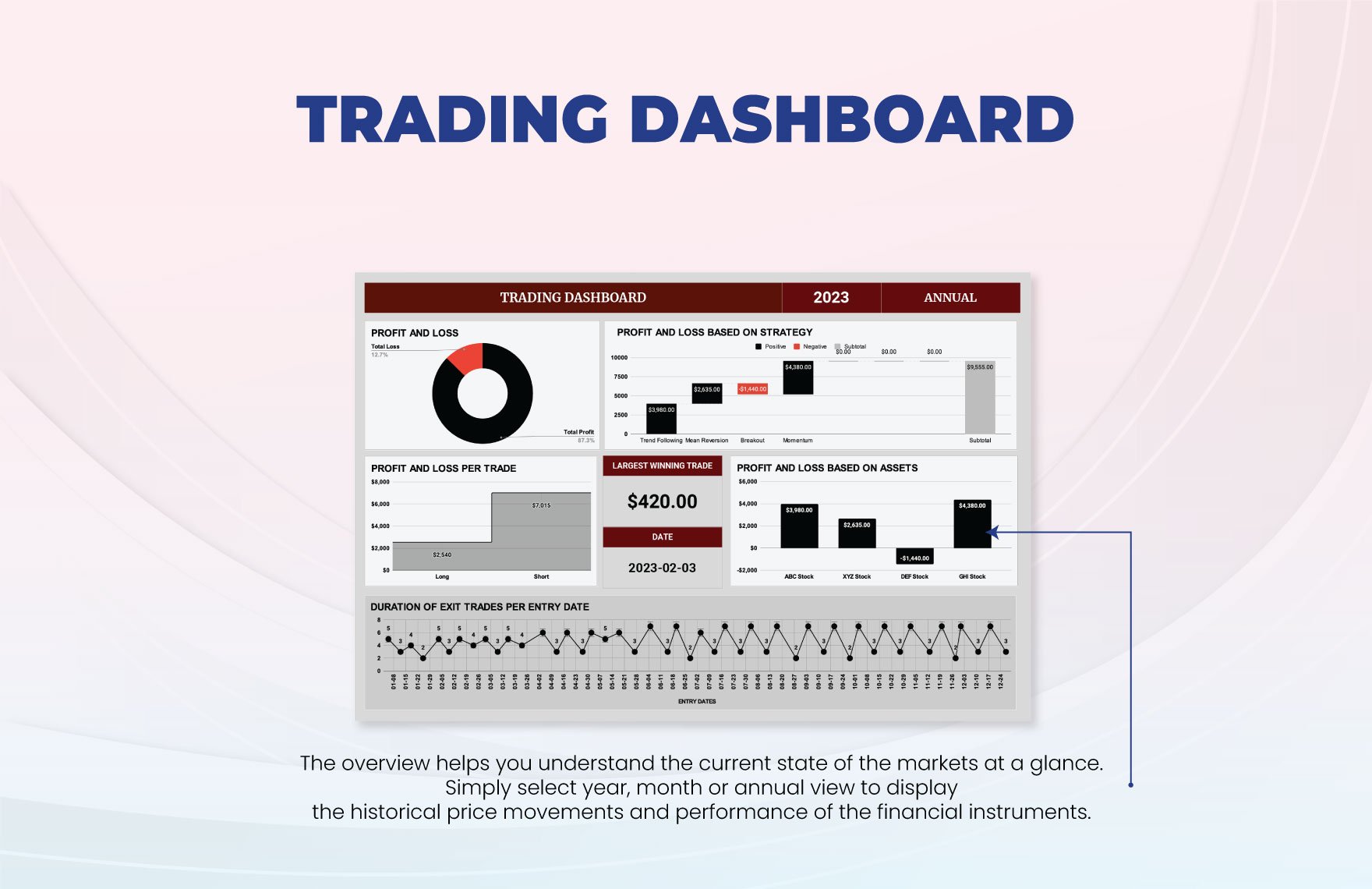
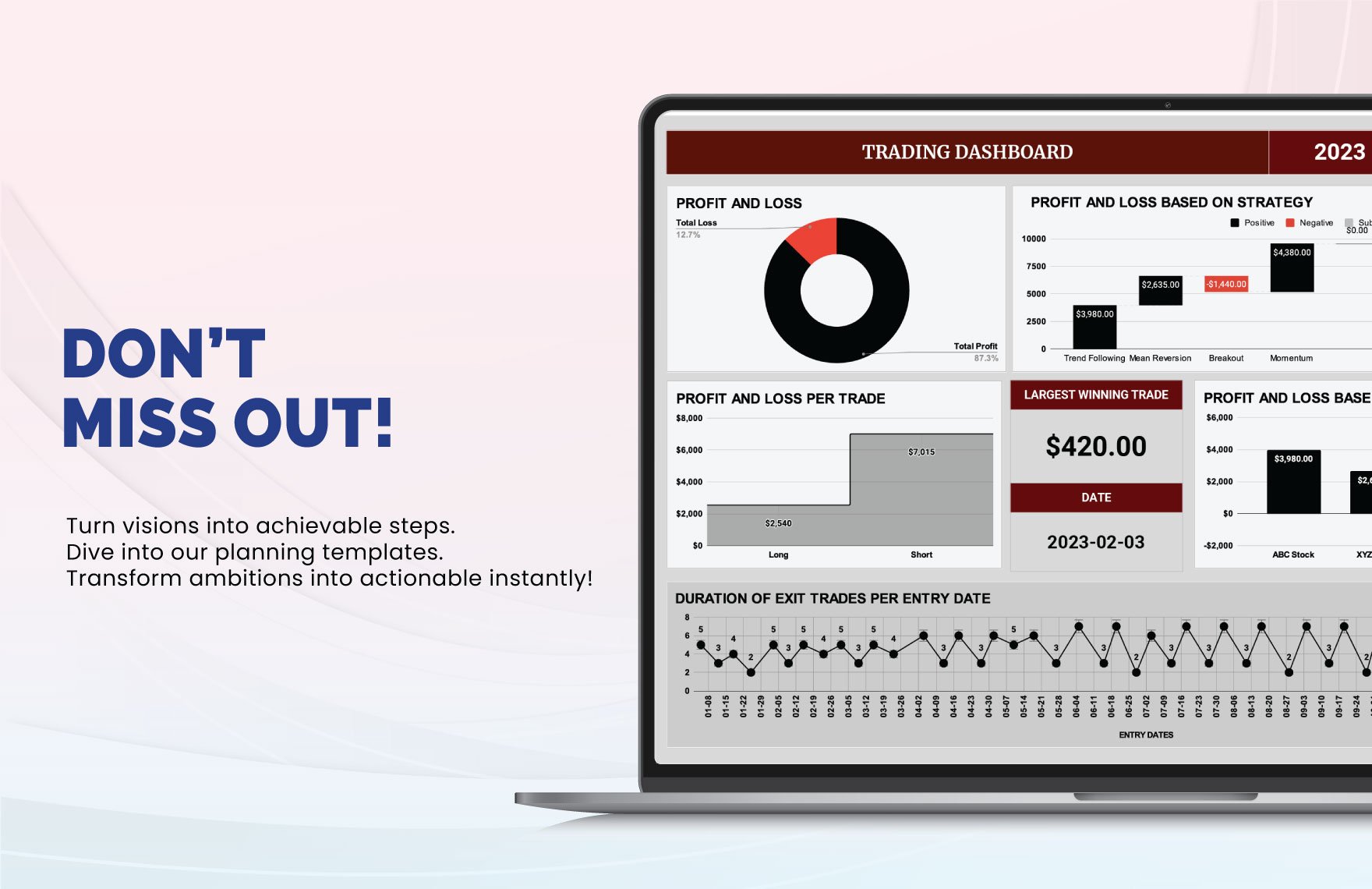
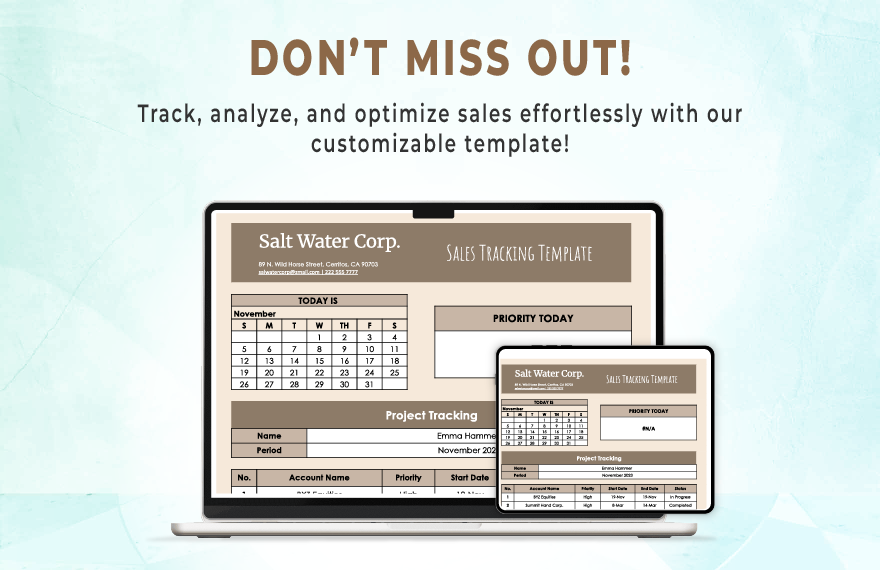
A useful starting point is a central dashboard that summarizes the most important operating information without replacing the underlying records. A dashboard can show transaction counts, sales activity, inventory position, purchasing commitments, outstanding invoices, and selected performance measures. Its purpose is not to contain every detail but to provide a quick view of what deserves attention.
The dashboard should pull information from clearly organized records. If a number cannot be traced back to a source entry, it becomes difficult to investigate errors or explain a decision. A good template therefore separates raw records from summaries, keeps field names consistent, and uses identifiers such as order numbers, invoice numbers, product codes, or trade IDs.
Professional presentation also matters because business documents are often shared with suppliers, customers, accountants, partners, or internal decision-makers. Consistent headings, readable spacing, logical grouping, and restrained formatting make the records easier to interpret. The goal is not visual complexity; it is visual hierarchy that helps important information stand out.
What a business style trading Template should contain
The foundation of a strong template is a clear record structure. For a physical-goods trading business, common fields include transaction date, document number, customer or supplier, product code, product description, quantity, unit price, total value, payment status, delivery status, and notes. These fields can be expanded when the business needs shipping references, tax information, currency, warehouse location, or salesperson details.
For a financial trading workflow, the structure changes. A journal may include the instrument, direction, entry date and time, entry price, exit price, position size, fees, strategy, risk level, result, and notes about the trade rationale. These fields are useful because they distinguish the mechanics of a transaction from the reasoning behind it.
The template should also make the difference between required and optional information obvious. Required fields should be limited to data that genuinely supports the workflow. Too many mandatory fields can encourage incomplete or meaningless entries, while too few fields make later analysis difficult. A practical design usually starts with the smallest complete record and expands only when a recurring business question cannot be answered.
Another important design principle is consistency. If one employee records a product as “Widget A,” another uses “Widget-A,” and another enters a supplier description, later filtering becomes unreliable. Product codes, customer names, status labels, and transaction categories should therefore use controlled conventions wherever possible.
Date formats should also be standardized. A trading template may contain several dates, including order date, expected delivery date, invoice date, payment date, and settlement date. Mixing date formats can make sorting and reporting confusing. The same principle applies to currency, quantities, units of measurement, and status values.
Finally, each template should have an obvious purpose. A purchasing sheet should not attempt to become an accounting ledger, inventory database, customer relationship record, and financial-trading journal simultaneously. Separate but connected records are generally easier to maintain than one oversized sheet containing unrelated fields.
Choosing the right spreadsheet structure
A spreadsheet is often the most practical format for a trading business because rows and columns naturally match transaction records. A well-designed business style trading template excel structure can provide separate sheets for products, suppliers, customers, purchases, sales, invoices, inventory, and summary reporting. Each sheet can serve one role while shared identifiers connect the records.
The key is to avoid turning the spreadsheet into a collection of disconnected lists. For example, a sales record should use the same product code found in the inventory sheet. A purchase record should reference the supplier identifier. An invoice should reference the relevant customer and transaction. This creates a chain that makes the overall system easier to audit.
Spreadsheet formulas can automate totals, subtotals, balances, stock movements, and selected performance measures. However, formulas should be kept understandable. A simple calculation that another user can inspect is usually more valuable than a complicated formula that only its creator understands.
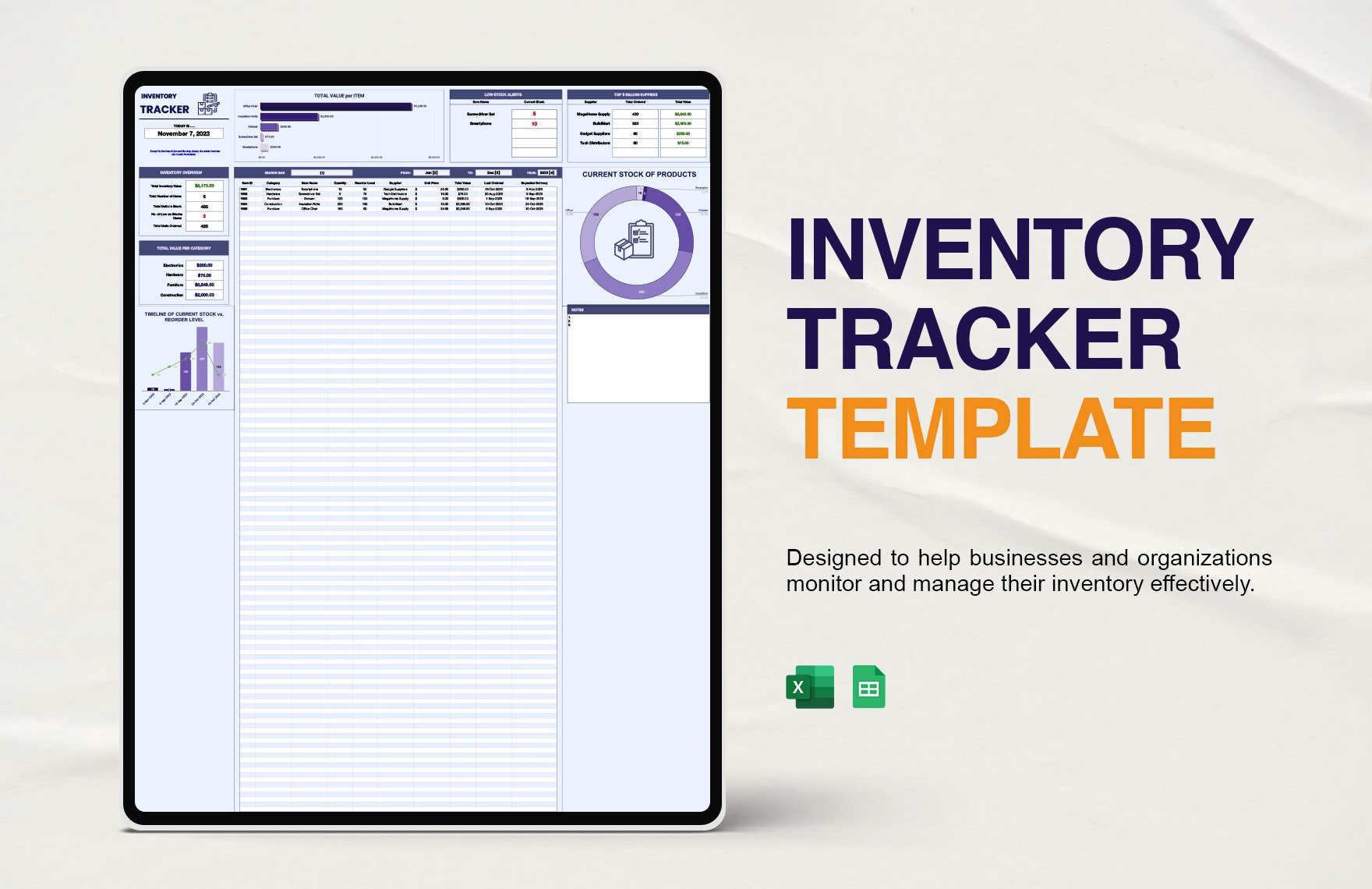
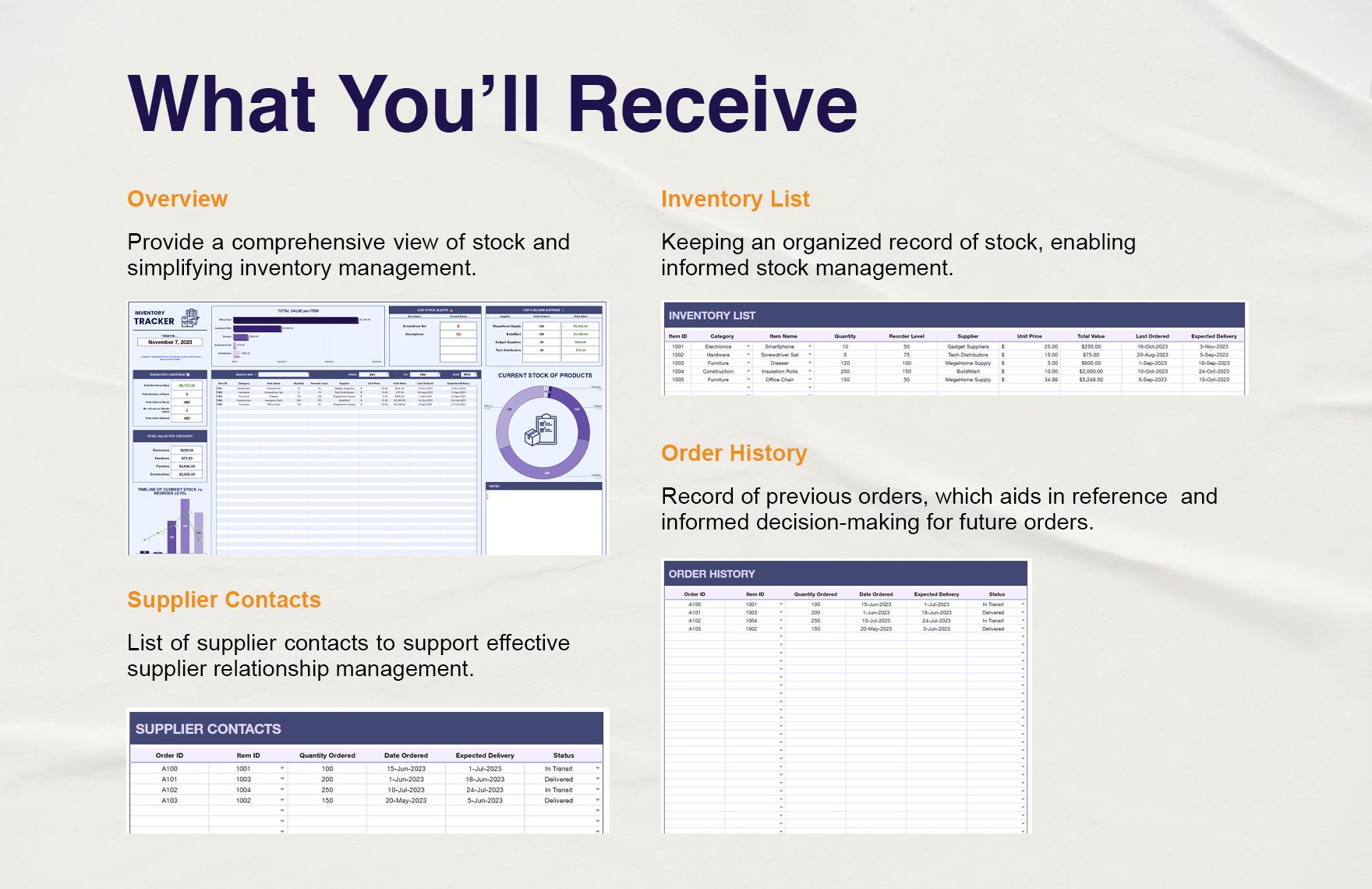
Inventory is particularly important for businesses that buy and resell physical products. A useful inventory sheet should identify the item, opening quantity, incoming quantity, outgoing quantity, current balance, reorder threshold, supplier, and location when multiple storage areas exist. The design should make it easy to see which products require attention.
A reorder field can also connect operational information with purchasing decisions. When current stock approaches a defined threshold, the business can review supplier lead times, recent sales activity, and expected demand before placing another order. The threshold itself should be treated as a business decision rather than an automatic universal rule.
Inventory records should be reconciled periodically. A template is only as reliable as the information entered into it. Physical counts, damaged goods, returns, samples, transfers, and adjustments can all create differences between a spreadsheet balance and actual stock. An adjustment field with a clear reason is better than silently changing a quantity.
Purchasing and supplier management
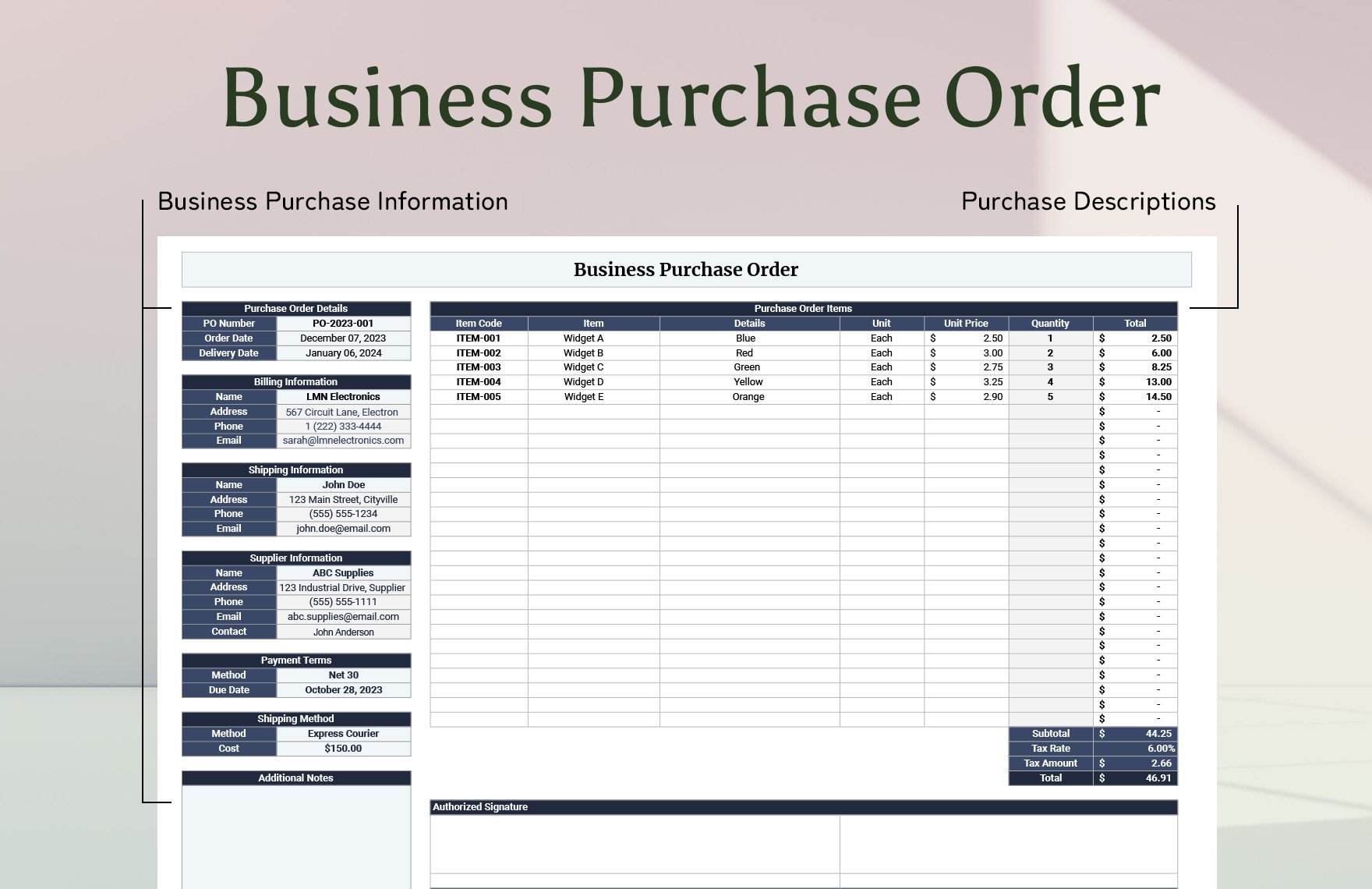
Purchasing is another core component of a trading operation. A professional purchase record should capture who is buying, who is supplying, what is being ordered, how much is required, the agreed price, expected delivery date, payment terms, and relevant notes. A purchase order can then serve as the structured record connecting the request to fulfillment.
The business style trading Template becomes much more useful when supplier information is separated from individual orders. Supplier records can contain contact details, standard payment terms, product categories, lead-time notes, and internal performance observations. Individual purchase records should reference the supplier rather than duplicating all supplier information repeatedly.
A purchase workflow should also include status values such as requested, approved, ordered, partially received, received, invoiced, and closed. These labels make it possible to identify outstanding commitments without reading every row manually. The exact status names can be customized to the company’s workflow.
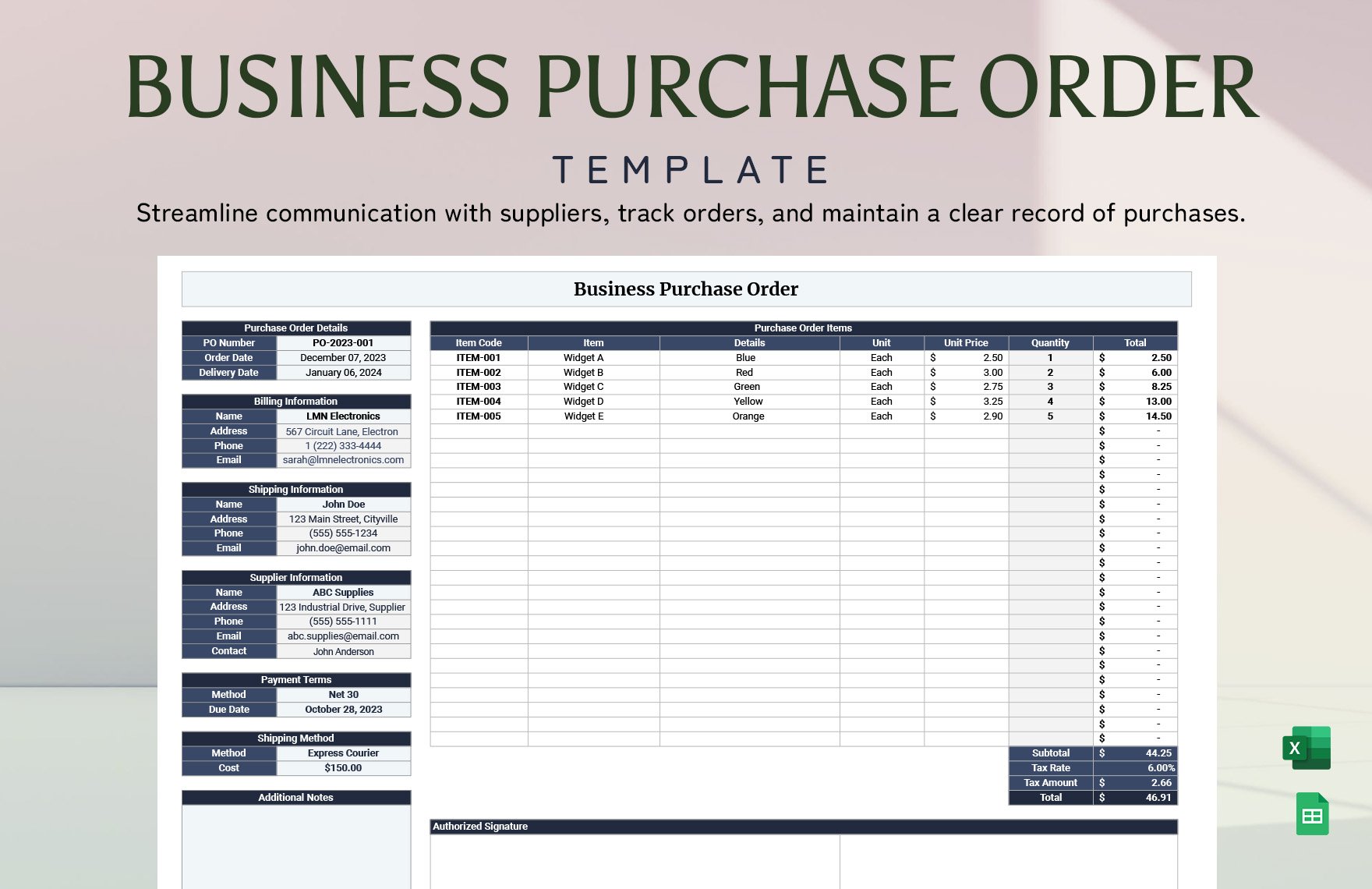
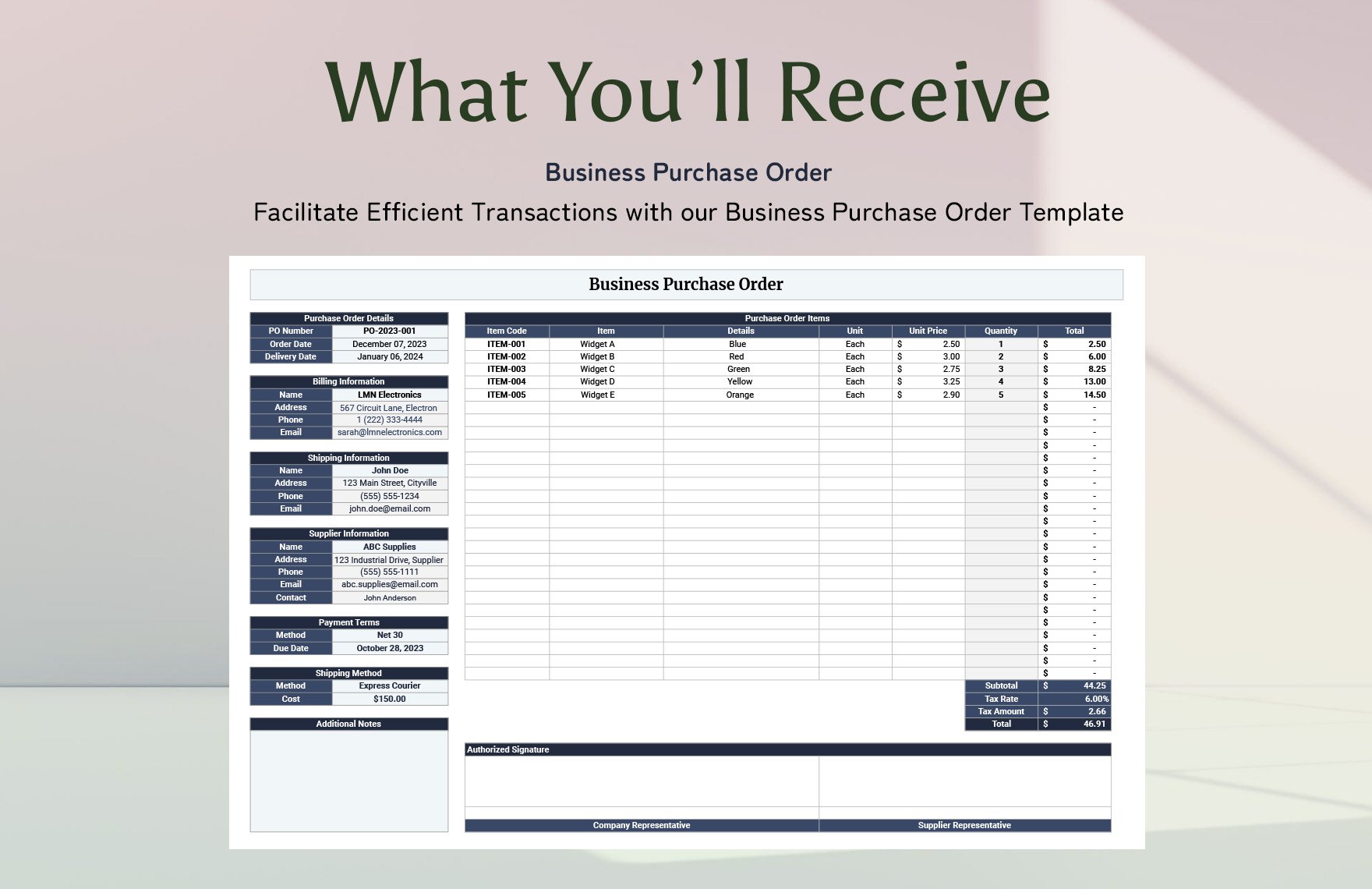
A purchase order should be visually straightforward. The header can contain the order number, order date, requested delivery date, and supplier information. The main section should contain item codes, descriptions, quantities, unit prices, and line totals. Additional areas can record shipping instructions, payment terms, notes, and authorization information.
This structure is useful because it separates commercial terms from internal commentary. A supplier-facing document should contain only information appropriate for that audience, while an internal purchasing tracker can contain approval notes, stock considerations, and follow-up tasks. One master record can support both without exposing unnecessary internal information.
For businesses working across several suppliers, consistent purchase-order numbering is especially valuable. A simple convention can include a year, category code, or sequential number. The exact convention is a business choice, but it should be documented and applied consistently.
Sales, orders, and customer records
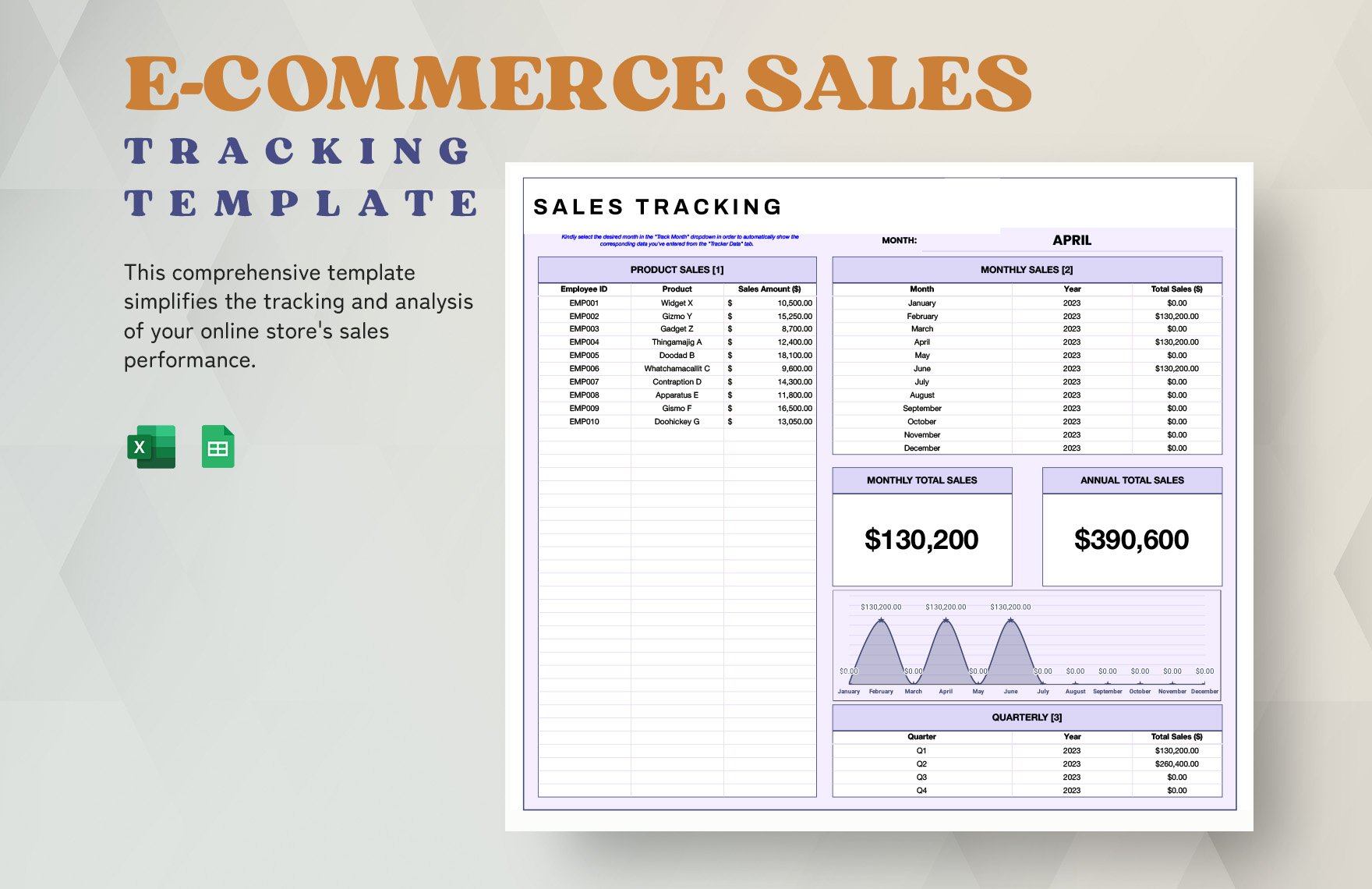
Sales records are the other side of the trading workflow. A sales template should capture the customer, transaction date, product or service, quantity, selling price, discount when applicable, tax when applicable, payment status, and fulfillment status. A unique order number allows the transaction to be connected to an invoice and inventory movement.
A useful sales tracker should distinguish between an order being created and an order being completed. An order can be received but not yet shipped, shipped but not yet paid, or paid but awaiting another administrative step. Separating these states gives the business a clearer view of operational bottlenecks.
Sales analysis becomes more valuable when the template stores consistent product and customer identifiers. That makes it possible to review sales by product category, customer, period, channel, or salesperson. The objective is not to create complicated analytics but to make recurring questions easier to answer.
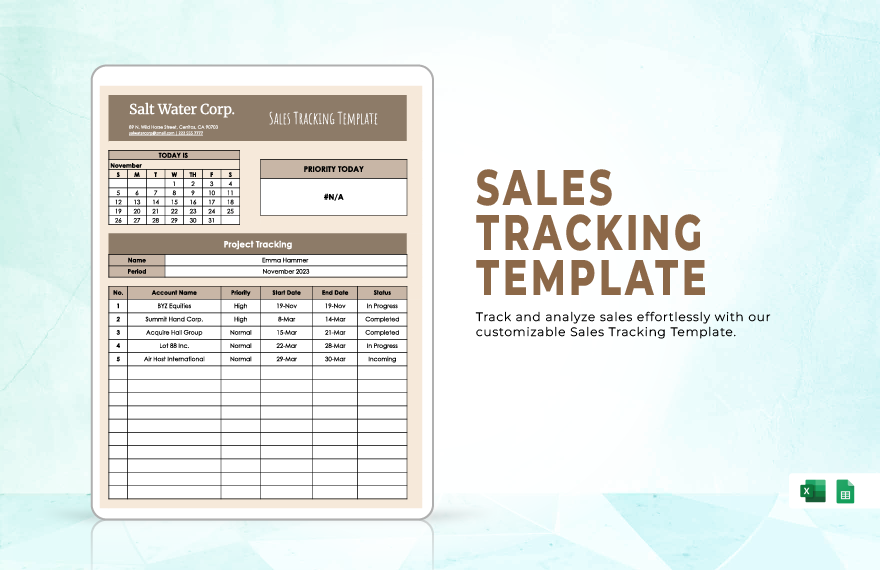
A sales tracker can also contain a priority field. This can identify urgent orders, delayed shipments, high-value transactions, or customers requiring follow-up. Priority should be used carefully because if everything is marked urgent, the field stops providing useful information.
Another practical improvement is to distinguish revenue from cash collection. An order can have a recorded sales value while the associated payment remains outstanding. Combining the two concepts into a single status can obscure the real financial position of the business.
When sales records become large, filtering and summary views become increasingly important. The underlying transaction log should remain detailed, while summary views can show totals by month, product group, customer, or sales channel. This approach preserves detail without forcing users to inspect every transaction.
Invoices and commercial documentation
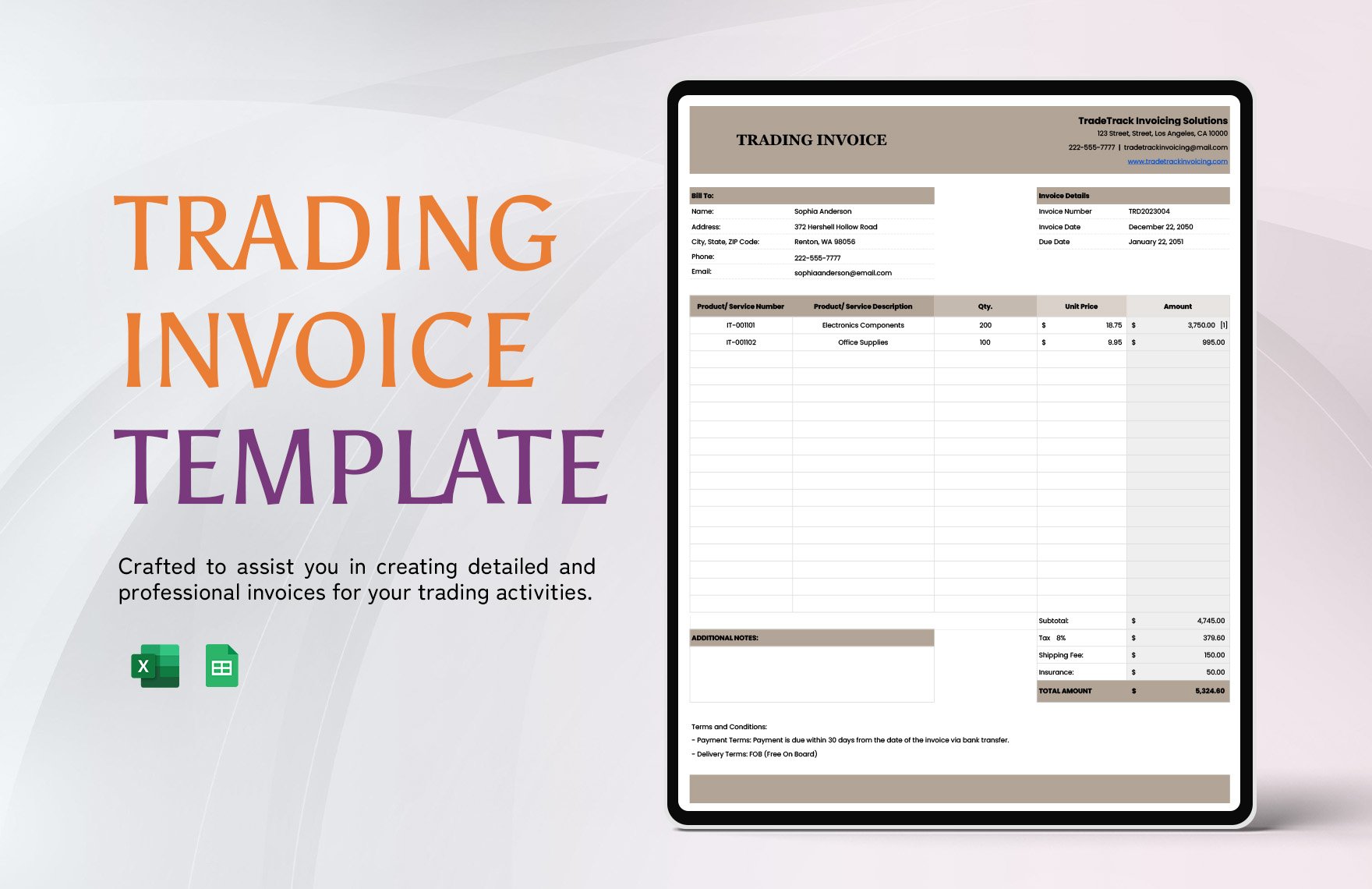
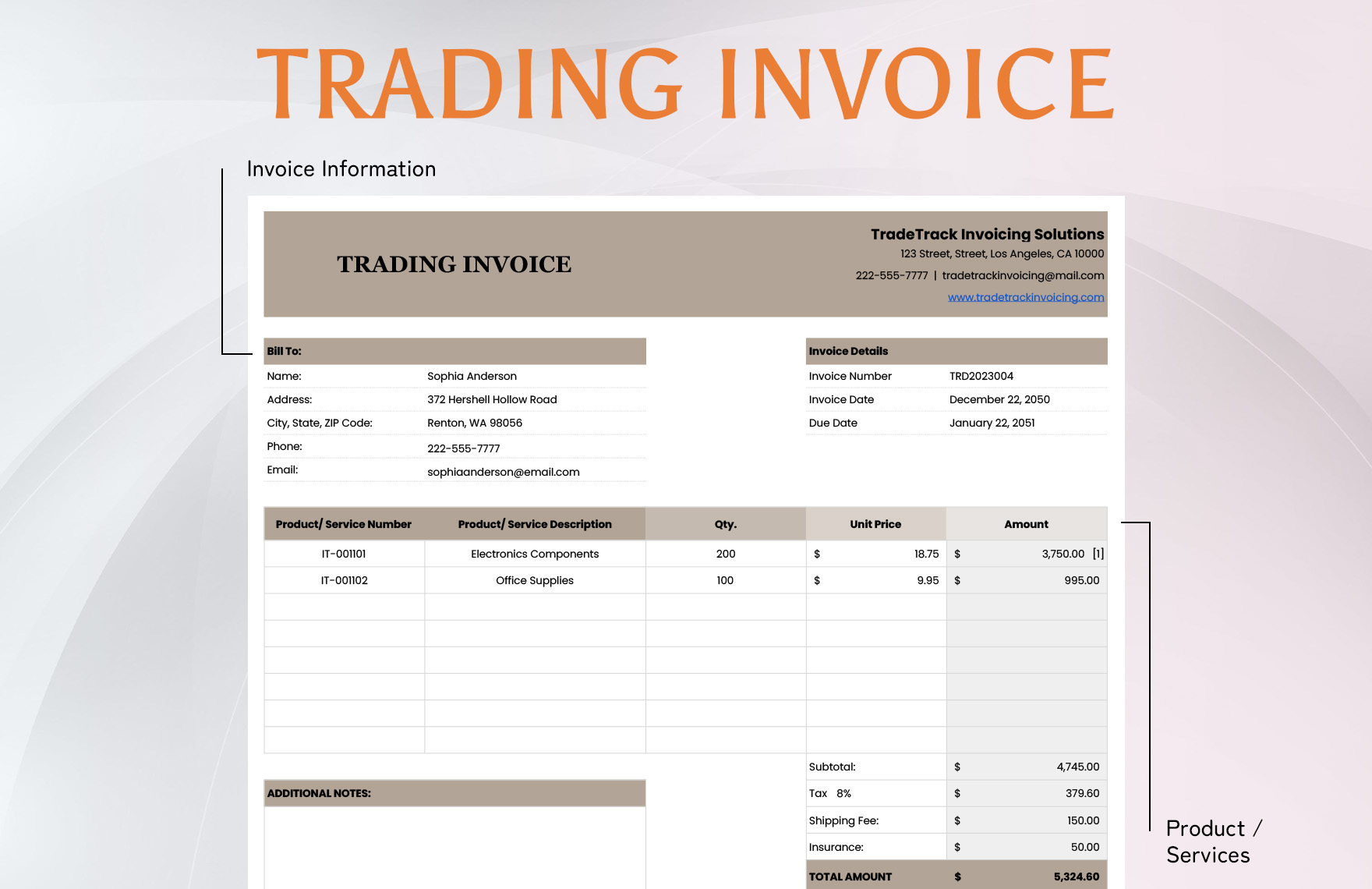
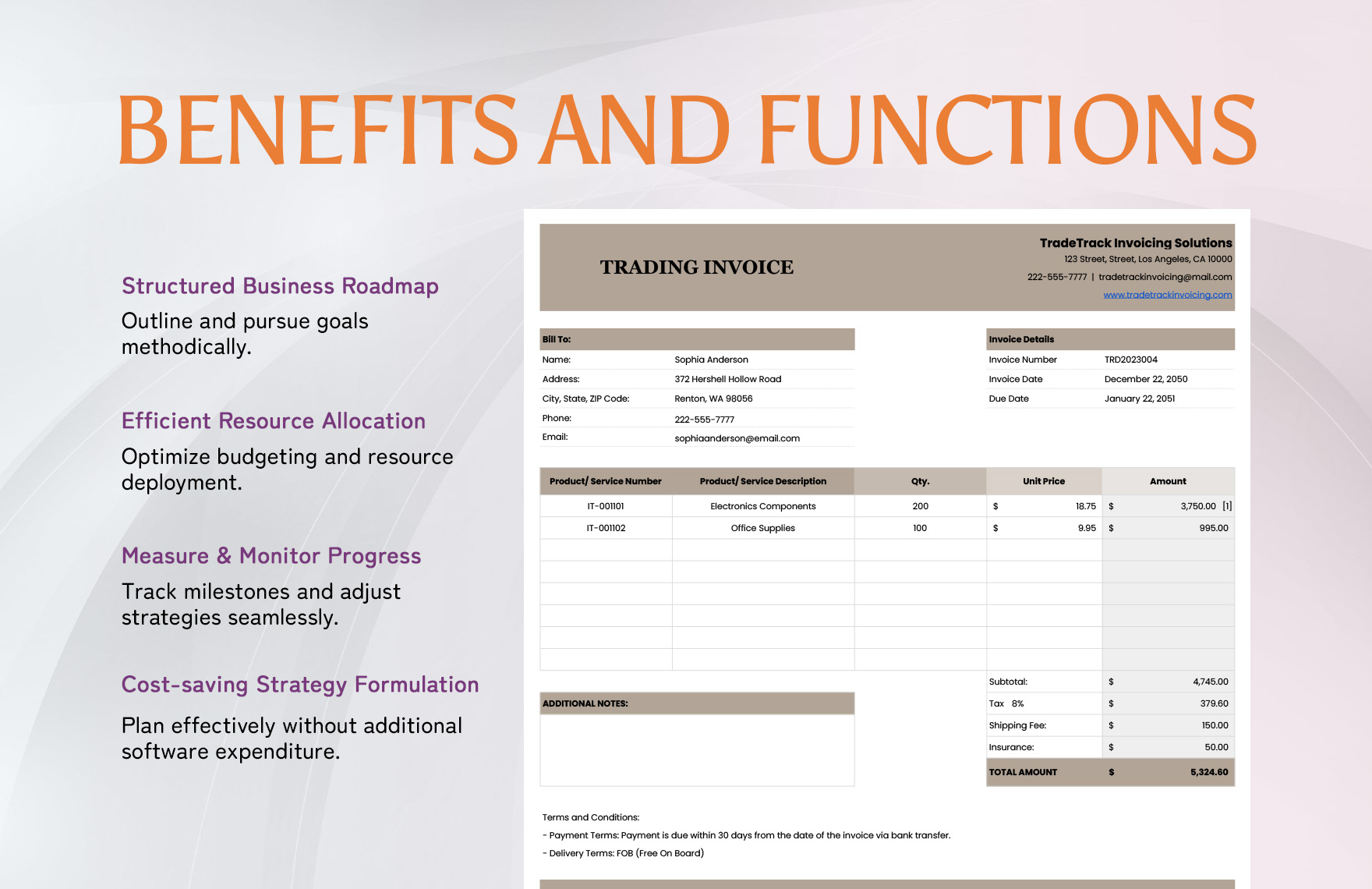
Invoices are one of the most recognizable parts of a trading business template. A clear invoice normally identifies the seller, customer, invoice number, invoice date, payment terms, item descriptions, quantities, prices, applicable charges, and total amount. The exact legal or tax information required depends on the jurisdiction and transaction type, so a generic template should not be treated as an official regulatory specification.
A professional invoice layout should make the amount due easy to locate. Item descriptions should be specific enough for the customer to understand what was supplied. Payment instructions should be separated from product details so that the customer does not have to search through the document to determine how and when to pay.
For international trade, commercial documentation can require additional information such as shipment references, currency, origin details, or customs-related data. Those requirements vary by transaction and jurisdiction. A business should verify applicable rules rather than assuming that a generic trading template satisfies every official requirement.
A business style trading template pdf can be useful when the document needs a stable presentation for printing or sharing. The important distinction is that a fixed document is primarily a presentation format, while the underlying spreadsheet or structured record remains better suited to ongoing calculations and revisions.
Similarly, a business style trading template google docs workflow can suit collaborative document preparation when several users need to review wording or presentation. A business style trading template word format can serve a similar purpose for businesses that maintain formal documents in a traditional word-processing environment.
The choice of format should therefore follow the job. Use a spreadsheet for structured data and calculations, a document format for narrative or formal records, and a fixed-output format when the content needs to remain visually consistent after sharing.
Understanding trading style and business style
People searching for what is a trading style may be referring to financial markets rather than merchandise trading. In financial trading, style describes the general way a trader approaches decisions, such as the time horizon, market behavior being targeted, and methods used to identify opportunities. A template can help document that style without claiming that one style is universally superior.
Someone asking what is trade style in business may instead mean how a company conducts buying and selling activities. In that context, trade style can describe the commercial model, product category, customer type, sourcing approach, sales channel, pricing method, and operating process. The distinction matters because a financial trading journal and a merchandise trading workbook have different purposes.
A strong template should state its intended use near the beginning. If the document is designed for inventory-based commerce, its fields should reflect purchasing, stock, orders, invoicing, and fulfillment. If it is designed for financial trading, the fields should reflect positions, entries, exits, risk, fees, and performance review.
For financial traders, the template should avoid encouraging impulsive decision-making. A journal is most useful when it records the plan before or around the transaction and later records what actually happened. Reviewing these two elements can reveal whether outcomes were caused by the original method, execution, changing conditions, or a departure from the plan.
A business-oriented trading journal can also separate strategy categories. Instead of relying on memory, a trader can label each transaction with a strategy name, market condition, setup type, or risk category. Later analysis can then compare groups using the trader’s own historical records rather than unsupported assumptions about performance.
For merchandise traders, the equivalent discipline is to record why a product was purchased, which customer segment it targets, expected turnover, and actual sales behavior. The template becomes a decision record rather than merely a list of transactions.
Website and brand presentation
A trading company may also need a digital-facing structure. A website template for trade business should present the company, product categories, purchasing or inquiry process, contact information, and relevant trust signals in a logical order. The design should reflect the actual commercial workflow rather than copying a generic visual style.
For a wholesale business, the website may emphasize product categories, specifications, minimum order information, logistics, and inquiry procedures. For a retail-oriented trading company, the structure may emphasize product discovery, pricing, ordering, delivery, and customer support. The template should follow the buyer journey.
Brand consistency should also connect the website with documents. Company name, logo treatment, typography, product naming, contact information, and document terminology should be consistent across invoices, purchase orders, sales records, and digital pages. This creates a more coherent business identity.
A business website does not need to reproduce the entire internal trading system. Internal spreadsheets can contain operational details that should never be exposed publicly. The website should present customer-facing information while internal templates manage purchasing, stock, sales, and financial administration.
This separation also improves security and maintenance. Customer-facing content can be updated by marketing or web teams, while transaction records remain controlled by the appropriate operational users. A clear boundary between public presentation and internal records reduces unnecessary duplication.
The same principle applies to document templates. A supplier-facing purchase order should not contain internal margin calculations, while an internal sales tracker may legitimately contain profitability information. Each version should expose only the information needed by its audience.
How to organize a scalable trading template
A scalable structure usually begins with master data. Create consistent records for products, suppliers, customers, categories, and payment terms. Transaction sheets can then reference those master records. This prevents the same basic information from being rewritten in slightly different forms throughout the workbook.
The second layer is transactional data. Purchases, sales, inventory adjustments, invoices, returns, and payments should each have a defined record structure. Every transaction should have an identifier and date, while related records should use compatible identifiers. This creates traceability across the workflow.
The third layer is reporting. Dashboards, summaries, charts, and management views should draw from the transactional layer rather than becoming separate manual lists. This reduces the risk that a summary becomes outdated while the underlying records continue changing.
Version control is another important consideration. A template that changes frequently should have a visible revision date or version identifier. Significant structural changes should be documented so users know which fields were added, removed, or renamed.
Permissions should match responsibilities when the template is shared. Not every user needs permission to modify formulas, master data, or reporting logic. Where the chosen platform supports protected areas, use them to reduce accidental changes to critical calculations.
Backups and reconciliation are equally important. A business should have a reliable process for preserving important records and checking them against invoices, purchase documents, inventory counts, bank records, or other authoritative sources. A template is a management tool, not a substitute for sound recordkeeping practices.
Using community examples and templates responsibly
Online communities can provide useful inspiration when designing a trading workflow, but examples should be evaluated carefully. Someone searching for business style trading template reddit may find discussions about spreadsheets, journals, dashboards, or document layouts. Community posts can reveal practical frustrations and useful ideas, but they should not automatically be treated as authoritative accounting, tax, financial, or legal guidance.
The best use of community examples is to identify patterns worth testing. For example, several users may independently emphasize keeping a transaction ID, recording fees separately, or separating raw data from reports. Those ideas can then be evaluated against the actual workflow of the business.
Templates found online should also be inspected before being adopted. Check whether formulas are understandable, whether sample figures are clearly examples, whether required fields are missing, and whether the structure matches the business process. A polished appearance does not guarantee that a template is operationally sound.
It is also useful to compare several layouts before selecting one. A compact transaction sheet may be ideal for daily entry, while a wider dashboard may be better for management review. The correct choice depends on who will use the record, how often it changes, and what decisions it needs to support.
When adapting an external structure, preserve the logic that makes the record useful but replace irrelevant fields. A trading business dealing with physical goods may not need financial-market indicators, while a financial trader may not need warehouse location or supplier contact fields.
Customization should therefore be purposeful. Every added field increases the amount of information a user must maintain. If a field is rarely used and never contributes to a decision, it may belong outside the core template.
Practical Solution
The most practical way to build a business style trading Template is to start with one complete transaction and work backward through everything needed to manage it. For a merchandise trader, map the journey from supplier purchase to receiving, inventory entry, customer order, fulfillment, invoice, payment, and reporting. For a financial trader, map the journey from planned setup to entry, position management, exit, fees, result, and review.
Next, create a small set of connected sheets rather than one enormous document. A practical starting structure is a master-data sheet, transaction log, inventory or position record, purchasing or trade-plan record, sales or execution record, invoice register, and management summary. The exact names can change, but each section should have one clear responsibility.
Before adding automation, test the structure with realistic hypothetical records. Enter several purchases, sales, adjustments, returns, or trades and see whether the resulting summaries make sense. Intentionally test missing fields, duplicate identifiers, canceled transactions, partial fulfillment, and corrections. This reveals structural weaknesses before the template becomes part of daily operations.
Then establish naming rules. Decide how products are coded, how customers are identified, how orders are numbered, how dates are entered, and which status labels are permitted. Write these conventions into a short instruction area so another user can understand the system without asking the original creator.
After the basic workflow works, add only the calculations that save meaningful effort. Automatic totals, stock balances, outstanding amounts, and summary counts are usually more valuable than decorative features. Every formula should be tested with normal, zero, negative, and incomplete scenarios where those conditions are possible.
Finally, create a review routine. A daily process can focus on entering transactions and checking urgent items. A weekly review can examine open orders, inventory exceptions, unpaid invoices, or trading-journal completeness. A monthly review can examine trends, recurring errors, supplier performance, sales categories, or strategy results.
This workflow turns a template into an operating system rather than a static form. The document supports decisions because each section connects to another part of the business process. If an inventory shortage appears, the user can trace the affected product to purchasing and sales. If a payment is outstanding, the invoice can be connected to the underlying order.
For financial trading, the same logic creates a disciplined journal. A trader can compare planned risk with actual execution, identify recurring mistakes, group trades by strategy, and review results over a chosen period. The template does not determine whether a strategy will succeed; it creates a consistent record from which the trader can evaluate their own behavior.
For a growing trading company, the strongest practical solution is therefore not the most elaborate template. It is the one that users can maintain accurately, understand quickly, and connect to the decisions they actually make.
Adapting the template for different formats
Different file formats solve different problems. A spreadsheet is strongest when the record contains many repeated transactions and calculations. A document format is better when the content is primarily narrative, such as a trading policy, supplier procedure, business profile, or formal report. A fixed-format document is useful when the layout needs to remain stable for sharing or printing.
The phrase business style trading template excel usually signals a preference for structured rows, calculations, filters, and reporting. By contrast, a request for business style trading template pdf may indicate a need for a presentation-ready document. Neither format is automatically better; they simply support different stages of the workflow.
When a team collaborates on a shared record, a cloud-based spreadsheet or document may be useful because several authorized users can work from the same current version. A document-oriented workflow may be preferable when comments, revisions, and formal wording are more important than calculations.
Another common search is template for trading cards, which can refer to collectible cards rather than commercial trading records. The same principle of structured design still applies: define the card dimensions, information hierarchy, identifiers, visual area, and data fields before producing multiple cards.
This distinction is important for search intent. A business trading template should not be confused with a collectible-card design template simply because both use the word trading. If a business sells collectible cards, however, the two subjects can connect through inventory management, product codes, pricing, order records, and sales tracking.
A business selling trading cards could therefore use a card-specific catalog alongside the broader trading-business template. The catalog can track set, card number, condition, quantity, cost basis, selling price, and storage location, while the business record manages suppliers, customers, orders, invoices, and cash activity.
The same modular approach works for other specialized trading businesses. A wholesaler may add warehouse and shipment fields. An importer may add supplier-country and shipment references. A reseller may emphasize product sourcing and margin analysis. A financial trader may replace product fields with instruments, positions, execution prices, and risk measures.
The most important rule is to preserve a consistent core while allowing specialized modules. Core identifiers, dates, transaction numbers, and status conventions can remain standardized, while specialized sheets handle the details unique to a particular trading model.
That balance gives the business style trading Template enough structure to remain reliable without becoming so rigid that users work around it.
Final design checks before implementation
Before putting a trading template into regular use, inspect every field from the perspective of the person entering data. Ask whether the field is obvious, whether the expected format is clear, and whether the user can tell which information is required. Ambiguous labels are a common source of inconsistent records.
Next, inspect the template from the perspective of the manager or reviewer. Can a reviewer identify outstanding orders, inventory exceptions, unpaid invoices, unusual transactions, or missing records quickly? If the answer is no, the summary layer may need improvement even if the transaction sheet itself is well designed.
Finally, inspect it from the perspective of future maintenance. Can another person understand the naming conventions, formulas, relationships, and intended workflow? A business template should not depend on one person’s memory. Documentation and consistent structure make the system easier to hand over and improve.
Use a small test dataset before entering important historical information. Check that totals reconcile, statuses behave as expected, filters return the correct records, and calculations remain accurate when rows are added or changed. If the template cannot handle ordinary changes during testing, it is not ready for operational use.
Also decide who owns the master version. Multiple unofficial copies can quickly produce conflicting records. A clearly identified primary version, combined with a sensible backup and revision process, makes the system easier to control.
Once those checks are complete, the template can become a dependable part of the trading workflow. Its value comes from consistency: the same information is captured in the same way, related records can be connected, and management decisions can be based on organized evidence rather than scattered notes.
Reference Examples
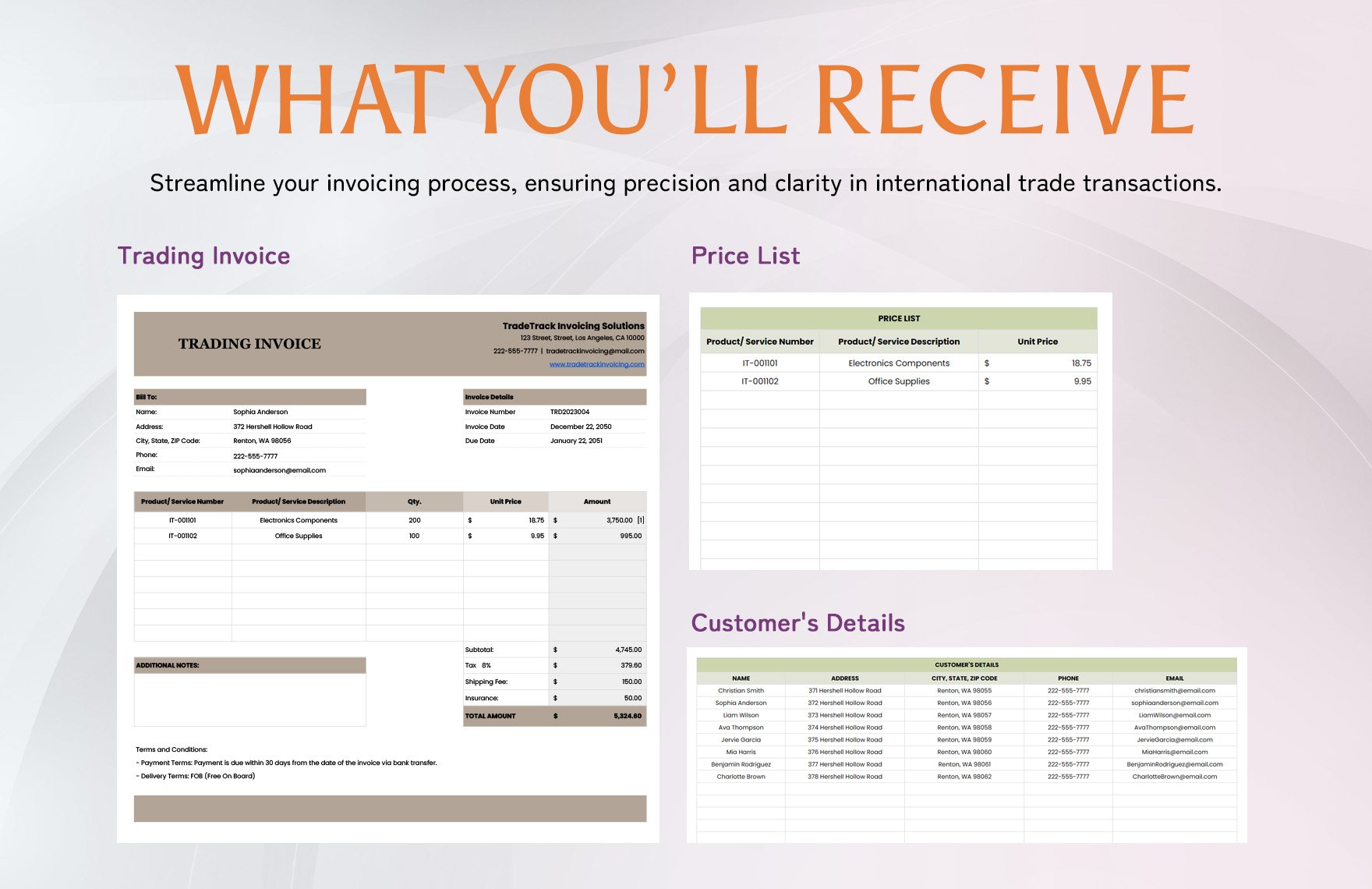
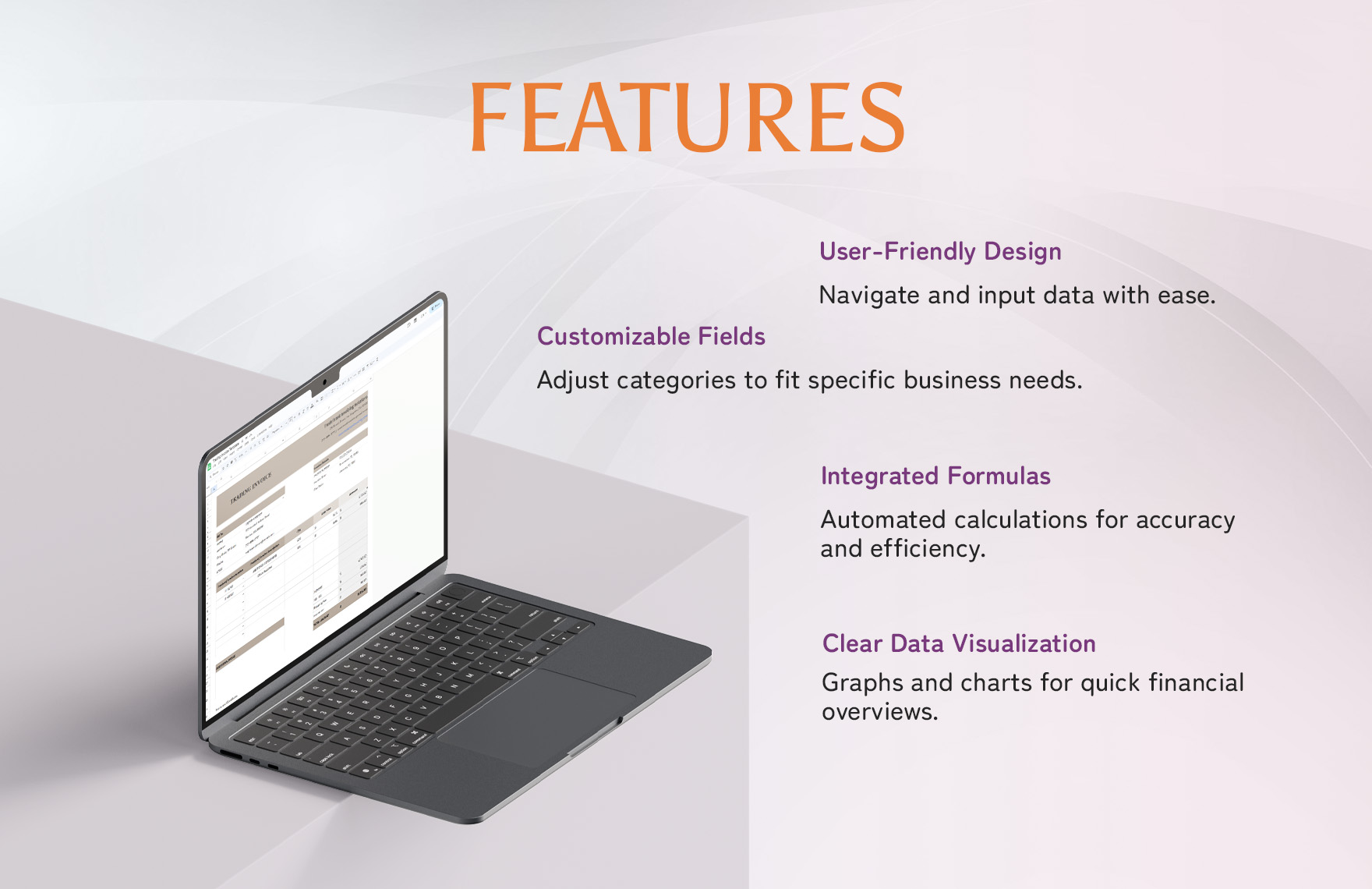
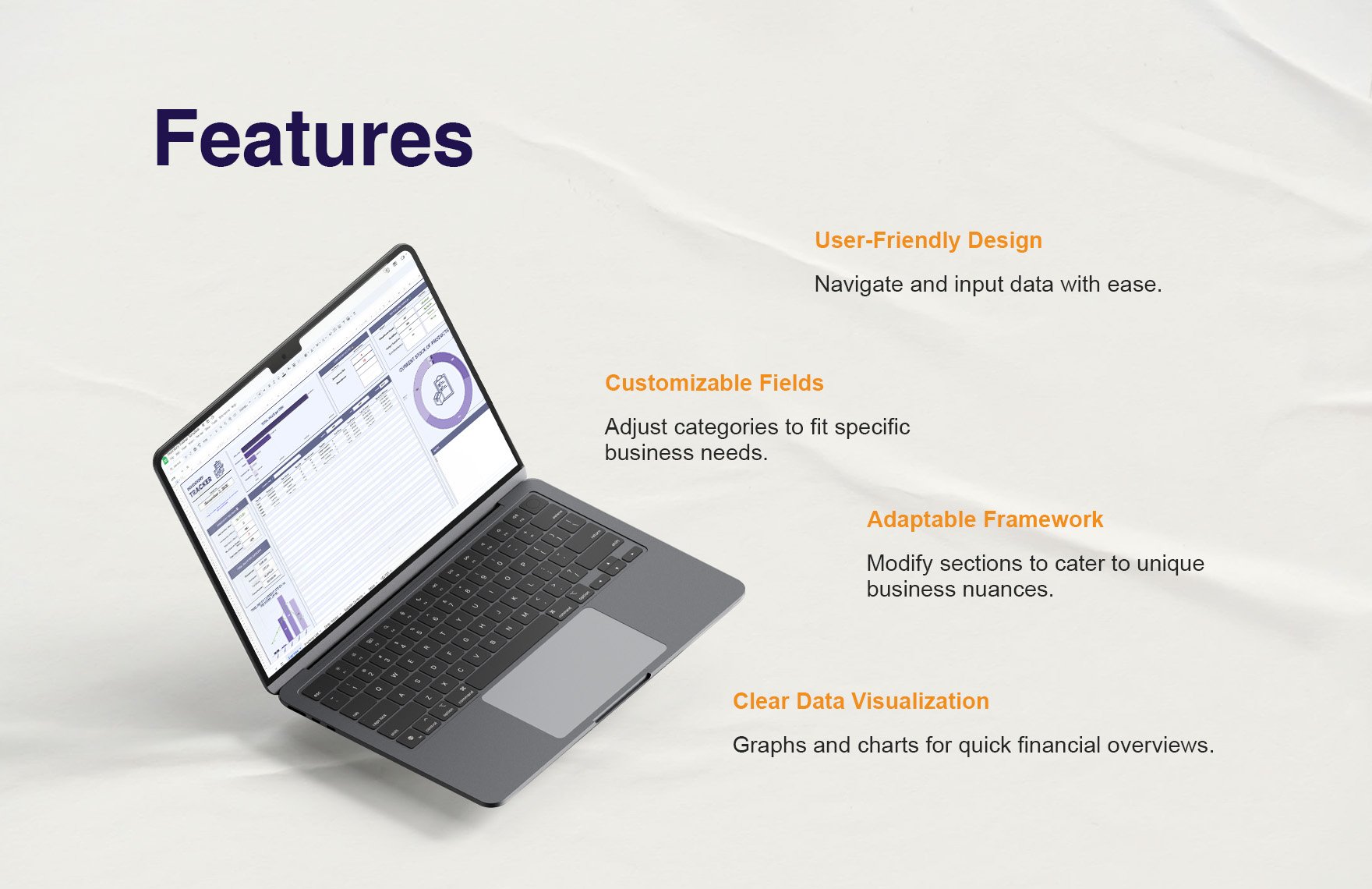
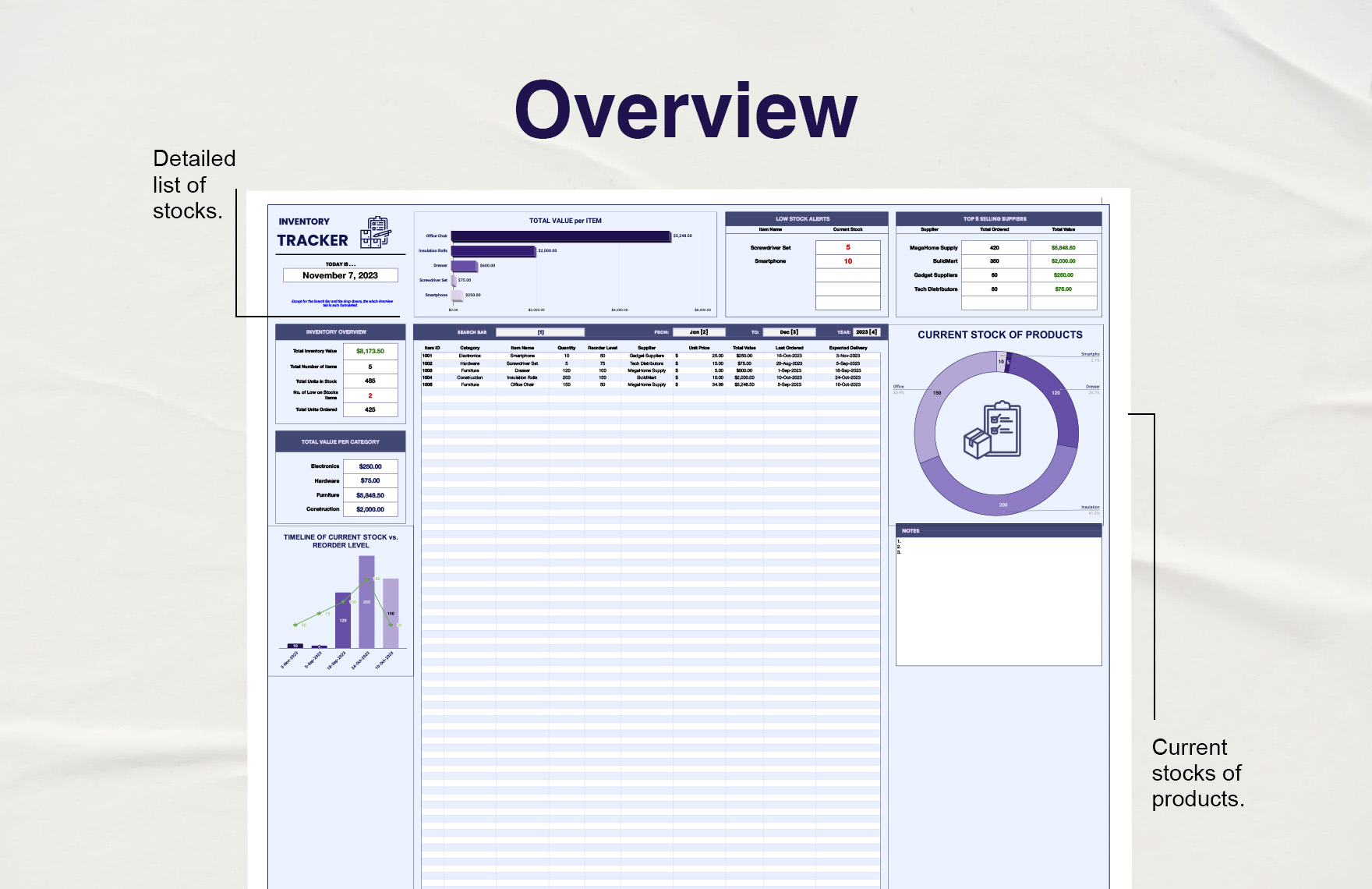
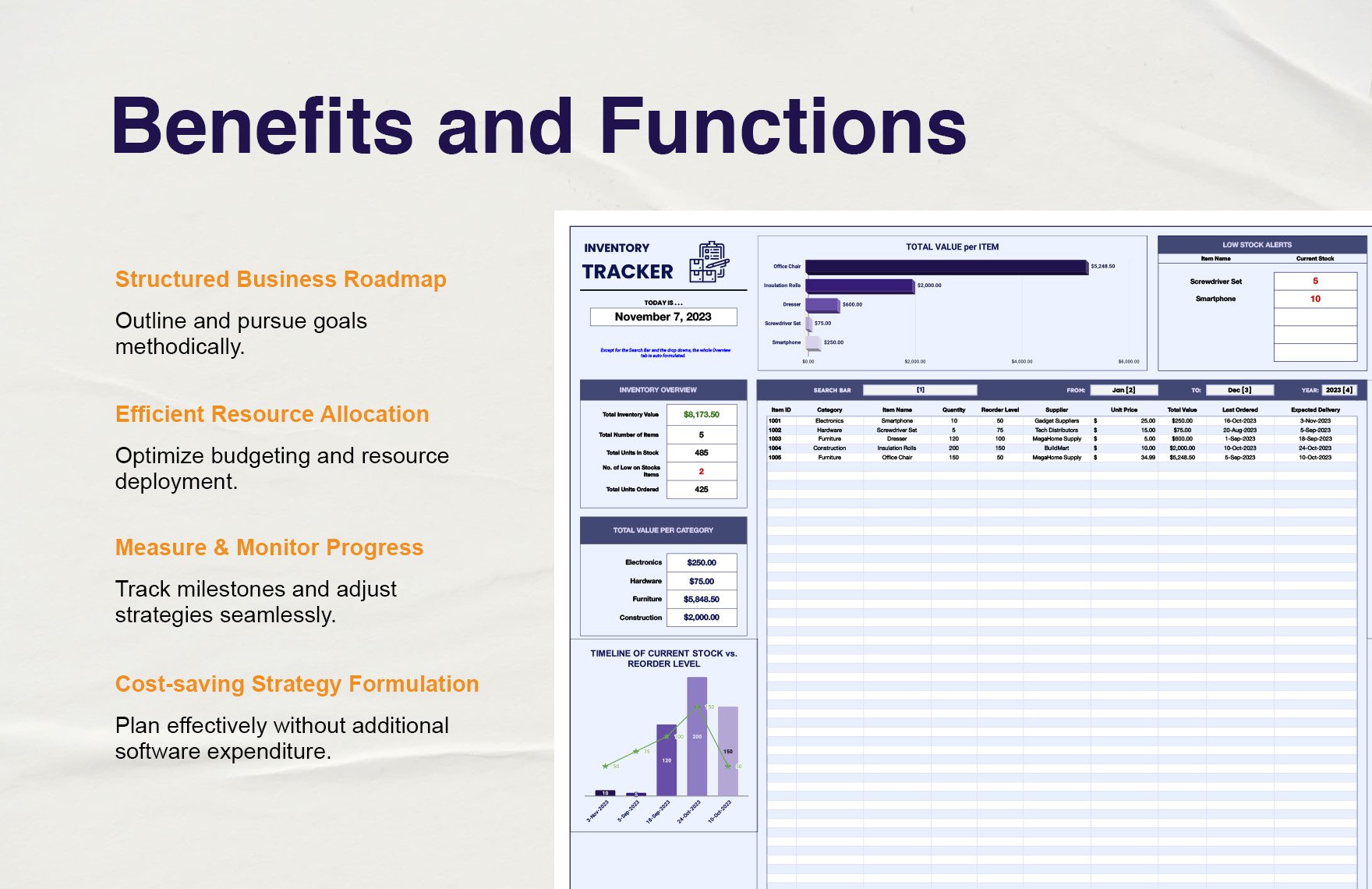
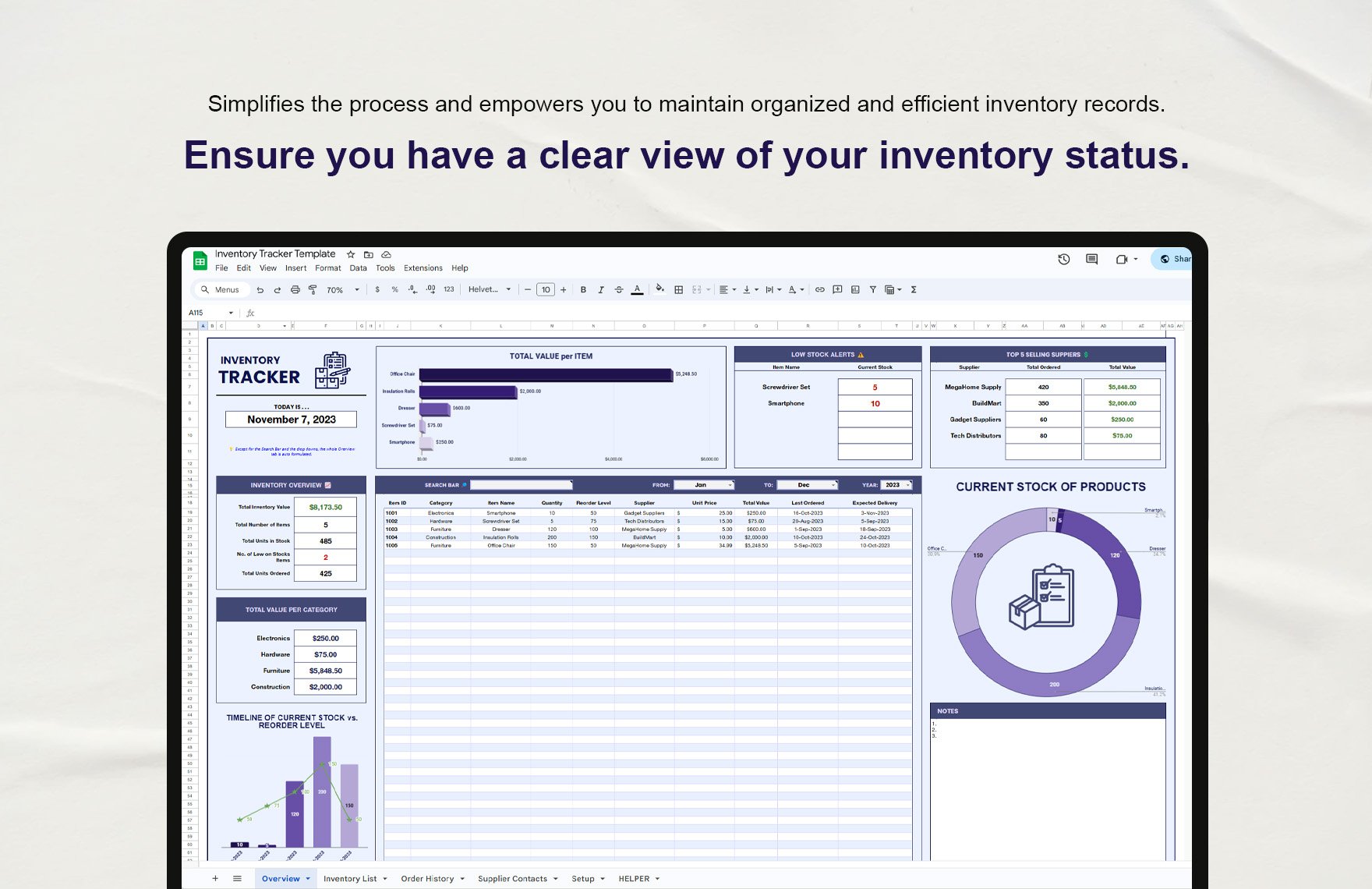
A business style trading Template is easiest to evaluate when its structure can be seen rather than described only in abstract terms. Useful visual references show how information can be divided into headers, transaction lines, customer details, totals, payment sections, and supporting records. The strongest examples use hierarchy to make the document readable while keeping the operational fields easy to locate. Looking at several layouts also helps identify which elements are essential and which are merely decorative. A professional template should ultimately reflect the actual trading workflow, so visual inspiration should always be adapted to the business process rather than copied without review.
The following references illustrate different ways a trading-oriented business document can organize commercial information. They are useful for comparing spacing, grouping, itemization, customer sections, payment information, and management details. Some examples emphasize a single invoice, while others show related records or management structures around that invoice. These differences demonstrate why the best business style trading Template is not necessarily the most elaborate one. The appropriate structure is the one that lets users enter accurate information, review transactions quickly, and communicate commercial details clearly to the intended audience.
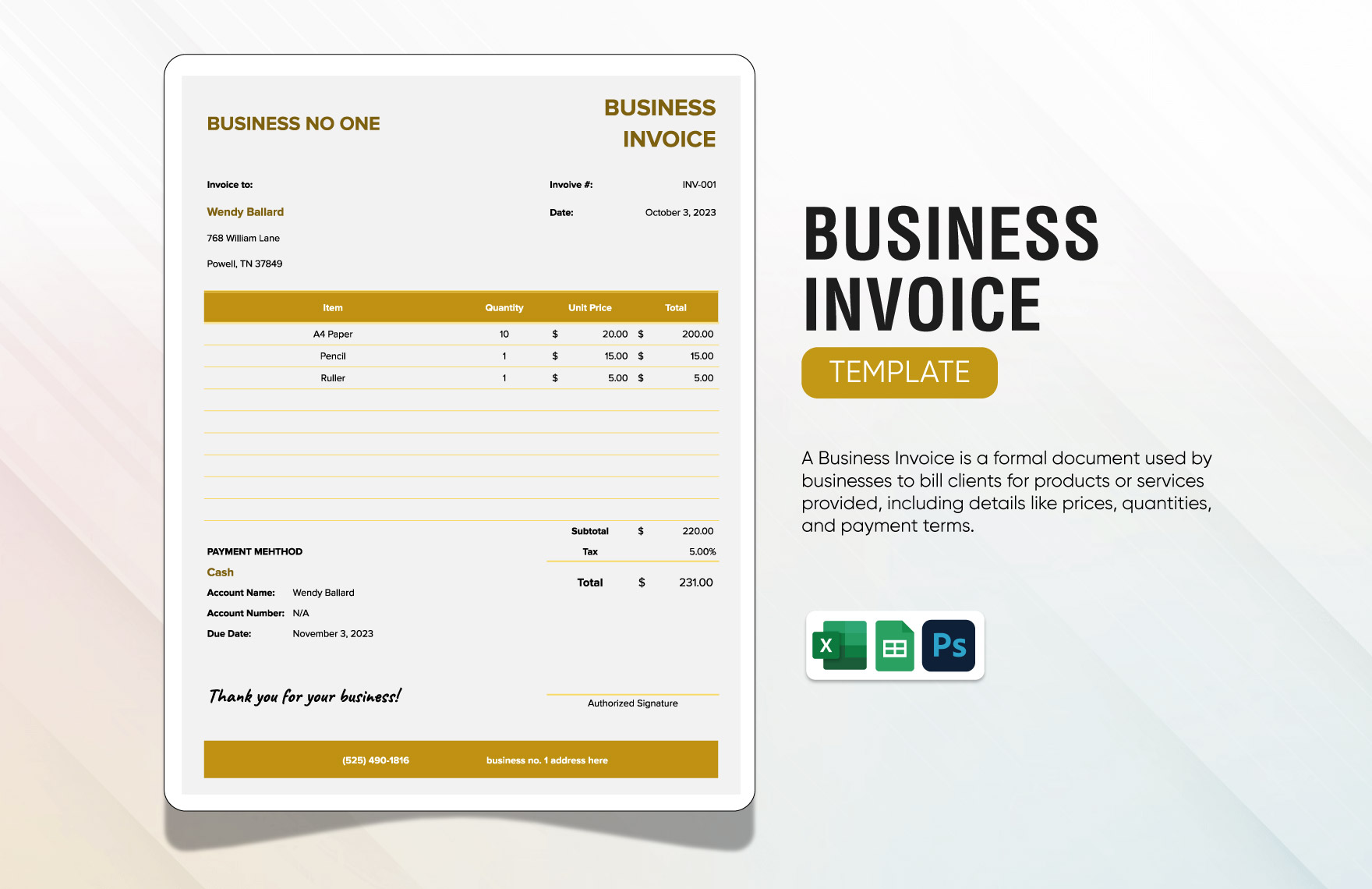
Business Invoice Template
Source: Template.net
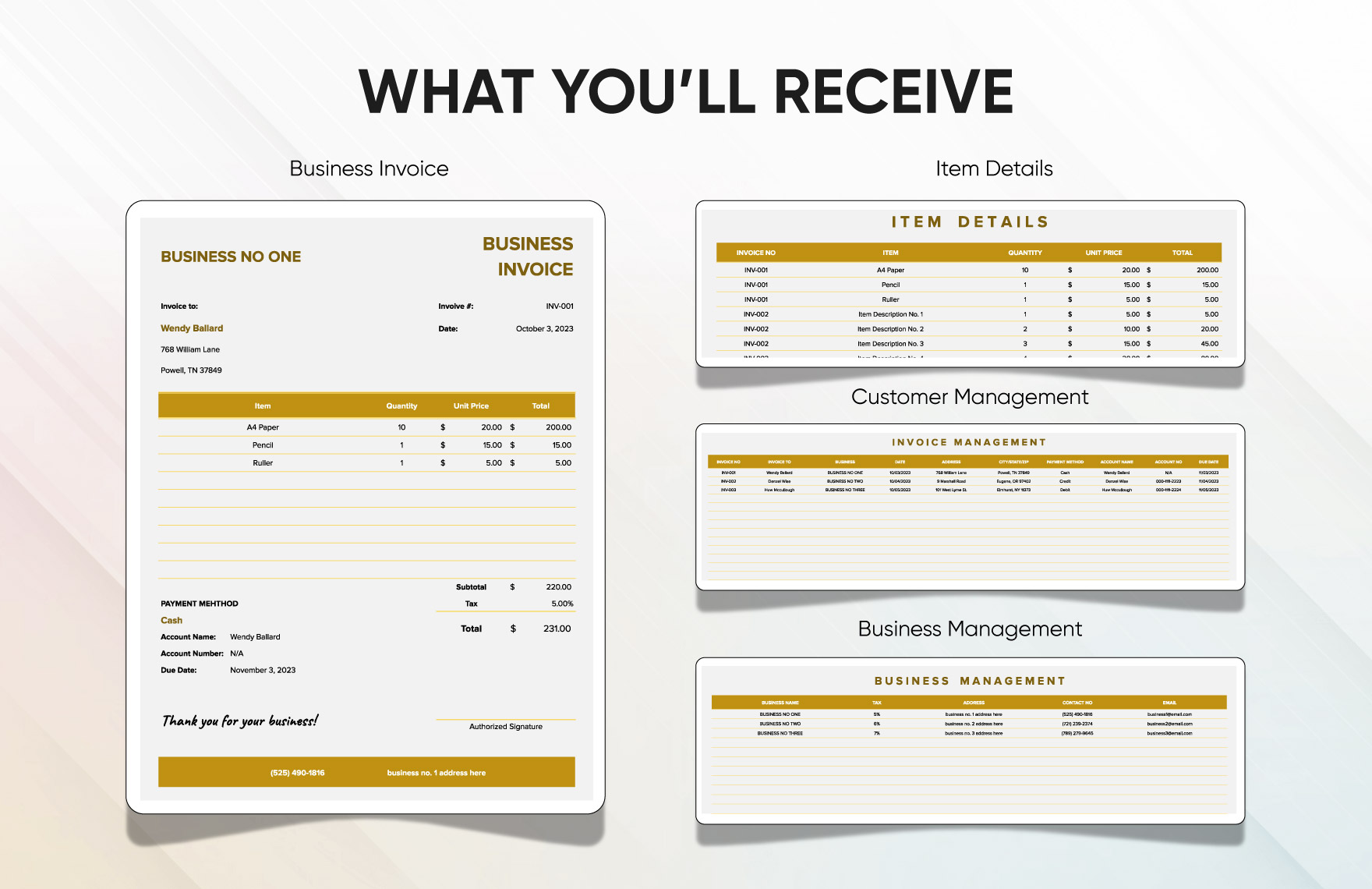
Business Invoice Template with Management Sections
Source: Template.net
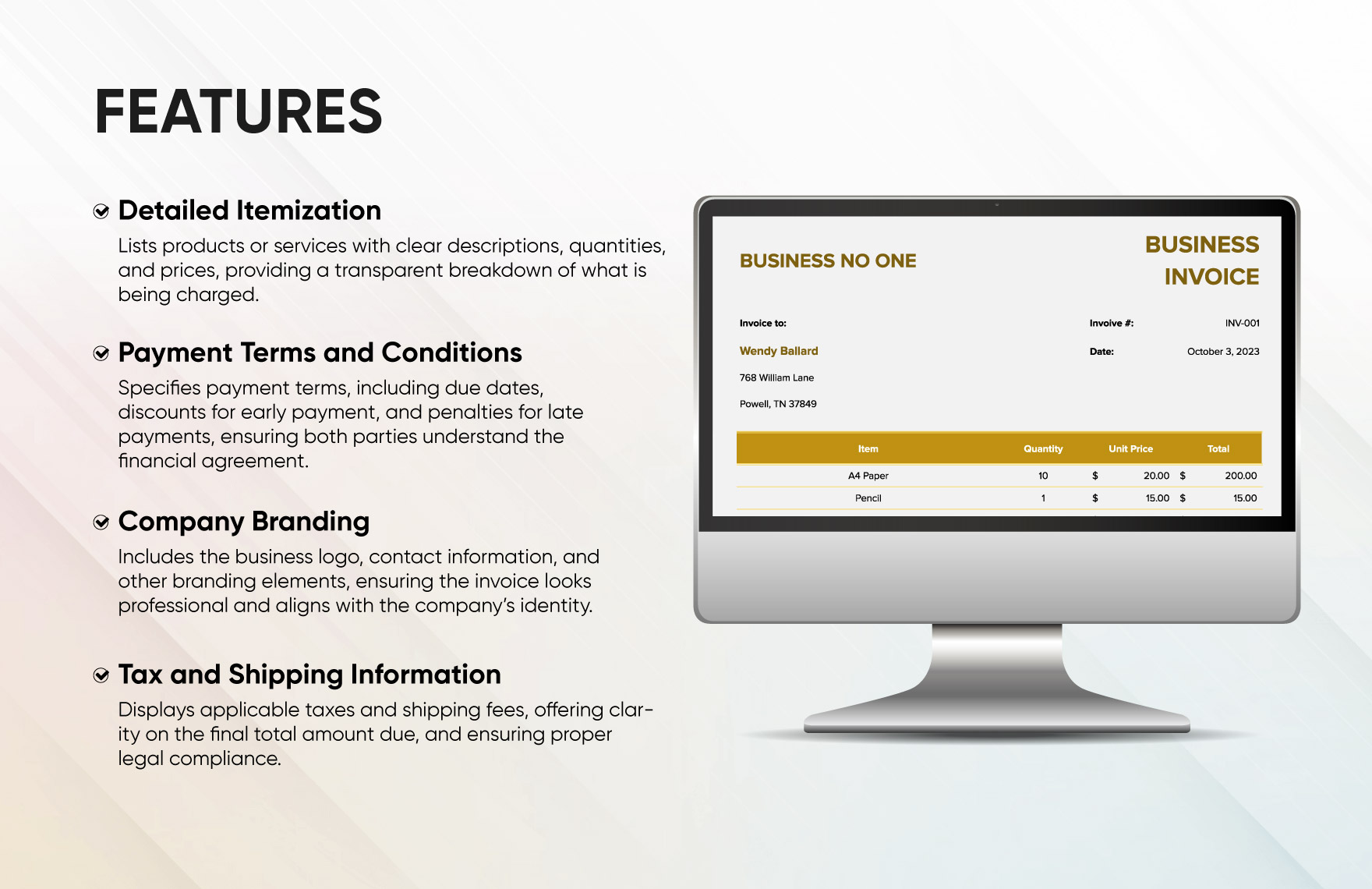
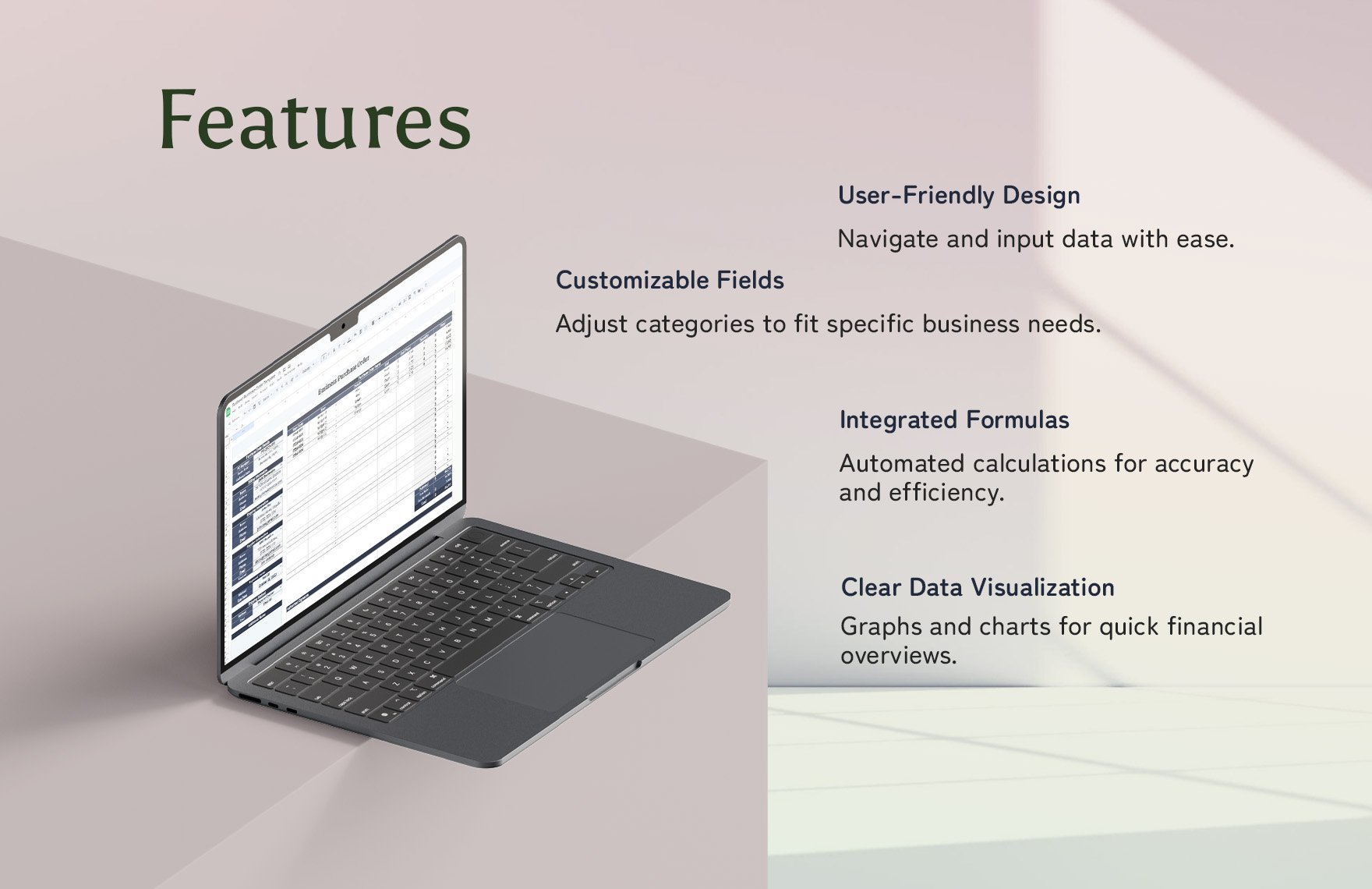
Business Invoice Template Features
Source: Template.net
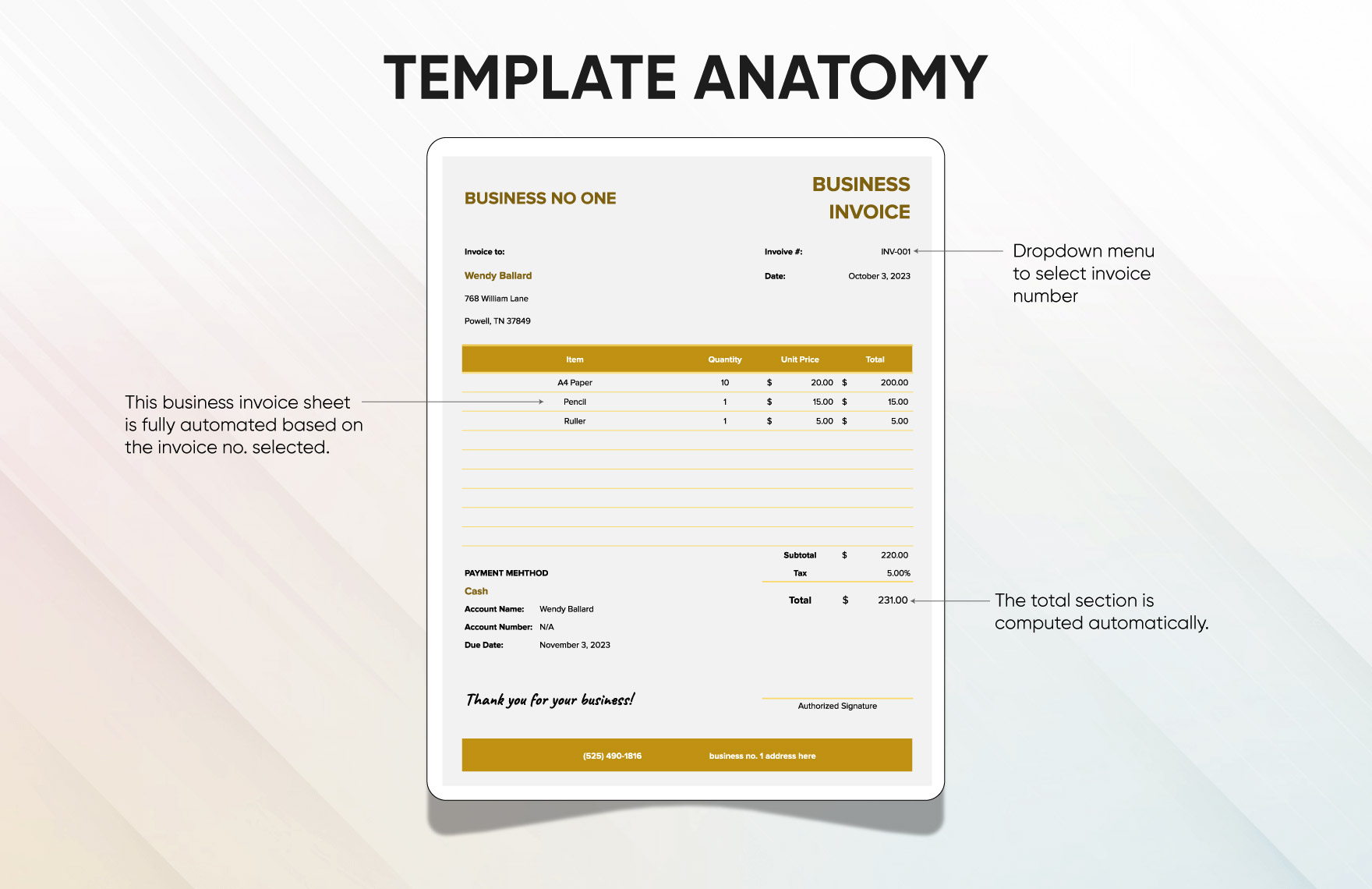
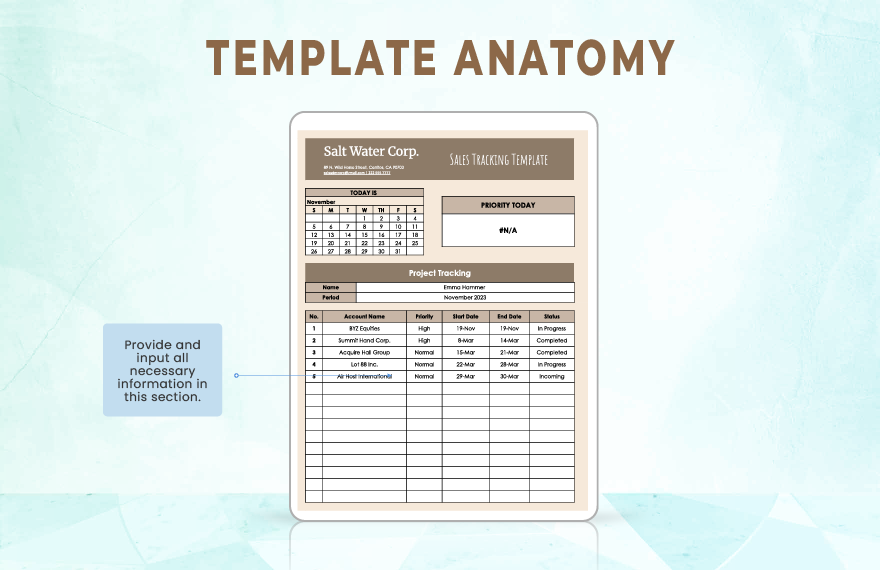
Business Invoice Template Anatomy
Source: Template.net
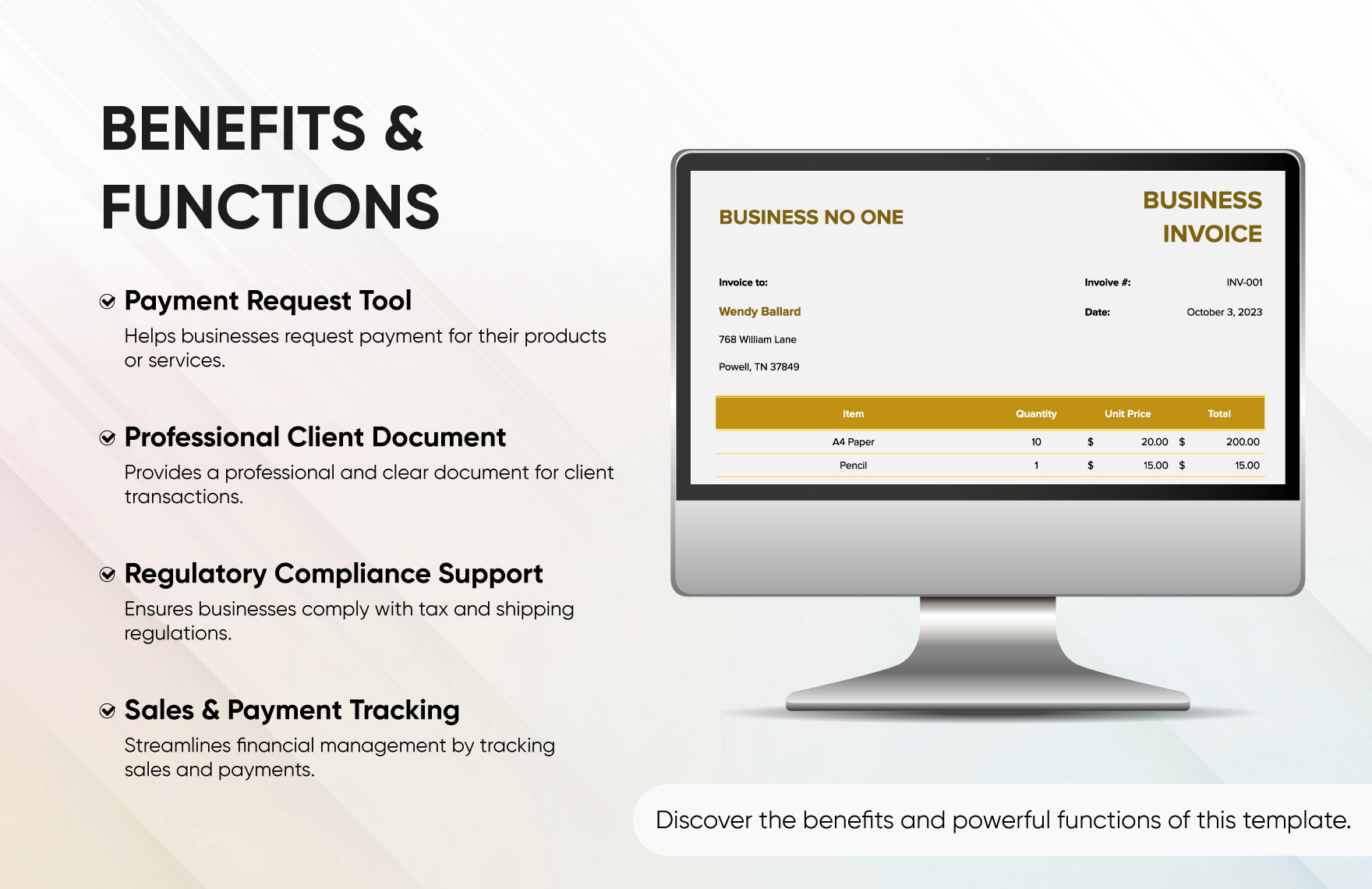
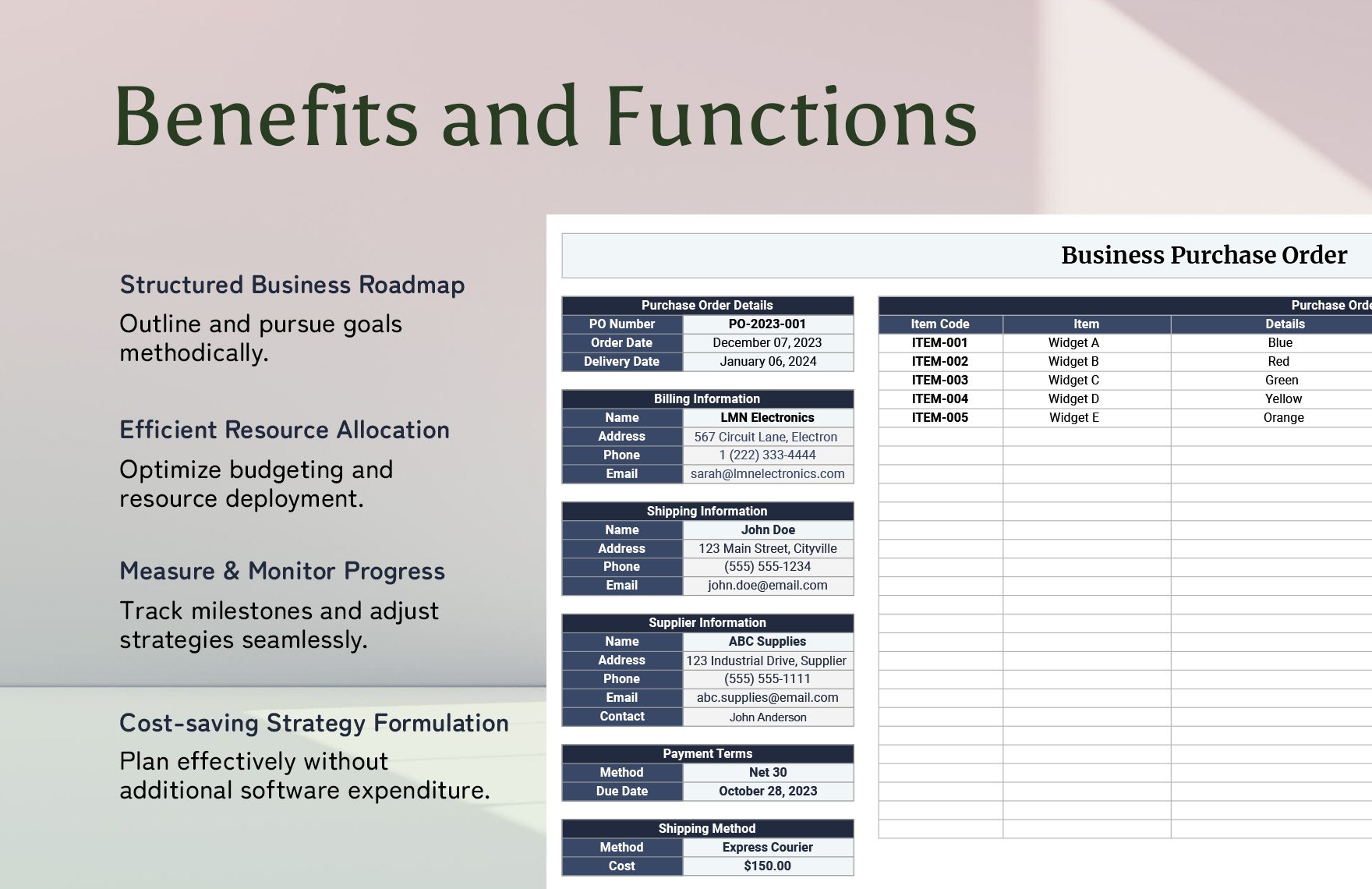
Business Invoice Template Benefits and Functions
Source: Template.net
