The best modern employees matrix template is not simply a colorful spreadsheet. It should connect people, roles, skills, proficiency levels, training requirements, evidence, development actions, and review dates. The matrix can remain simple for a small team or become a more sophisticated workforce-planning tool for larger organizations.
This guide explains how to design, evaluate, and use an employee matrix in a practical way. It covers skills assessment, training tracking, gap analysis, cross-training, document formats, spreadsheet design, reporting, governance, and implementation. It also explains how to choose between Excel, Google Sheets, Google Docs, Word, PowerPoint, and PDF depending on the purpose of the document.
Templates can accelerate the setup process, but the quality of the final matrix depends on the definitions behind the cells. A score has little value if employees and managers interpret “advanced” differently. A training status is also incomplete if it does not identify whether training was merely attended or whether the employee demonstrated the required capability afterward.
The goal, therefore, is to create a matrix that is easy to maintain and useful for decisions. When the structure is clear, the same dataset can support workforce planning, onboarding, training prioritization, project staffing, succession discussions, and continuous development.

What Is an Employee Matrix?
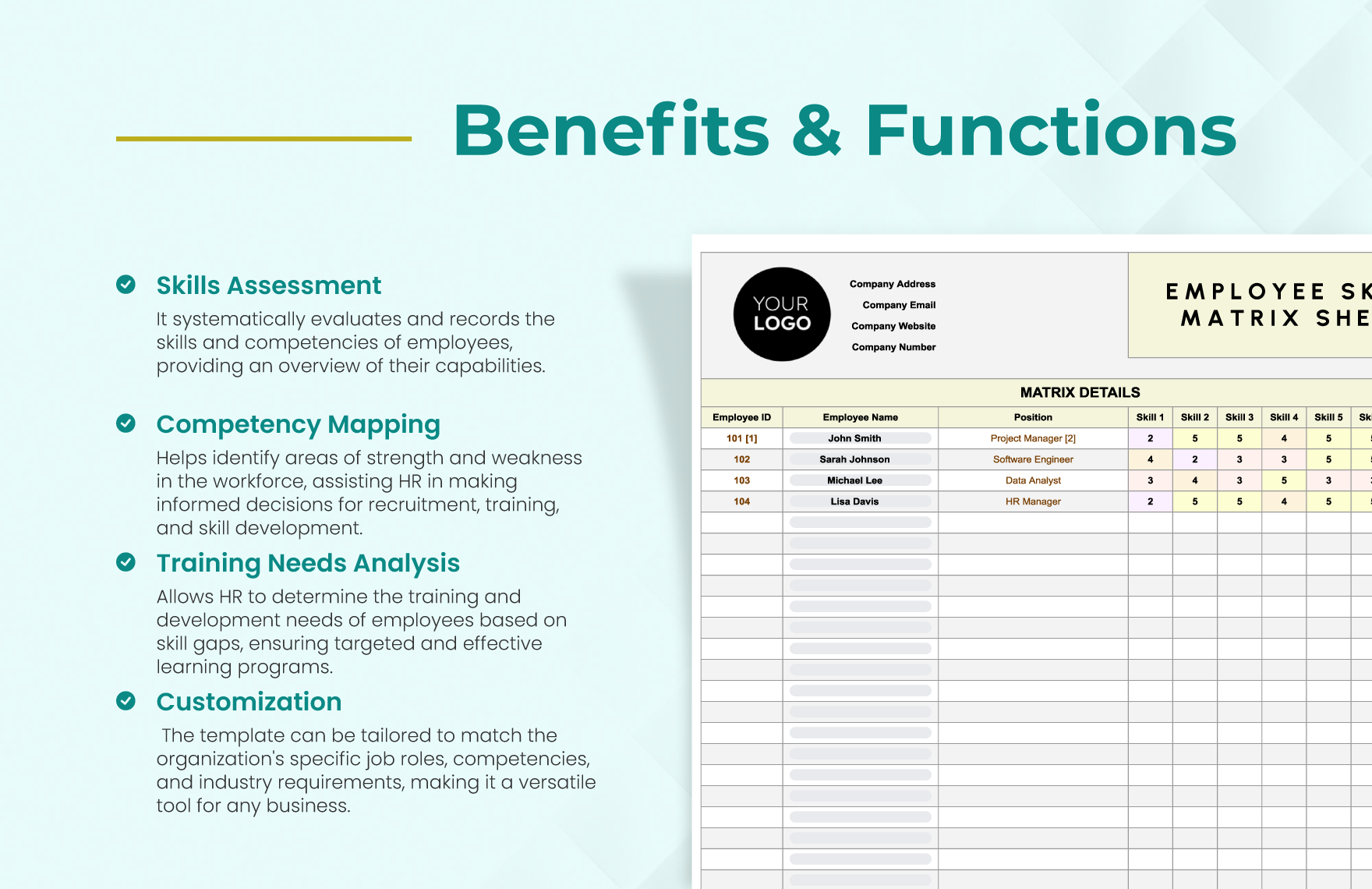
Before building a template, it helps to clarify what is an employee matrix. In the context of workforce capability, an employee matrix is a structured table that connects employees or roles with skills, competencies, qualifications, training activities, or other workforce attributes. The rows commonly represent employees, while columns represent skills, tasks, training modules, certifications, or capability requirements.
The matrix becomes useful when the organization defines what the ratings mean. A simple scale might run from zero to four, where zero means no demonstrated capability, one means basic awareness, two means the employee can perform with guidance, three means independent performance, and four means advanced capability or the ability to coach others. Another organization may use descriptive labels instead of numbers.
A skills matrix and a training matrix overlap, but they answer slightly different questions. A skills matrix focuses on capability: what can the person do and at what level? A training matrix focuses more directly on learning requirements and completion status: what training is required, what has been completed, and what remains outstanding?
The distinction matters because completing a course does not necessarily prove proficiency. An employee may attend a software workshop and still need supervised practice before being considered independent. A strong matrix can therefore include both training status and competency evidence rather than treating them as interchangeable.
Modern organizations often combine these concepts into a broader workforce capability matrix. Such a system can show current skill level, target skill level, training requirement, evidence, owner, due date, and next action. That structure provides a much clearer basis for decisions than a list of completed courses alone.

Why a Modern Employee Matrix Matters
Employee capability changes constantly. People learn new systems, move into different roles, acquire certifications, become mentors, or lose currency in skills they have not used recently. A matrix provides a repeatable structure for keeping that information visible rather than allowing it to remain in individual managers’ memories.
One of the most practical benefits is identifying skill gaps. If a role requires independent data analysis but several employees are still at a basic level, the organization can identify that gap before it becomes a project problem. The matrix can also show whether the gap is concentrated in one department or spread across the organization.
A matrix also helps with resource allocation. Suppose a project needs three people who can independently manage a particular technical process. A current capability matrix can reveal how many qualified people are available and whether the team has enough coverage across shifts, locations, or departments.
Another benefit is resilience. If only one employee possesses a critical skill, that person can become a single point of failure. A modern matrix makes this risk easier to see and can support cross-training decisions. The objective is not to make every employee equally skilled in everything; it is to ensure critical capabilities have appropriate coverage.
Finally, the matrix can improve conversations about development. Instead of saying that an employee “needs more training,” a manager can identify the exact capability, current level, target level, evidence required, and next development activity. This makes development planning more specific and easier to review.

Core Components of a Modern Employees Matrix Template
A useful template begins with employee information. Typical fields include employee name, employee ID, department, role, manager, location, and employment status. Avoid collecting information that has no clear operational purpose. The matrix should contain enough context to interpret the capability data without becoming a second HR database.
The next component is the skill dictionary. Each skill should have a clear name and, where necessary, a short definition. For example, “Data Analysis” is broad, while “Builds and interprets monthly operational dashboards” is more specific. Clear definitions reduce inconsistent scoring and make assessments easier to defend.
Proficiency levels are the third essential component. Use a limited number of levels and define observable behavior for each one. A five-level scale can work well when the organization needs more granularity, while a four-level scale may be easier for smaller teams. The important factor is consistency rather than the exact number of levels.
Required proficiency should be separated from current proficiency. If a role requires level four and an employee is currently at level two, the difference represents a development gap. This distinction allows the matrix to move from description into planning.
Training and evidence fields complete the core structure. A practical template can include training required, training status, completion date, assessment result, evidence source, reviewer, target date, and next action. These fields turn the matrix into an operating tool rather than a static inventory.

Choosing a Proficiency Rating Scale
The rating scale should be simple enough for managers to use consistently. A practical four-level example is: Level 1, basic awareness; Level 2, developing capability; Level 3, independent performance; and Level 4, advanced capability or coaching ability. The organization can use different labels, but every label should describe observable performance.
Do not define a level solely with vague words such as “good,” “average,” or “excellent.” Instead, connect each level to behavior. For example, an independent user may complete the task without supervision, follow the relevant procedure, resolve routine issues, and produce an acceptable result.
Self-assessment and manager assessment can also be separated when the purpose justifies it. Differences between the two ratings can identify areas that require discussion. However, a disagreement should not automatically be treated as an employee failure. It may reveal unclear expectations, insufficient evidence, or a difference in understanding.
Evidence can include observed work, work samples, practical demonstrations, assessment results, completed projects, certification records, or manager verification. Evidence should be appropriate to the skill. A short online quiz may demonstrate knowledge but may not establish that an employee can safely perform a complex practical task.
Whatever scale is chosen, document it on a separate legend or reference tab. New managers should be able to understand the scale without asking the person who originally built the spreadsheet. This simple governance step improves consistency over time.

How to Build the Matrix Step by Step
Step 1: Define the Business Purpose
Start by deciding what decisions the matrix should support. A matrix built for onboarding may focus on required learning during the first ninety days. A production team may focus on task competency and shift coverage. A professional-services organization may emphasize technical skills, client skills, project management, and leadership.
Defining the purpose prevents the template from becoming overloaded. If every possible skill is included, users may stop updating it because the assessment becomes too time-consuming. A smaller set of high-value capabilities is often more useful than a huge list of loosely defined attributes.
Write a short statement such as: “This matrix identifies the capabilities required for critical team activities, compares them with current proficiency, and guides development priorities.” That statement becomes a filter for deciding what belongs in the matrix.
Next, identify the people who will use the matrix. HR may own the framework, but managers often have the strongest knowledge of day-to-day capability. Employees should also have an opportunity to review information about their own development when appropriate.
Finally, decide how the information will be reported. If senior leaders only need a summary of capability gaps, the detailed matrix can remain operational while a separate dashboard presents high-level findings. This keeps the working sheet manageable.
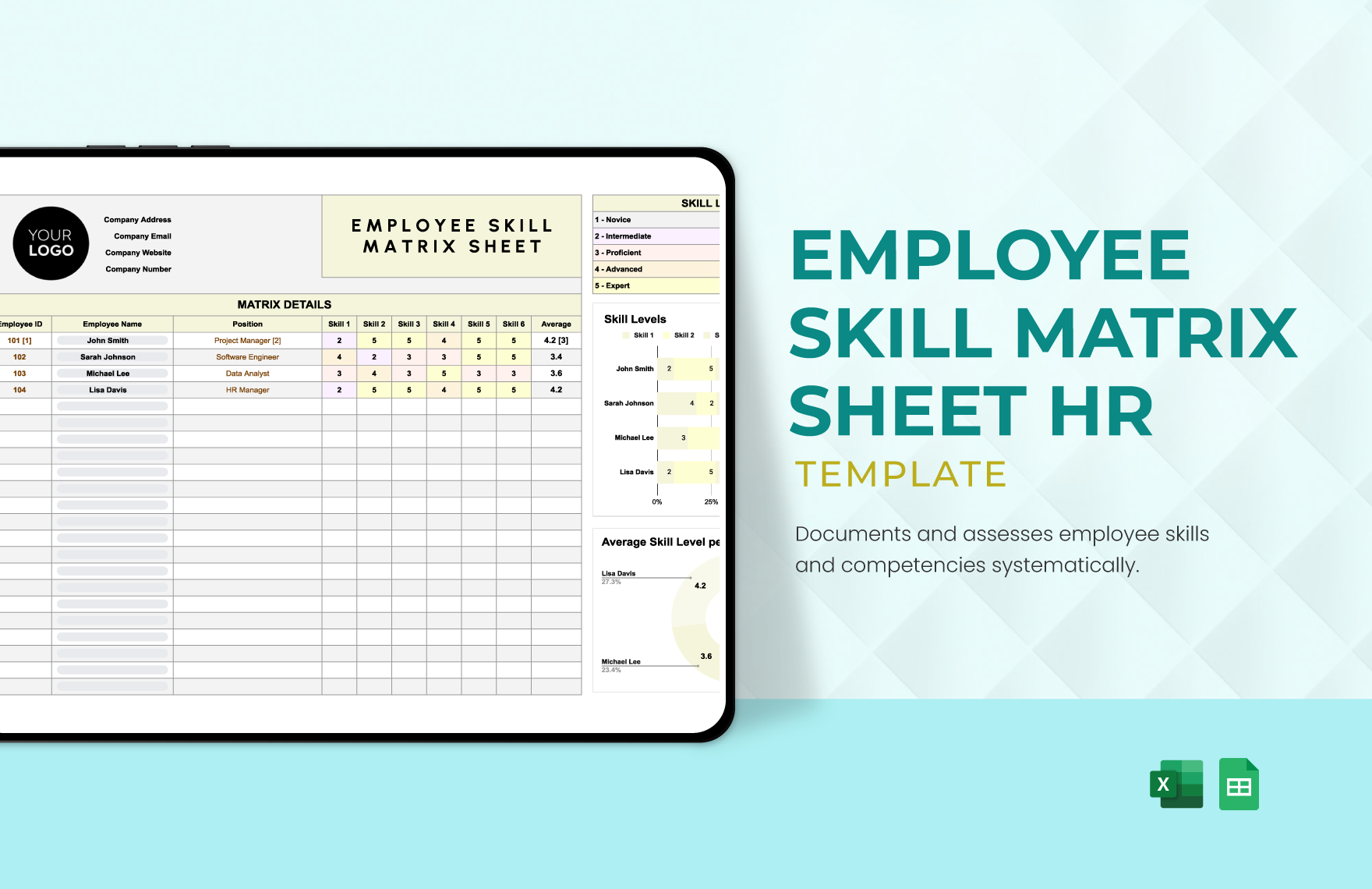
Step 2: Build a Role and Skill Framework
List the roles that matter to the process being managed. For each role, identify the capabilities that are genuinely required to perform the work. Avoid copying every skill from a generic job description because job descriptions often contain broad responsibilities that are not equally important for capability assessment.
Separate skills into logical categories. Common categories include technical skills, operational skills, communication, customer-facing skills, leadership, digital tools, compliance-related knowledge, and process expertise. Categories make large matrices easier to filter and interpret.
For each skill, define the minimum level required for each relevant role. Not every role needs the same target. A team lead may need a higher level of coaching capability than an individual contributor, while a specialist may need deeper technical proficiency than a manager.
Consider whether a skill is mandatory, preferred, or developmental. This prevents every gap from appearing equally urgent. A mandatory safety capability, for example, may require immediate attention, while a desirable presentation skill could be developed over a longer period.
Review the framework with experienced practitioners before scoring employees. The quality of the skill definitions determines the quality of the resulting data, so this validation stage is worth the effort.
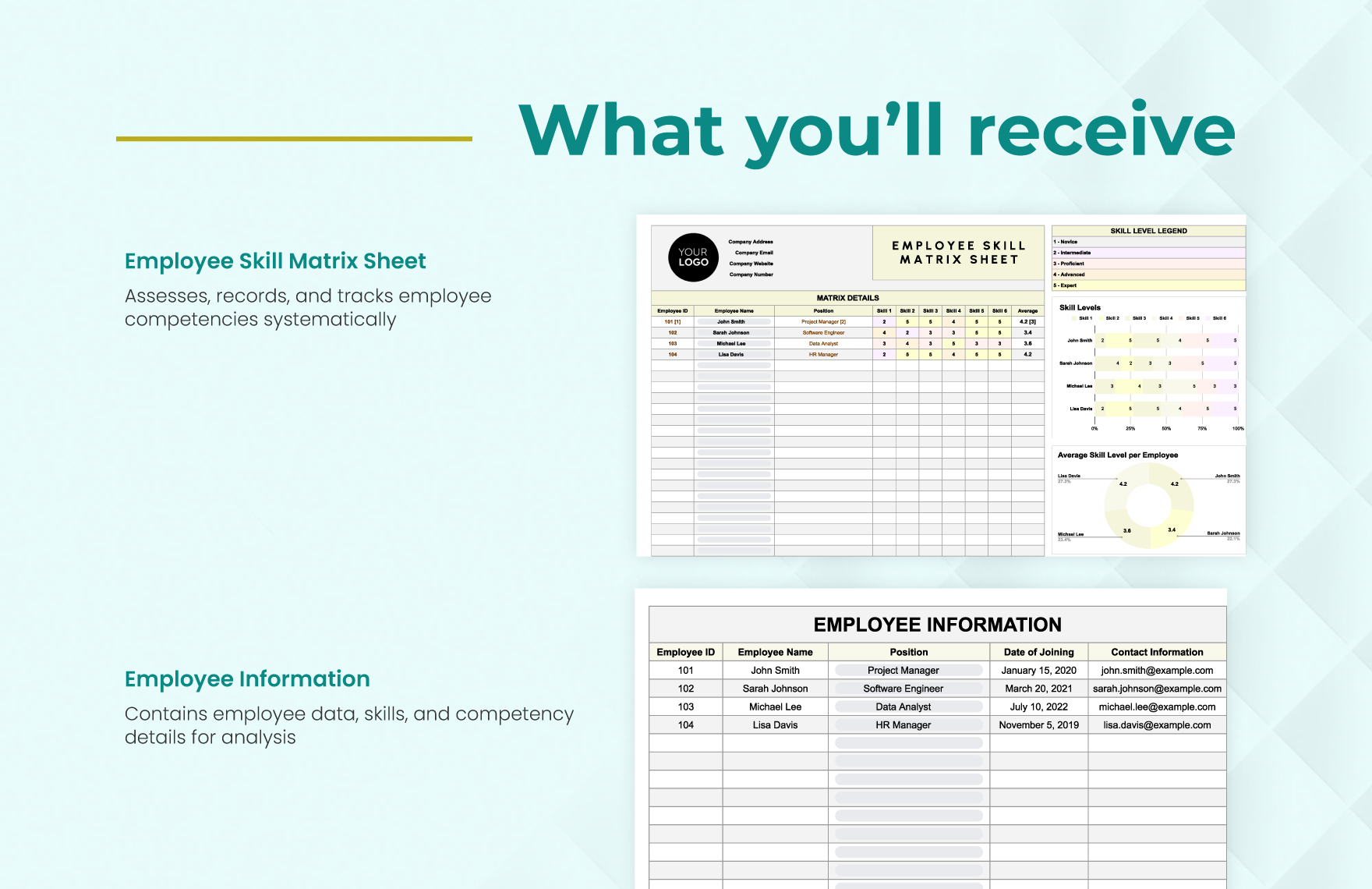
Step 3: Collect Employee Capability Data
There are several ways to collect capability data. A self-assessment is fast and can reveal how employees perceive their own strengths and development needs. Manager assessment adds another perspective and can use observed work performance as evidence.
For critical technical or operational skills, practical assessment is often more reliable than self-rating alone. An employee may understand a process conceptually but struggle when asked to apply it under normal working conditions. The matrix should distinguish between knowledge, practice, and demonstrated capability when those distinctions matter.
Training records can provide supporting evidence but should not automatically determine proficiency. A completion record answers whether the employee finished an activity; it does not necessarily answer whether the employee can perform the skill independently.
Project assignments can also be useful evidence. If an employee has repeatedly performed a task successfully, that experience may support a higher proficiency assessment, especially when a manager has verified the work.
Document the assessment date. A rating without a date quickly becomes ambiguous because capability changes over time. A dated assessment also makes future reviews easier because managers can see whether the capability has improved, remained stable, or declined.
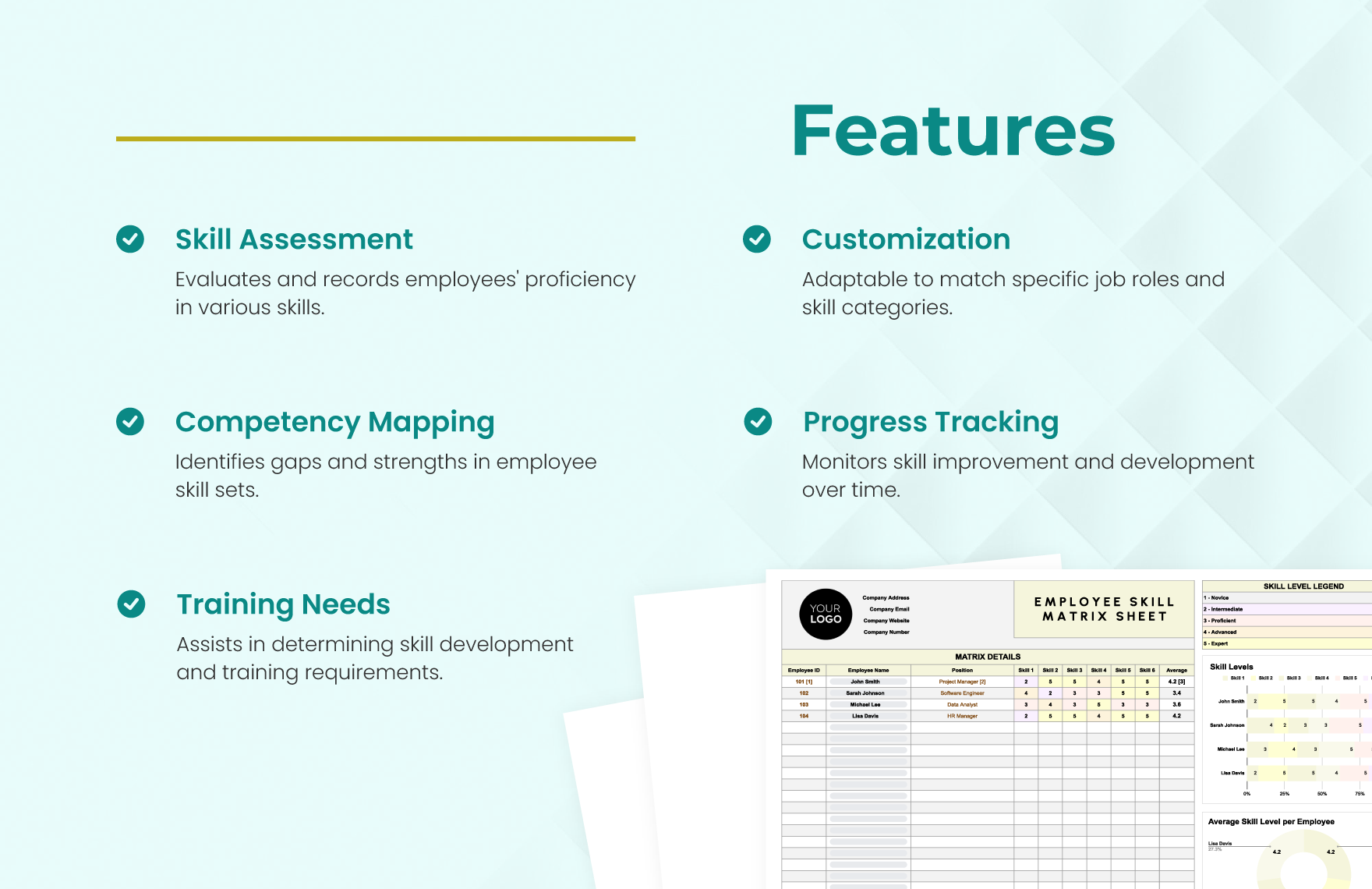
Step 4: Calculate Skill Gaps
The basic gap calculation is straightforward: target proficiency minus current proficiency. If a role requires level four and the current level is two, the gap is two levels. The calculation itself is simple; the important part is deciding what action the gap should trigger.
A gap can indicate a training need, but it can also indicate insufficient experience, unclear processes, missing tools, poor role design, or a mismatch between the employee and the task. Do not assume that every capability gap can be solved with a course.
Prioritize gaps using business impact. A capability that affects safety, service continuity, regulatory obligations, or a critical customer process may deserve more attention than a low-impact development gap.
Coverage is another useful measure. Ask how many people have the required proficiency for each critical skill. A team may have a high average skill level but still have a resilience problem if only one person is qualified to perform a critical task.
Use conditional formatting or visual indicators carefully. Color can help readers identify priorities quickly, but the underlying numbers and definitions should remain available. A green cell should not be the only explanation of what “green” means.
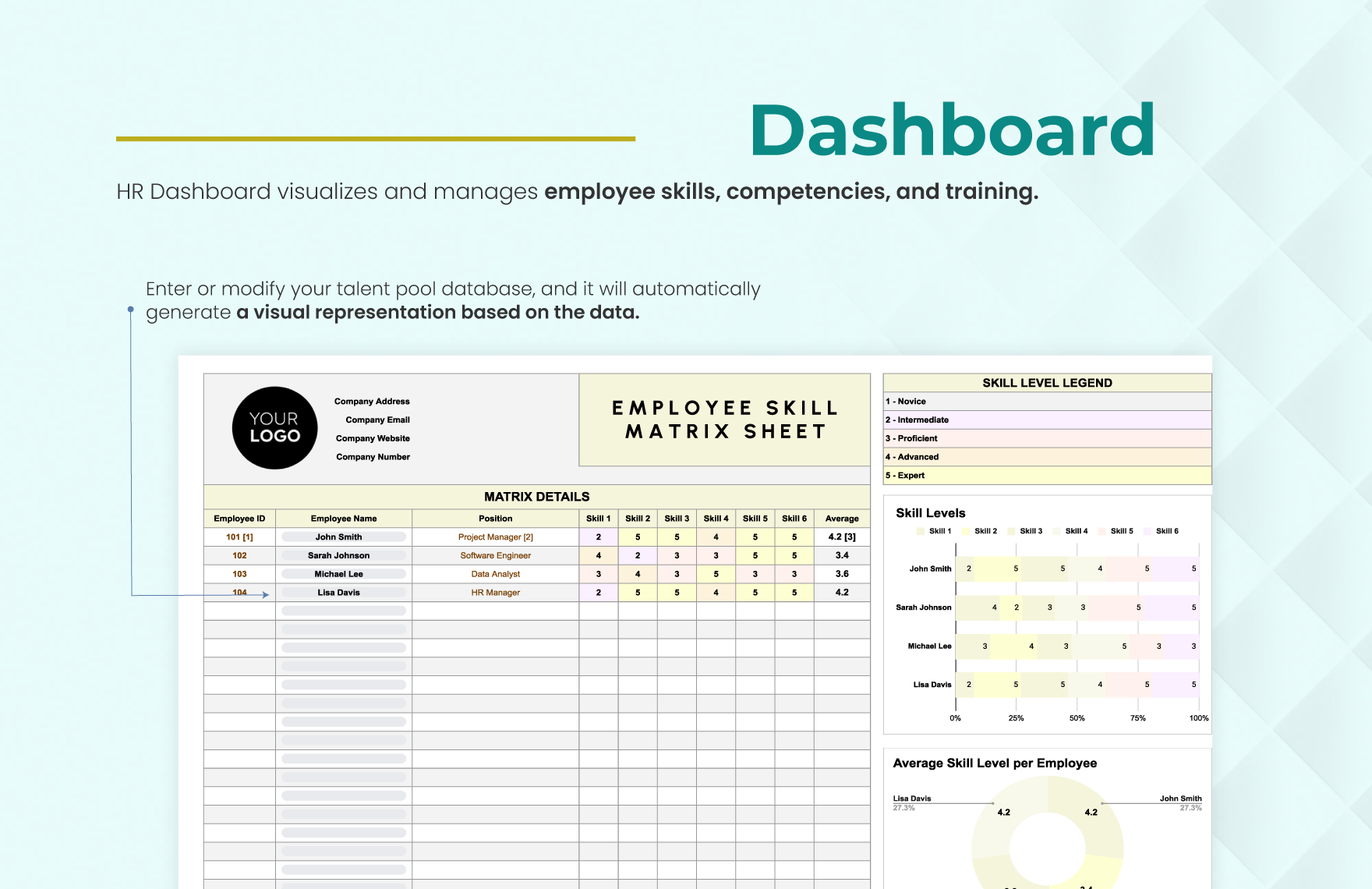
Skill Matrix Versus Training Matrix
A skill matrix template for employees is generally designed to answer capability questions. It maps employees against skills and shows the level at which each person can perform. This makes it useful for project staffing, workforce planning, cross-training, succession planning, and development conversations.
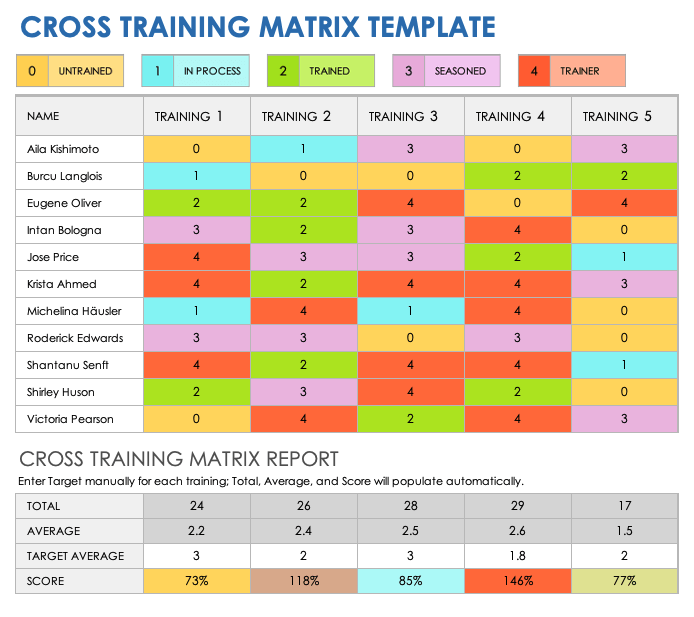
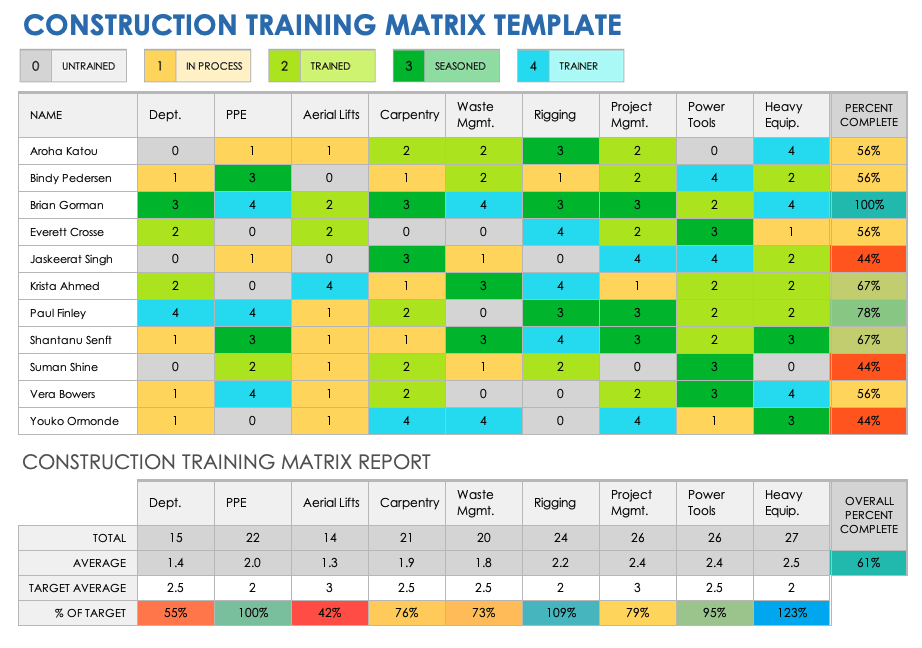
An employee training matrix focuses more directly on learning requirements. It may show required courses, completion dates, renewal dates, status, trainer, assessment results, and certifications. It is especially useful when an organization needs a clear record of who has completed required learning.
The two systems work best together. A training requirement can be triggered by a skill gap, and the resulting training activity can later provide evidence for a new proficiency assessment. This creates a closed loop between assessment, development, and verification.
A mature process can therefore contain three connected layers: capability requirements, current capability, and development actions. The first defines what good looks like; the second describes the current state; and the third explains how the organization intends to close important gaps.
For smaller teams, all three layers can live in one workbook. For larger organizations, separate sheets or systems may be more practical, with shared employee and skill identifiers connecting the records.
Using Training Data Effectively
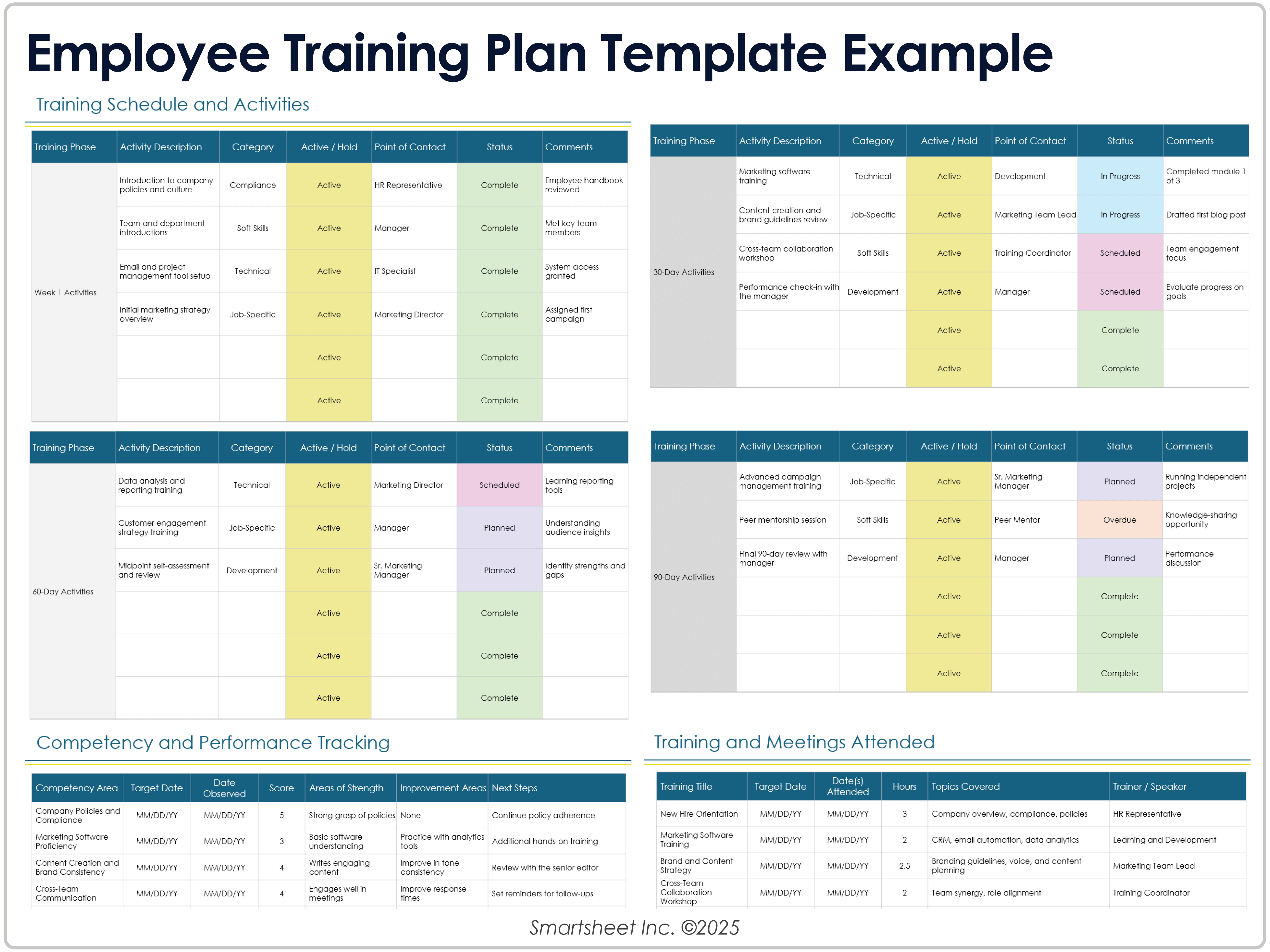
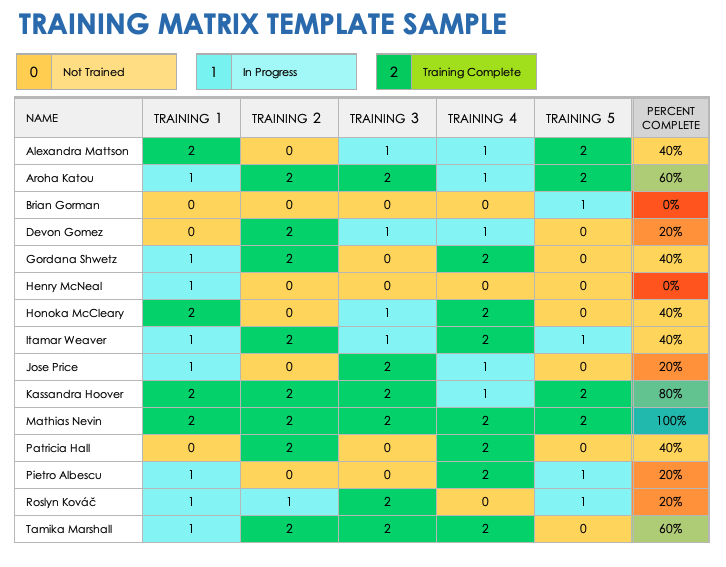
An employee training matrix template should make training status easy to interpret. Useful statuses include not started, assigned, scheduled, in progress, completed, failed assessment, expired, and not applicable. The exact labels should reflect the organization’s process.
Completion dates are important when training expires or requires periodic renewal. A template can include a validity period and calculated review date so managers can identify upcoming requirements rather than discovering expired training after the deadline.
Training ownership should also be clear. Assigning a course without identifying who is responsible for arranging it can leave the record permanently stuck at “assigned.” An owner might be an employee, manager, HR partner, training coordinator, or external provider.
Where practical, connect training to a capability. For example, “Advanced spreadsheet analysis” should link to the specific skills the employee is expected to demonstrate afterward. This creates a more meaningful development record than simply listing course titles.
Training data can also support budget discussions. Managers can group development needs by skill, department, priority, delivery method, and estimated effort. The resulting view can help compare urgent capability gaps with available development resources.
Formats: Excel, Google Sheets, Word, PowerPoint, and PDF
The best file format depends on what the reader needs to do. Spreadsheet formats are normally the strongest choice for data entry, filtering, formulas, conditional formatting, and calculations. Document formats are often better for narrative explanations, printable forms, or individual development plans.
A spreadsheet is usually the most practical format for a large matrix because rows and columns can be expanded, filtered, sorted, and analyzed. It is also easier to create dashboards from structured spreadsheet data.
Google Sheets is particularly useful when several managers need to update a shared matrix. A shared online workbook can reduce the problem of multiple people editing separate copies, although access controls and ownership should still be managed carefully.
Google Docs and Word are more suitable when the matrix is part of a formal document or individual development record. They can work for small tables, but they become cumbersome when hundreds of employee-skill intersections must be updated regularly.
PowerPoint is useful for presenting selected findings rather than maintaining the source data. A manager might use a slide to show capability coverage, major skill gaps, or training priorities during a leadership meeting. PDF is useful for distribution and archival snapshots when editing is not required.
Modern Employees Matrix Template Google Sheets Design
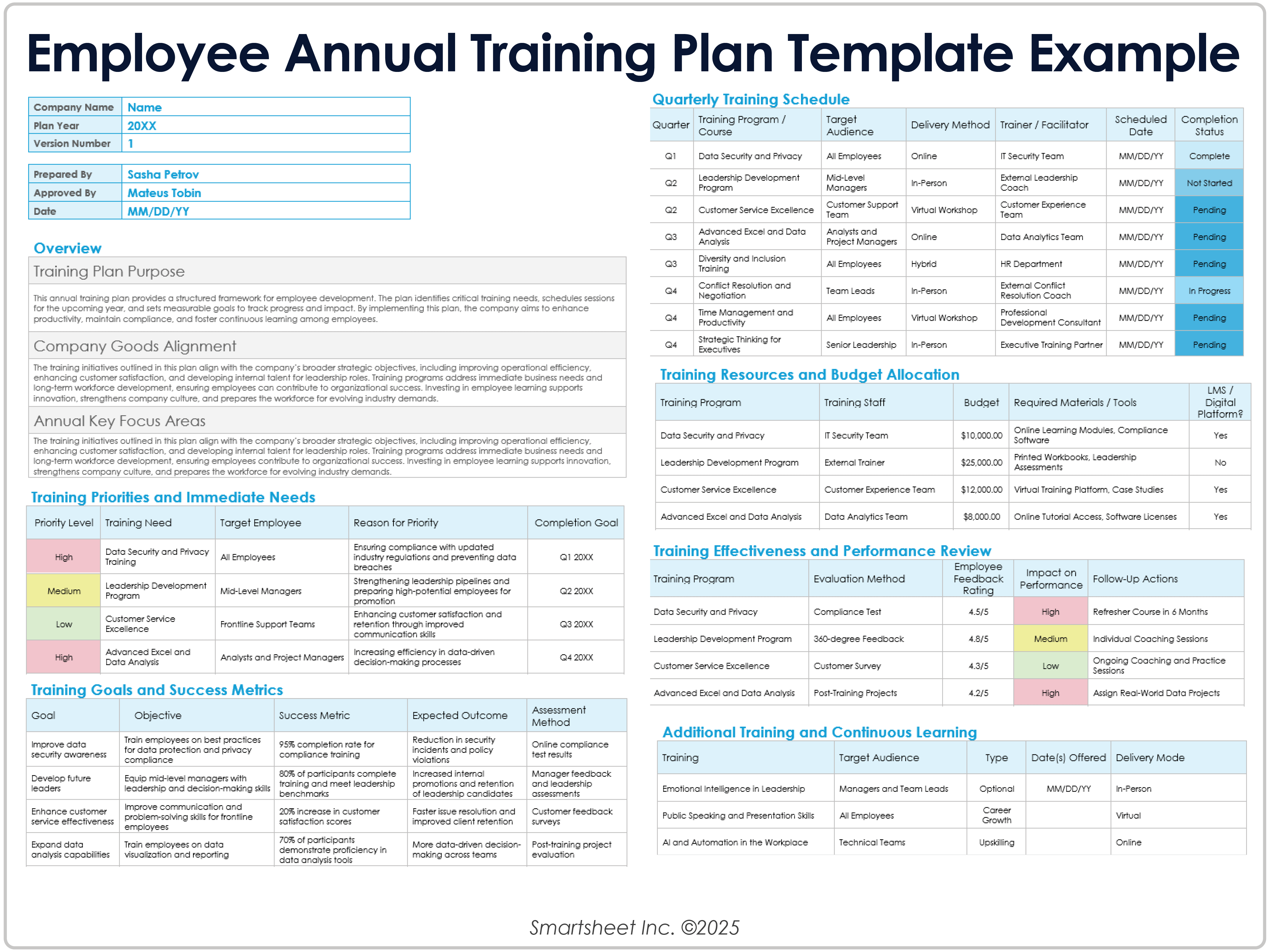
A modern employees matrix template google sheets workbook should be designed around structured data rather than a decorative dashboard alone. Keep employee records, skill definitions, assessments, and reporting views logically separated when the workbook becomes complex.
A practical workbook can contain a “People” sheet, a “Skills” sheet, an “Assessment” sheet, a “Training” sheet, and a “Dashboard” sheet. The People sheet stores stable employee information, while the Skills sheet stores the skill dictionary and proficiency definitions.
The Assessment sheet can use one row per employee-skill combination. This normalized structure is often easier to analyze than an enormous grid when the organization has many employees and skills. A pivot table or dashboard can then transform the data into a visual matrix.
For smaller teams, a traditional employee-by-skill grid may remain the simplest option. Dropdown validation can limit ratings to approved values, while conditional formatting can visually distinguish low, target, and high proficiency.
Sharing permissions deserve attention. Not every user needs access to every employee record. A capability workbook should be designed with appropriate access and confidentiality controls, particularly if it contains sensitive performance or development information.
Modern Employees Matrix Template Google Docs and Word
A modern employees matrix template google docs format can work well when the primary purpose is documentation rather than ongoing numerical analysis. For example, a department might prepare a concise capability review document that includes a small matrix, narrative observations, development priorities, and manager comments.
Word is similarly useful for printable employee development records. A document can combine a table with explanatory text, signatures, review dates, and action-plan sections. This is particularly practical when the matrix is part of a broader performance or development document.
The limitation is maintenance. A Word or Google Docs table is not ideal for large datasets, repeated calculations, or automated reporting. If the matrix has dozens of employees and dozens of skills, a spreadsheet should generally be the source of truth.
One useful approach is to maintain the detailed data in a spreadsheet and generate a simplified employee-specific document for review meetings. The document can show the employee’s current strengths, priority gaps, development actions, and target dates without exposing unnecessary information about other employees.
This separation also improves communication. Employees typically need to understand their own development path, while leadership may need a higher-level view of capability risk. A single document does not have to serve both audiences.
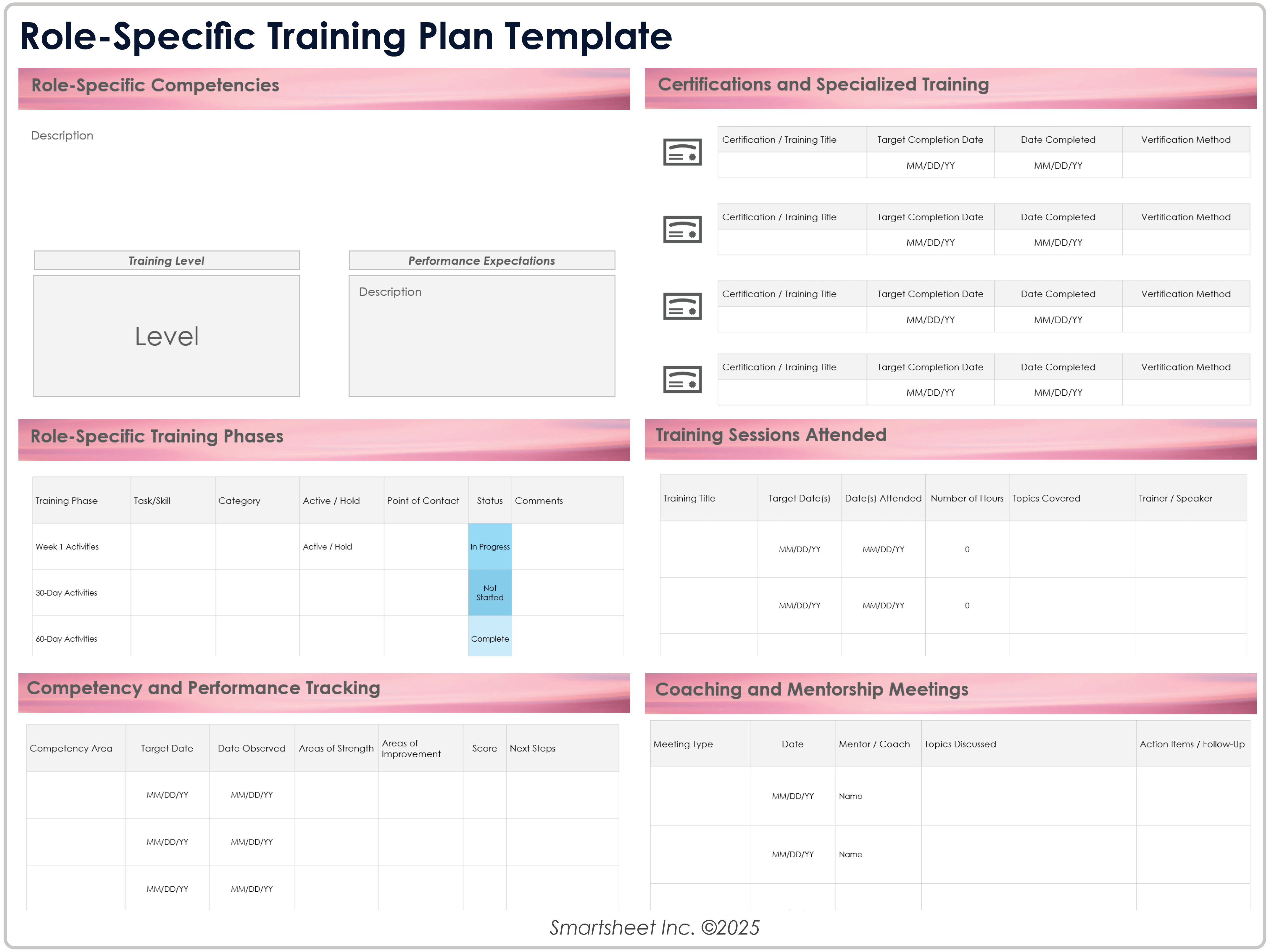
How to Use a Matrix for Cross-Training
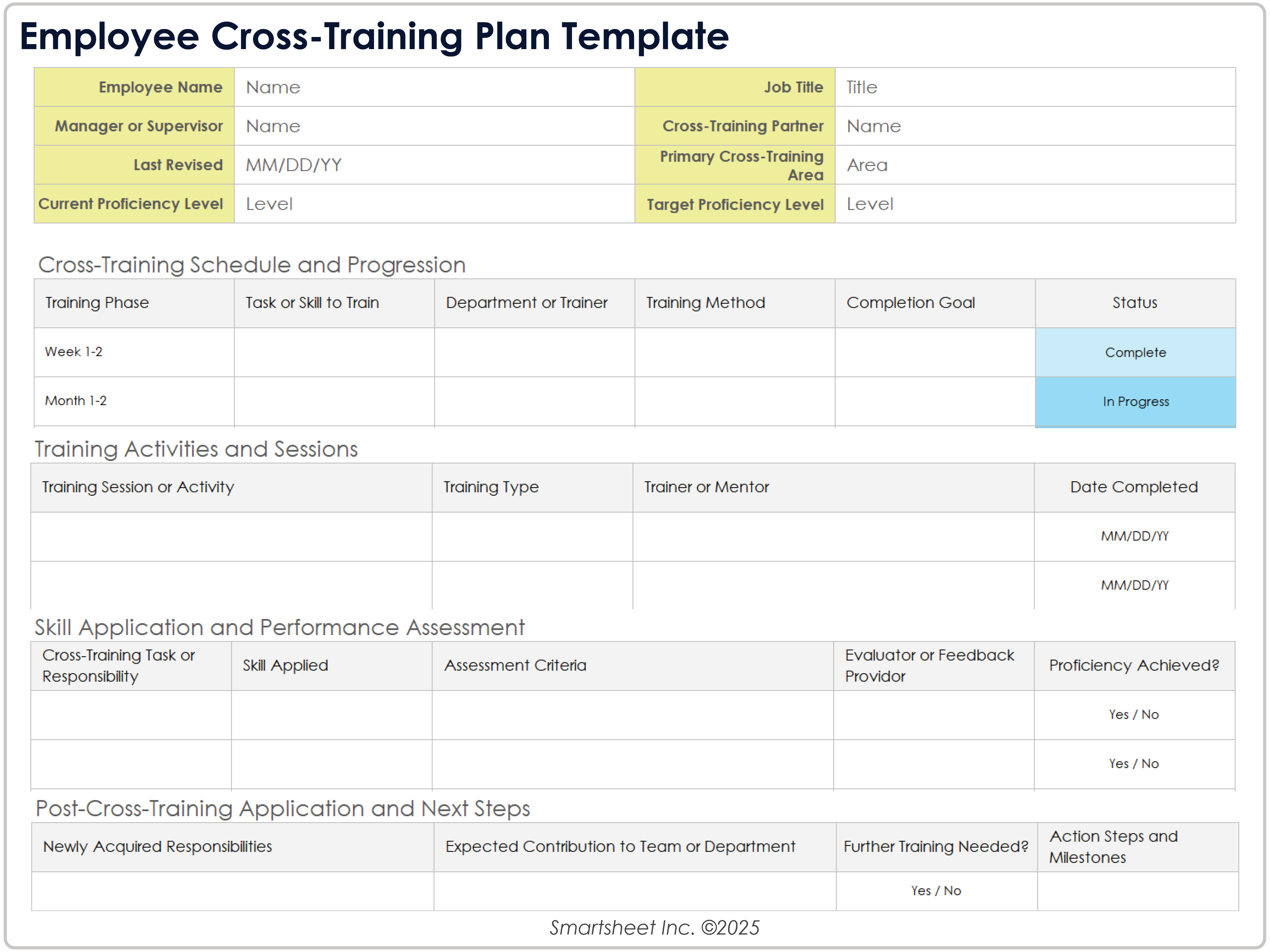
Cross-training is one of the most valuable applications of an employee matrix because it connects individual capability with team resilience. Start by identifying tasks that are operationally important and currently depend on too few qualified people.
For each critical task, define the minimum proficiency required for independent performance. Then count how many employees currently meet that threshold. A capability with only one qualified person may deserve a higher cross-training priority than a skill with broad coverage.
Choose potential learners based on role relevance, workload, interest, and development goals. Cross-training should not simply be assigned to whoever has spare capacity. It can also be an opportunity to prepare employees for future roles or broaden their operational experience.
Track the cross-training journey separately from the final capability rating. An employee may move from untrained to learning, supervised practice, independent performance, and eventually coaching capability. These stages provide more useful information than a single completion checkmark.
Review coverage after training. The purpose of cross-training is not just to record that a course occurred; it is to improve the number of people who can reliably perform the required task.
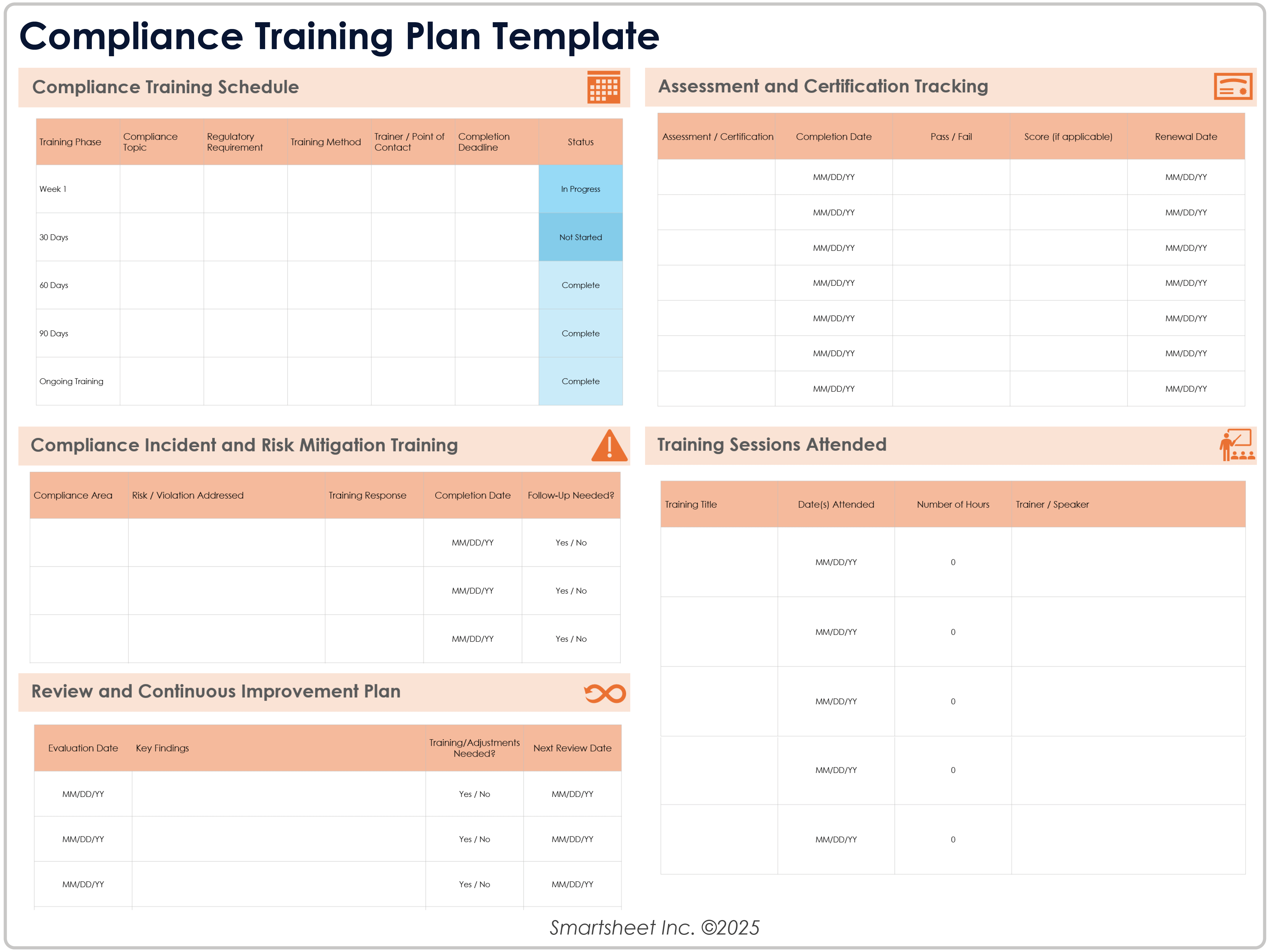
Using the Matrix for Onboarding
Onboarding is another strong use case because new employees often need to learn a predictable set of processes, systems, policies, and role-specific skills. A matrix can make the expected learning path visible from the beginning.
Divide onboarding requirements into stages such as pre-start preparation, first week, first month, sixty days, and ninety days when that schedule fits the role. Each stage can contain required learning, practical tasks, responsible owners, and verification criteria.
Do not make onboarding purely course-based. Include practical activities such as completing a workflow, shadowing an experienced colleague, handling a realistic scenario, or producing a work sample. These activities help demonstrate that the employee can apply what they have learned.
Managers should review onboarding progress at predefined points rather than waiting until the end of the probationary period. Early reviews make it easier to address gaps while there is still time to provide support.
A good onboarding matrix should eventually transition into the employee’s normal capability and development record. This prevents the onboarding data from becoming a temporary spreadsheet that is abandoned after the first few months.
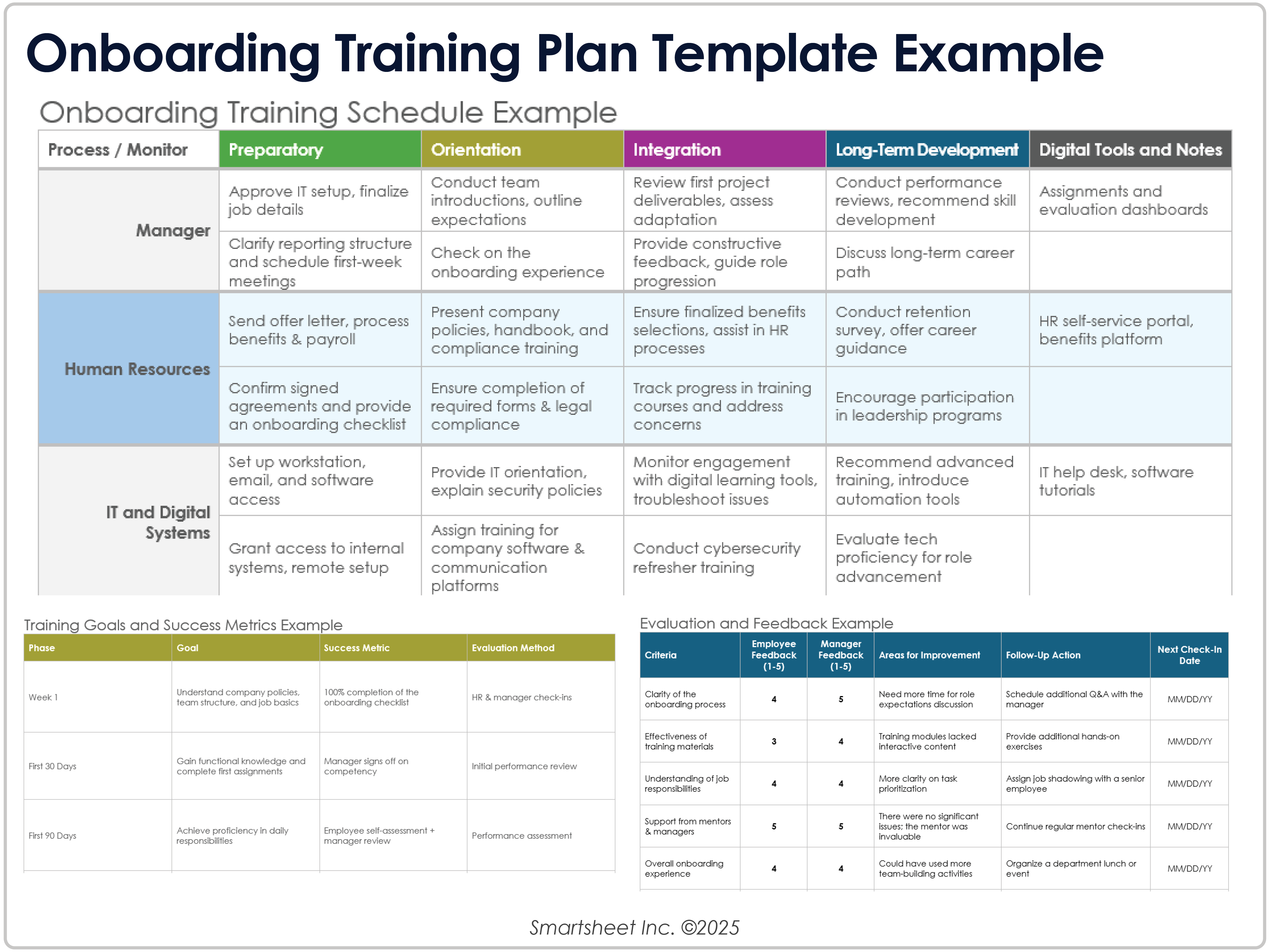
Practical Reporting and Analysis
The raw matrix is valuable, but leaders often need summarized information. Useful reports can include average proficiency by skill, percentage of employees meeting target level, number of people requiring training, training completion status, critical skill coverage, and upcoming certification or renewal dates.
Be careful with averages. A team average can hide important risk. If four employees score highly and one critical skill has only one qualified person, the average may look healthy even though operational resilience is weak.
Coverage metrics can address this problem. For each critical skill, calculate how many employees meet the required level. You can also track the number of people capable of mentoring others, which helps identify internal training capacity.
Trend reporting is another useful feature. Compare capability assessments across review periods to see whether development activities are actually improving proficiency. The objective is not to make every score rise continuously; some skills may remain stable because they are already at the required level.
For leadership reporting, keep the dashboard focused. A small number of clear indicators is usually easier to act upon than dozens of charts. The detailed matrix should remain available for managers who need to investigate the underlying data.
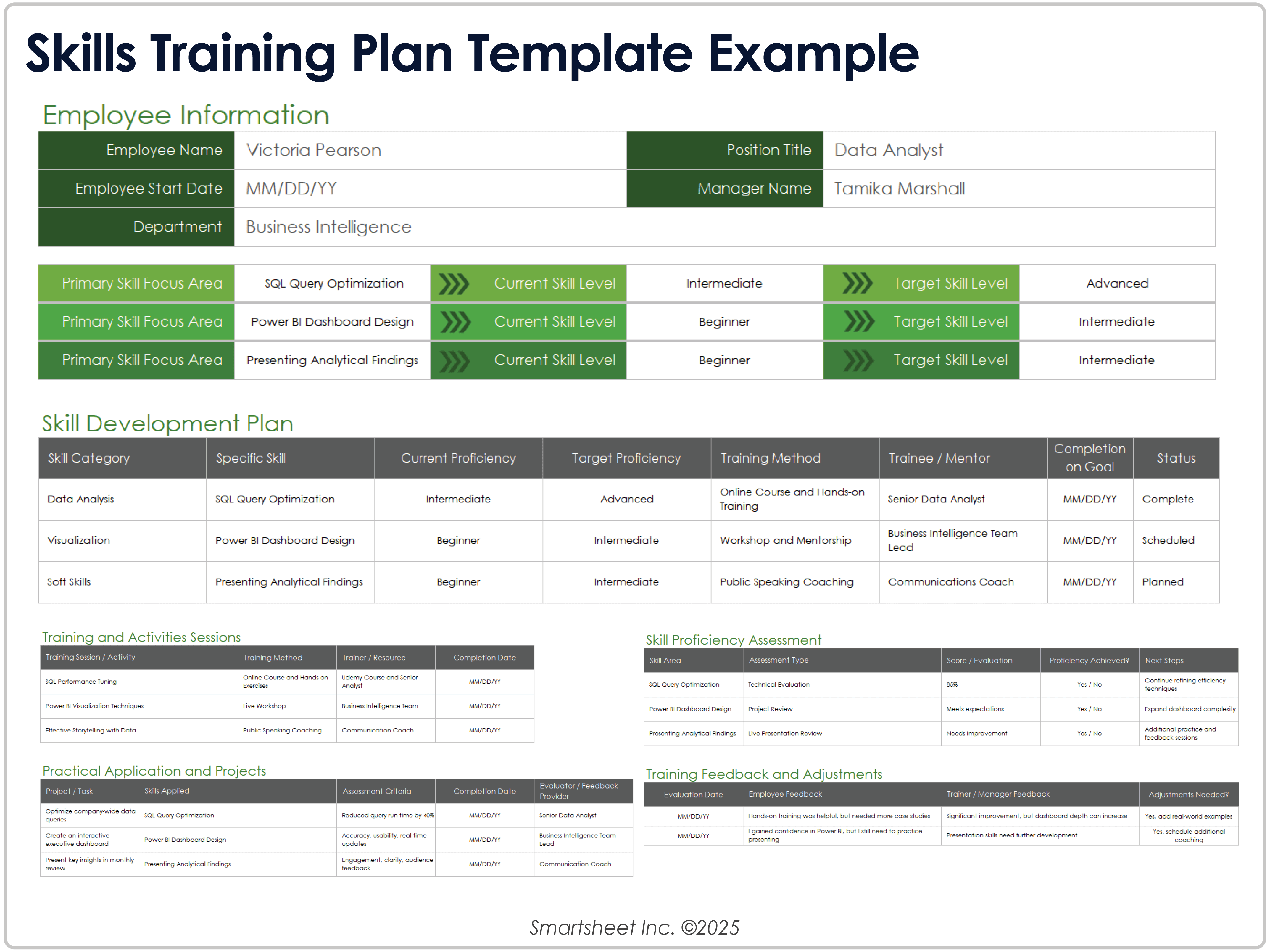
Common Mistakes to Avoid
One common mistake is creating the matrix without defining the purpose. Teams sometimes start by adding every possible skill, certification, course, and employee attribute. The result is a workbook that looks comprehensive but is difficult to maintain.
Another mistake is inconsistent scoring. If one manager gives a three for independent performance while another gives a three for “usually capable with help,” the resulting data cannot be compared reliably. The solution is to define levels with observable behaviors and examples.
Overreliance on self-assessment is also risky. Self-assessment can be useful input, but important capability decisions should normally be supported by appropriate evidence or manager review. Employees may underestimate themselves, overestimate themselves, or interpret the question differently.
Another problem is failing to update the matrix. An assessment from several years ago may not reflect current capability. Establish a review cadence based on how quickly the skills change. Fast-changing technical capabilities may require more frequent review than stable foundational skills.
Finally, do not turn the matrix into a punishment mechanism. Its strongest value comes from identifying development opportunities and operational risks. If employees believe every rating will automatically be used against them, the quality of the data may deteriorate.
Best Practices for Governance and Maintenance
Assign an owner for the matrix. Ownership does not mean one person must enter every rating, but someone should be responsible for the framework, definitions, version control, review schedule, and overall data quality.
Keep a clear version history. When skill definitions or proficiency levels change, record when the change occurred and why. Otherwise, a rating from an older framework may be incorrectly compared with a rating from a newer one.
Use controlled inputs wherever possible. Dropdown lists, validation rules, standardized status values, and consistent date formats reduce errors. A free-text field for every value may seem flexible, but it makes analysis harder.
Separate sensitive information from general capability information when necessary. Not every matrix user needs access to individual performance comments or confidential development notes. Access should reflect legitimate business need.
Schedule periodic reviews with managers and employees. The review should examine both the data and the usefulness of the framework itself. If users repeatedly struggle to assess a skill, that may indicate the skill definition needs improvement rather than simply requiring more training.
Practical Solution: Build a Matrix That Managers Will Actually Use
Start with a small pilot instead of trying to map the entire organization immediately. Choose one team with a clear set of responsibilities and five to ten high-value skills. This creates a manageable environment for testing definitions, rating scales, formulas, and reporting.
Create five basic sections: employee information, skill definitions, current proficiency, required proficiency, and development actions. Add training status only where training is genuinely connected to a capability gap. This keeps the first version focused.
Next, define the rating scale before entering employee scores. Write one sentence explaining what each level means and add behavioral examples for the most important skills. Ask two managers to independently score a sample employee or fictional scenario and compare the results. Large differences are a sign that the definitions need refinement.
Once the framework is stable, collect employee input and manager evidence. Record the assessment date and distinguish self-rating from verified rating when both are used. Then calculate gaps and prioritize them according to business impact, urgency, and coverage risk.
Convert the highest-priority gaps into actions. An action might be formal training, supervised practice, mentoring, job rotation, project assignment, documentation improvement, process redesign, or recruitment. The matrix should help the organization choose the right intervention rather than automatically prescribing a course.
Finally, create a simple dashboard for leadership and a detailed working view for managers. The dashboard might show critical skills below target, employees requiring development, training completion, and coverage risks. The working sheet should contain the evidence needed to investigate those results.
Review the pilot after one reporting cycle. Ask whether managers could understand the ratings, whether employees found the development information useful, whether the data could support real staffing decisions, and whether the maintenance effort was reasonable. Refine the structure before expanding it to additional teams.
Reference Examples
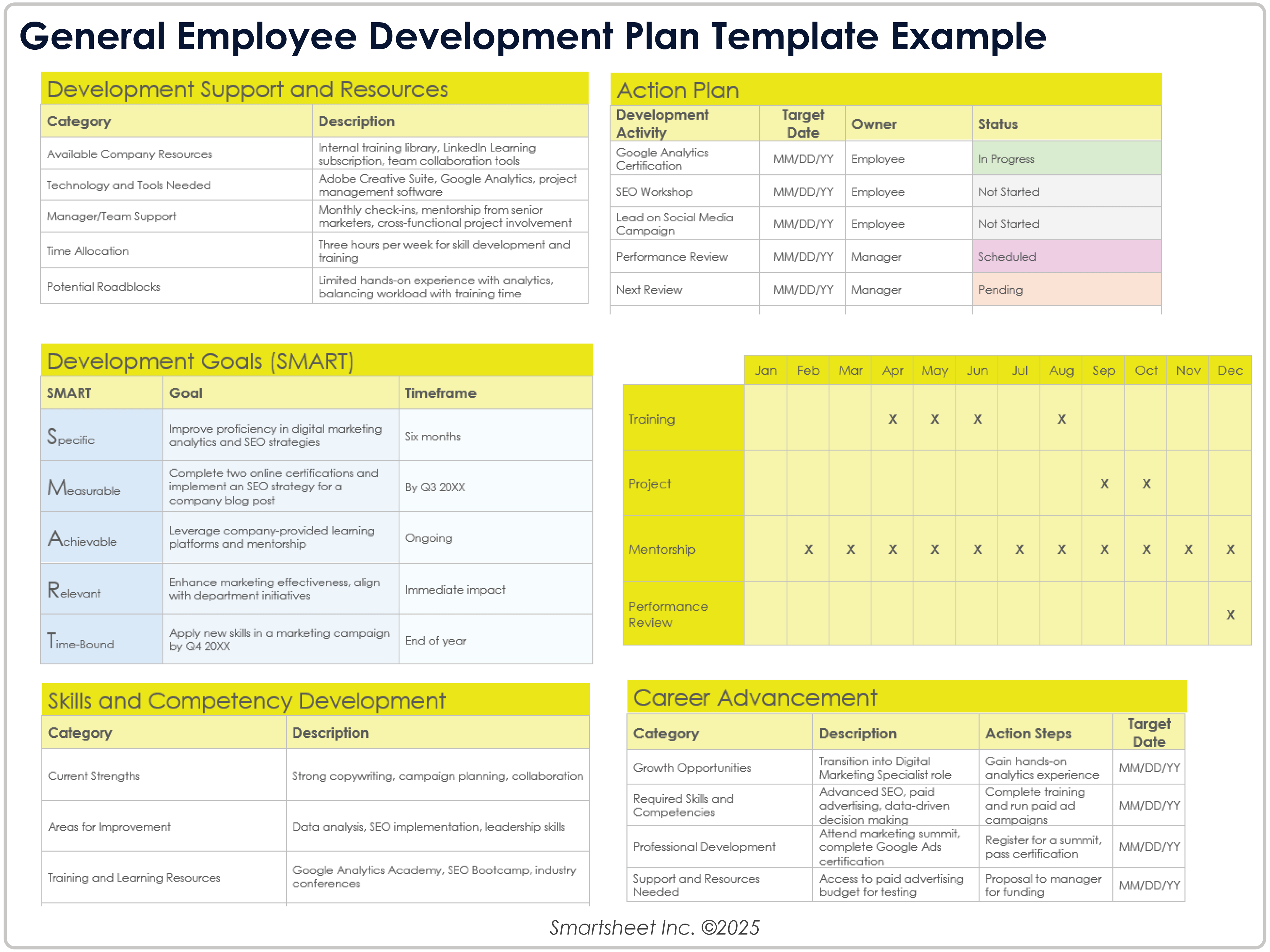
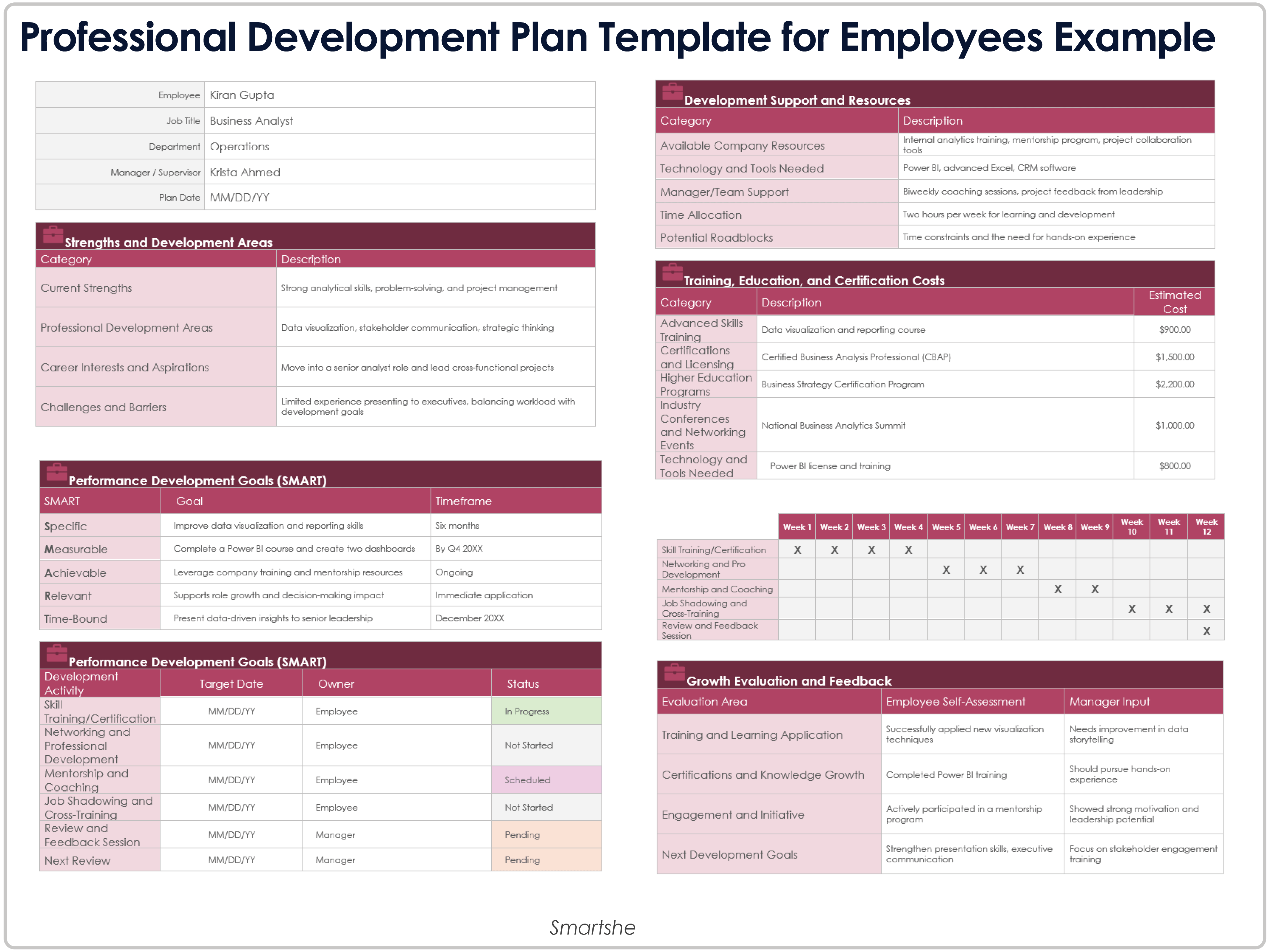
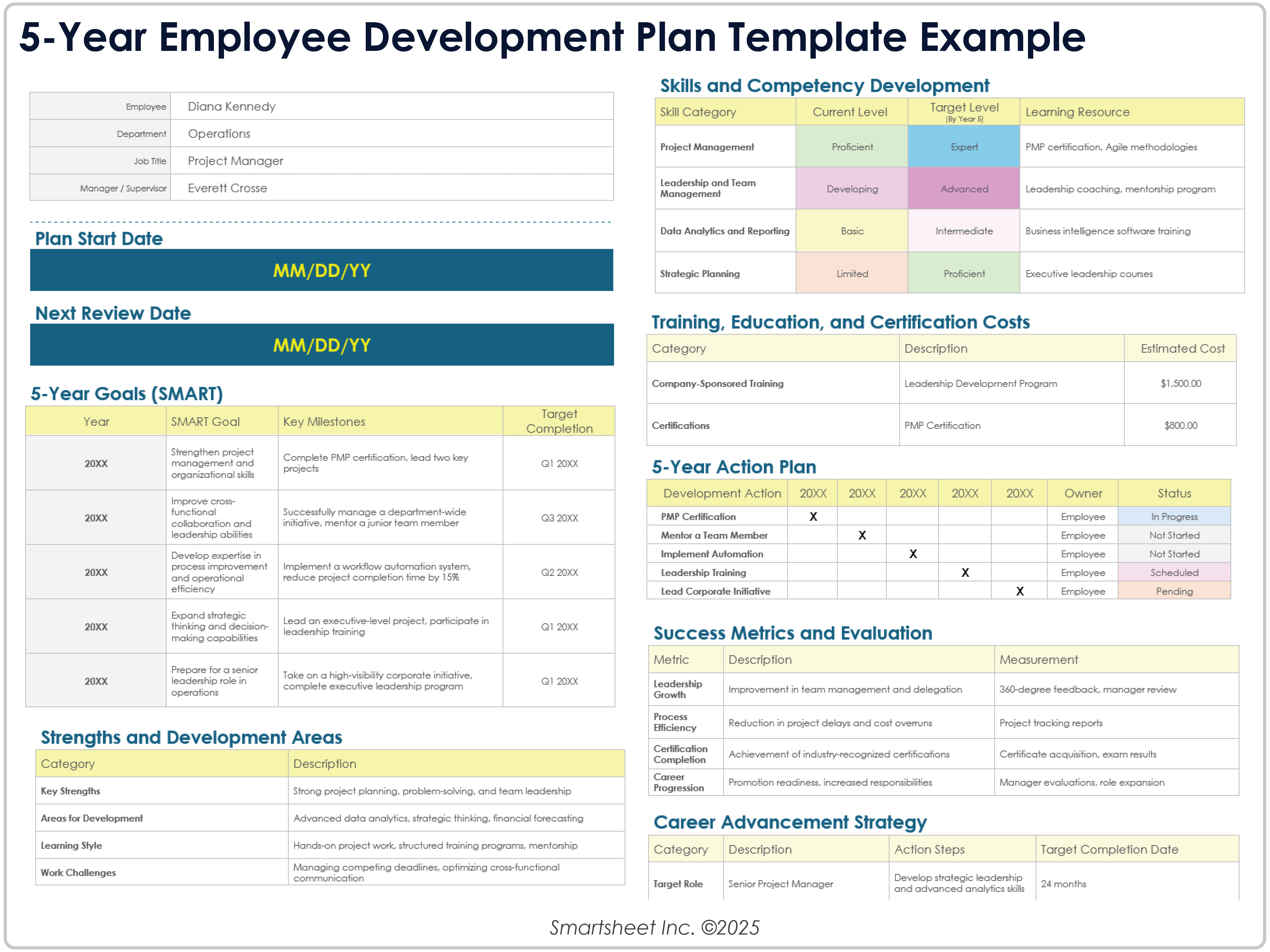
The following reference examples illustrate different formats and visual approaches that can be adapted when designing an employee skills, training, or capability matrix. The examples are intended as visual references rather than claims that every organization should use the same structure.
modern employees matrix template google sheets
Source: Smartsheet
modern employees matrix template google docs
Source: Smartsheet
modern employees matrix template free download
Source: Smartsheet
modern employees matrix template free
Source: Smartsheet
modern employees matrix template powerpoint
Source: Techno-PM
modern employees matrix template pdf
Source: Smartsheet
modern employees matrix template word
Source: Smartsheet
skill matrix template for employees
Source: Techno-PM
employee training matrix template
Source: Smartsheet
free employee training matrix template excel
Source: Smartsheet
what is an employee matrix
Source: Techno-PM
Frequently Asked Questions
What is the main purpose of a modern employees matrix template?
Its main purpose is to organize information about employee capabilities, identify gaps between current and required proficiency, support development planning, and improve workforce decisions. Depending on the design, it can also track training, certifications, cross-training, and operational coverage.
How often should an employee skills matrix be updated?
The appropriate frequency depends on how quickly skills and job requirements change. A fast-changing technical team may review capability more frequently, while a stable operational environment may use a scheduled semiannual or annual review. Important changes such as promotions, new systems, or major role changes should trigger an earlier review.
Should employees complete their own skill ratings?
Self-assessment can be valuable because it captures the employee’s perspective and development interests. For important capability decisions, it is usually better to combine self-assessment with manager review, practical evidence, work samples, testing, or another appropriate verification method.
What rating scale works best?
There is no universal best scale. A four-level or five-level scale can work well if each level is clearly defined. The most important requirement is that managers understand the difference between levels and apply the definitions consistently.
Can a skills matrix be used for employee training?
Yes. A skills matrix can identify gaps between current and required capability and use those gaps to prioritize development actions. The resulting training activities can then be tracked in a training matrix, with later assessments used to determine whether capability actually improved.
Is Excel better than Google Sheets for an employee matrix?
Both can work effectively. Excel is often strong for advanced formulas, offline workflows, and complex analysis, while Google Sheets is convenient for collaborative editing and shared access. The better choice depends on the organization’s existing technology environment and governance requirements.
Can a matrix track certifications?
Yes. Certification fields can include certification name, issuing organization, completion date, expiry date, verification status, and renewal requirement. Certification status should be distinguished from general skill proficiency because holding a credential does not always prove practical mastery of every related task.
How can managers prevent a skills matrix from becoming outdated?
Assign clear ownership, establish review dates, use standardized inputs, and connect important changes to the review process. Managers should update ratings when employees change roles, complete significant development activities, or demonstrate new capabilities rather than waiting exclusively for an annual review.
Conclusion
A well-designed modern employees matrix template is more than a spreadsheet of names and ratings. It is a practical framework for understanding workforce capability, identifying important gaps, planning development, improving cross-training, and making better decisions about people and work. The strongest implementations begin with clear skill definitions, observable proficiency levels, appropriate evidence, and a simple maintenance process. Whether the final system lives in Excel, Google Sheets, Google Docs, Word, PowerPoint, or PDF, its real value comes from turning capability information into clear actions that help employees grow and help teams remain ready for the work ahead.
